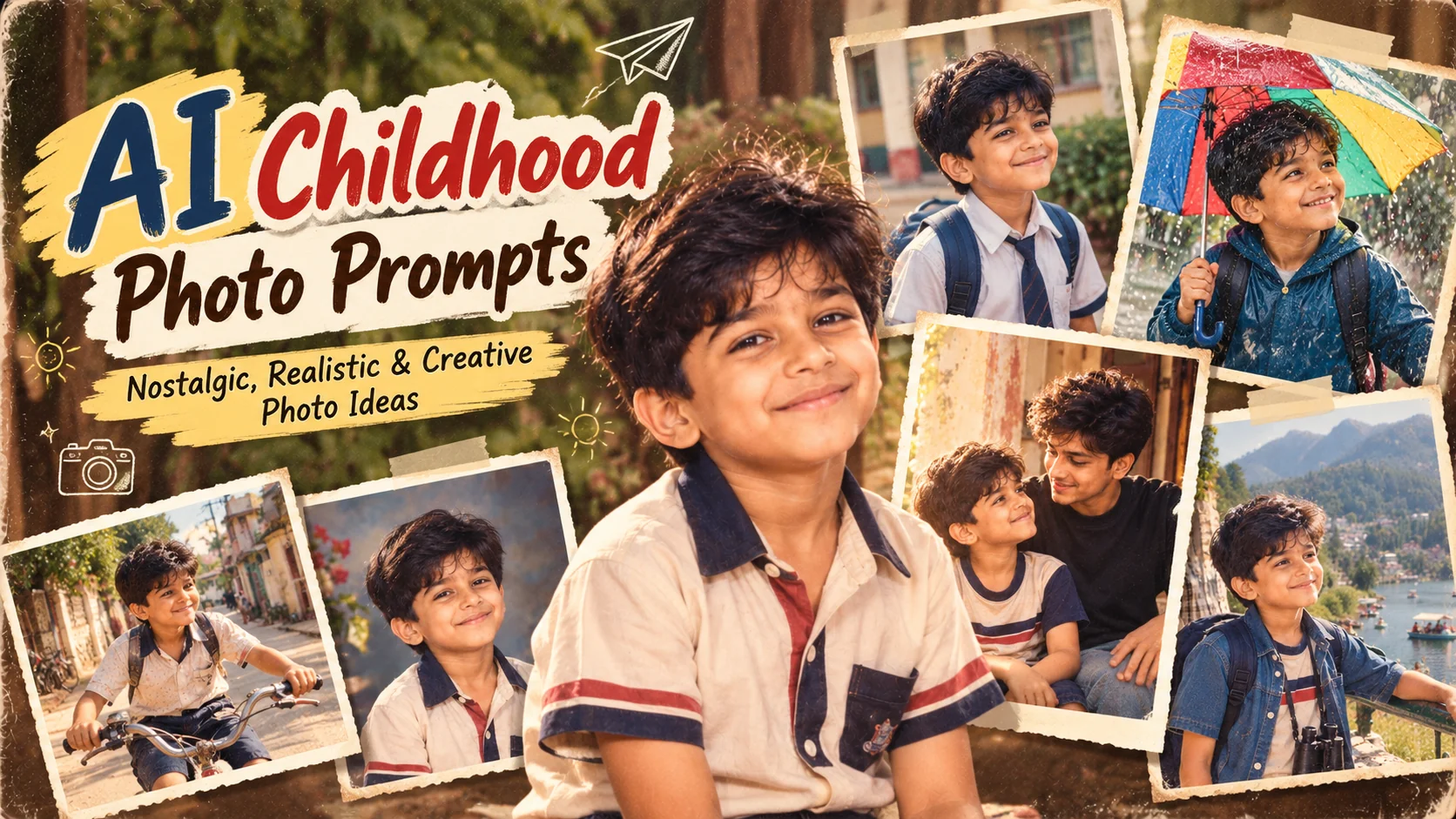
AI Childhood Photo Prompts: Nostalgic, Realistic & Creative Photo Ideas
Updated: 10 min read

What if you could turn an ordinary photograph into a realistic memory from childhood? AI image generation has made nostalgic photo edits one of the most engaging ways to reimagine personal pictures. Instead of simply applying an old-fashioned filter, you can use a detailed AI childhood photo prompt to recreate a younger version of yourself, revisit a school-day memory, place an old family moment in a cinematic setting, or create a believable photograph of your present self meeting your childhood self. The most convincing results come from prompts that describe age, facial identity, clothing, environment, lighting, camera characteristics, and the emotional mood of the scene. The ideas below are designed for realistic and emotionally meaningful images rather than generic cartoon-style transformations. If your AI image tool supports reference images, you can upload a clear current photograph and guide the model to preserve recognizable facial characteristics while changing age, setting, wardrobe, and photographic style.

  • โœ” 10 detailed AI childhood photo prompts you can copy and customize
  • โœ” Younger-self, school-day, family-memory, and nostalgic photo concepts
  • โœ” Realistic vintage photography styles without relying on simple filters
  • โœ” Customization tips for age, clothing, locations, lighting, and memories
  • โœ” Prompts designed for emotional personal photos and social-media posts

1. Meeting Your Younger Self โ€” AI Prompt

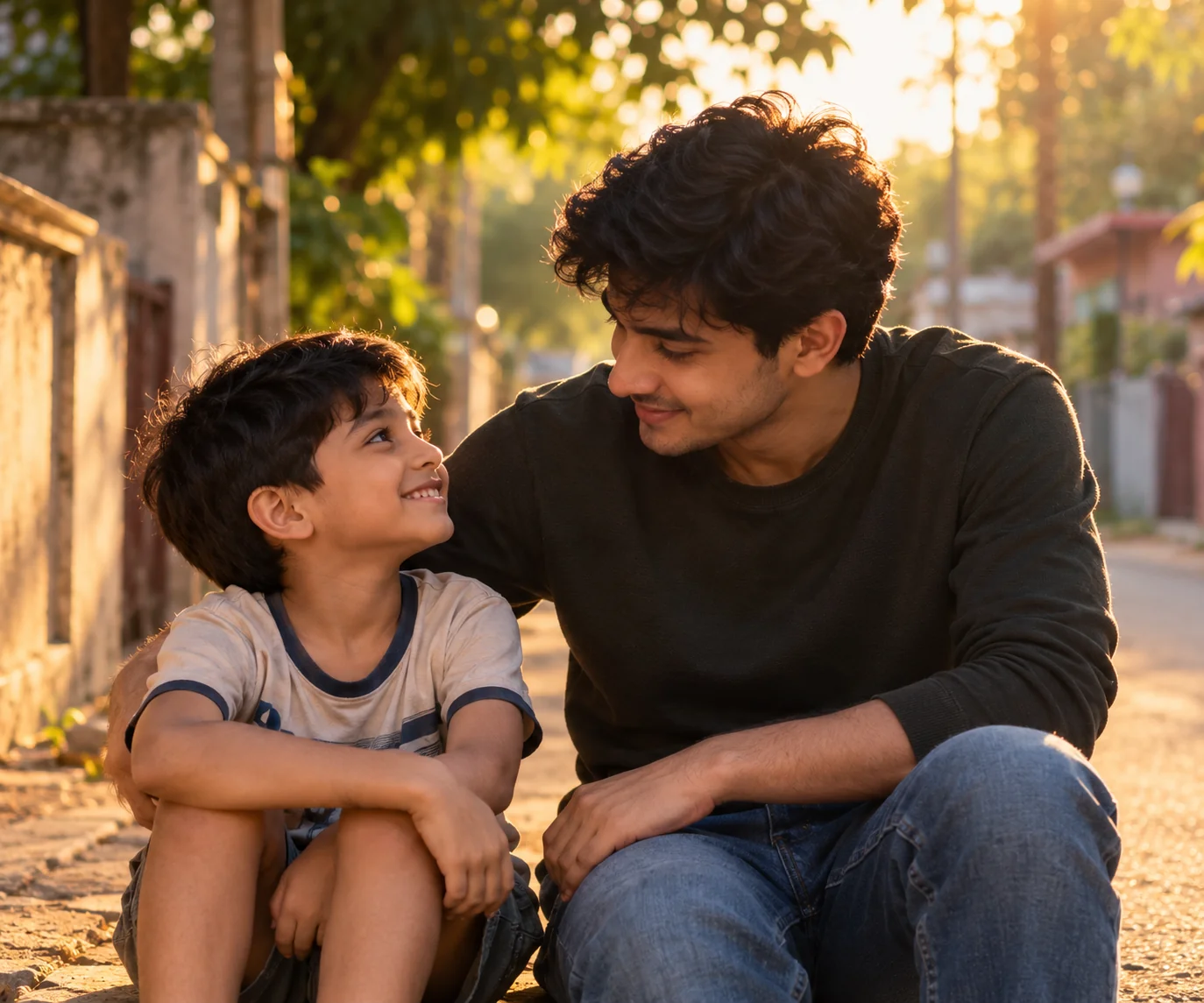
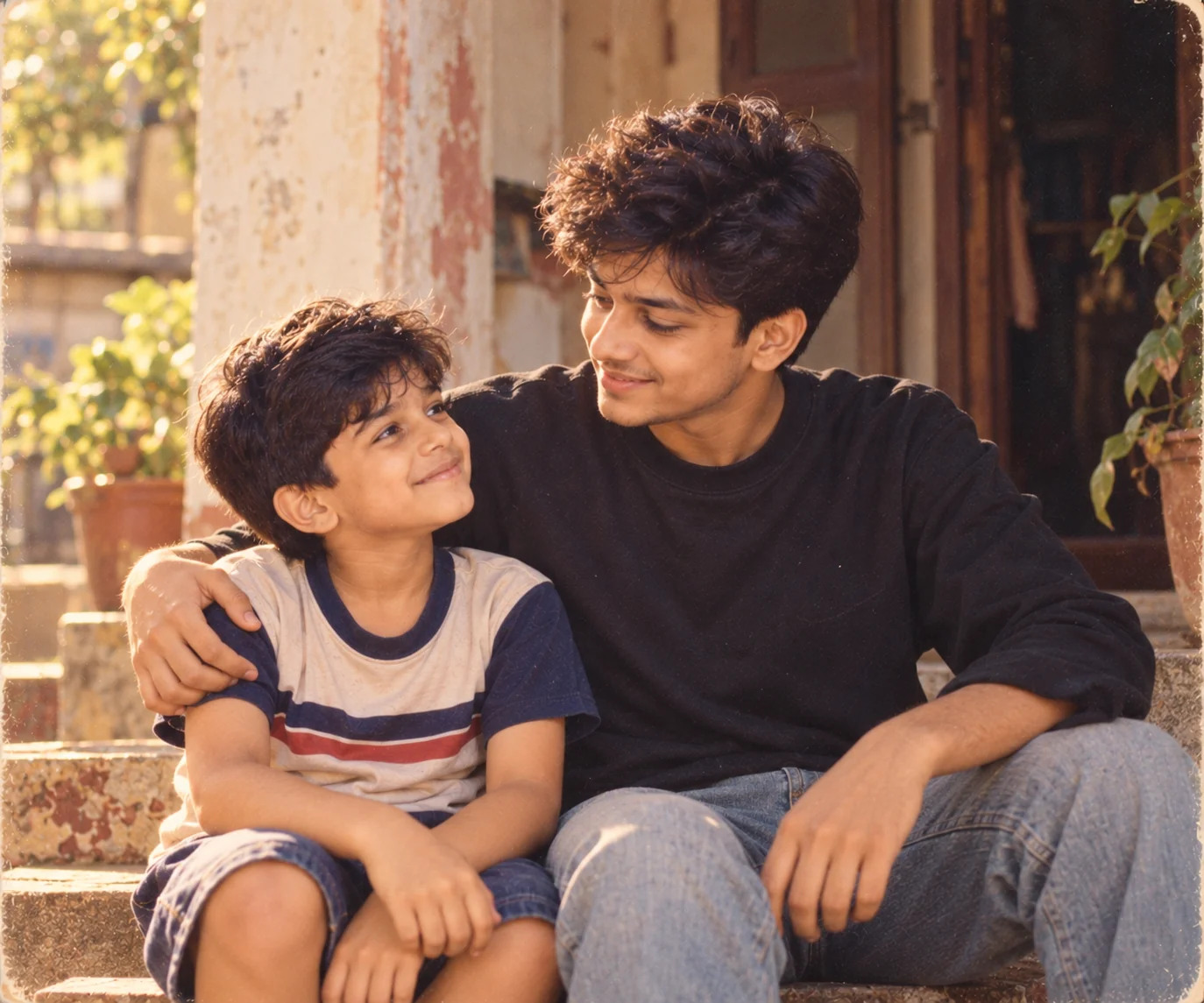
Realistic AI image of an adult meeting their younger self in a nostalgic outdoor setting
Prompt
Using the uploaded reference photo as the identity reference, create a highly realistic emotional photograph showing the adult version of the person gently meeting and interacting with their younger childhood self. Preserve the adult's recognizable facial characteristics, natural skin tone, eye shape, and overall identity while creating a believable younger version at approximately 7 years old with age-appropriate facial proportions and features that clearly suggest they are the same person. Place both versions together in a quiet nostalgic neighborhood setting during warm late-afternoon golden hour. The adult should kneel or sit naturally beside the child at the child's eye level, sharing a gentle smile and an emotional moment of connection. Dress the child in simple age-appropriate casual clothing inspired by an ordinary childhood day, while the adult wears modern understated clothing. Use warm sunlight passing through trees, soft background bokeh, realistic shadows, subtle film grain, natural skin texture, individual hair strands, accurate hands, and authentic facial expressions. Photograph the scene with a 50mm lens and shallow depth of field, making it feel like a real documentary photograph capturing an impossible but emotionally believable memory. Avoid fantasy effects, glowing outlines, duplicated faces, text, or artificial-looking poses.
Usage: Use this prompt for the popular younger-self concept when you want an emotional image showing your present self reconnecting with childhood.
Tip: Replace the generic neighborhood with a real childhood location such as your old home, school entrance, playground, or street for a much more personal result.

2. Childhood School Day Photograph โ€” AI Prompt

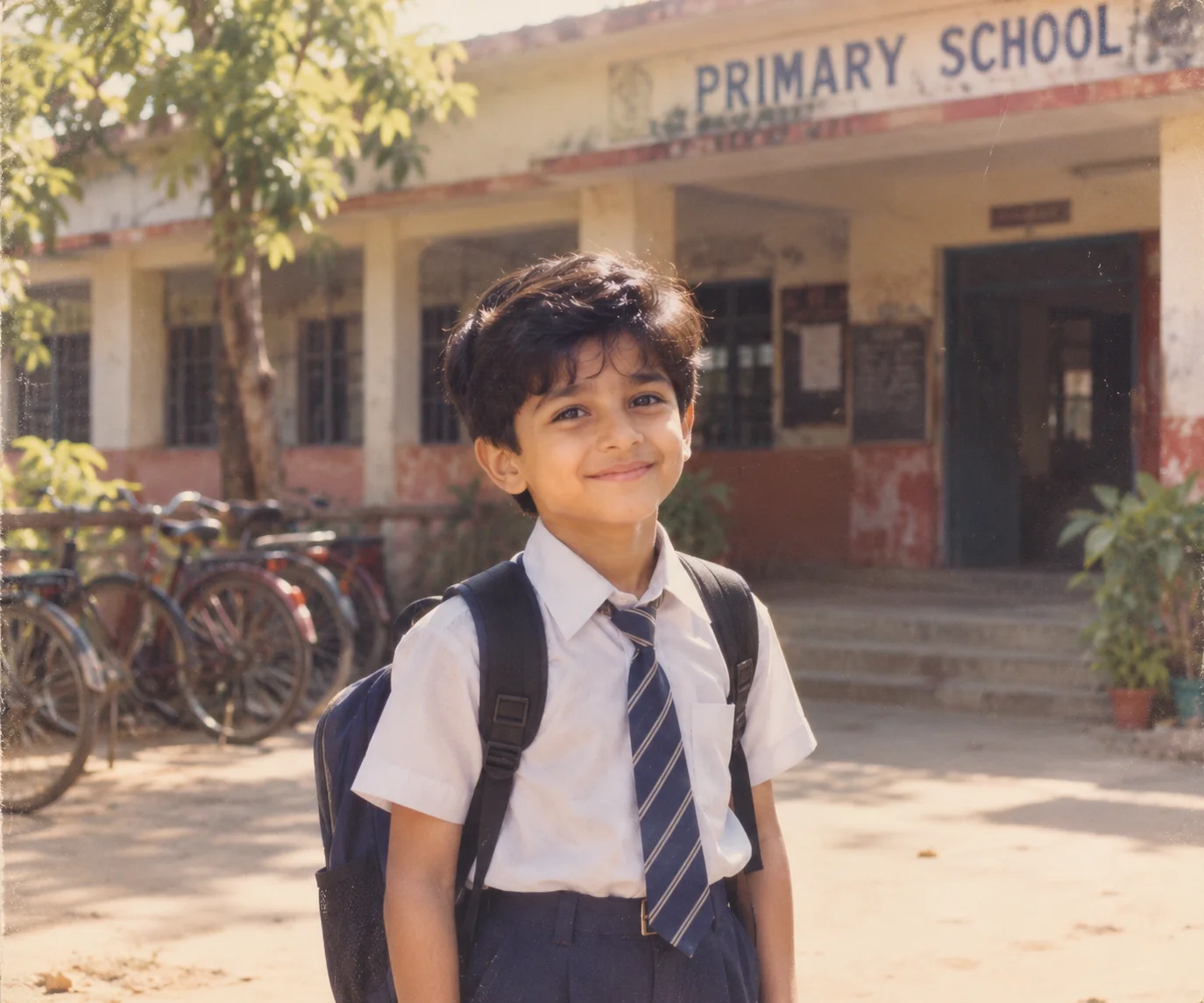
Nostalgic AI childhood school photograph with a realistic child standing outside an old school
Prompt
Transform the uploaded reference photo into a realistic childhood school-day photograph while preserving the person's recognizable identity and creating a believable younger version at approximately 8 years old. Keep the child's facial characteristics naturally related to the reference person without making the face look like an adult. Place the child outside a modest elementary school on a bright weekday morning, standing near the entrance with a simple backpack and age-appropriate school uniform. Include realistic school architecture, slightly worn walls, classroom windows, a bicycle rack, trees, and other subtle environmental details without adding identifiable real students. Use soft morning sunlight and a slightly faded analog photography aesthetic inspired by authentic family photographs from the late 1990s or early 2000s. Add natural skin texture, realistic hair, fabric folds, believable backpack materials, gentle shadows, subtle film grain, slightly muted colors, and a modest amount of lens softness. Frame the child at eye level using a 50mm documentary photography look. The final result should resemble a genuine photograph from an old family album rather than a modern digitally generated portrait.
Usage: Ideal for recreating the feeling of childhood school memories, old school portraits, and nostalgic family albums.
Tip: Add a specific school uniform color, backpack style, decade, or school environment to make the scene feel closer to a real childhood memory.

3. Childhood Birthday Memory โ€” AI Prompt

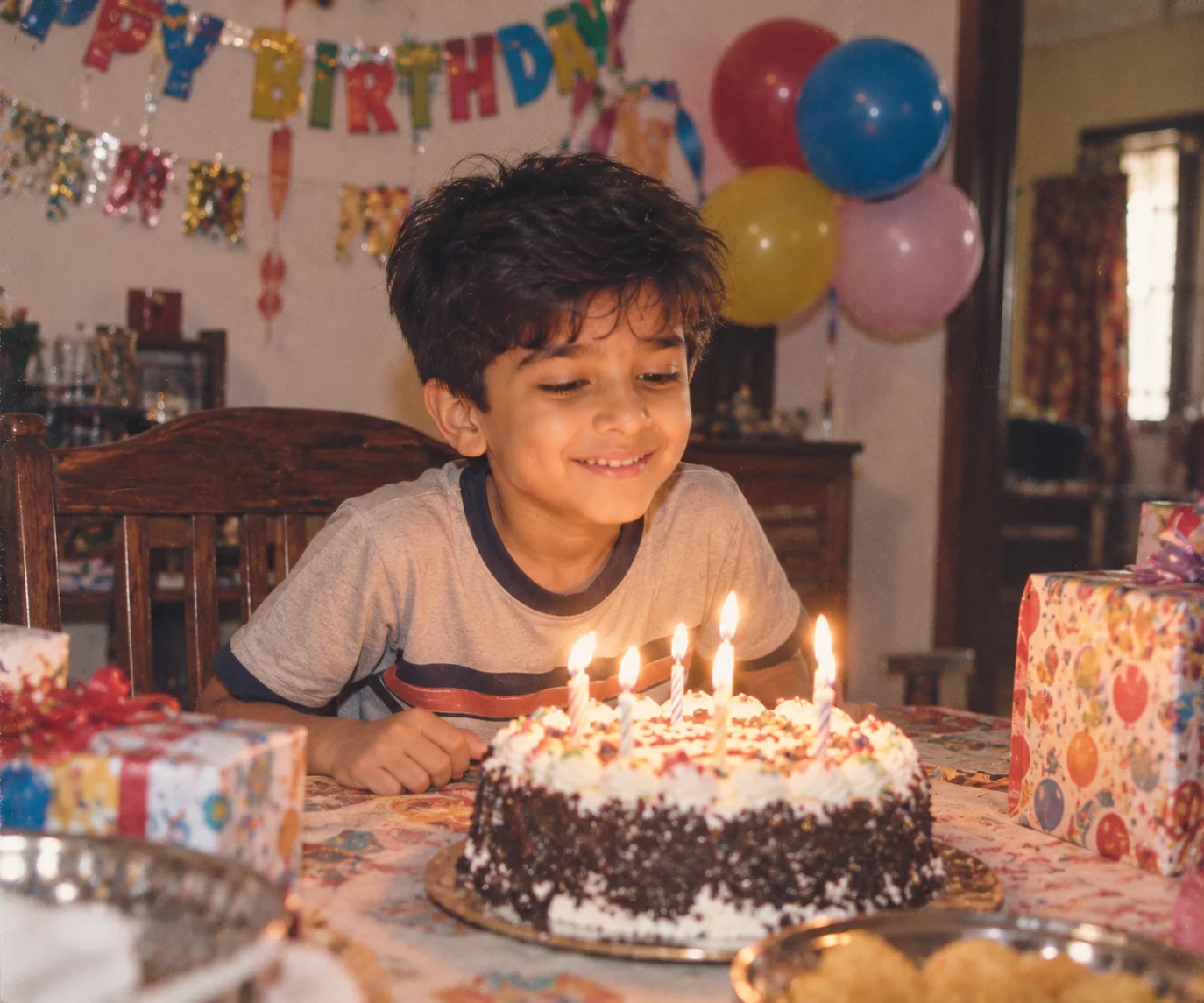
Nostalgic realistic AI childhood birthday photograph with cake, balloons, and family-home setting
Prompt
Create a photorealistic childhood birthday memory using the uploaded current photograph as an identity reference. Reimagine the person as a happy child approximately 6 to 8 years old while maintaining recognizable family resemblance and natural facial characteristics. Place the child inside a cozy family home during a small birthday celebration. Include a simple homemade birthday cake with candles, colorful balloons, paper decorations, a dining table, wrapped presents, and warm household lighting. Keep the scene intentionally authentic and slightly imperfect, as though a parent captured the moment with a consumer film camera rather than a professional photographer. Show the child looking naturally toward the cake with a genuine expression of excitement. Use warm indoor lighting mixed with a small amount of window light, realistic shadows, subtle film grain, slightly faded colors, natural skin texture, detailed cake frosting, believable balloon reflections, and accurate hands. Add gentle motion and imperfect framing typical of candid family photography. The final result should feel like a treasured childhood birthday photograph discovered in an old album.
Usage: Use this prompt when you want to recreate the atmosphere of an old childhood birthday memory rather than a polished modern birthday photoshoot.
Tip: Change the cake design, decorations, room, or birthday year to match a real childhood memory you remember.

4. Childhood Family Album Portrait โ€” AI Prompt

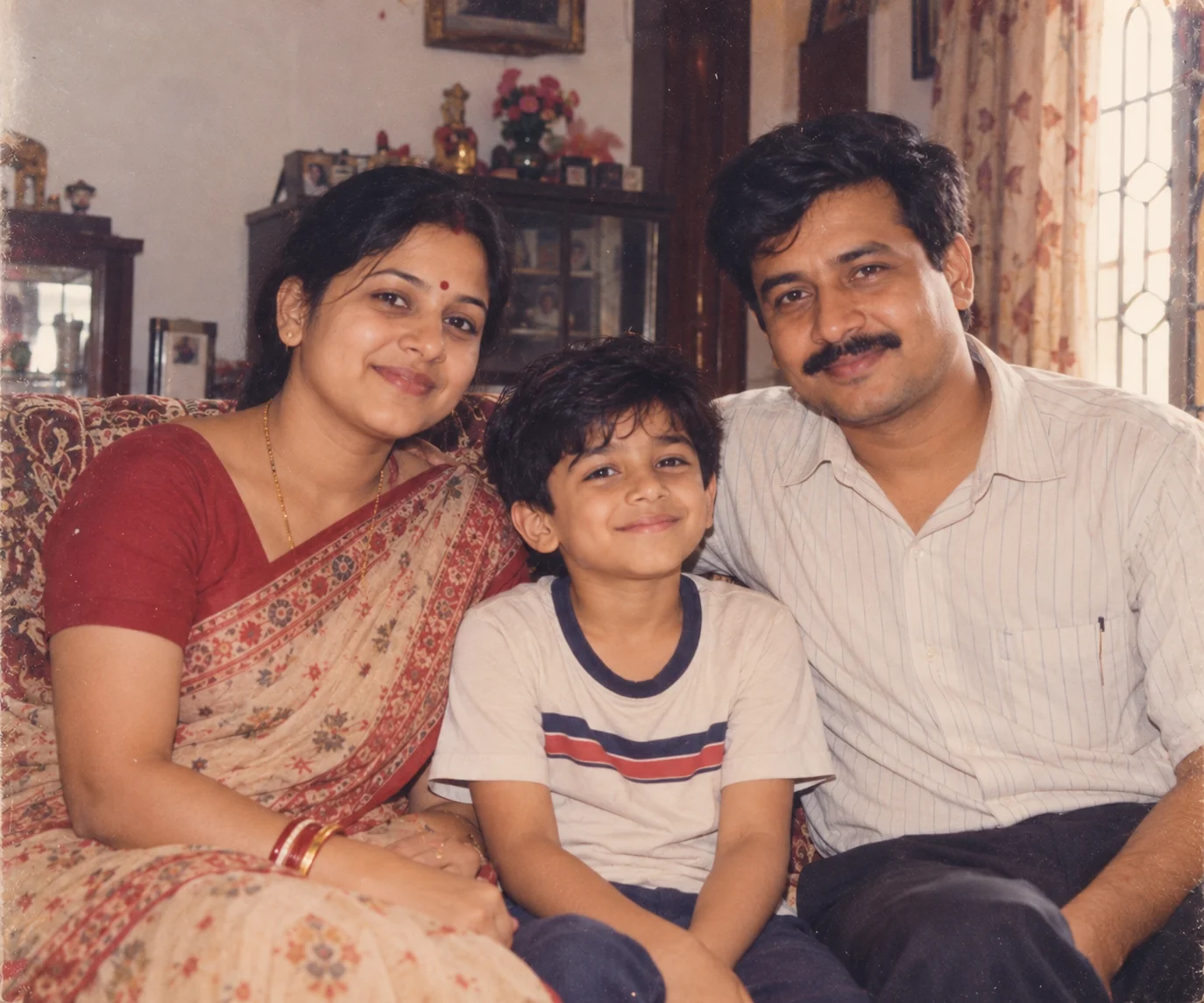
Vintage AI childhood family album portrait with a child and parents in a warm home setting
Prompt
Create a realistic vintage family-album photograph showing the person as a young child together with their parents or close family members, using the supplied reference images as identity guidance. Preserve recognizable facial characteristics for each provided person and maintain believable age differences between the child and adults. Place the family inside a modest, warmly decorated home with a simple sofa, curtains, family furniture, and subtle period-appropriate details. The child should sit naturally between the parents or stand close to them while everyone displays relaxed, genuine expressions. Dress the family in simple everyday clothing appropriate to the selected decade rather than modern fashion. Use soft indoor window light combined with a small warm household lamp, producing gentle shadows and natural skin tones. Add realistic analog film grain, slightly faded colors, mild softness, natural imperfections, and subtle exposure variation. Use a 35mm family-camera aesthetic with a slightly imperfect composition and no studio backdrop. The final image should feel like a genuine family photograph preserved for decades.
Usage: Best for creating nostalgic family-album-style images that focus on relationships and childhood memories.
Tip: Mention a specific decade and location style, such as a 1990s apartment, rural home, or old city house, to make the photograph more historically believable.

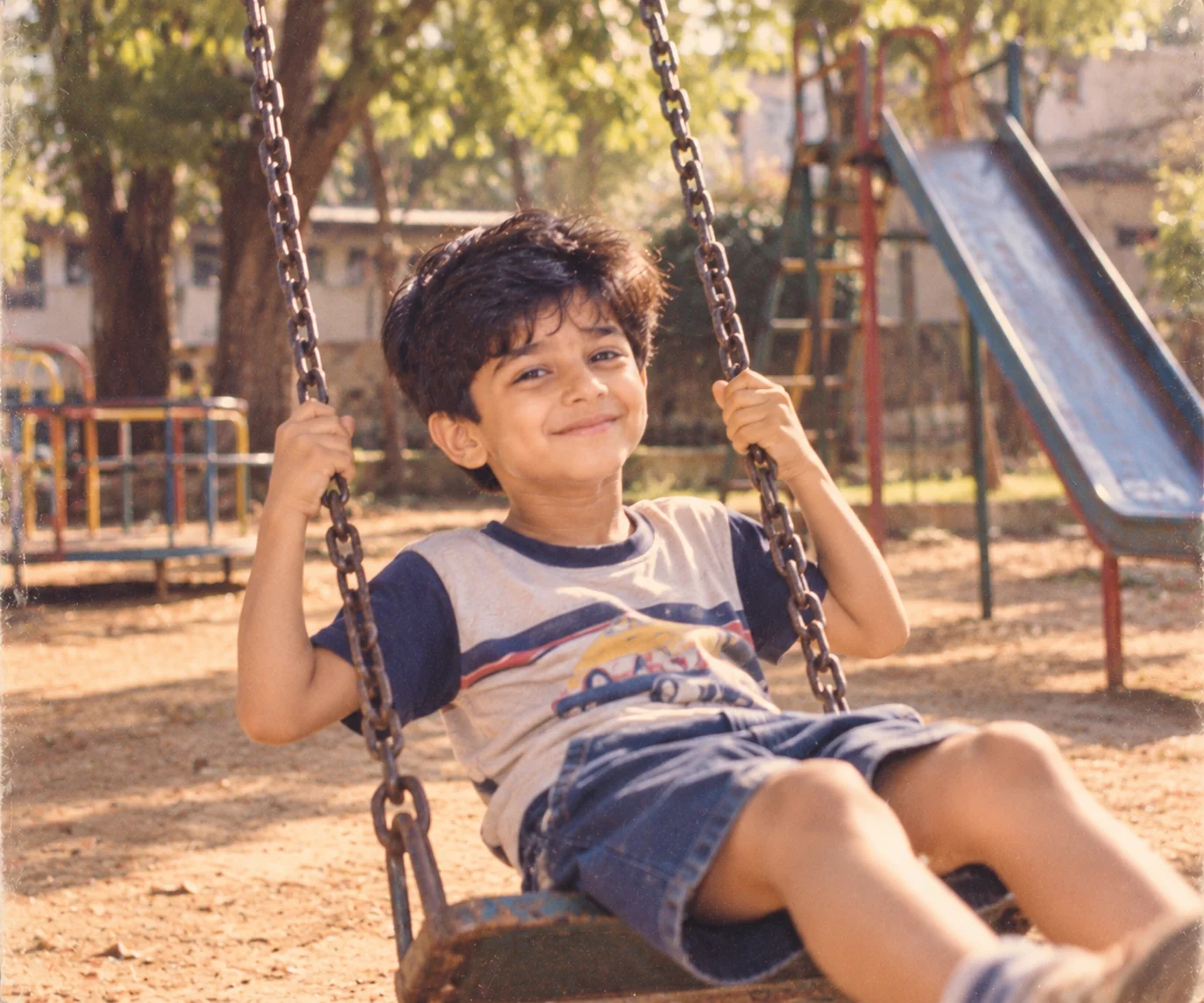
5. Childhood Playground Memory โ€” AI Prompt

Realistic AI childhood playground photograph with nostalgic colors and natural outdoor lighting
Prompt
Using the uploaded reference image, create a photorealistic nostalgic photograph of the person as a child approximately 7 years old playing in an old neighborhood playground. Preserve the person's recognizable facial characteristics while naturally adapting the face and body proportions to a believable childhood age. Place the child near a classic metal swing set, slide, sandbox, and mature trees in a modest community playground. Capture the child in a candid moment while running, laughing, or holding onto the playground equipment rather than posing directly for the camera. Dress the child in simple age-appropriate casual clothing with realistic fabric texture and slightly imperfect styling. Use warm afternoon sunlight filtered through trees, natural shadows, subtle background blur, gentle motion, and authentic outdoor colors. Add realistic grass, worn playground surfaces, small environmental imperfections, natural skin texture, detailed hair, and subtle analog film grain. Use a 35mm candid family-photography aesthetic with slightly imperfect framing. The final image should feel spontaneous and emotionally nostalgic, like a real photograph from an ordinary but unforgettable childhood afternoon.
Usage: Use this prompt for playful childhood memories involving parks, playgrounds, neighborhood friends, or outdoor activities.
Tip: Replace the playground with a real childhood location such as a school field, backyard, village ground, or local park.

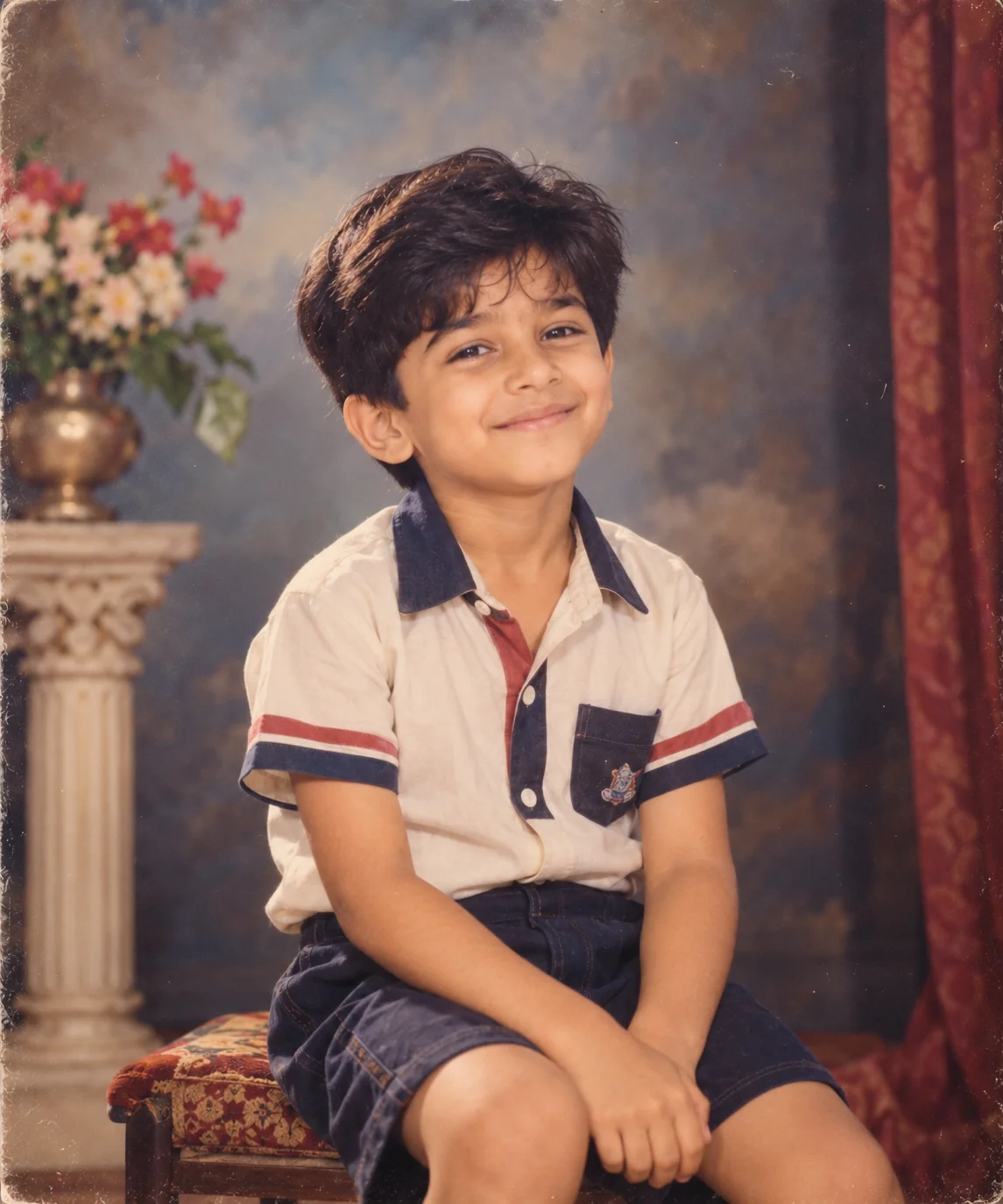
6. Retro Childhood Studio Portrait โ€” AI Prompt

Retro AI childhood studio portrait with vintage backdrop, classic clothing, and analog photography
Prompt
Create a highly realistic retro studio portrait of the person as a young child using the uploaded image as an identity reference. Make the child approximately 6 years old while preserving recognizable facial characteristics and believable childhood proportions. Place the child inside a traditional portrait studio inspired by family photography from the 1980s, with a simple painted backdrop, modest studio furniture, and understated decorative elements. Dress the child in period-appropriate clothing with realistic fabric texture, hairstyle, and accessories. Use classic studio lighting with a large soft key light, subtle fill light, and gentle shadow behind the child. Capture natural skin texture, detailed eyes, realistic hair, accurate hands, and a relaxed expression. Add subtle analog film characteristics including soft focus, mild grain, slightly warm faded colors, gentle highlight rolloff, and tiny imperfections in exposure. Use a medium-format portrait photography aesthetic with centered composition and moderate depth of field. Avoid modern fashion, modern studio equipment, excessive retouching, text, logos, or artificial effects. The final image should resemble an authentic professional childhood studio photograph from an old family album.
Usage: Ideal for recreating the classic formal childhood portraits many families kept in photo albums.
Tip: Specify the decade, backdrop color, hairstyle, or clothing style to create a stronger period-specific portrait.

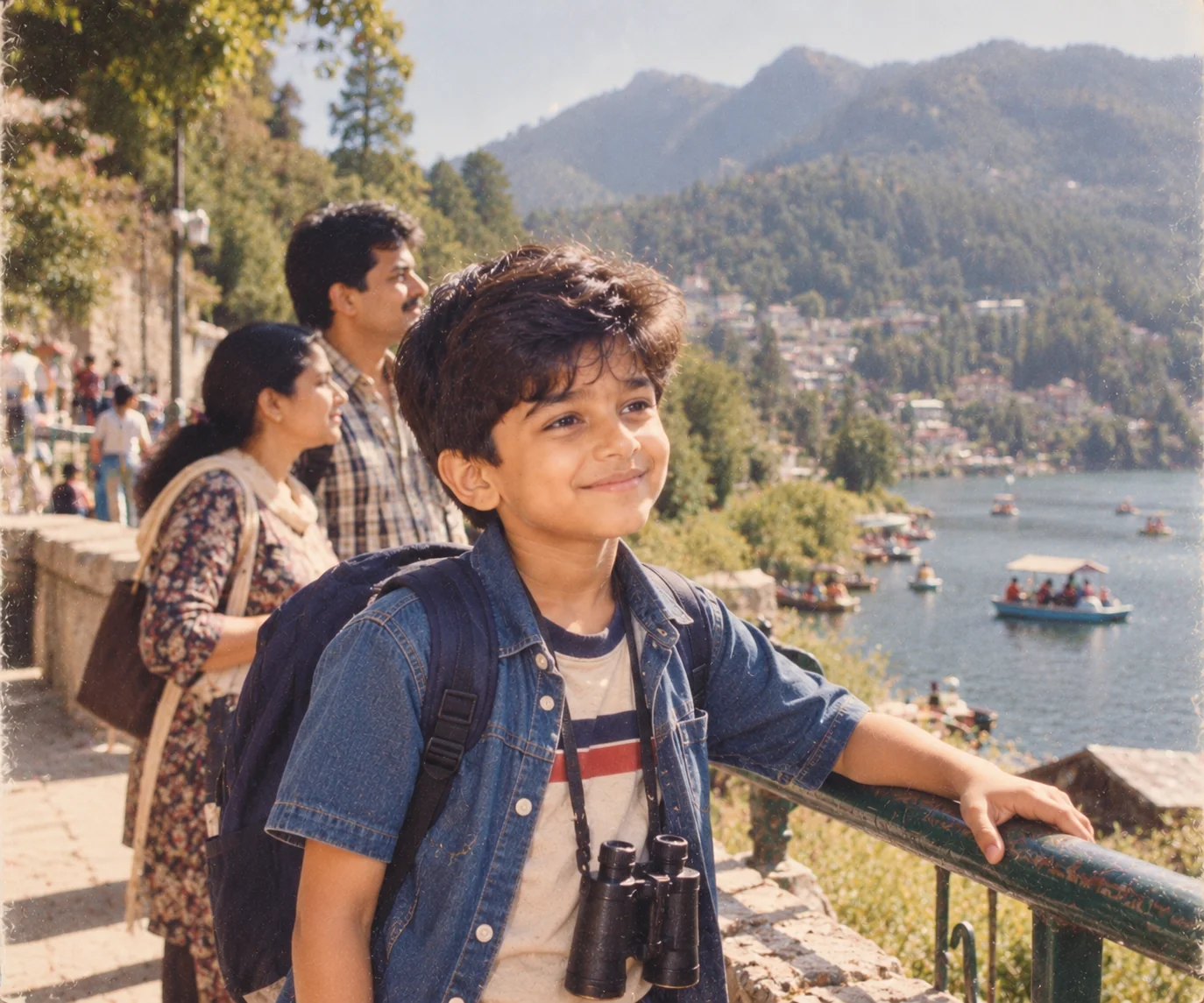
7. Childhood Vacation Memory โ€” AI Prompt

Nostalgic AI childhood vacation photograph with a child exploring a scenic travel destination
Prompt
Create a realistic nostalgic childhood vacation photograph using the uploaded reference photo as identity guidance. Reimagine the person as a child around 9 years old while keeping recognizable facial characteristics and natural family resemblance. Place the child exploring a scenic vacation destination with parents or family members nearby, such as a beach, mountain town, lakeside resort, or historic tourist location. Show the child carrying a small backpack or holding a simple travel souvenir while looking naturally toward the scenery instead of directly at the camera. Dress the child in comfortable age-appropriate vacation clothing suitable for the selected environment. Use natural daylight, realistic environmental shadows, subtle atmospheric perspective, detailed scenery, and authentic travel-photography composition. Add mild analog film grain, slightly warm colors, natural imperfections, and realistic texture in clothing, rocks, water, trees, or architecture. Capture the image with a 35mm travel-camera aesthetic, moderate depth of field, and candid framing. The final result should resemble a real vacation photograph from a childhood family trip.
Usage: Use this prompt to recreate the feeling of childhood vacations, road trips, family holidays, and travel memories.
Tip: Specify a real destination or type of vacation you remember to make the generated scene more emotionally connected to your own memories.

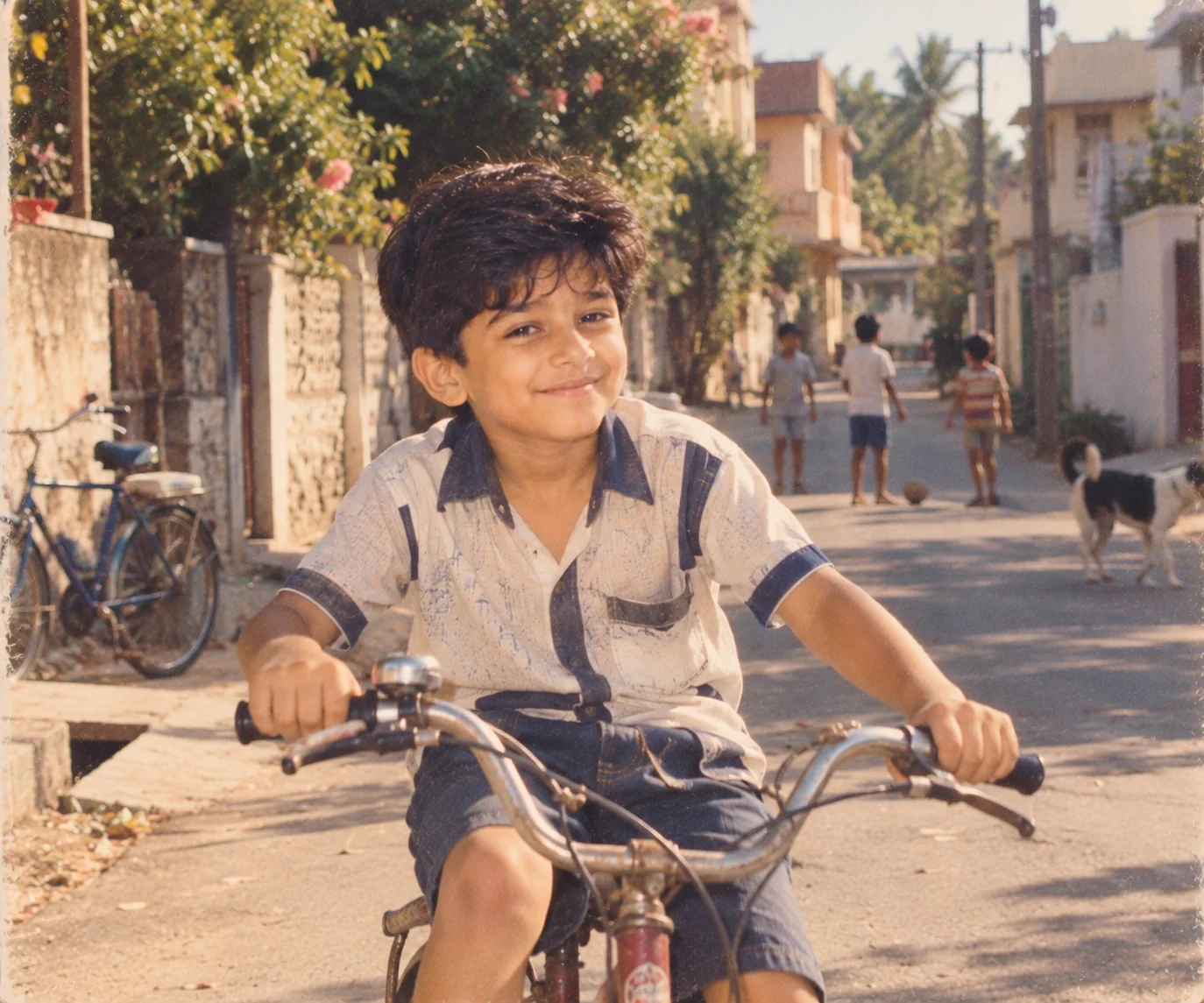
8. 1990s Childhood Street Photograph โ€” AI Prompt

1990s-inspired AI childhood street photograph with nostalgic film colors and realistic neighborhood details
Prompt
Transform the uploaded reference image into a realistic 1990s-inspired childhood street photograph. Reimagine the person as a child approximately 8 years old while maintaining recognizable facial characteristics and natural childlike proportions. Place the child on a quiet residential street with period-appropriate houses, parked bicycles, simple storefronts, trees, utility poles, and everyday neighborhood details inspired by the 1990s. Dress the child in authentic casual clothing from the decade, avoiding modern logos and contemporary fashion. Capture a candid moment as the child walks, plays with a simple toy, rides a bicycle, or looks toward the camera naturally. Use direct but soft afternoon sunlight with realistic shadows and slightly warm exposure. Add subtle 35mm film grain, mild color fading, gentle softness, realistic lens characteristics, natural skin texture, and small imperfections typical of consumer film photography. Keep the composition documentary-like rather than staged. The final image should look like a genuine family snapshot taken on an ordinary neighborhood afternoon in the 1990s.
Usage: Perfect for users who want to recreate the nostalgic look and everyday atmosphere of childhood in the 1990s.
Tip: Replace the decade with the exact period you remember and describe local architecture, vehicles, toys, or clothing that belong to that era.

9. Childhood Monsoon Memory โ€” AI Prompt

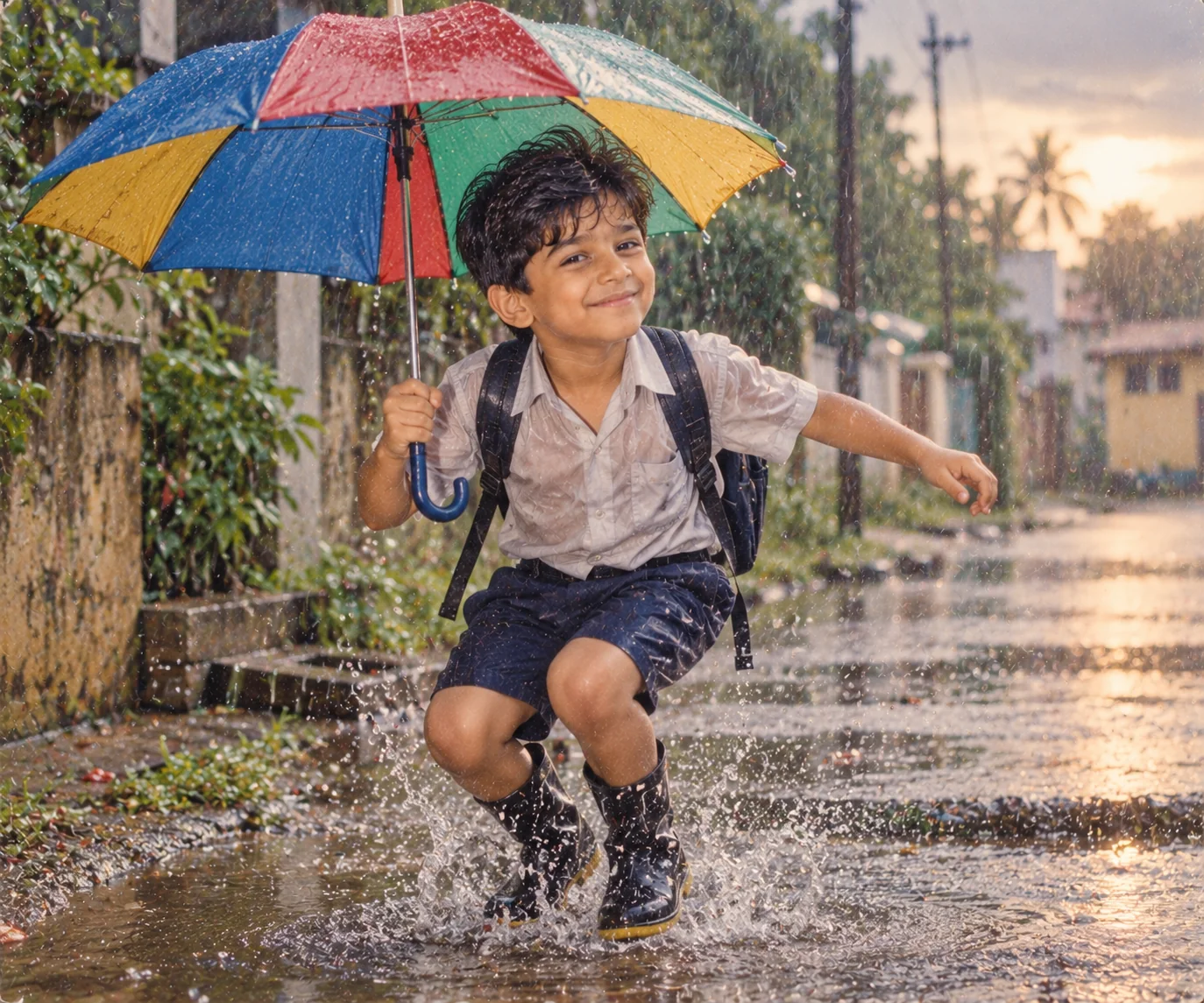
Cinematic AI childhood monsoon photograph showing a child playing in the rain with nostalgic lighting
Prompt
Create a cinematic yet realistic childhood photograph based on the uploaded reference image, transforming the person into a child around 7 years old while preserving recognizable facial characteristics and believable childhood proportions. Place the child outside during a gentle monsoon rain in a familiar residential neighborhood, school courtyard, or countryside setting. Show the child wearing simple rain-appropriate clothing and holding a colorful umbrella or jumping near a small puddle with genuine childhood excitement. Include realistic wet roads, water droplets, reflections, green vegetation, cloudy skies, and soft atmospheric mist. Use natural overcast lighting with subtle warm light breaking through the clouds in the distance. Capture realistic wet hair, damp clothing, water droplets, natural skin texture, believable reflections, and small splashes. Use a 50mm documentary photography aesthetic with shallow depth of field and cinematic but restrained color grading. Add subtle analog film grain and natural imperfections while avoiding fantasy effects. The final photograph should feel like an authentic childhood memory captured during a rainy afternoon.
Usage: Use this prompt for emotional childhood memories connected to rain, school days, monsoon afternoons, or outdoor play.
Tip: Add a specific memory such as walking home from school, playing with friends, or standing outside an old family home to make the scene more meaningful.

10. Childhood-to-Adult Memory Portrait โ€” AI Prompt

Emotional AI portrait showing a realistic adult version of a person beside their childhood self
Prompt
Create a deeply emotional but photorealistic portrait showing the same person at two stages of life: their childhood self at approximately 8 years old and their present adult self. Use the uploaded reference photo to preserve the adult's recognizable facial identity, natural skin tone, hairstyle, and distinctive features, then create a believable younger version with age-appropriate facial proportions and characteristics inherited from the adult. Place both versions in a quiet nostalgic setting inspired by childhood memories, such as an old family home, school corridor, neighborhood street, or garden. The adult should stand or sit beside the child with a gentle protective expression while the child looks naturally toward the adult. Their interaction should feel emotionally authentic and subtle rather than theatrical. Use warm late-afternoon light entering from one side, soft shadows, shallow depth of field, natural skin texture, detailed hair, accurate hands, realistic clothing, and physically consistent reflections. Give the photograph a refined cinematic documentary aesthetic with subtle 35mm film grain and restrained warm color grading. The final image should feel like an impossible but believable photograph representing memory, growth, and the passage of time.
Usage: Use this prompt when you want a more emotional 'past meets present' image that tells a story about growing up.
Tip: Place both versions at a real childhood location for a stronger emotional connection and a more meaningful visual narrative.

Childhood memories do not have to remain limited to the photographs already sitting in an old album. With the right AI childhood photo prompt, you can creatively revisit familiar places, imagine yourself at a younger age, recreate the atmosphere of school days, visualize old birthdays, or create a thoughtful portrait showing the connection between your present self and the child you once were. The most convincing results come from treating these images like real photographs rather than adding endless effects. Give the AI a clear age, setting, clothing style, lighting direction, camera aesthetic, and emotional context, and use a good reference photo whenever the tool supports image editing. You can then personalize each scene with details from your own memories, such as a childhood home, favorite playground, school uniform, vacation destination, or family celebration. Experiment with different photographic styles, but keep the faces and important personal details consistent. That balance between creative imagination and realistic photographic detail is what makes nostalgic AI images feel genuinely meaningful.

Why These Prompts Work So Well

Childhood photo generation is more challenging than a standard portrait because the AI has to create a believable younger version while maintaining a visual connection to the original person. These prompts solve that problem by combining identity guidance with specific age, setting, clothing, lighting, composition, and photography instructions. They also focus on the small imperfections that make old photographs feel authentic rather than digitally manufactured.

Authentic Photography Direction

The prompts use recognizable photographic approaches such as 35mm family photography, documentary framing, medium-format studio portraits, golden-hour photography, and analog film aesthetics. These details help the image feel like a real photograph rather than a generic AI render.

Strong Nostalgic Concepts

Each prompt represents a different kind of childhood memory, including school days, birthdays, playgrounds, vacations, rainy afternoons, family portraits, and meeting your younger self. This gives you more than one way to tell a personal story through AI.

Believable Age Transformation

The prompts specify an approximate childhood age and ask for age-appropriate proportions instead of simply shrinking an adult face. This encourages a more natural transition between the adult reference and the younger version.

Period-Accurate Details

Clothing, environments, camera characteristics, colors, film grain, furniture, toys, and everyday surroundings are described according to the intended period. These details make a nostalgic scene feel much more convincing.

Personalizable Memories

The prompts are structured so you can replace generic locations and activities with real memories from your own childhood. Changing a school, home, playground, vacation spot, or family activity can turn a general concept into a deeply personal image.

Frequently Asked Questions

What are AI childhood photo prompts?

AI childhood photo prompts are detailed instructions used with an AI image generator or image-editing tool to create realistic childhood-themed photographs. They can be used to reimagine an adult as a child, recreate school memories, generate nostalgic family photographs, or place a younger version of yourself in a specific location or era.

Can AI turn my current photo into a childhood picture?

Yes, many modern AI image tools can use an uploaded photo as a reference and create a younger version of the person. For the best result, use a clear image where the face is visible and provide a specific target age, setting, clothing style, and photographic aesthetic. The result may vary depending on the image model and its ability to preserve identity during age transformation.

How can I make an AI childhood photo look real?

Focus on realistic photography rather than simply adding words such as 'ultra realistic.' Describe the person's approximate age, natural facial proportions, clothing, environment, lighting, camera perspective, and photographic imperfections. Subtle film grain, realistic shadows, natural skin texture, believable hair, period-appropriate details, and imperfect framing can make a nostalgic image feel much more authentic.

What is the younger-self AI photo trend?

The younger-self concept involves creating an image that shows a person at their current age interacting with a believable childhood version of themselves. It has become popular because the image combines personal identity, nostalgia, and storytelling. A strong prompt should clearly define both ages, preserve the adult's recognizable features, and describe how the two versions interact.

Can I create a childhood photo from the 1980s or 1990s?

Yes. You can specify a decade and then describe period-appropriate clothing, hairstyles, furniture, vehicles, architecture, cameras, colors, and film characteristics. The more specific the historical details are, the easier it is for the AI to establish the intended period. Avoid adding modern objects if you want the photograph to feel genuinely vintage.

How can I personalize an AI childhood photo?

The easiest way is to replace generic details with real memories. You can mention your childhood home, school, favorite playground, family vacation, birthday setting, favorite clothing, neighborhood, or a memorable rainy afternoon. If you have an old photograph, you can also use it as a reference where the AI tool supports image input. Personal details usually make the final image more emotionally meaningful than simply increasing the amount of visual effects.

About the Author
Jitendra Patra - AI Prompt Researcher and Software Engineering Student

Jitendra Patra

AI Prompt Researcher & Software Engineering Student

โœฆ Prompt Engineering Research โœฆ Gemini & Generative AI Focus โ– Prompt Development & Research
View Portfolio

Jitendra Patra is a software engineering student and AI prompt researcher specializing in Google Gemini and generative image models. He actively experiments with structured prompt engineering techniques to produce high-quality, reproducible visual outputs.

His work focuses on iterative prompt development, with attention to subject, lighting, composition, and visual style.

The prompts in this guide are developed with attention to structure, detail, and visual quality.

โ€” AI prompt experiments & research insights