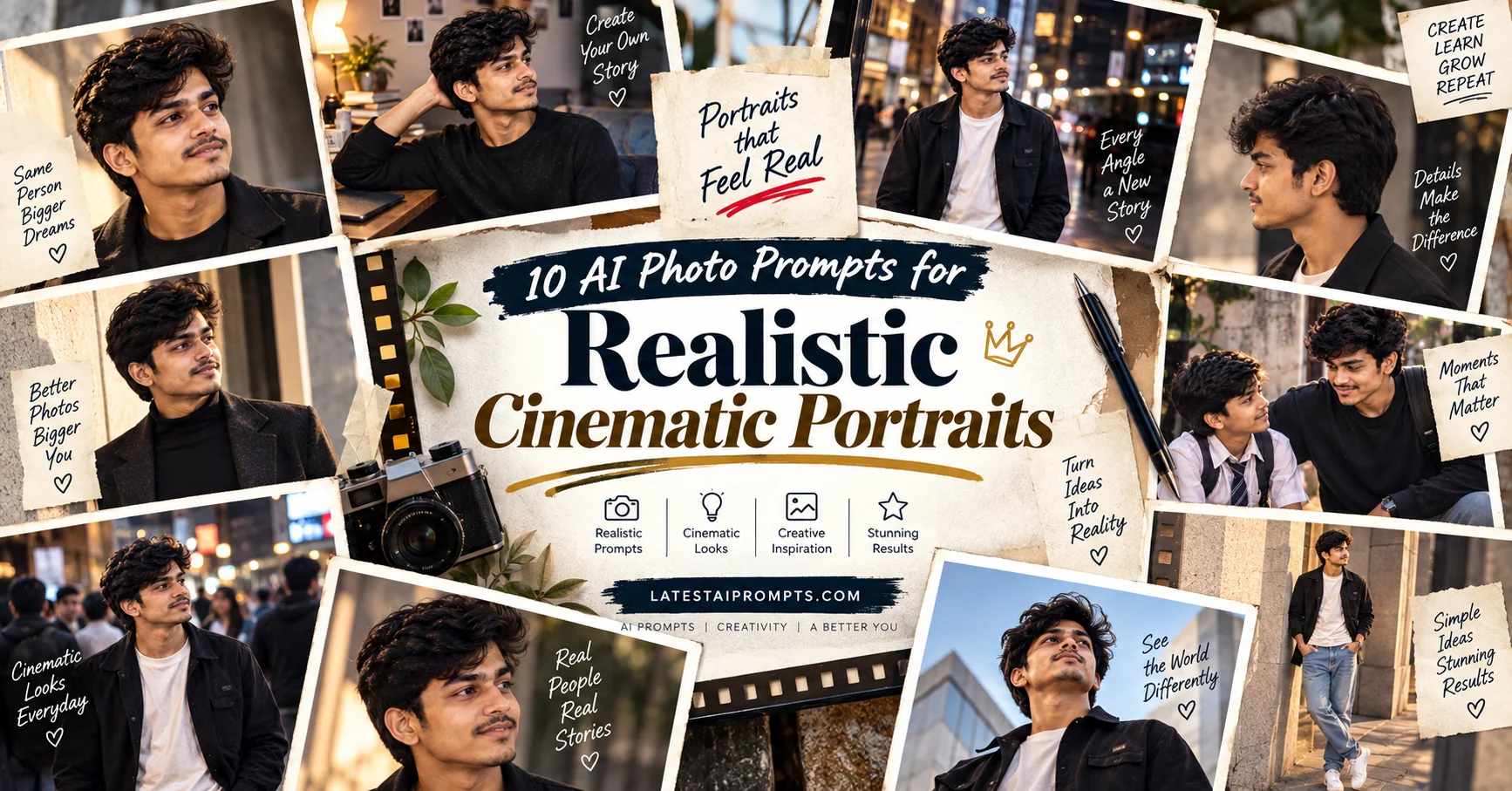
10 AI Photo Prompts for Realistic Cinematic Portraits
Updated: 9 min read

AI image generation has made it possible to transform an ordinary selfie into a photograph that feels like it came from a professional camera. Instead of simply adding filters, modern image tools can rebuild the setting, clothing, lighting, composition and photographic mood while keeping the subject recognizable. This collection brings together 10 original prompts designed around popular visual styles such as nostalgic film photography, cinematic street portraits, editorial fashion, retro studio photography and imaginative everyday scenes.

  • โœ” 10 original AI photo prompts for realistic results
  • โœ” Designed for selfies and reference photos
  • โœ” Includes cinematic, retro, editorial and creative styles
  • โœ” Copy-paste prompts with simple customization ideas
  • โœ” Works as a starting point across modern AI image generators

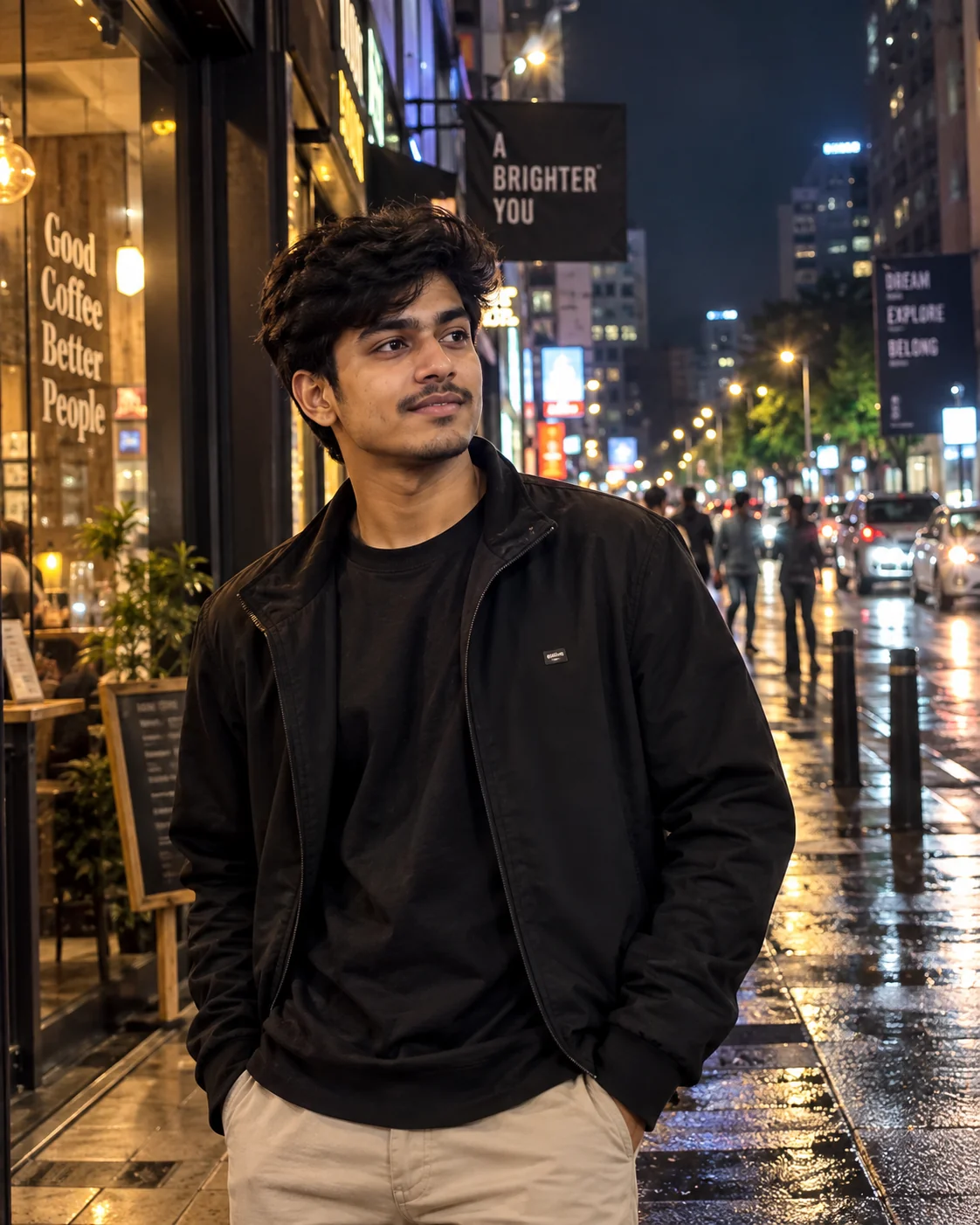
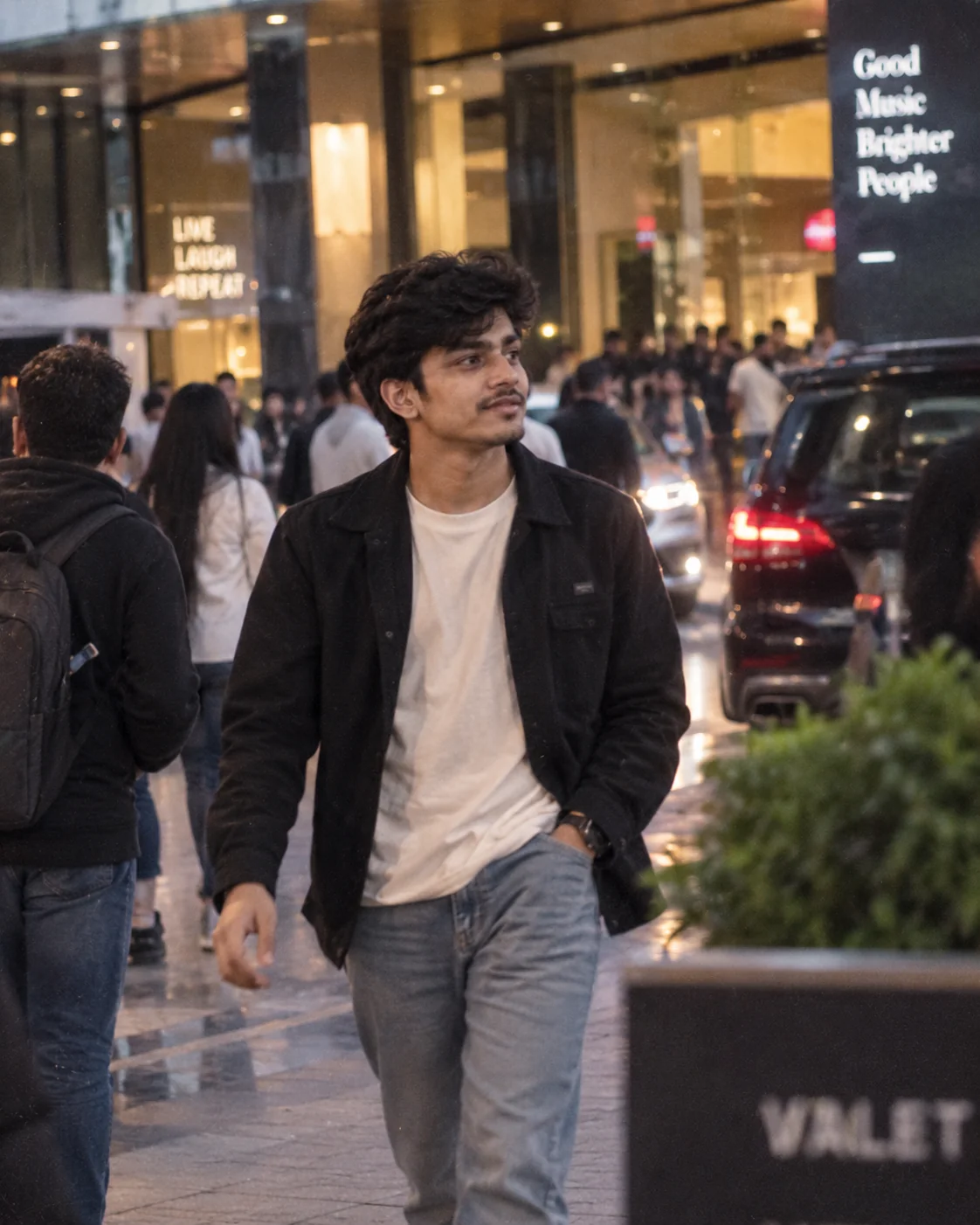
1. Cinematic Night Street Portrait โ€” AI Prompt

Realistic cinematic night street portrait generated with AI
Prompt
Use the uploaded photo as the identity reference and create a photorealistic cinematic portrait of the same person standing on a lively downtown street at night. Preserve the person's recognizable facial structure, natural skin texture, hairstyle and overall identity. Dress the subject in modern understated streetwear that naturally fits the environment. Surround the scene with realistic storefront lights, distant traffic, subtle reflections on slightly wet pavement and softly blurred pedestrians. Illuminate the subject with a combination of warm practical lights and cool ambient city light. Use a professional full-frame camera look, shallow depth of field, realistic lens compression, natural shadows and subtle low-light grain. The result should look like an authentic frame from an original contemporary film, not an illustration or artificial beauty edit. Vertical 4:5 composition.
Use this prompt when you want a dramatic but realistic nighttime portrait with a modern cinematic atmosphere.
Tip: Change the location to a subway entrance, downtown cafรฉ, rooftop or quiet side street to create a different mood.

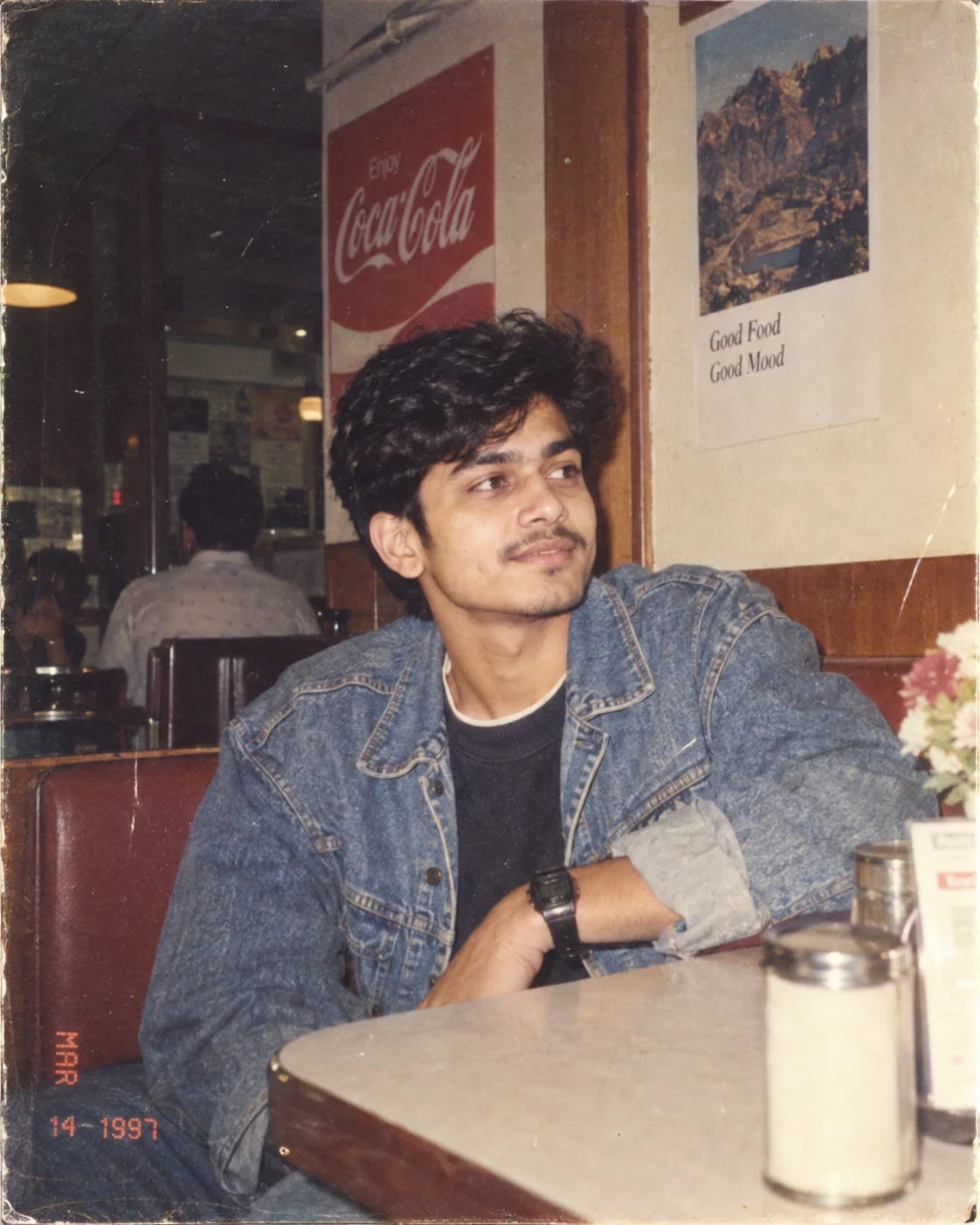
2. Authentic 1990s Film Portrait โ€” AI Prompt

Nostalgic 1990s film-style AI portrait with natural grain and flash
Prompt
Transform the uploaded photo into an authentic-looking 1990s film photograph while keeping the person's face and identity clearly recognizable. Place the subject in a believable everyday setting such as a neighborhood diner, bedroom, arcade or outdoor parking area. Give the scene period-appropriate clothing and styling without making it look like a costume. Use direct consumer-camera flash, slightly uneven exposure, warm analog colors, subtle film grain, mild softness, natural skin texture and tiny photographic imperfections. Avoid modern smartphone aesthetics, excessive sharpening and perfect studio lighting. The final image should feel like a genuine photograph found inside a family photo album from the late 1990s, with realistic composition and imperfect framing.
Use this for nostalgic portraits that recreate the imperfect look of old consumer film photography.
Tip: Specify a year such as 1996, 1998 or 1999 and add a real-world setting to make the era more convincing.

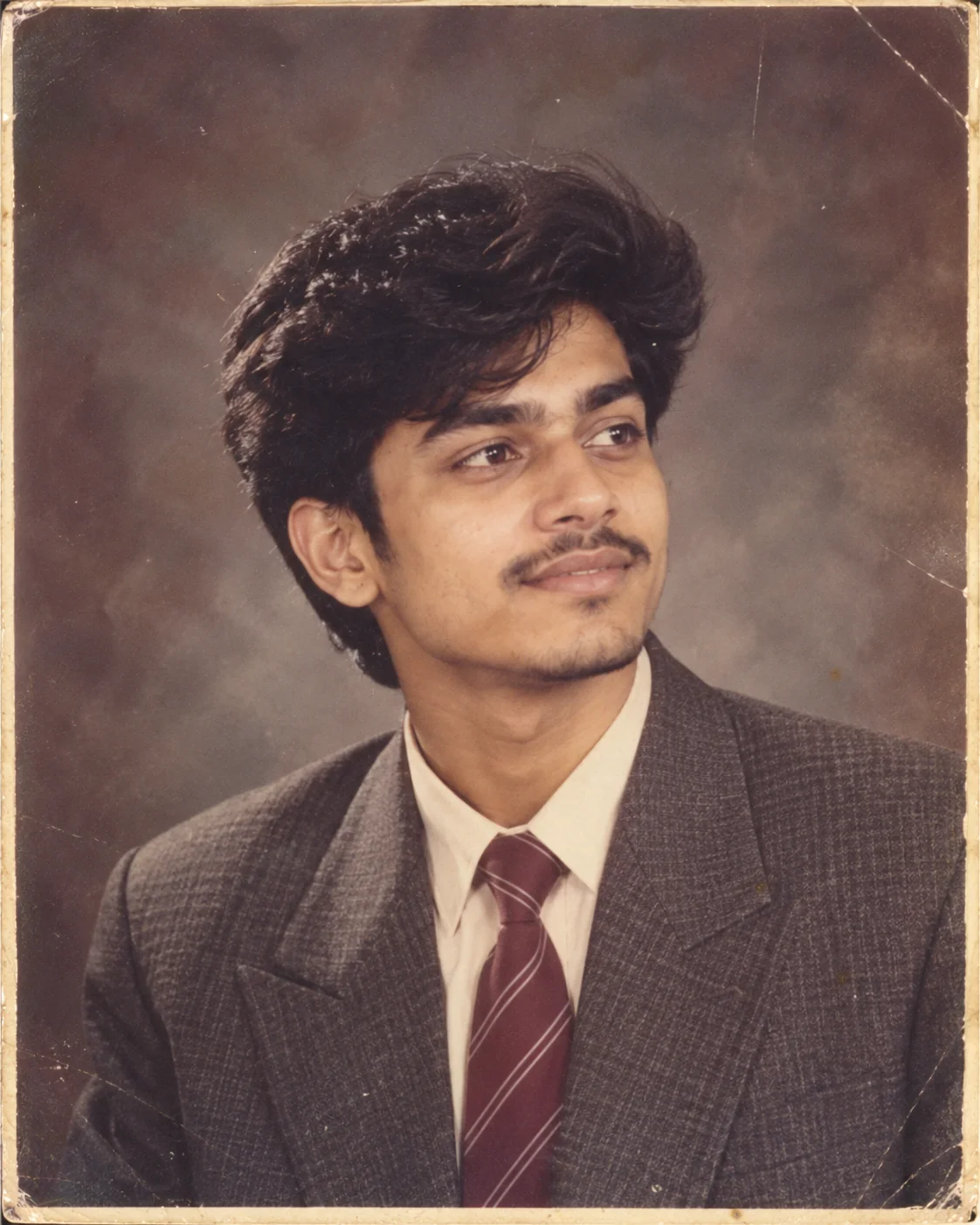
3. 1980s Vintage Studio Portrait โ€” AI Prompt

Realistic 1980s-inspired vintage studio portrait created with AI
Prompt
Recreate the uploaded person as a realistic professional studio portrait photographed in the mid-1980s. Preserve the person's recognizable facial features and natural proportions while adapting the hairstyle and clothing to the era. Use a simple vintage studio backdrop, period-appropriate wardrobe, subtle statement accessories and soft directional studio lighting. Add authentic analog characteristics such as gentle film grain, slight color fading, soft highlights and modest photographic imperfections. The image should resemble a professionally printed portrait from an old family album rather than a modern photograph with a retro filter. Keep the expression natural and the facial details realistic. Vertical portrait composition with balanced head-and-shoulders framing.
Use this when you want to recreate the popular vintage 1980s portrait aesthetic with your own photo.
Tip: Try specifying different 1980s wardrobe directions such as formal, casual, glamorous or traditional.

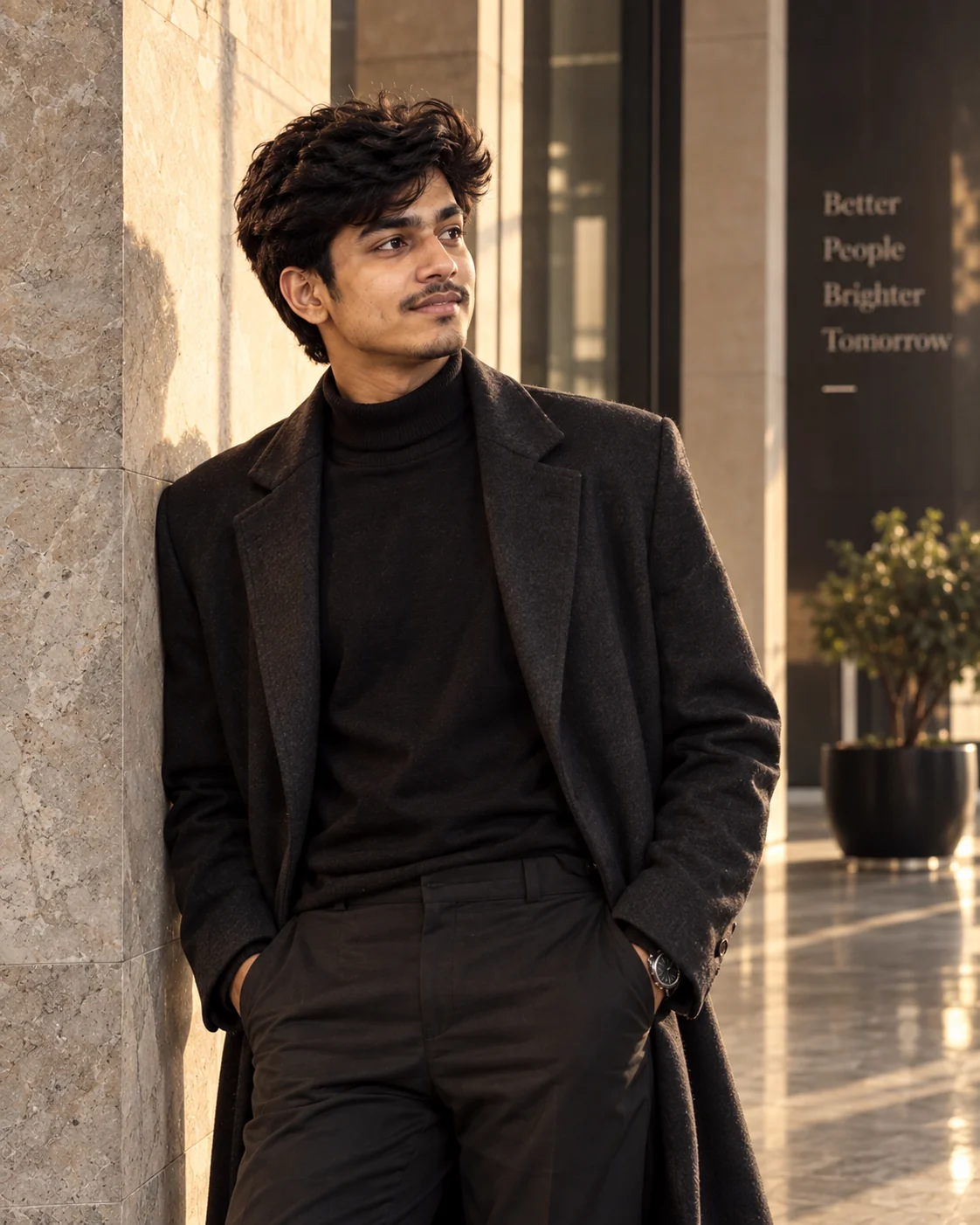
4. Luxury Fashion Editorial Portrait โ€” AI Prompt

High-end AI fashion editorial portrait with sophisticated lighting
Prompt
Create a high-end fashion editorial portrait using the uploaded person as the identity reference. Preserve the person's recognizable face, natural skin texture and overall identity. Dress the subject in sophisticated contemporary clothing with refined fabric textures and minimal accessories. Place them inside an elegant modern architectural environment with clean lines, stone or glass surfaces and carefully controlled natural light. Use premium editorial photography techniques including precise composition, subtle rim lighting, realistic shadows, shallow depth of field and sophisticated tonal contrast. The pose should feel confident but natural rather than exaggerated. Avoid recognizable brand logos, copied magazine layouts or imitation of a specific photographer. Make the final image look like an original professional fashion photograph.
Use this prompt to create polished fashion portraits for social profiles, creative portfolios or editorial-style posts.
Tip: Replace the setting with a luxury hotel, art gallery, rooftop or minimalist studio for different editorial aesthetics.

5. Candid Paparazzi-Style Street Photo โ€” AI Prompt

Realistic candid paparazzi-style street photograph generated with AI
Prompt
Turn the uploaded person into the subject of a spontaneous candid street photograph. Keep the person's recognizable identity, facial proportions and natural appearance. Place them walking outside a busy modern venue in the early evening while wearing stylish but believable everyday clothing. Capture the image from a distance using a realistic telephoto-lens perspective. Include slight motion blur, imperfect framing, natural ambient light, distant vehicle headlights and subtle high-ISO photographic grain. The subject should not pose directly for the camera; instead, capture a natural moment while they are walking or looking away. Make the photograph feel accidental and documentary-like rather than perfectly staged.
Use this for natural-looking celebrity-inspired street photography and spontaneous social-media portraits.
Tip: Change the location to a restaurant entrance, airport, concert venue or hotel lobby exterior.

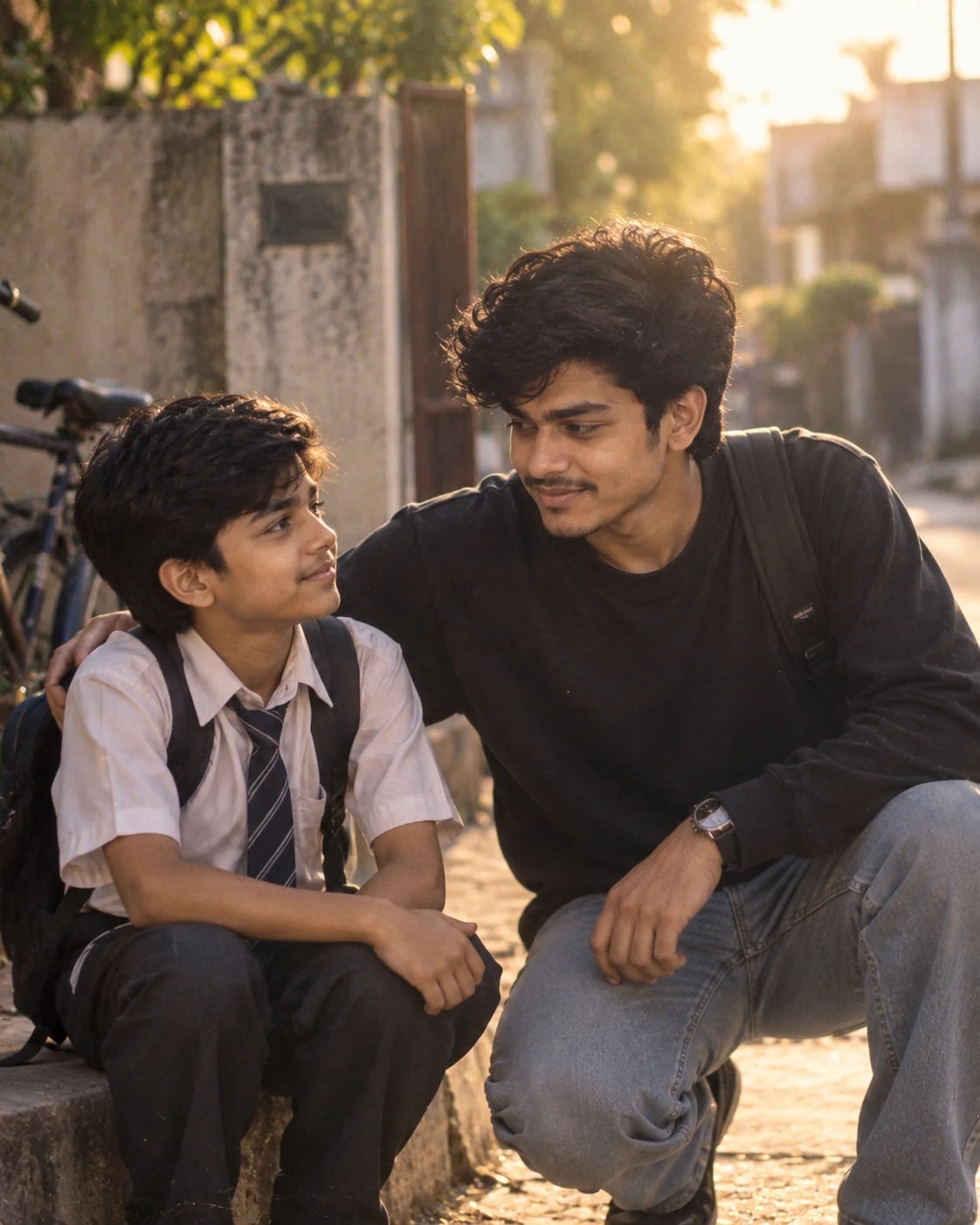
6. Childhood Memory With Your Younger Self โ€” AI Prompt

Emotional AI-generated photograph showing an adult meeting their younger self
Prompt
Create a photorealistic emotional photograph showing the person from the uploaded image meeting a younger version of themselves. Preserve the adult's recognizable facial characteristics and create the younger version with naturally related facial features appropriate to childhood. Place both versions in a familiar everyday location such as a childhood bedroom, school playground, neighborhood lane or family garden. The adult should look warmly surprised while the younger version looks curious and comfortable. Use soft late-afternoon sunlight, realistic environmental details, natural body language and shallow depth of field. Make the interaction physically believable with accurate scale, contact shadows and consistent lighting. The final image should feel like a genuine emotional photograph rather than a fantasy illustration.
Use this prompt for nostalgic storytelling images that visually connect your present self with childhood memories.
Tip: Specify the younger person's age and choose a location that represents an important period of your childhood.

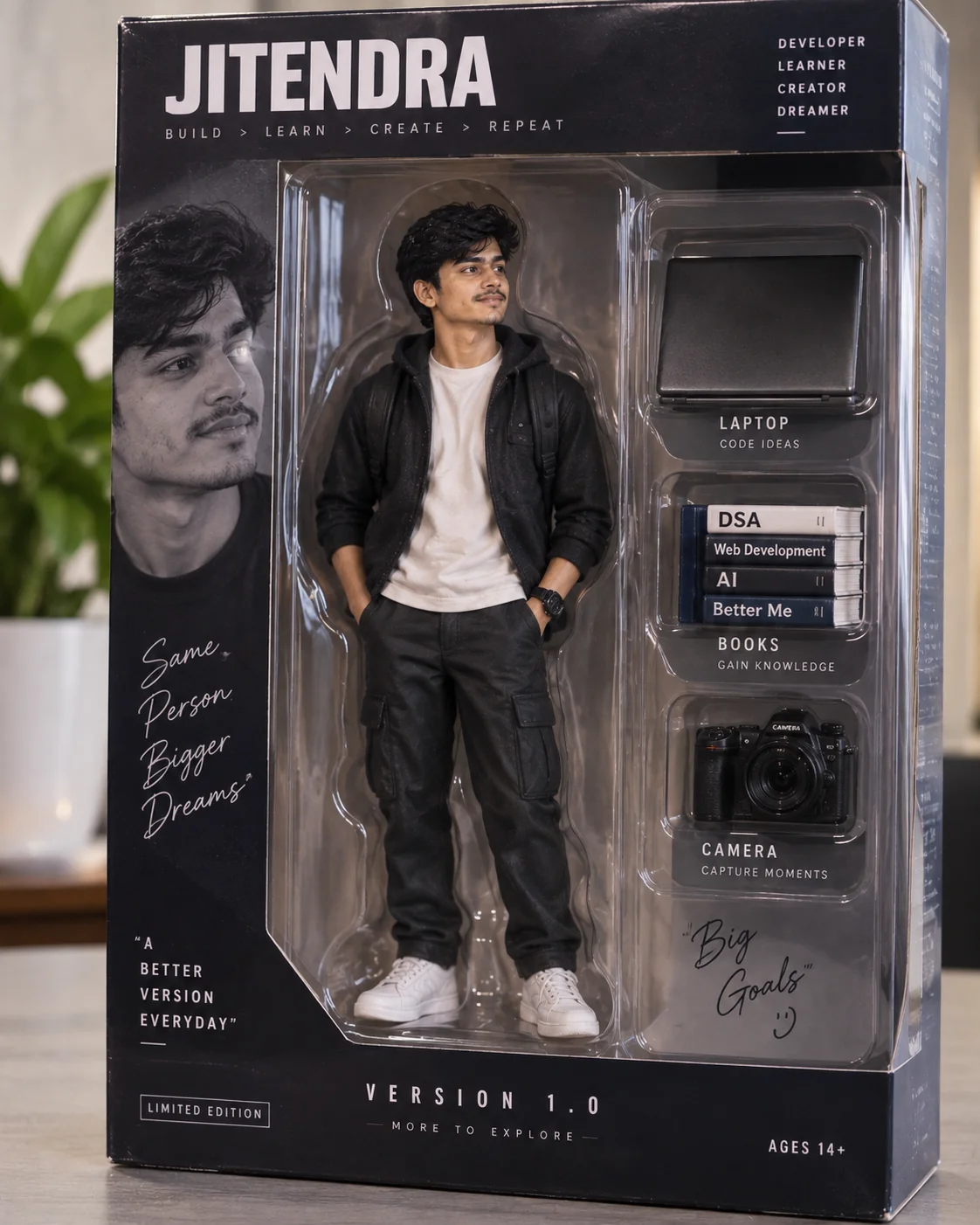
7. Personalized Collectible Figure Display โ€” AI Prompt

Personalized AI collectible figure displayed in realistic premium packaging
Prompt
Transform the person in the uploaded photo into a highly detailed collectible figure displayed inside premium transparent retail packaging. Preserve recognizable facial characteristics while translating the person into a realistic physical figurine. Design the packaging around the subject's personality and include three carefully chosen miniature accessories representing their interests or profession. Use believable molded plastic, printed cardboard packaging, realistic reflections, small manufacturing details and professional product photography. Give the package an original fictional character name and a clean modern visual identity without copying any existing toy company, character or franchise. Photograph the complete package on a studio surface using soft commercial lighting and realistic shadows. Make the final result look like a genuine collectible product photographed for an online store.
Use this to turn a personal photo into a creative collectible or action-figure-style product image.
Tip: Replace the accessories with objects related to coding, photography, gaming, music, travel, sports or another hobby.

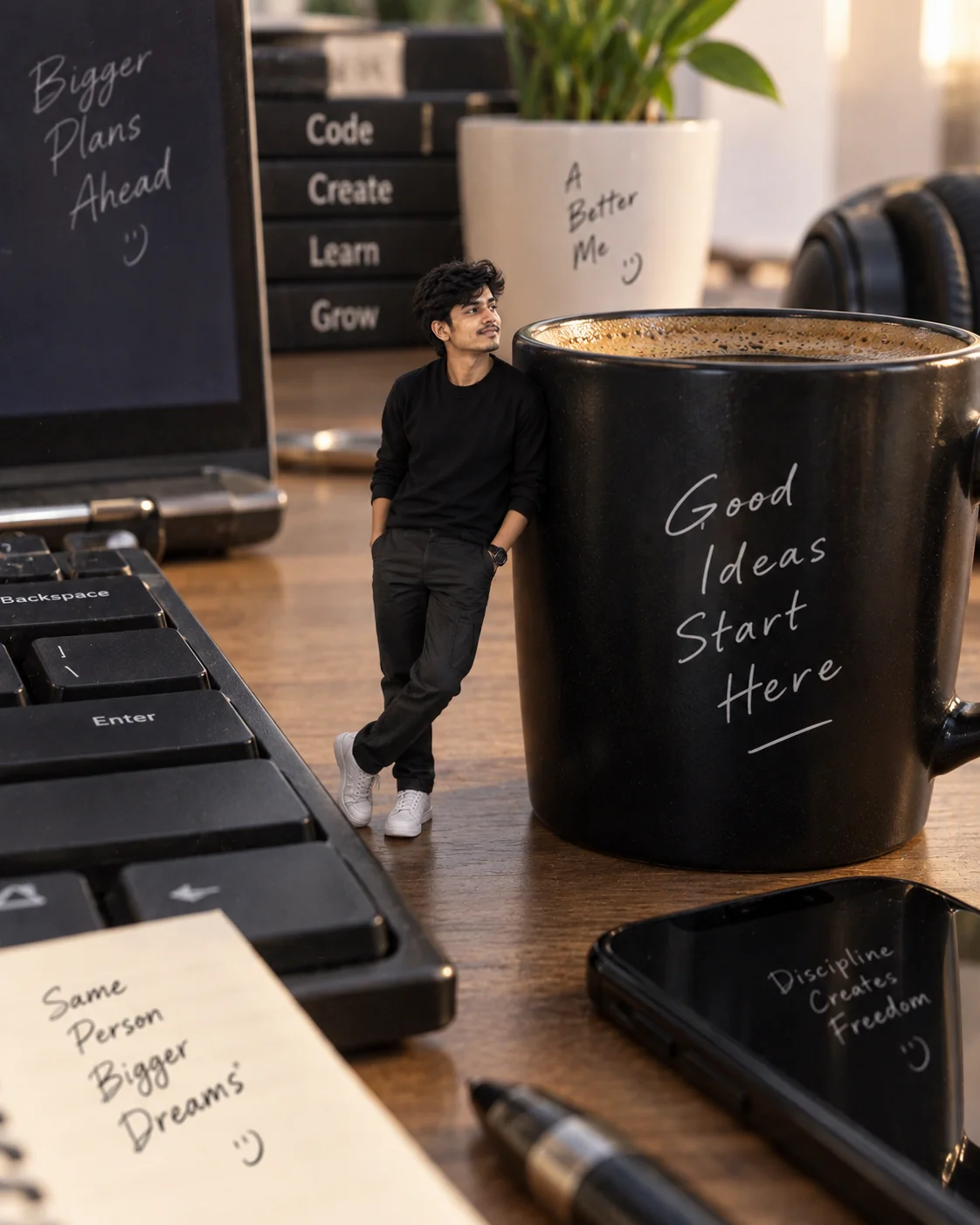
8. Miniature Person in a Giant Workspace โ€” AI Prompt

Surreal but realistic AI photo of a miniature person inside a giant workspace
Prompt
Create a photorealistic surreal photograph of the person from the uploaded reference image as a tiny human standing inside a gigantic modern workspace. Preserve the person's recognizable face, hairstyle and identity. Place the miniature subject beside oversized everyday objects such as a computer keyboard, coffee mug, notebook, headphones and smartphone. Have the person naturally interact with one object, such as standing on a keyboard key or leaning against a coffee cup. Make the scale difference convincing through accurate perspective, contact shadows, reflections, depth of field and realistic surface textures. Use soft studio-quality lighting combined with natural workspace illumination. The result should look like a carefully constructed miniature photography scene captured with a real camera.
Use this for playful surreal images that combine realistic photography with an exaggerated sense of scale.
Tip: Replace the workspace with a kitchen, library, supermarket, workshop or bedroom for a completely different concept.

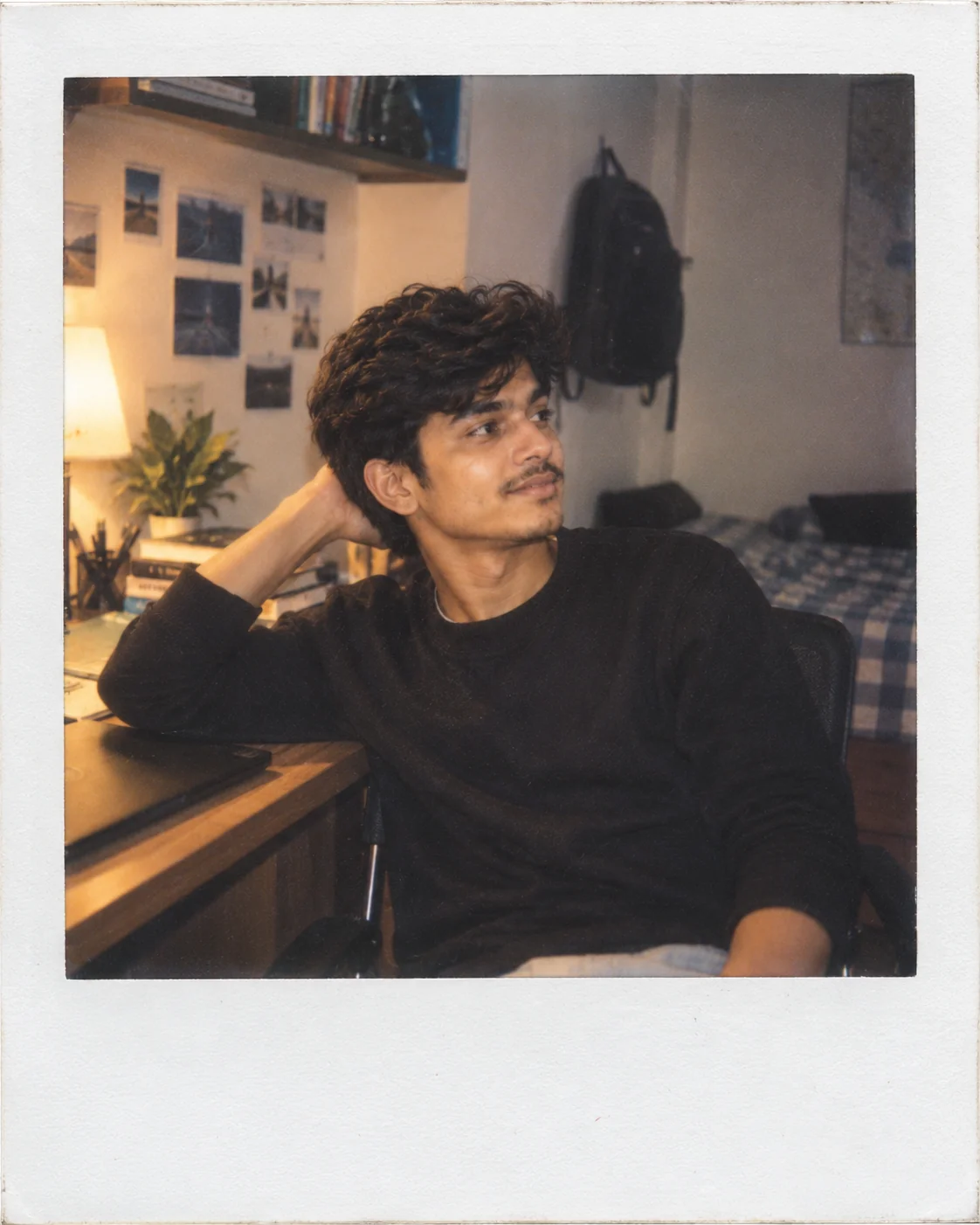
9. Classic Polaroid Memory Portrait โ€” AI Prompt

Nostalgic Polaroid-style AI portrait with soft colors and instant-film texture
Prompt
Transform the uploaded photo into a realistic instant-film photograph with the intimate feeling of a personal memory. Keep the person's face, identity and natural features recognizable. Place them in a relaxed everyday environment with warm ambient lighting and an authentic candid pose. Use the visual characteristics of classic instant film: soft colors, slightly lifted shadows, gentle exposure variation, subtle grain, mild softness and natural highlight falloff. Include a simple off-white instant-photo border around the image, but do not add fake handwritten text or logos. Avoid excessive vintage effects and keep the photograph believable, personal and imperfect. The final result should look like a real instant photograph captured during an ordinary but memorable moment.
Use this for soft nostalgic profile pictures, friendship memories, couple photos and lifestyle posts.
Tip: Add a specific atmosphere such as a road trip, beach evening, birthday party or cafรฉ conversation.

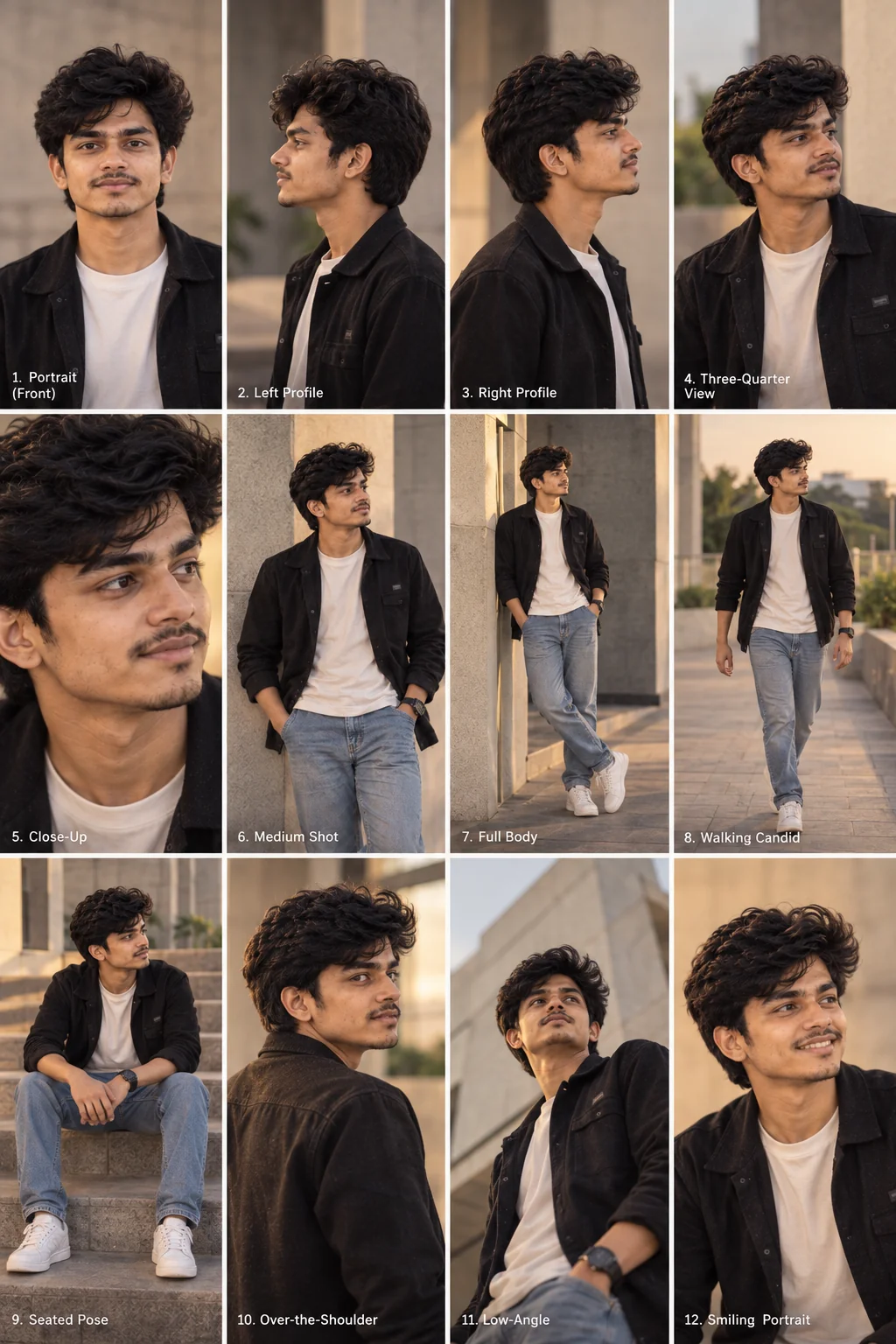
10. Multi-Angle Professional Photoshoot โ€” AI Prompt

AI-generated professional multi-angle portrait photoshoot contact sheet
Prompt
Using the uploaded photo as the identity reference, create a cohesive professional photoshoot contact sheet containing 12 different photographs of the same person. Preserve the person's face, hairstyle, body proportions and identity consistently across every frame. Include a straight-on portrait, left profile, right profile, three-quarter view, close-up, medium shot, full-body pose, walking candid, seated pose, over-the-shoulder view, low-angle portrait and natural smiling portrait. Keep the same outfit, location and lighting throughout so all images feel like they were captured during one real photoshoot. Use realistic professional-camera rendering, natural skin texture, consistent shadows and coherent background details. Arrange the photographs into a clean editorial contact sheet with equal spacing and no duplicated poses.
Use this when you want multiple realistic portrait angles from one reference photo for profile, portfolio or creative projects.
Tip: Choose one visual direction such as street fashion, business portrait, travel photography or cinematic drama before generating the grid.

A good AI photo prompt does more than describe how an image should look. It gives the image generator a clear subject, setting, lighting direction, photographic style and composition to work with. Start with one of these prompts using a clear reference photo, then personalize the location, clothing, era or mood. Small changes can produce completely different results, so experiment with the details until the image feels like your own.

Why These Prompts Work So Well

These prompts are structured around the visual information an image generator needs to build a convincing photograph. Instead of depending on a long list of generic quality words, each prompt establishes the subject first and then defines the environment, lighting, composition and photographic characteristics.

Photographic Direction

Camera perspective, framing, depth of field, exposure and lighting details give the generator a clearer idea of how the final photograph should be captured.

Strong Visual Concepts

Each prompt starts with a recognizable creative idea, making it easier to produce an image with a specific identity instead of a generic AI portrait.

Natural Identity

The prompts emphasize recognizable facial characteristics and natural proportions, which can help maintain visual consistency when a reference photo is provided.

Controlled Composition

Specific instructions about subject placement, framing, environment and perspective reduce ambiguity and give the generated photograph a stronger visual structure.

Simple Customization

The prompts are easy to adapt by changing the location, clothing, era, lighting, mood or accessories without changing the core creative concept.

Frequently Asked Questions

What are AI photo prompts?

AI photo prompts are written instructions that tell an image generator what kind of photograph or photo transformation to create. They can describe the subject, setting, clothing, lighting, camera perspective, mood and composition.

Can I use these prompts with my own photo?

Yes. These prompts are designed to work particularly well as starting points for image-editing workflows where you upload a clear reference photo. The exact identity-preservation results depend on the image generator and its available controls.

Can these AI photo prompts be used in ChatGPT and Gemini?

The prompts are written in a model-independent format and can be adapted for modern image-generation and image-editing tools, including ChatGPT and Gemini. Each platform may interpret certain instructions differently, so minor adjustments can improve the result.

How can I make an AI-generated portrait look more realistic?

Describe realistic photographic conditions instead of relying only on phrases such as 'ultra realistic.' Mention the lighting source, camera perspective, environment, depth of field, natural skin texture and believable imperfections. These details give the model a more concrete visual target.

Why does an AI image sometimes change my face?

Image generators can reinterpret facial features when a transformation also changes the subject's age, hairstyle, pose, lighting or environment. A clear reference image and explicit instructions to preserve recognizable facial characteristics can help, although results can vary between generations.

Can I customize these AI photo prompts?

Absolutely. You can change the location, outfit, era, lighting, camera perspective, expression, accessories and overall mood while keeping the main structure of the prompt. Customizing those details is one of the easiest ways to create a more personal result.

About the Author
Jitendra Patra - AI Prompt Researcher and Software Engineering Student

Jitendra Patra

AI Prompt Researcher & Software Engineering Student

โœฆ Prompt Engineering Research โœฆ Gemini & Generative AI Focus โ– Prompt Development & Research
View Portfolio

Jitendra Patra is a software engineering student and AI prompt researcher specializing in Google Gemini and generative image models. He actively experiments with structured prompt engineering techniques to produce high-quality, reproducible visual outputs.

His work focuses on iterative prompt development, with attention to subject, lighting, composition, and visual style.

The prompts in this guide are developed with attention to structure, detail, and visual quality.

โ€” AI prompt experiments & research insights