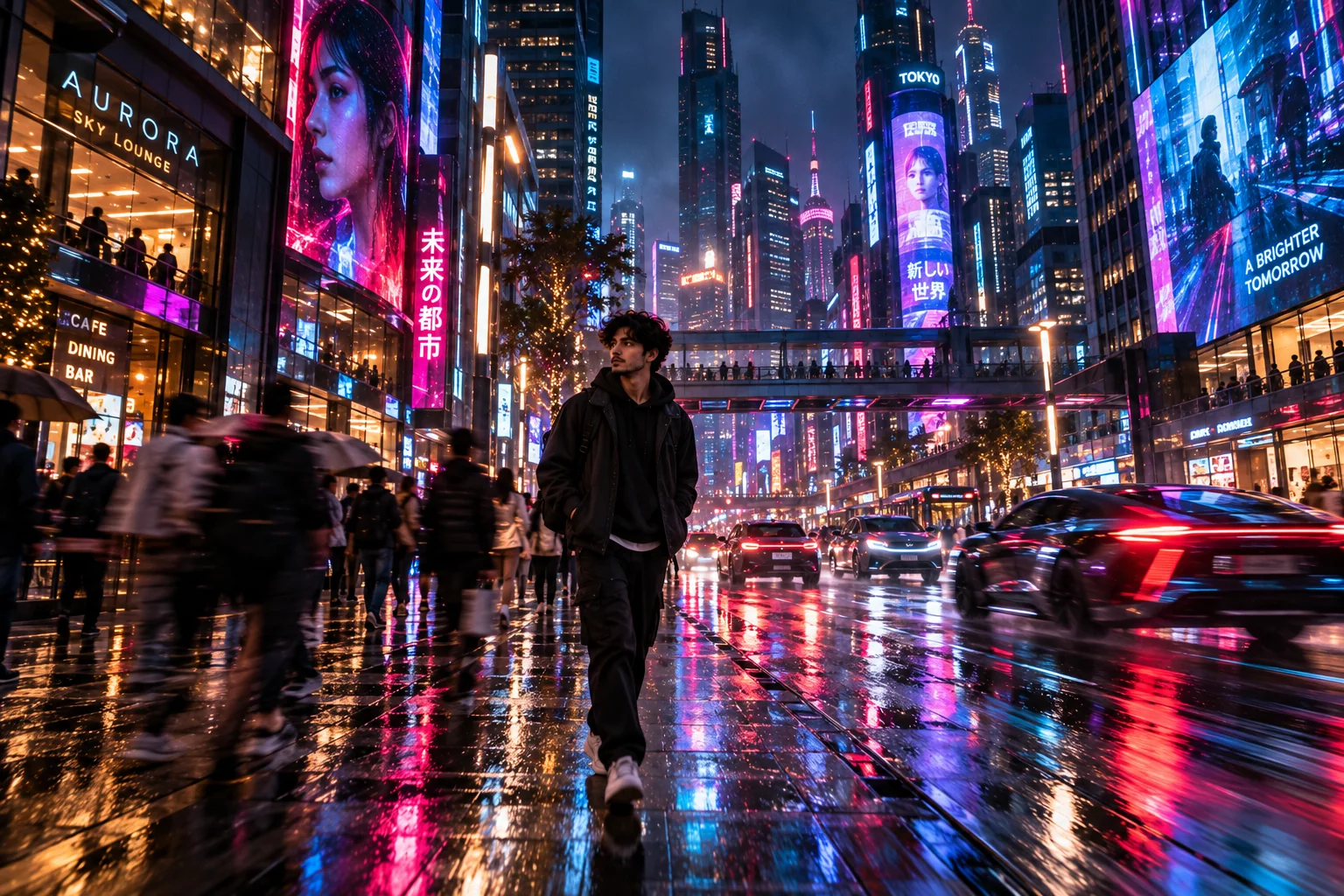
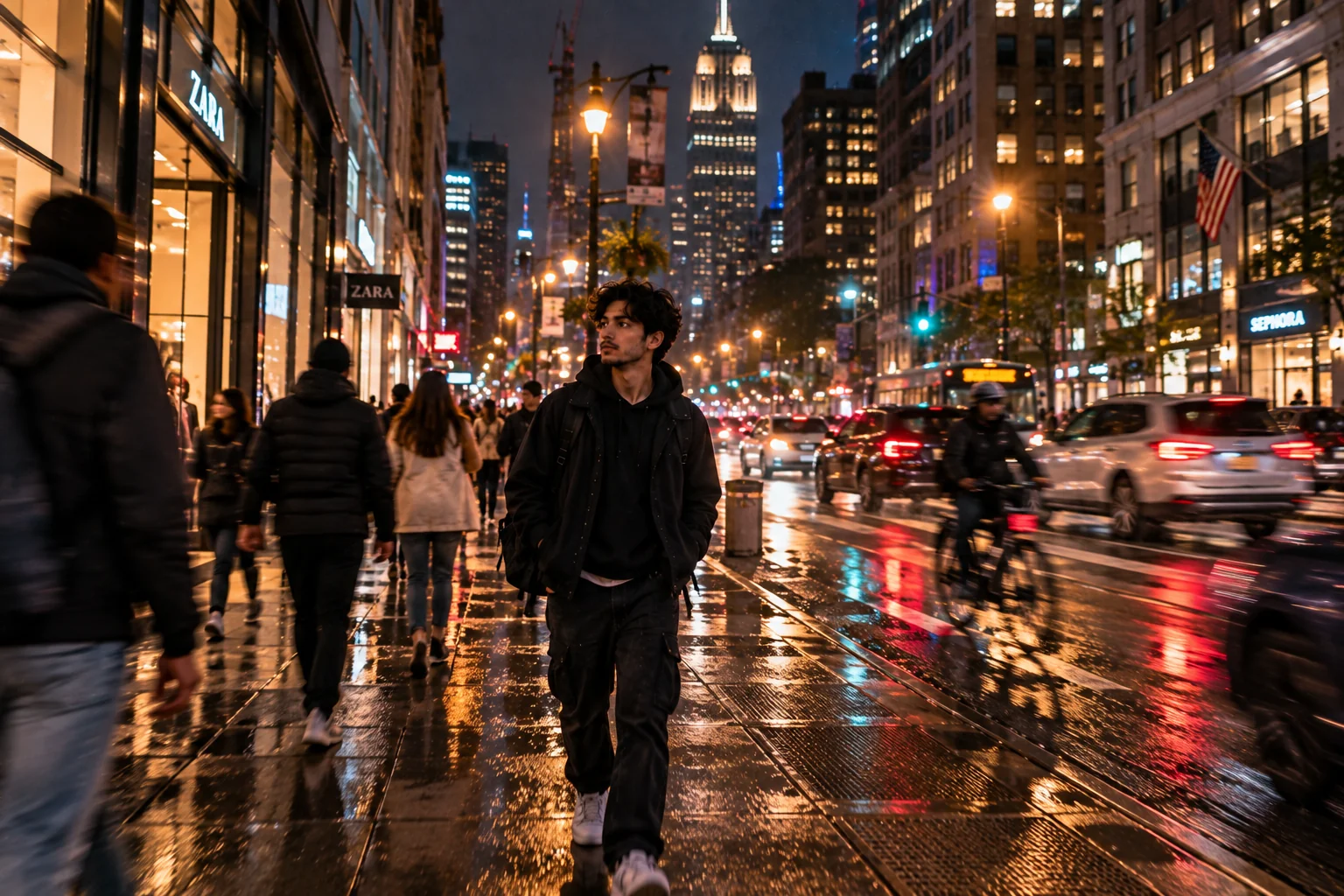
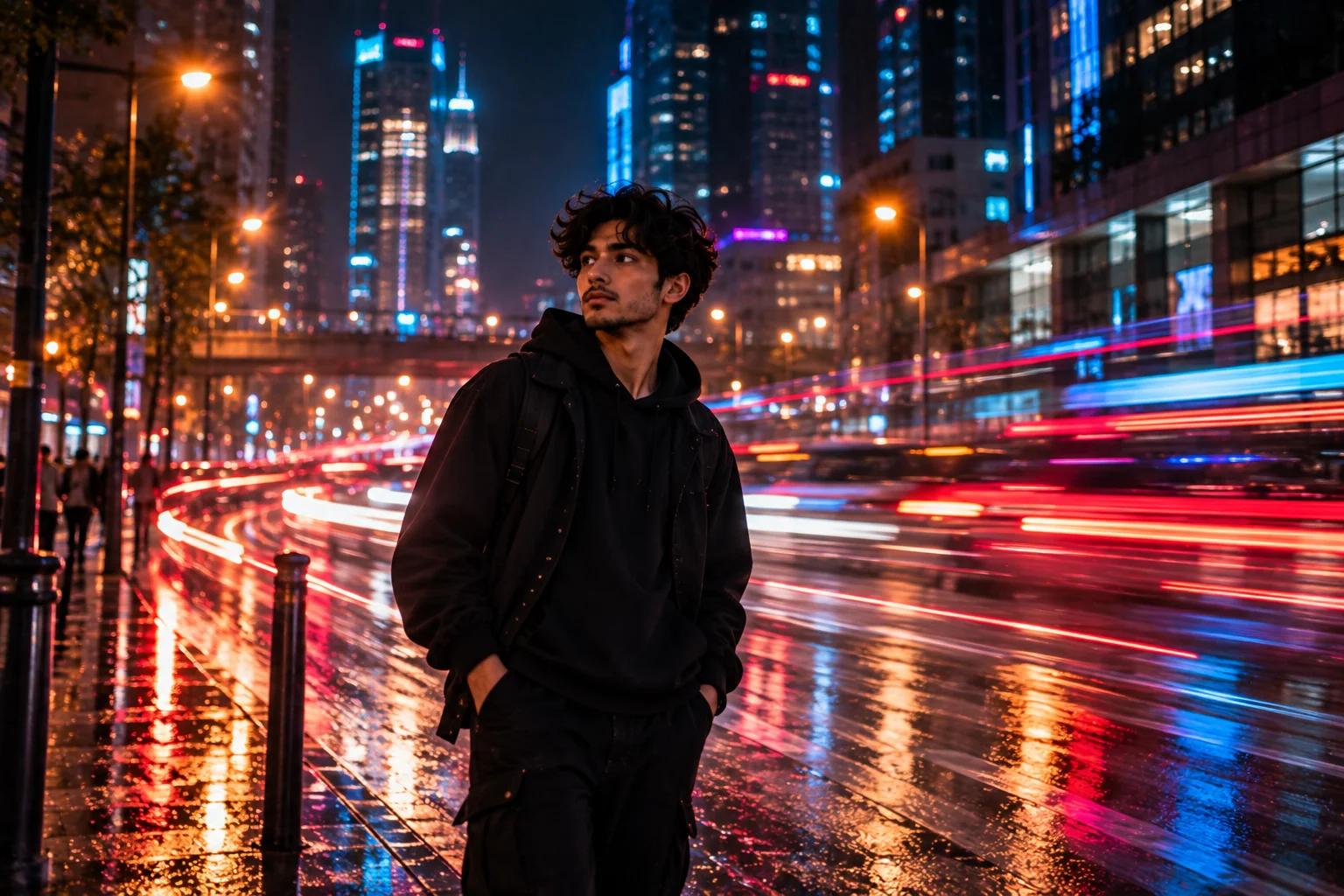
AI motion blur photo prompts are a powerful way to turn ordinary image ideas into dynamic, atmospheric scenes that feel captured in the middle of real movement. Instead of creating a perfectly frozen subject, motion blur introduces controlled streaks, glowing light trails, moving backgrounds, soft directional blur and cinematic energy. This makes the technique especially useful for neon city photography, nighttime portraits, street scenes, cars, motorcycles, nightlife and futuristic visual concepts. In this collection, you will find 10 original AI motion blur prompts designed around different photographic situations, from rainy neon streets to fast-moving vehicles and expressive night portraits. Each prompt combines a clear subject with composition, lighting, color, atmosphere and movement so you can copy it directly or customize it for your preferred AI image generator. For the most natural results, change one major element at a time and keep the subject, camera angle and lighting consistent when refining variations.
✔ Create realistic motion blur instead of a completely frozen photograph
✔ Add neon, night lighting, reflections and cinematic atmosphere
✔ Experiment with moving people, cars, motorcycles and city streets
✔ Control blur direction, intensity, depth and background movement
✔ Customize colors, camera framing and mood for your own visual style
1. Neon City Street Motion Blur — AI Photo Prompt
Prompt
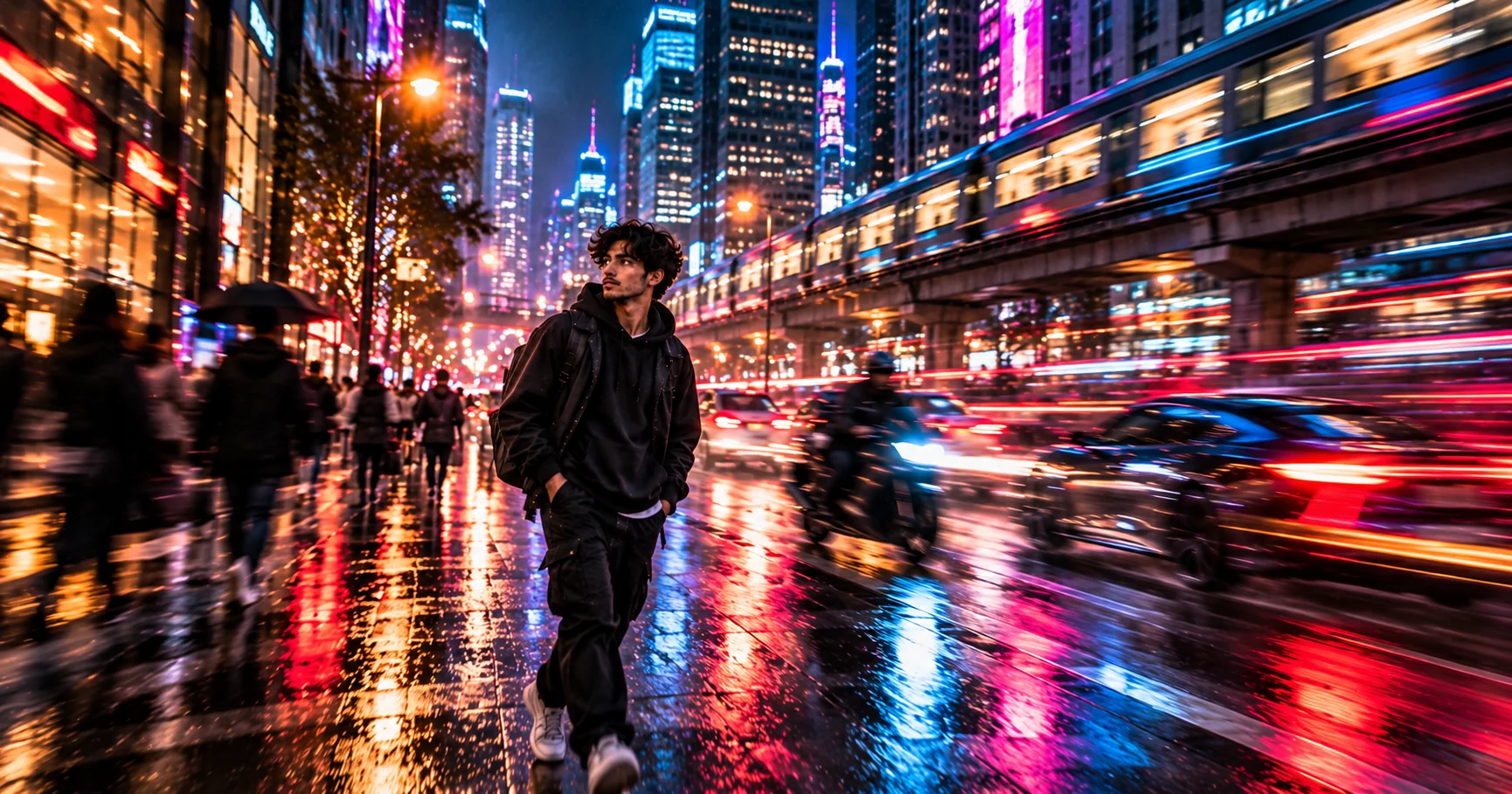
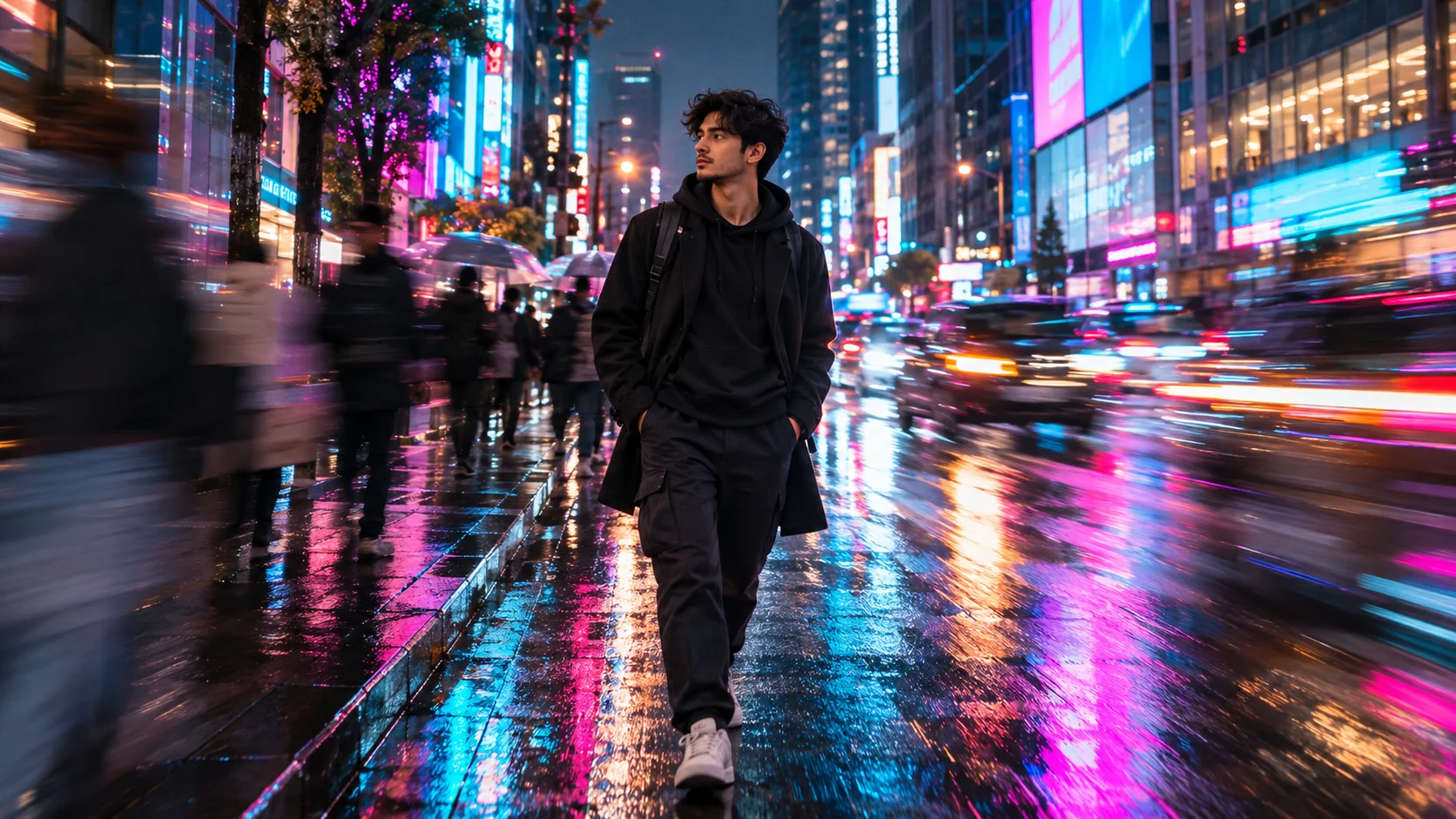
Create a photorealistic nighttime street photograph in a busy downtown district after rain. A stylish young adult walks through the center of the frame while surrounding pedestrians and passing vehicles create controlled horizontal motion blur. Bright cyan, magenta and electric blue neon signs reflect across the wet pavement, with long soft light trails stretching through the background. Keep the main subject recognizable and relatively sharp while the environment shows believable movement. Eye-level street photography, 35mm perspective, shallow depth of field, realistic skin texture, subtle film grain, atmospheric haze, natural reflections, cinematic contrast, authentic urban details, no text, no logos, no watermark.
Usage: Ideal for viral-style neon street photography, urban wallpapers and cinematic social media visuals.
Tip: Replace the neon colors with red and amber for a warmer cyberpunk-inspired street atmosphere.
2. Rainy Night Portrait With Motion Blur — AI Photo Prompt
Prompt
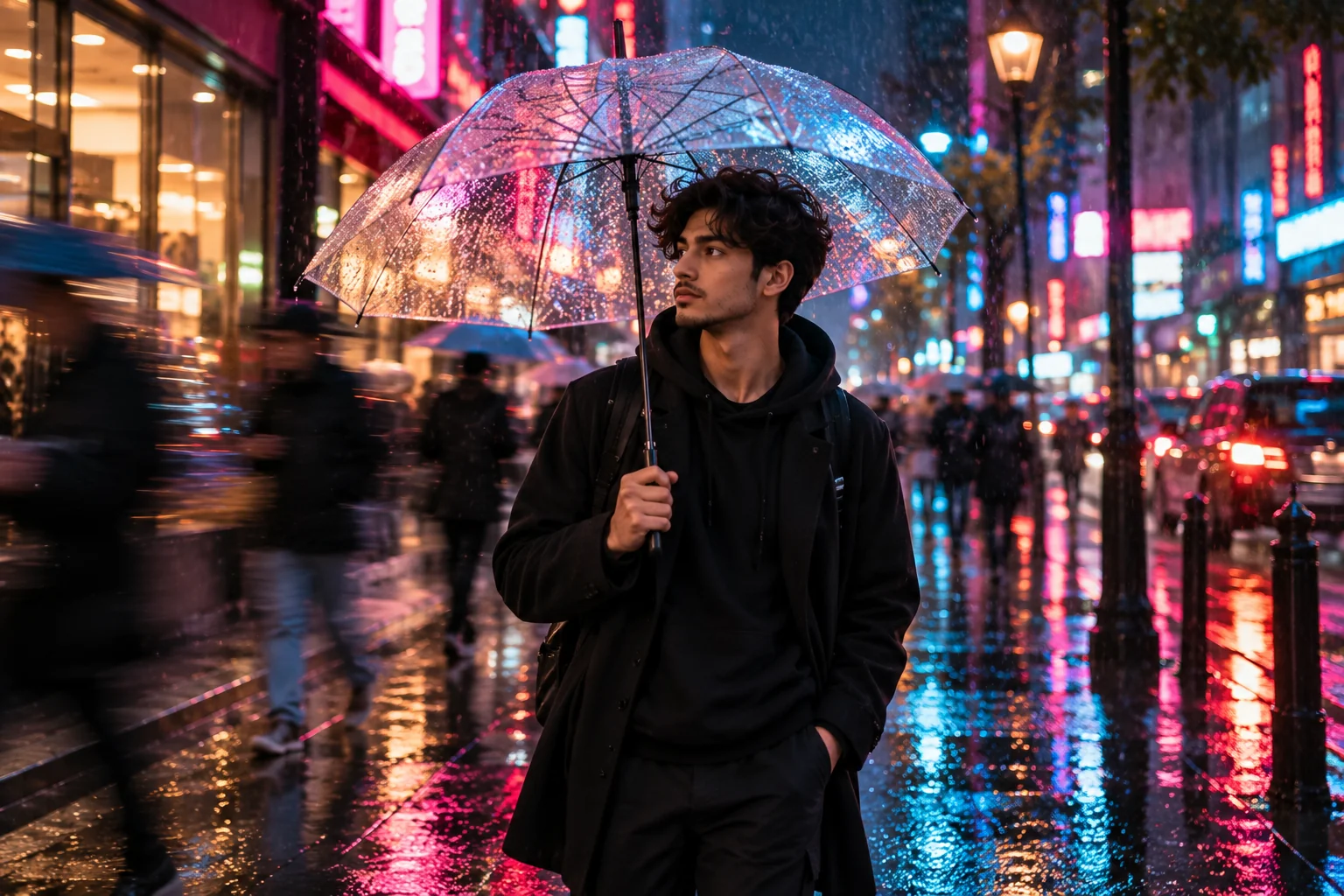
Create a photorealistic cinematic night portrait of a young adult standing beneath a transparent umbrella on a rain-soaked city sidewalk. Keep the face, eyes and upper body naturally sharp while pedestrians moving behind the subject become soft directional motion streaks. Add blurred neon storefronts, colorful reflections on wet pavement, tiny raindrops illuminated by streetlights and subtle mist in the air. Use a 50mm portrait perspective, shallow depth of field, realistic skin texture, soft rim light, cool blue shadows with warm pink highlights, restrained film grain and authentic low-light photography. The image should feel like a real photograph captured during a busy rainy evening, not an artificial illustration.
Usage: Use this prompt for dramatic portraits, profile pictures, editorial concepts and rainy-night photography.
Tip: Ask for a longer coat, denim jacket or formal outfit to change the personality of the portrait without changing the lighting setup.
3. Neon Sports Car Speed Blur — AI Photo Prompt
Prompt
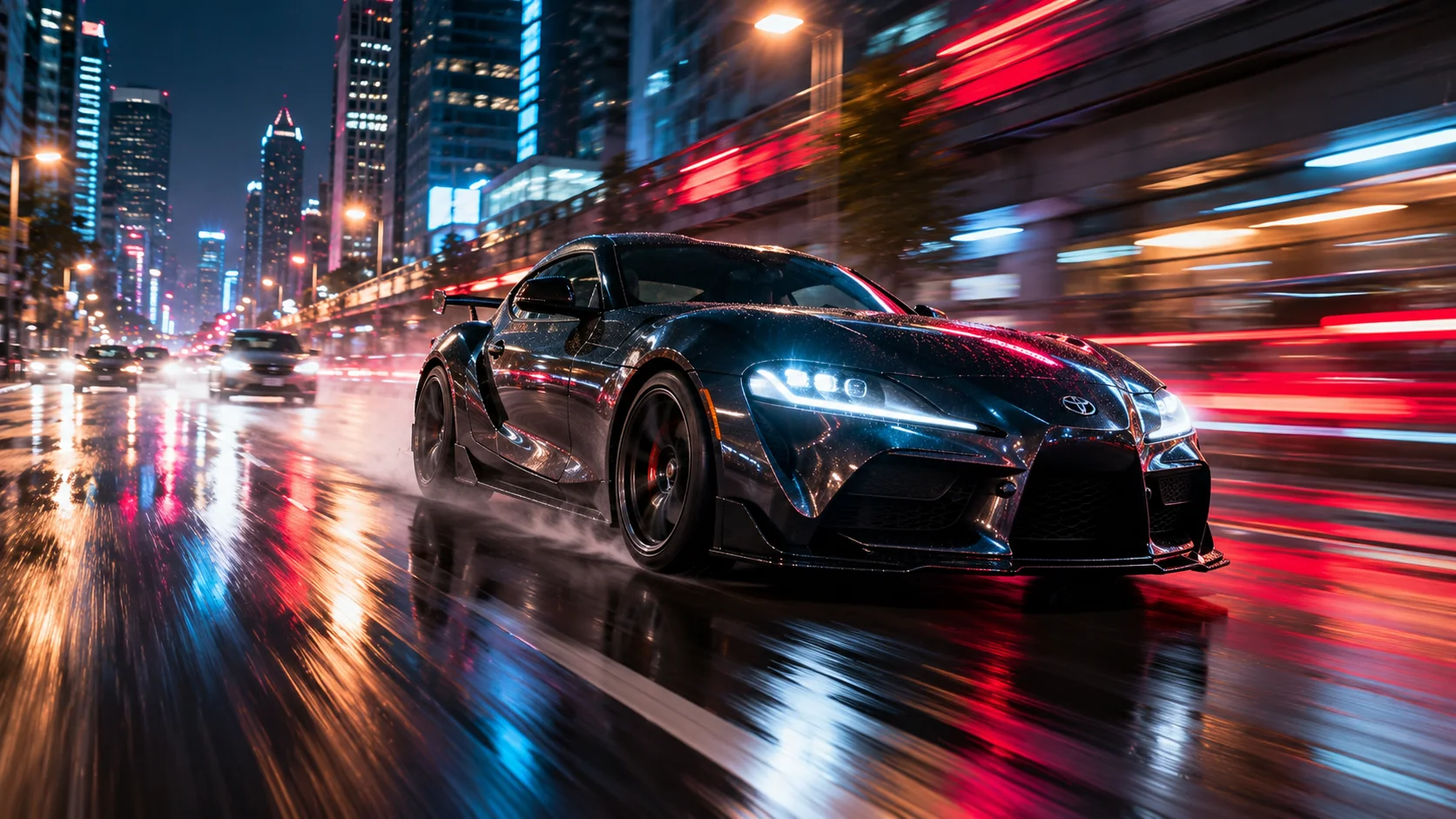
Create a photorealistic cinematic photograph of a sleek modern sports car accelerating through a neon-lit downtown avenue at night. The vehicle remains mostly recognizable and detailed while the road, buildings and lights develop realistic directional motion blur that communicates high speed. Add red and cyan light trails, wet asphalt reflections, subtle tire spray and distant headlights fading into elongated streaks. Use a low three-quarter camera angle, 35mm lens look, realistic perspective, dramatic but believable street lighting, controlled depth of field, natural reflections, subtle film grain and premium automotive photography. Avoid exaggerated fantasy effects, distorted wheels, unreadable signage and artificial-looking reflections.
Usage: Great for automotive photography concepts, futuristic city scenes, wallpapers and cinematic car visuals.
Tip: Change the vehicle color and the dominant neon palette to create multiple variations while keeping the same speed effect.
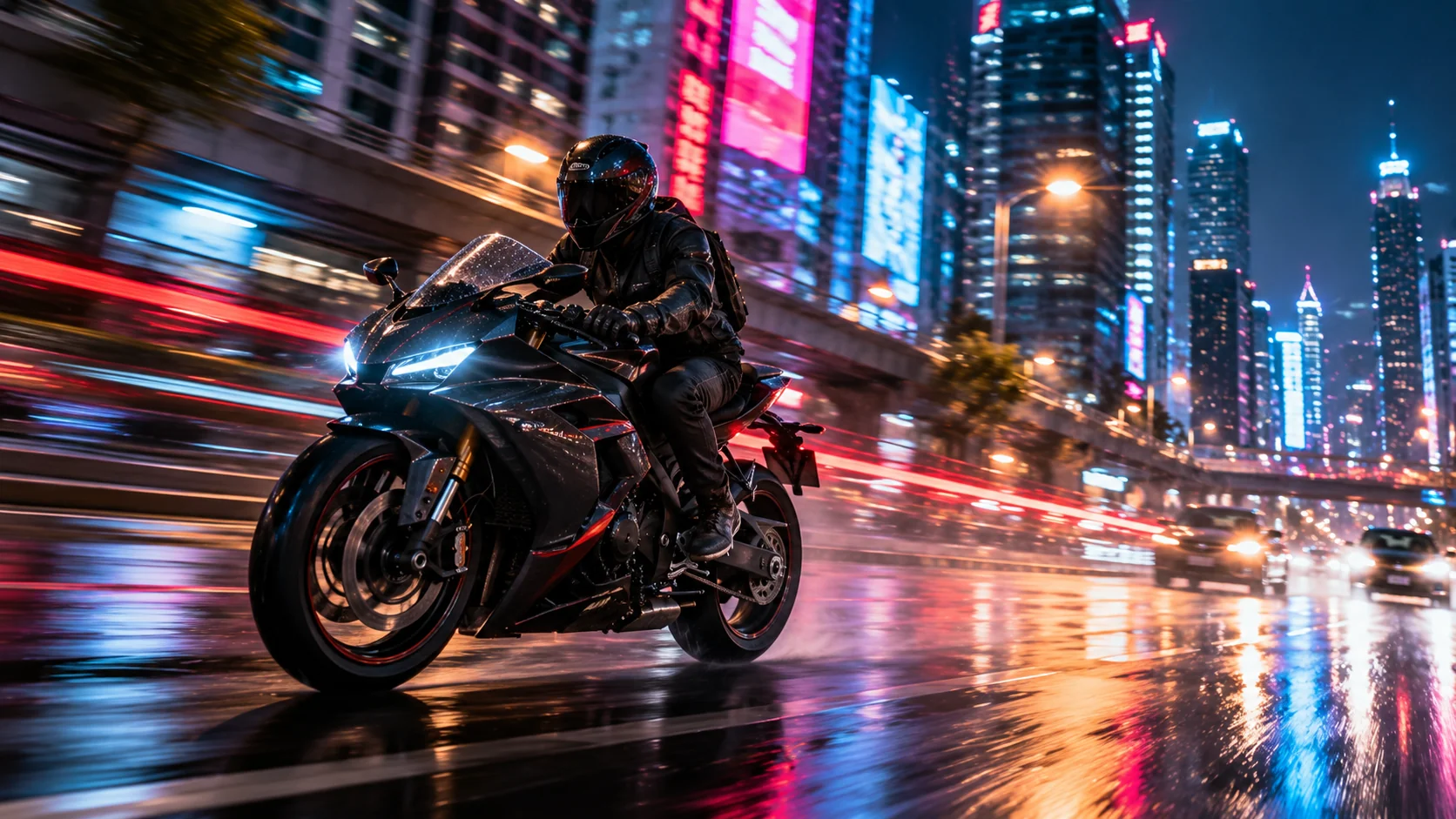
4. Motorcycle Night Ride Motion Blur — AI Photo Prompt
Prompt
Generate a photorealistic nighttime action photograph of a motorcycle rider traveling through a modern city street illuminated by neon signs. Keep the rider and motorcycle clearly readable while the surrounding buildings, road markings and colorful lights stretch into directional motion blur. Add realistic headlight glow, red rear light trails, wet pavement, subtle atmospheric haze and natural reflections. Use a low side-angle tracking shot, 35mm photography aesthetic, moderate depth of field, realistic exposure, crisp details on the motorcycle and rider, subtle film grain and cinematic color grading. The motion should feel like a real camera tracking a moving motorcycle rather than a digitally smeared image.
Usage: Use for high-energy transportation photography, action visuals and cinematic urban scenes.
Tip: Specify a rainy road, dry asphalt or elevated highway depending on the atmosphere you want.
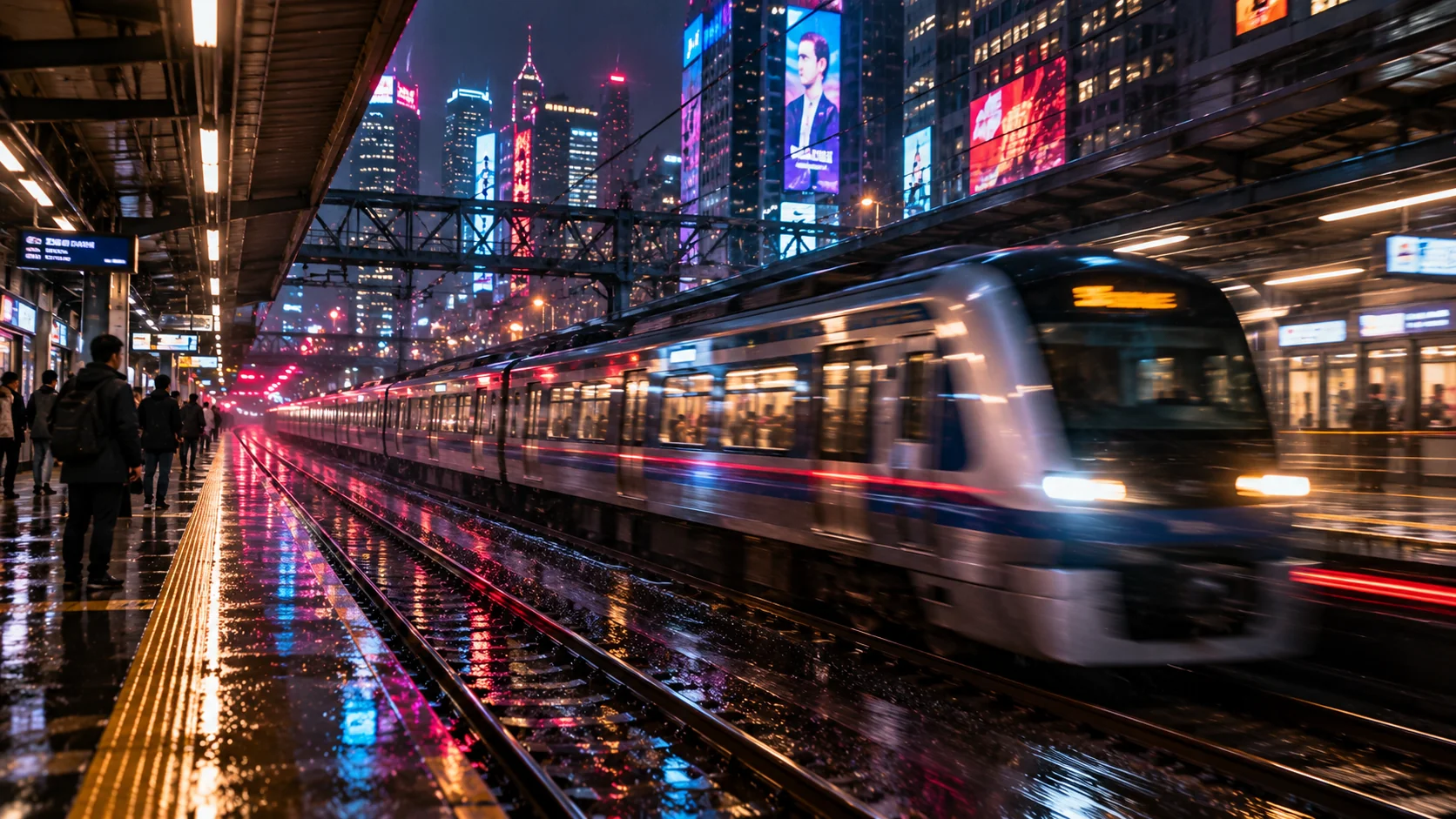
5. Moving Train Through a Neon City — AI Photo Prompt
Prompt
Create a realistic cinematic photograph of a modern passenger train rushing through a dense city at night. The train is captured from a nearby platform at a slight diagonal angle, with the train body showing controlled horizontal motion blur while the station architecture remains comparatively stable. Add colorful neon advertisements, glowing platform lights, wet floor reflections, subtle rain and elongated streaks from passing lights. Use a documentary-inspired 35mm photography look, realistic perspective, moderate contrast, natural atmospheric haze, fine film grain and believable nighttime exposure. Preserve realistic train proportions and architecture, with no warped windows, random lettering or excessive artificial glow.
Usage: Perfect for urban transportation photography, cinematic travel concepts and atmospheric city storytelling.
Tip: Try changing the station environment to a subway platform, elevated rail station or futuristic transit terminal.
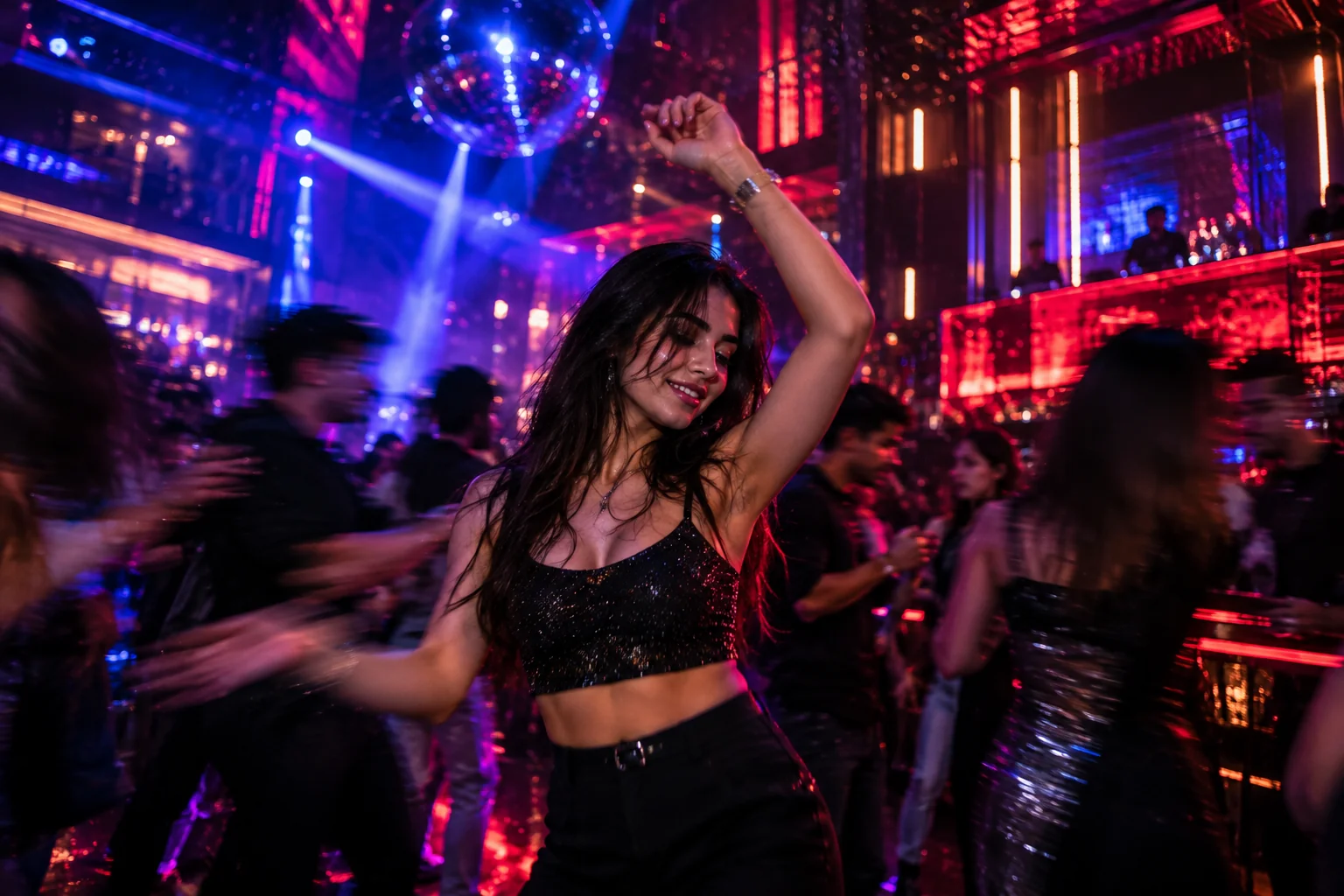
6. Dancing Nightlife Motion Blur — AI Photo Prompt
Prompt
Create a photorealistic nightlife photograph inside a stylish modern club filled with colorful ambient lights. A single dancer is positioned as the primary subject, with the face and central body partially sharp while the moving arms, surrounding crowd and background lights create natural artistic motion blur. Use deep violet, electric blue and warm red lighting, subtle haze, reflections on polished surfaces and small bokeh highlights. Capture the scene like a professional 35mm low-light photograph with realistic skin texture, controlled shutter-drag effect, natural imperfections and cinematic depth. Keep the atmosphere energetic but believable, avoiding excessive glow, distorted anatomy and overly smooth faces.
Usage: Use for nightlife photography, music visuals, dance concepts and energetic social media imagery.
Tip: Increase the shutter-drag effect for stronger movement trails or reduce it for a more documentary-style result.
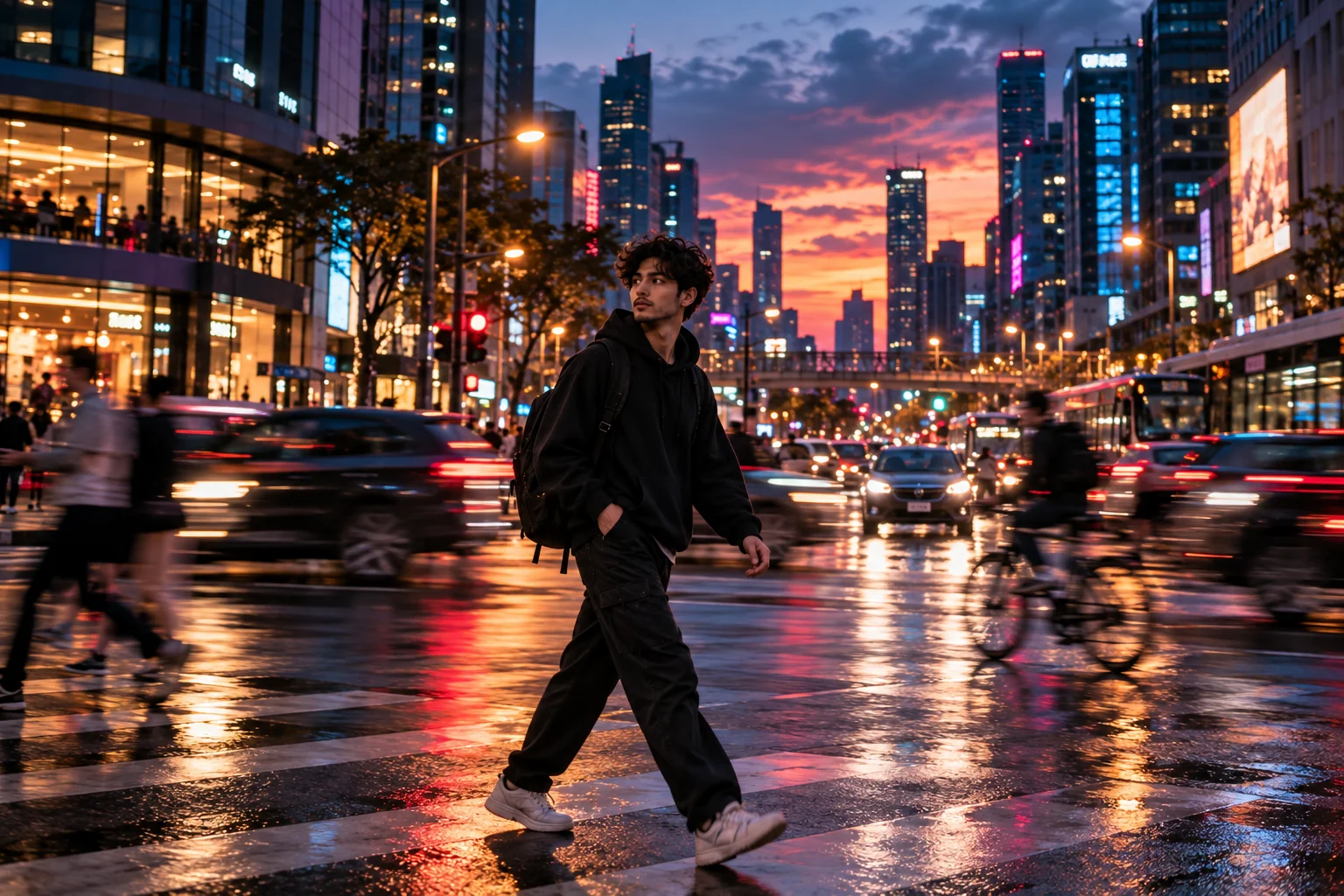
7. Golden Neon Sunset Motion Blur — AI Photo Prompt
Prompt
Create a photorealistic cinematic street photograph captured during blue hour, shortly after sunset. A person walks across a busy intersection while passing cars and cyclists create gentle directional motion blur around them. Blend the last warm golden sunlight with emerging cyan, pink and amber city lights. Add realistic reflections on slightly wet pavement, shallow depth of field, soft bokeh, subtle atmospheric haze and natural skin tones. Use an eye-level 50mm photography perspective, balanced exposure, realistic shadows and fine film grain. The image should feel like an authentic professional street photograph where movement is created naturally through a slower shutter speed.
Usage: Best for atmospheric city portraits, editorial photography and transitional day-to-night scenes.
Tip: Change blue hour to golden hour for a brighter, warmer photograph with less nighttime contrast.
8. Futuristic Cyberpunk Motion Blur — AI Photo Prompt
Prompt
Generate a highly detailed photorealistic futuristic city street at night, inspired by modern metropolitan architecture rather than a fantasy illustration. A lone person walks through a crowded neon district while pedestrians, autonomous vehicles and illuminated signs create controlled layers of directional motion blur. Use cyan, violet, magenta and deep red light sources with wet pavement reflections, atmospheric fog, glowing windows and realistic architectural textures. Capture the scene from a slightly low eye-level perspective using a wide 28mm street photography feel, with the central subject remaining readable while peripheral movement becomes progressively blurred. Add restrained film grain, realistic exposure and cinematic depth without turning the scene into an overprocessed digital artwork.
Usage: Ideal for futuristic wallpapers, cyberpunk-inspired editorials, technology concepts and cinematic city visuals.
Tip: Replace the neon palette with green and amber for a darker industrial-futuristic mood.
9. Handheld Motion Blur Street Photography — AI Photo Prompt
Prompt
Create a photorealistic candid street photograph taken handheld on a busy American city block at night. The main pedestrian subject is captured during a natural walking moment, with subtle camera movement producing gentle edge blur while nearby cars, cyclists and pedestrians create realistic directional motion. Include storefront lighting, traffic signals, street lamps, reflections on pavement and small imperfections associated with real handheld photography. Use a 35mm documentary photography aesthetic, slightly imperfect framing, realistic skin and clothing textures, natural exposure, moderate contrast and subtle film grain. The result should feel spontaneous and authentic rather than perfectly staged or digitally polished.
Usage: Use when you want realistic social photography, documentary-style scenes or less artificial-looking AI images.
Tip: Keep the blur subtle and introduce small imperfections if the generated image looks too clean or studio-like.
10. Cinematic Light Trail Portrait — AI Photo Prompt
Prompt
Create a photorealistic cinematic portrait of a stylish young adult standing still on a dark urban street at night while colorful moving lights pass around them. Keep the subject's face and eyes sharply defined, while long red, blue, violet and amber light trails curve naturally through the foreground and background. Add subtle atmospheric haze, realistic street reflections, shallow depth of field, soft rim lighting and fine film grain. Use a 50mm portrait photography look with balanced skin tones, believable low-light exposure and carefully controlled motion blur. The image should resemble a professionally captured long-exposure photograph, with the light trails adding movement without obscuring the subject.
Usage: Perfect for cinematic portraits, social profile concepts, editorial visuals and dramatic night photography.
Tip: Change the light-trail colors to match clothing or the surrounding environment for a more cohesive composition.
Motion blur works best when it looks intentional rather than random. The strongest AI motion blur photos usually combine a clearly defined subject with a specific movement direction, believable lighting and enough environmental detail to explain why the scene feels dynamic. Try these prompts as starting points, then experiment with shutter-drag intensity, camera angle, lens perspective, neon colors, weather and time of day. For portrait-focused images, keeping the face and key features relatively sharp can create a stronger contrast against a moving background, while automotive and street scenes can benefit from more pronounced directional streaks. You can also reuse the same composition with different color palettes to build a consistent visual series for your website or social channels. If the first generation looks too artificial, simplify the prompt and refine one visual element at a time instead of adding dozens of extra style terms.
Why These Prompts Work So Well
These AI motion blur prompts are designed around the visual information that image generators can use to construct a more coherent photograph. Instead of depending on vague phrases such as “make it cinematic,” each prompt identifies the subject, setting, movement, framing, lighting and photographic characteristics. That gives you more control over the final image and makes each prompt easier to customize for different generators, subjects and creative projects.
Photography-First Structure
Each prompt describes the scene like a real photographic setup, including subject placement, camera perspective, depth of field and lighting.
Clear Lighting Direction
Neon colors, practical lights, reflections, rim lighting and atmospheric illumination are specified directly instead of relying only on generic mood words.
Controlled Visual Focus
The prompts identify which parts should remain readable and which areas can carry motion, blur and light trails, creating stronger visual hierarchy.
Specific Composition
Framing, viewpoint, lens perspective and subject placement help establish the structure of the image before the stylistic details are added.
Easy to Customize
You can quickly change the subject, colors, weather, clothing, location or blur intensity without rebuilding the entire prompt from scratch.
Frequently Asked Questions
What is a motion blur AI photo prompt?
A motion blur AI photo prompt is a text instruction that tells an image generator to create a scene where movement is represented through directional blur, light trails, camera movement or a slower-shutter photographic effect. The prompt can also define the subject, composition, lighting, colors and atmosphere.
How do I create realistic motion blur with AI?
Describe what is moving, the direction of the movement and which part of the image should remain sharp. Adding realistic photography details such as shutter-drag, directional blur, camera perspective, lighting and depth of field can help communicate the intended visual effect more clearly.
Can I use these motion blur prompts for portraits?
Yes. Motion blur can work especially well for portraits when the face and important features remain relatively clear while the surrounding people, lights or background show movement. This contrast can create a dynamic editorial or cinematic appearance.
What colors work well for neon motion blur photos?
Cyan, blue, magenta, violet, red, pink and amber are useful starting points for neon scenes. You can also choose a limited two- or three-color palette so the lighting and reflections feel more visually consistent.
How can I make AI motion blur look less artificial?
Use specific photographic details instead of stacking generic quality words. Describe a believable movement direction, realistic light sources, natural reflections, appropriate depth of field and subtle imperfections. If the result is too exaggerated, reduce the blur intensity and refine one element at a time.
Can I customize these AI motion blur prompts for different image generators?
Yes. These prompts are written as descriptive starting points rather than being locked to one image generator. You can adapt the wording, aspect ratio, camera perspective, style, subject and level of detail to match the generator you are using.
About the Author
Jitendra Patra
AI Prompt Researcher & Software Engineering Student
✦ Prompt Engineering Research✦ Gemini & Generative AI Focus❖ Prompt Development & Research
Jitendra Patra is a software engineering student and AI prompt researcher specializing in Google Gemini and generative image models. He actively experiments with structured prompt engineering techniques to produce high-quality, reproducible visual outputs.
His work focuses on iterative prompt development, with attention to subject, lighting, composition, and visual style.
The prompts in this guide are developed with attention to structure, detail, and visual quality.