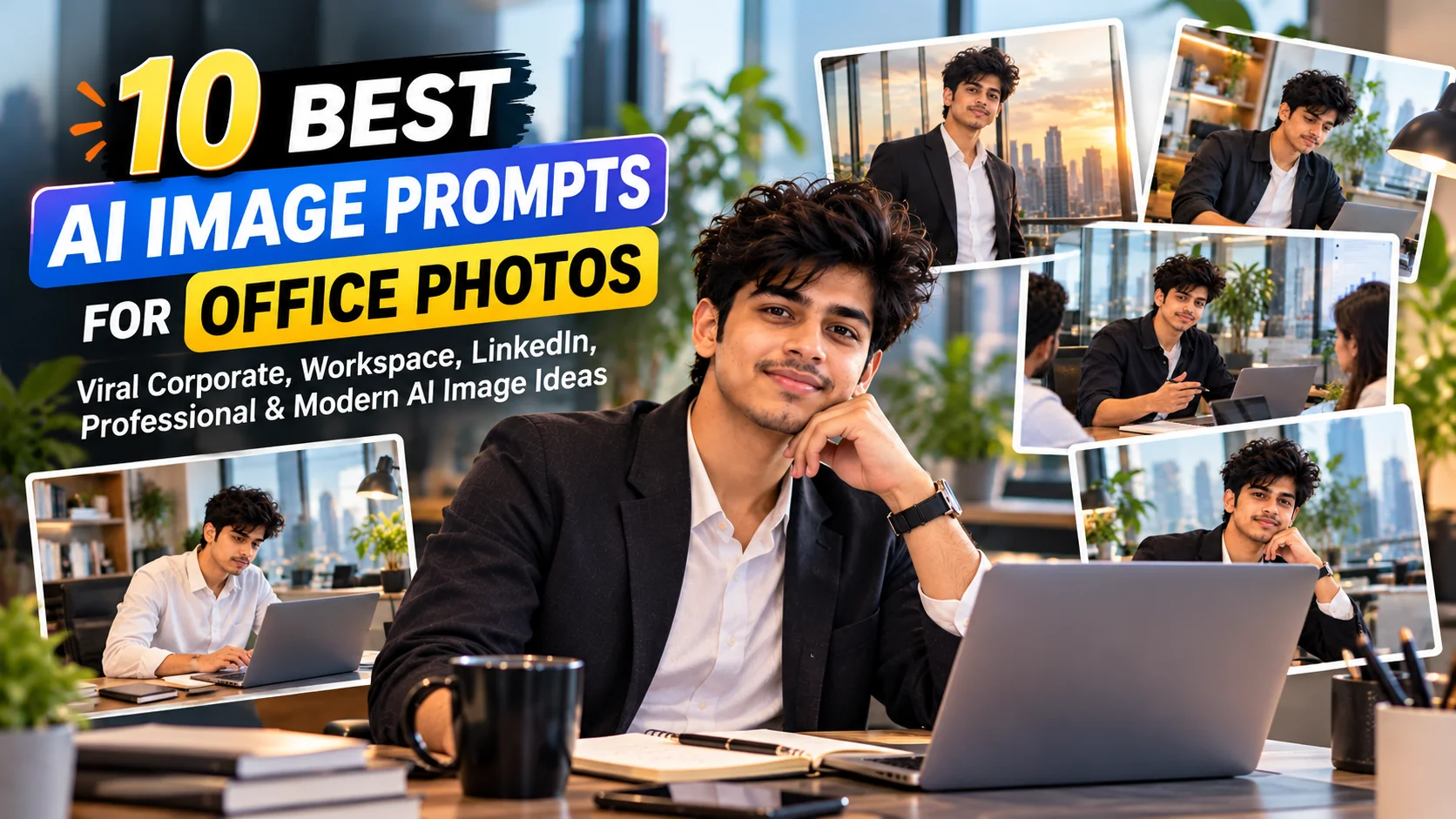
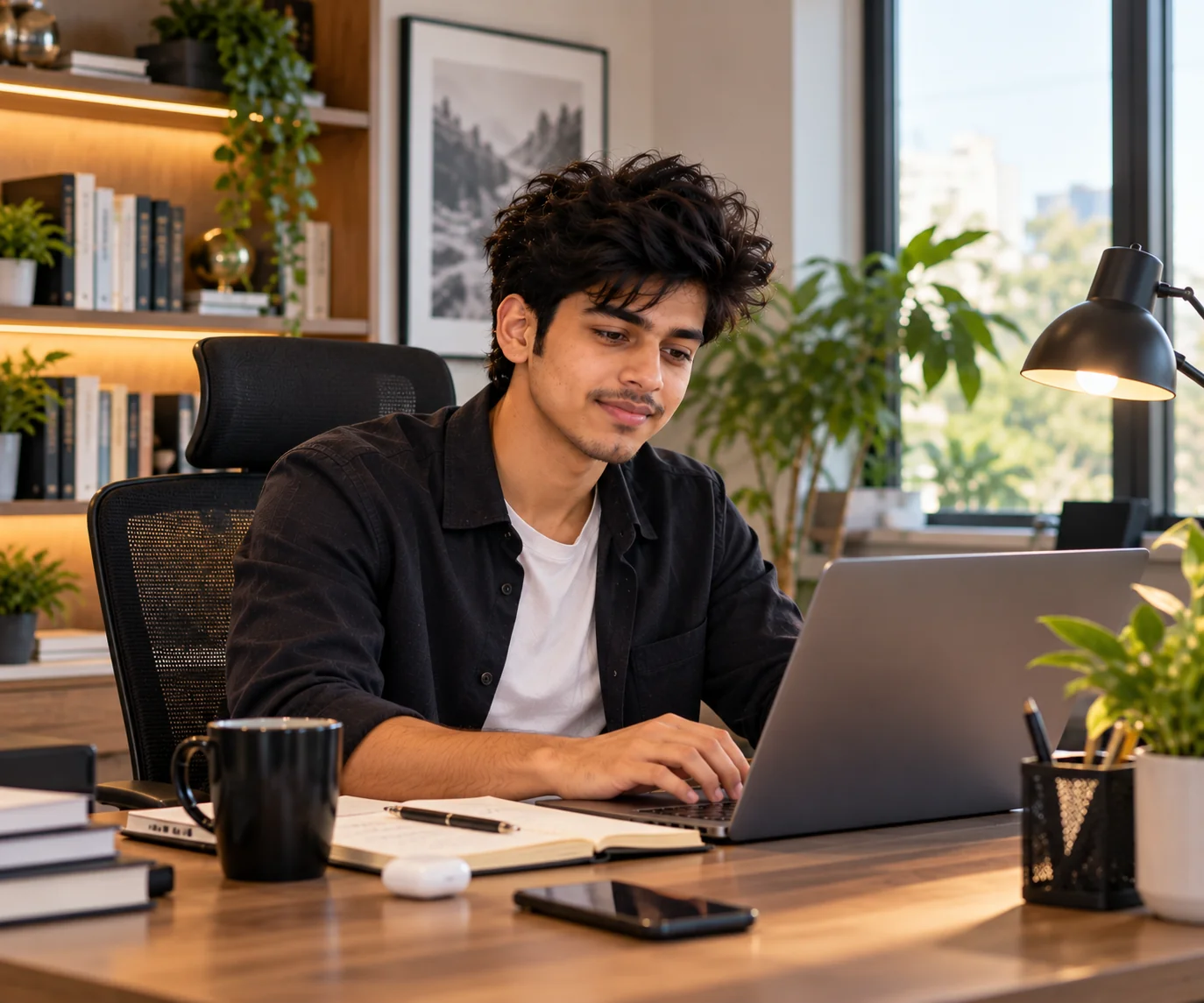
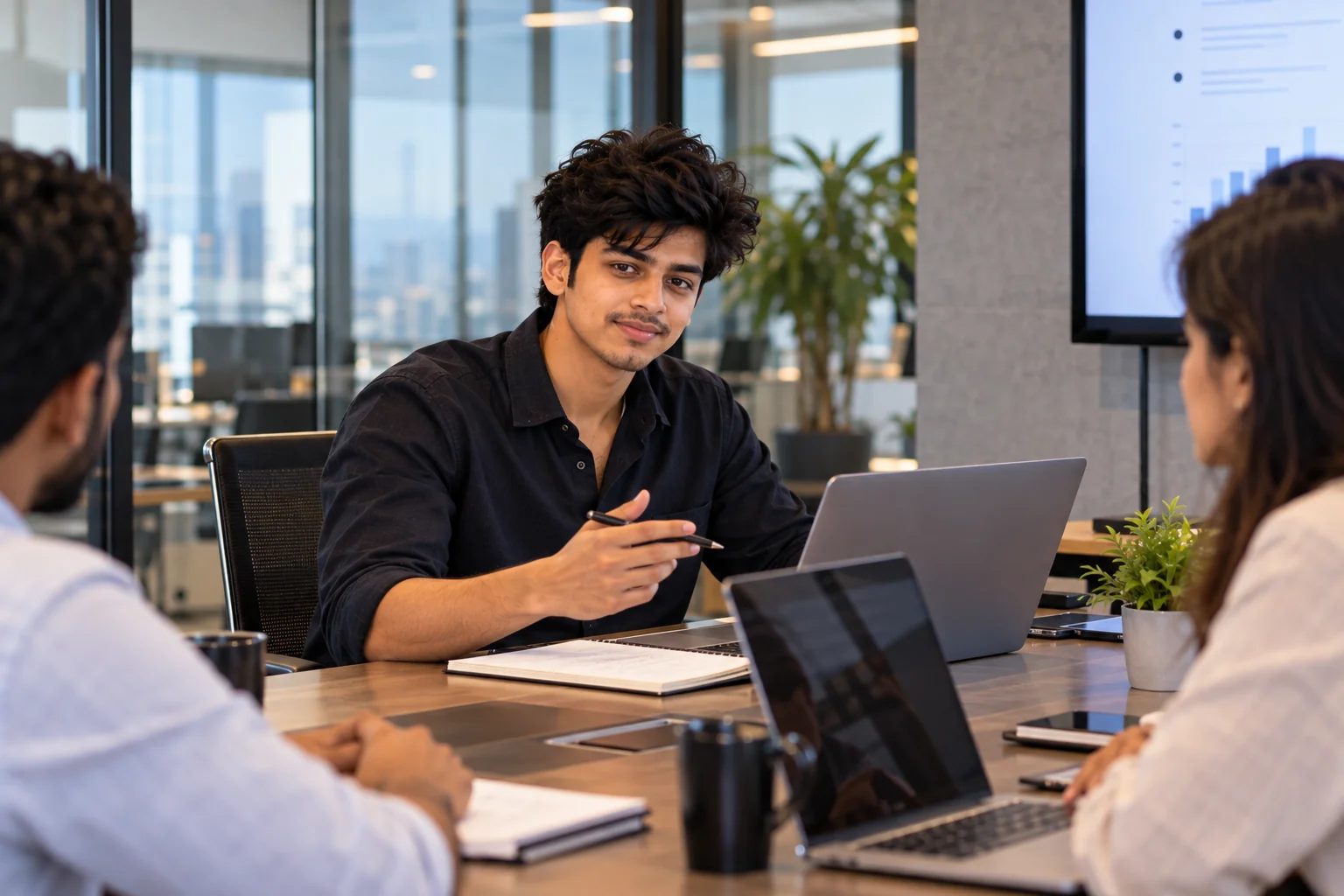
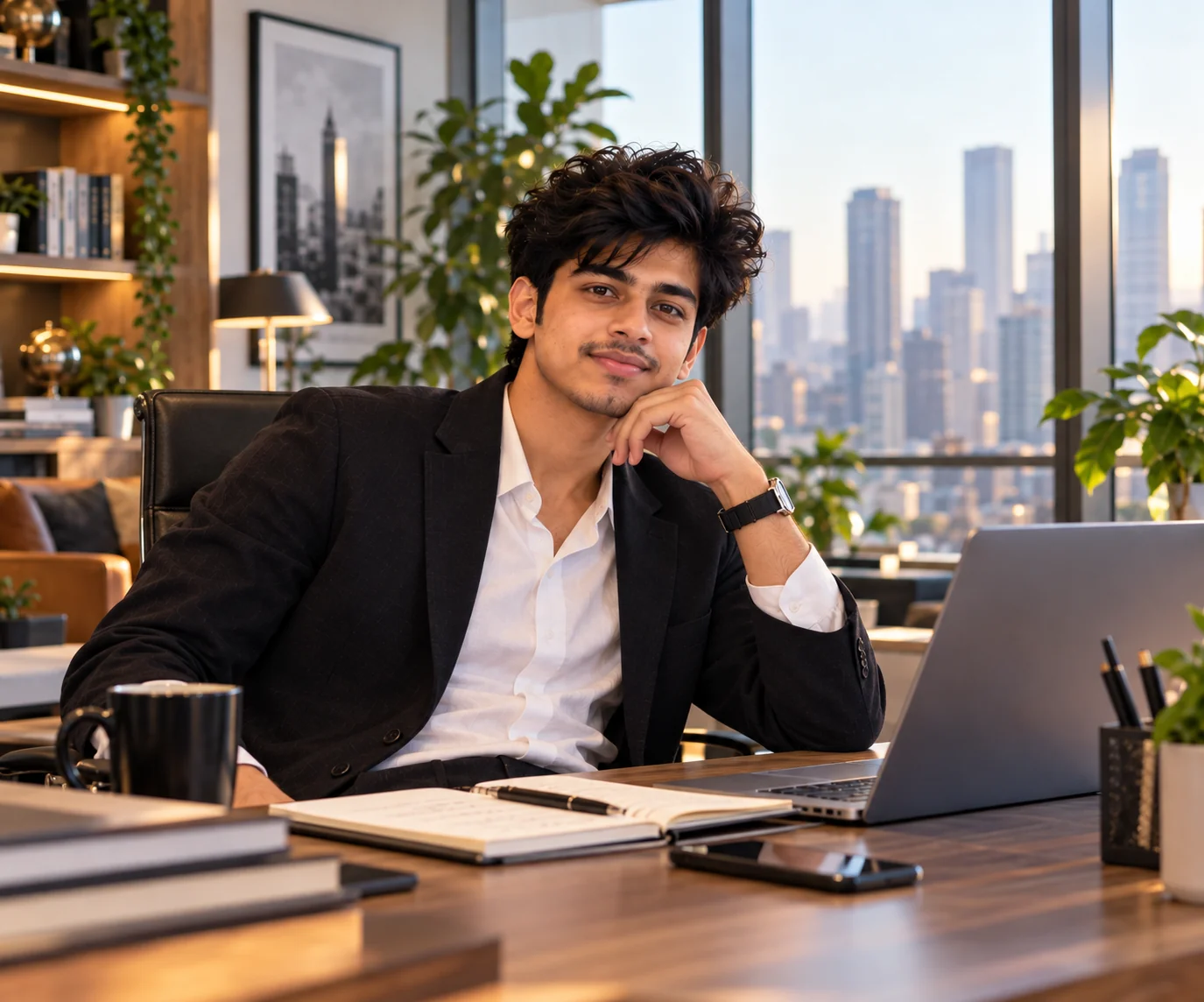
Office photos are becoming more useful than ever for professional profiles, personal branding, business websites, social media, portfolios, and creative projects. Instead of relying on the same generic corporate image, AI image generators can help create realistic workplace scenes with modern offices, polished interiors, natural lighting, business attire, laptops, meeting rooms, and professional poses. The key is giving the image model enough direction about the environment, composition, lighting, clothing, camera style, and overall mood. For LinkedIn-style portraits, a recognizable face, clean background, appropriate clothing, good lighting, and a natural expression are especially important. These 10 AI office photo prompts are designed around those principles while covering different professional situations, from executive portraits and modern startup offices to business-casual workspace scenes and cinematic corporate photography. You can copy each prompt directly and then customize the details to match your profession, industry, appearance, or personal brand.
✔ Create realistic corporate and professional office portraits
✔ Generate polished LinkedIn and personal-branding images
✔ Explore modern workspaces, executive offices, and startup environments
✔ Customize clothing, lighting, camera angle, background, and mood
✔ Use the prompts with your preferred AI image generator or image editor
1. Modern Corporate Office Portrait — AI Prompt
Prompt
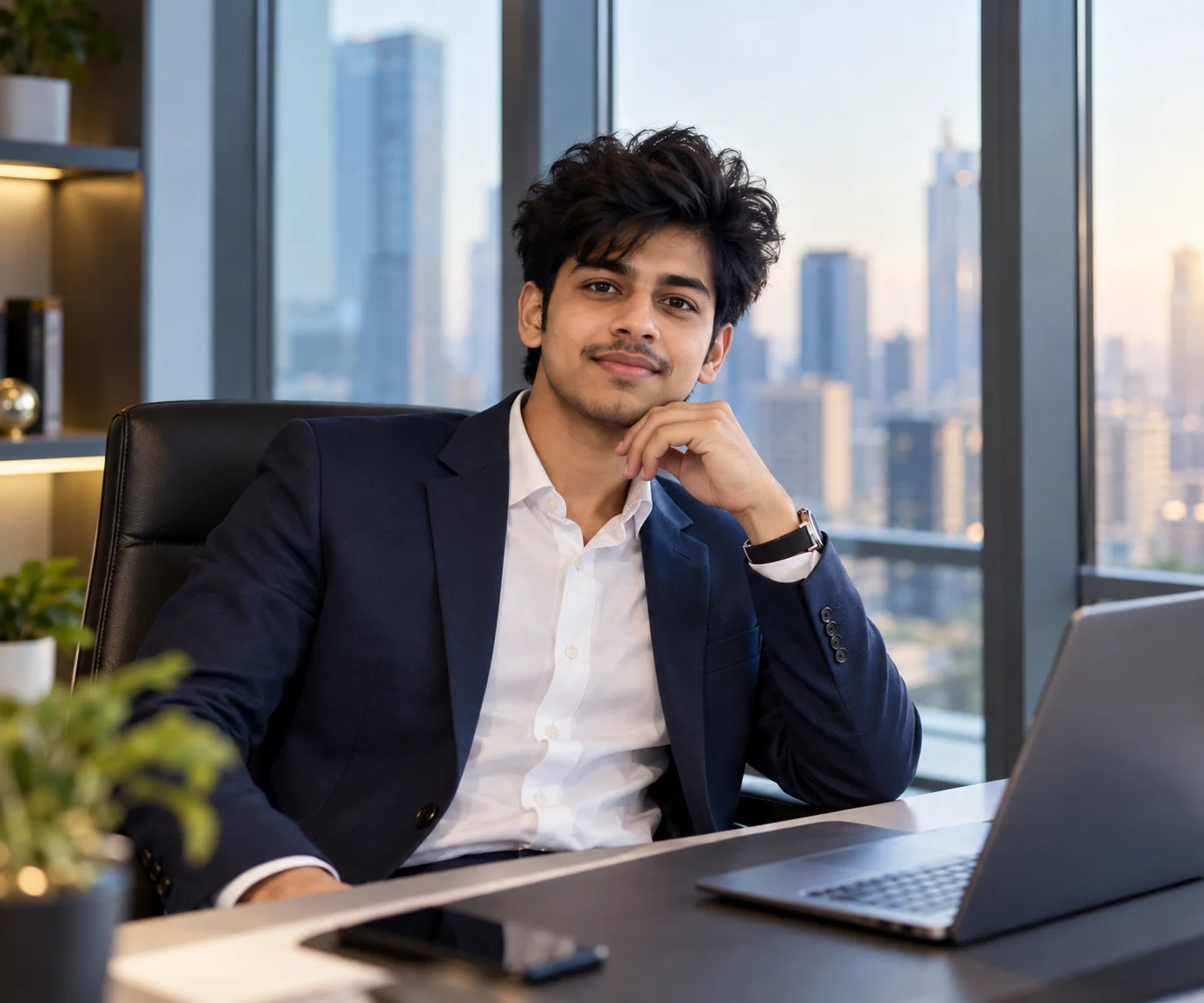
Create a photorealistic professional office portrait of [PERSON], keeping the person's recognizable facial features, natural skin texture, hairstyle, and overall identity consistent. Place the subject inside a sophisticated modern corporate office with floor-to-ceiling glass windows, a clean desk, subtle architectural details, and a softly blurred cityscape in the background. Dress the subject in polished business attire appropriate for a modern U.S. corporate workplace, with a tailored blazer and clean professional styling. Use soft natural window light combined with subtle professional fill lighting, realistic skin tones, shallow depth of field, natural facial expression, crisp eyes, realistic fabric texture, and high-end editorial photography. The composition should feel confident, authentic, polished, and suitable for professional branding. Avoid excessive retouching, plastic-looking skin, distorted facial features, artificial hands, unrealistic objects, text, logos, and watermarks.
Usage: Ideal for LinkedIn profiles, professional websites, business bios, speaker pages, and corporate personal branding.
Tip: Replace [PERSON] with a description of yourself and specify your industry, such as technology, finance, consulting, healthcare, or marketing, to make the office environment more relevant.
2. Professional LinkedIn Office Headshot — AI Prompt
Prompt
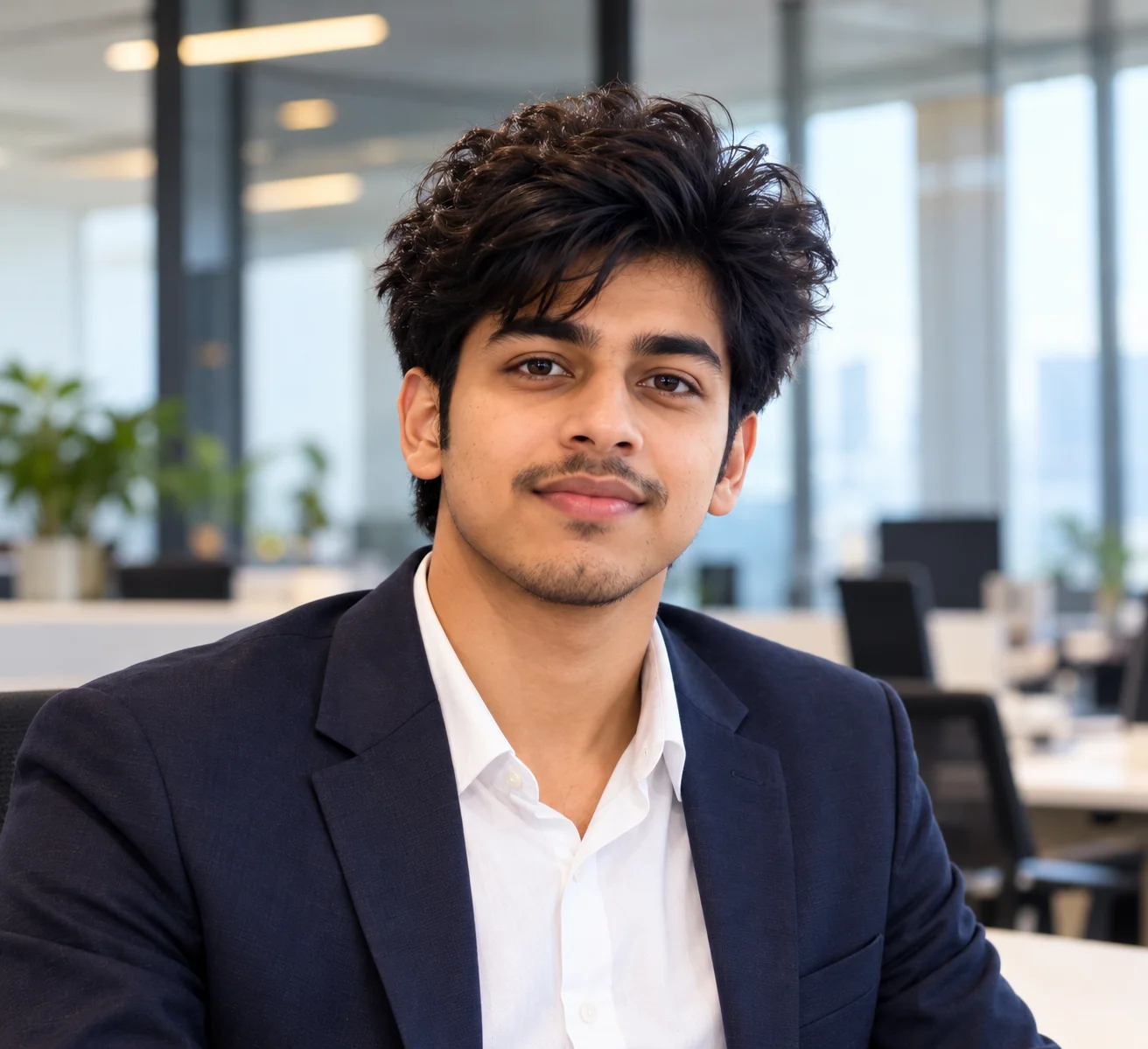
Transform [YOUR PHOTO] into a realistic professional LinkedIn-style office headshot while preserving the person's actual identity, facial structure, skin tone, hairstyle, and natural appearance. Frame the image as a clean head-and-shoulders portrait with the face clearly visible and occupying most of the frame. Place the subject in a bright contemporary office with a simple, softly blurred background containing subtle desks, glass walls, and neutral architectural details. Use soft window lighting from the front and side, gentle shadows, realistic skin texture, sharp eyes, natural expression, and a premium professional camera look. Dress the subject in modern business or business-casual clothing appropriate for their profession. Keep the image authentic rather than overly retouched. No face reshaping, beauty-filter effect, exaggerated smile, artificial skin, distorted features, distracting background, text, logos, or watermark.
Usage: Designed for LinkedIn profile photos, professional networking profiles, resumes, company directories, and online portfolios.
Tip: Upload a clear recent photo and specify the clothing style you normally wear at work so the generated portrait remains believable and recognizable.
3. Executive Office Leadership Portrait — AI Prompt
Prompt
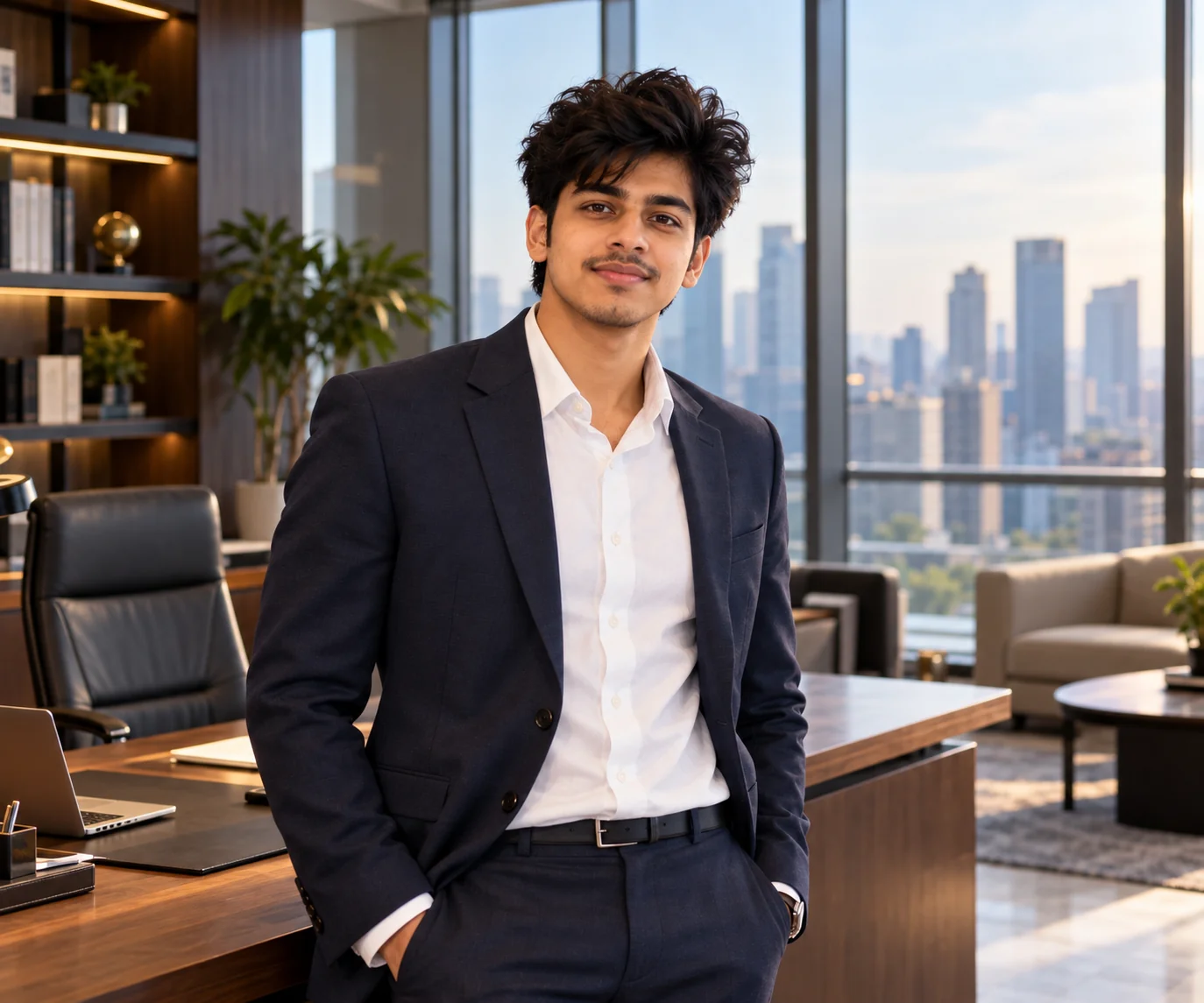
Create a premium photorealistic executive portrait of [PERSON] standing confidently inside a sophisticated private executive office. Preserve the subject's real facial identity and natural proportions. The office should feature floor-to-ceiling windows, an elegant wooden desk, subtle contemporary furniture, tasteful bookshelves, and a distant city skyline softly blurred behind the subject. Dress the person in refined executive business attire with realistic tailoring and understated accessories. Use cinematic but natural daylight, controlled highlights, soft shadows, shallow depth of field, realistic skin pores, detailed clothing textures, and professional editorial photography. The pose should feel relaxed and confident rather than exaggerated, with natural posture and authentic facial expression. Keep the scene clean, premium, believable, and free from visible text, brand logos, distorted hands, duplicated objects, artificial skin, or unrealistic facial alterations.
Usage: Great for executive bios, leadership pages, company websites, business publications, professional profiles, and personal-branding campaigns.
Tip: Change the office design and wardrobe to match the person's actual industry; a financial executive, creative director, founder, and technology leader can each have very different visual environments.
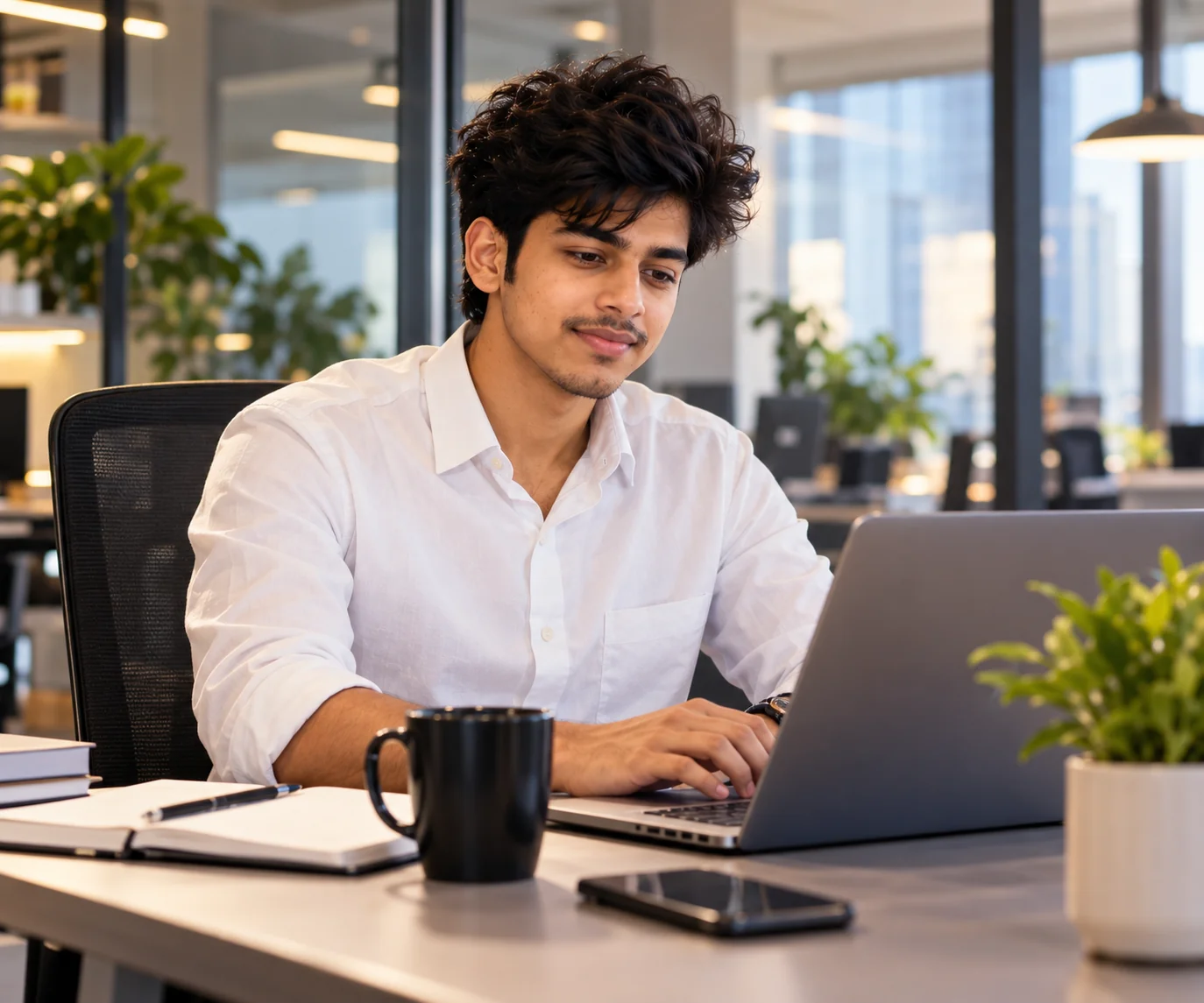
4. Business Casual Workspace Photo — AI Prompt
Prompt
Generate a photorealistic lifestyle office photograph of [PERSON] working naturally at a modern professional workspace. Preserve the person's recognizable face, natural skin tone, hairstyle, and authentic appearance. Show the subject seated at a clean desk with a laptop, notebook, coffee cup, and a few realistic workplace details. The environment should feel like a contemporary U.S. office with warm neutral interiors, indoor plants, glass partitions, and soft daylight entering through large windows. Dress the subject in polished business-casual clothing that looks realistic and comfortable for a normal workday. Capture a candid moment with natural posture and a focused but relaxed expression. Use realistic photography, subtle depth of field, soft window light, accurate proportions, natural shadows, detailed textures, and balanced composition. Avoid staged-looking poses, excessive retouching, fake skin, distorted hands, floating objects, unreadable text, logos, and watermarks.
Usage: Useful for business blogs, professional social media, website hero sections, career content, workplace articles, and personal branding.
Tip: Add a specific profession or activity such as coding, writing a report, reviewing financial documents, designing a presentation, or joining a video meeting.
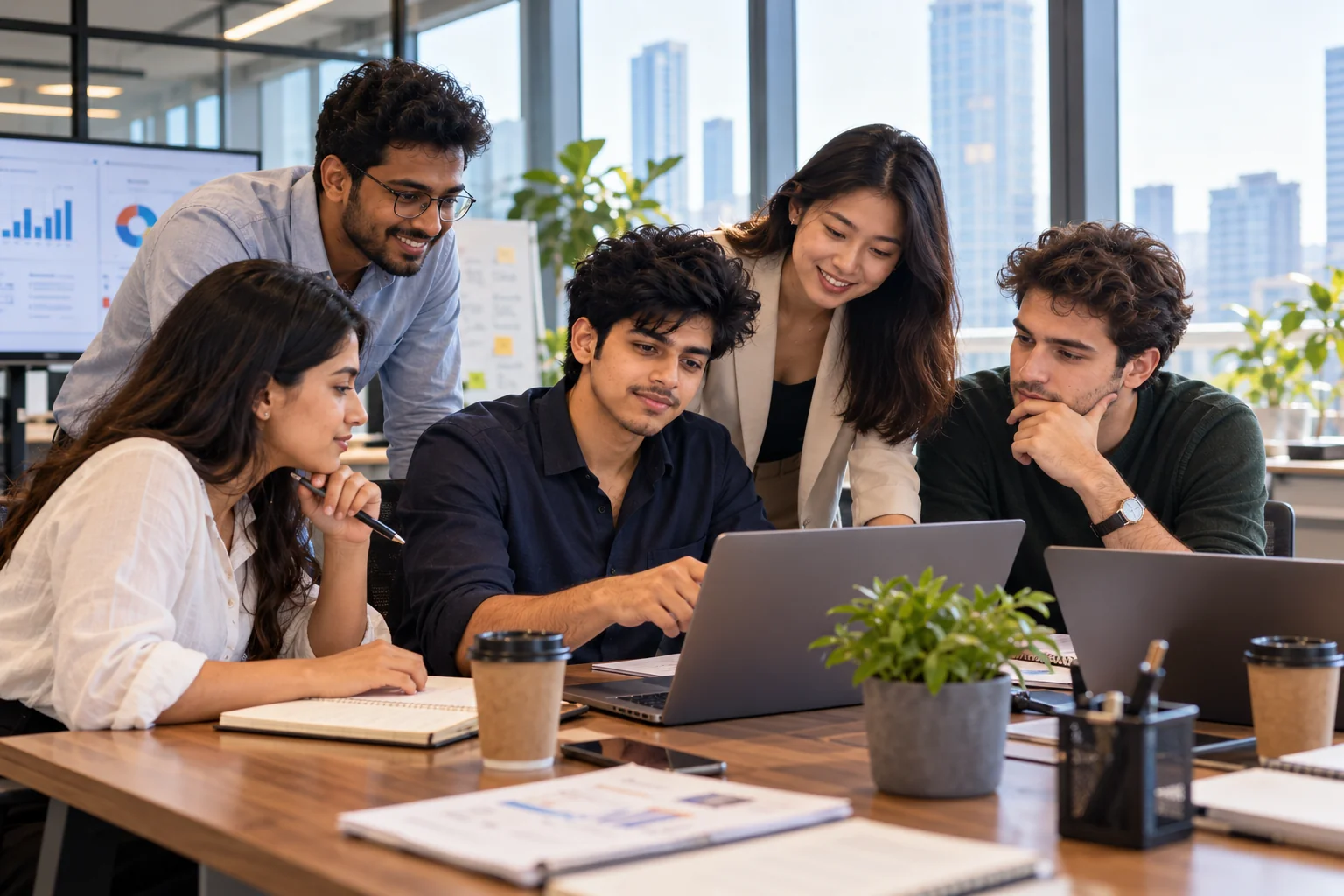
5. Modern Startup Office Team Scene — AI Prompt
Prompt
Create a realistic high-end workplace photograph showing a diverse group of adult professionals collaborating inside a modern startup office. The team is gathered naturally around a shared workspace, discussing ideas and reviewing information on a laptop and presentation screen. Create an energetic but believable professional atmosphere with contemporary desks, comfortable seating, glass walls, indoor plants, notebooks, laptops, and subtle technology details. Use soft daylight from large windows with balanced indoor lighting, realistic skin tones, natural expressions, authentic body language, and documentary-style corporate photography. Make every person anatomically realistic with distinct faces, natural hands, accurate proportions, and believable clothing. The scene should communicate collaboration, creativity, productivity, and a modern workplace without looking staged. Avoid fake text, recognizable company logos, duplicated people, distorted hands, unnatural poses, and excessive visual effects.
Usage: Perfect for startup websites, company culture pages, recruitment content, business presentations, technology blogs, and corporate social media.
Tip: Customize the scene around a specific industry, such as software development, marketing, finance, design, healthcare, or consulting, to create a more authentic workplace.
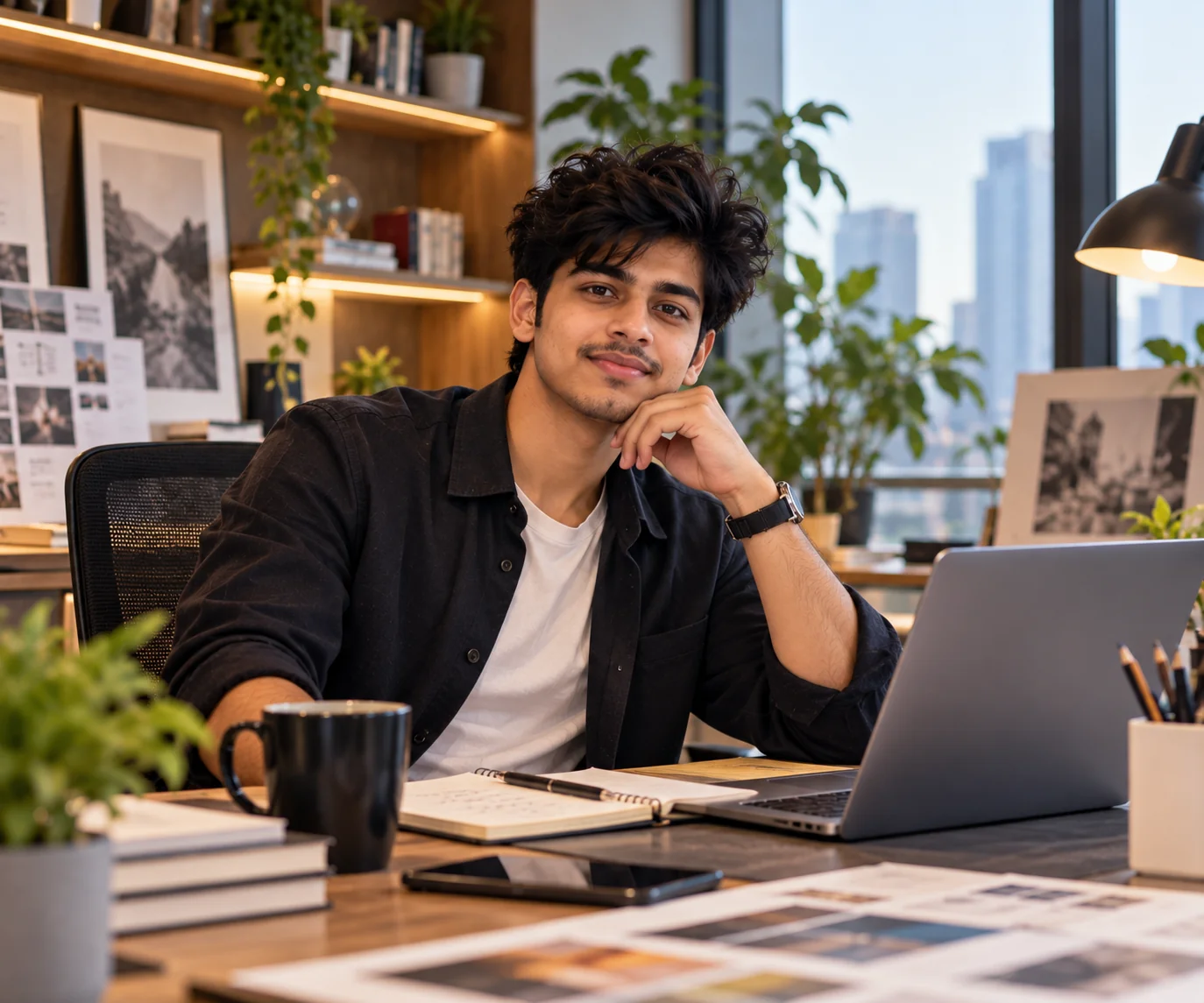
6. Creative Professional Workspace Portrait — AI Prompt
Prompt
Generate a stylish photorealistic editorial portrait of [PERSON] inside a creative modern workspace. Keep the subject's real facial identity, natural skin texture, hairstyle, and proportions unchanged. Build an inspiring office environment with a large desk, laptop, notebooks, design materials, subtle artwork, warm wood textures, indoor greenery, and tasteful contemporary furniture. The subject should wear sophisticated smart-casual clothing that reflects a creative professional's personal style. Capture the image with soft directional window light, gentle contrast, realistic shadows, shallow depth of field, detailed textures, and a premium magazine photography aesthetic. The pose should feel natural and candid, with the subject either looking toward the camera or thoughtfully working at the desk. Keep the composition refined and uncluttered. Avoid exaggerated fashion styling, artificial skin smoothing, distorted hands, unrealistic furniture, text, logos, and watermarks.
Usage: Suitable for designers, marketers, photographers, content creators, consultants, founders, freelancers, and other creative professionals.
Tip: Add details connected to your work, such as a camera, sketchbook, design tablet, microphone, notebook, or product prototype, but keep props realistic and secondary to the subject.
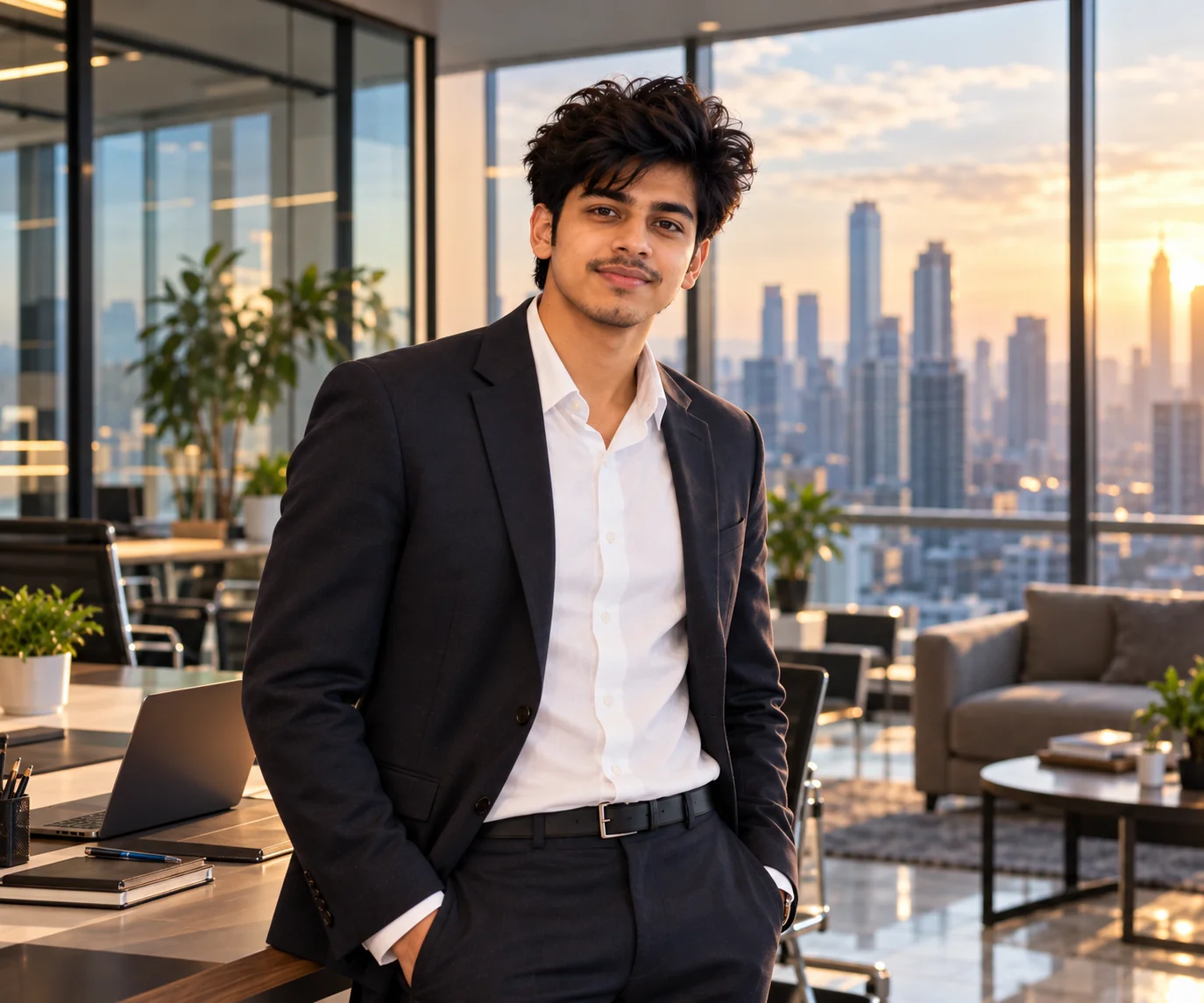
7. Glass Office City View Portrait — AI Prompt
Prompt
Create a cinematic yet realistic professional portrait of [PERSON] standing inside a contemporary glass-walled office overlooking a modern U.S. city skyline. Preserve the person's exact recognizable facial characteristics, natural complexion, hairstyle, and body proportions. Use a sophisticated architectural environment with clean lines, glass surfaces, minimalist furniture, and subtle reflections. Dress the subject in polished professional clothing appropriate for a modern business setting. Use late-afternoon natural light entering through the windows, soft rim lighting, realistic highlights, gentle shadows, shallow depth of field, and premium full-frame camera photography. Keep the city skyline naturally blurred so the person remains the visual focus. The image should feel aspirational but believable, with natural posture and expression. Avoid excessive cinematic effects, unrealistic buildings, distorted reflections, artificial facial features, malformed hands, visible text, logos, or watermarks.
Usage: Great for professional profile banners, business website imagery, executive branding, social media posts, and corporate editorial content.
Tip: Specify a general city atmosphere such as New York-style skyline, Chicago-style architecture, or a West Coast technology hub without adding fictional company logos.
8. Remote Work Home Office Professional Photo — AI Prompt
Prompt
Create a photorealistic professional lifestyle image of [PERSON] working from a stylish and realistic home office. Preserve the person's identity, facial features, natural skin texture, hairstyle, and authentic appearance. Show the subject seated comfortably at a clean desk with a laptop, notebook, desk lamp, and subtle organizational details. The room should look modern and professional without feeling overly staged, featuring neutral colors, a bookshelf, indoor plant, tasteful wall art, and soft daylight from a nearby window. Dress the subject in polished business-casual clothing suitable for a remote workday. Capture a natural working moment with realistic posture, relaxed expression, accurate hands, and believable interaction with the laptop. Use soft natural lighting, realistic shadows, shallow depth of field, detailed textures, and high-quality lifestyle photography. Avoid artificial skin, distorted objects, fake text, excessive decoration, logos, and watermarks.
Usage: Ideal for remote-work articles, freelancer websites, professional blogs, career content, productivity pages, and personal branding.
Tip: Adjust the workspace to reflect your actual career by adding subtle props such as a second monitor, notebook, design tablet, microphone, or industry-related materials.
9. Professional Meeting Room Portrait — AI Prompt
Prompt
Generate a realistic professional photograph of [PERSON] inside a modern glass-walled conference room. Preserve the person's actual identity, facial structure, skin tone, hairstyle, and natural appearance. Position the subject naturally near a contemporary conference table with a laptop, notebook, and subtle office equipment visible in the environment. The meeting room should have clean architectural lines, neutral materials, large windows, and a softly blurred professional office background. Dress the subject in refined business or business-casual attire appropriate to their profession. Use soft window light, realistic indoor exposure, subtle depth of field, accurate skin tones, natural facial expression, realistic hands, and professional corporate photography. The scene should look like a genuine workplace photograph rather than an artificial stock image. Avoid unreadable text, company logos, distorted hands, duplicated objects, exaggerated poses, plastic skin, and watermarks.
Usage: Excellent for consulting, sales, management, corporate communications, business websites, presentations, and professional articles.
Tip: Specify whether the subject is preparing for a meeting, presenting an idea, reviewing documents, or listening to colleagues to create a more natural narrative.
10. Premium Corporate Editorial Office Photo — AI Prompt
Prompt
Create a premium photorealistic editorial photograph of [PERSON] in an elegant contemporary office designed for a sophisticated business magazine feature. Preserve the subject's real facial identity, natural skin texture, hairstyle, body proportions, and recognizable appearance. Place the subject in a beautifully designed workspace featuring modern architecture, refined furniture, large windows, subtle greenery, a clean desk, and tasteful decorative details. Style the subject in polished professional clothing with realistic fabric, natural fit, and understated accessories. Use controlled natural daylight with soft directional shadows, subtle highlights, cinematic depth of field, realistic color rendering, sharp facial detail, and high-end editorial photography. The composition should feel confident, modern, authentic, and premium without becoming overly dramatic. Keep the environment believable and uncluttered. Avoid artificial skin, face reshaping, unrealistic hands, excessive HDR, fake text, logos, duplicated objects, and watermarks.
Usage: Best suited to premium personal branding, founder profiles, business magazines, company About pages, professional campaigns, and high-end social content.
Tip: Customize the architecture, wardrobe, and desk details around your industry to make the final image feel like a genuine editorial portrait rather than a generic corporate stock photograph.
The best AI office photos usually come from specific direction rather than simply asking for a “professional office photo.” Describe the workplace, subject, wardrobe, lighting, camera perspective, composition, expression, and intended use so the image model has a clear visual target. For LinkedIn and professional profiles, keeping the person recognizable, using a clean background, choosing realistic work-appropriate clothing, and using soft flattering light can make the result feel much more authentic. For website banners and business content, you can experiment with wider compositions, modern architecture, city views, collaborative scenes, and lifestyle photography. These prompts are intentionally flexible, so you can replace the placeholders and adjust the details for your own profession, personality, industry, or brand. Try several variations rather than relying on a single generation, and choose the version that looks natural, recognizable, and genuinely useful for the context where you plan to publish it.
Why These Prompts Work So Well
A strong office image prompt does more than describe a workplace. It gives the image model a clear visual direction for the subject, environment, lighting, composition, clothing, mood, and photographic style. This makes the output more consistent and gives you more control when creating professional images for profiles, websites, social media, portfolios, or business content.
Photography Direction
Each prompt specifies realistic photography details such as camera perspective, depth of field, natural lighting, sharp facial detail, and realistic textures to encourage a convincing photographic result.
Clear Creative Context
The prompts define different professional situations, including corporate offices, executive spaces, startup environments, home offices, meeting rooms, and creative workspaces.
Professional Visual Focus
Subject placement, background simplicity, facial visibility, natural expressions, and balanced composition help keep the person or main subject visually important instead of letting the office overpower the image.
Useful Composition
The prompts describe framing and environmental details so you can create both close professional portraits and wider workplace scenes for different publishing needs.
Easy Customization
You can change the profession, wardrobe, office design, lighting, props, city atmosphere, and intended use without rebuilding the entire prompt from scratch.
Frequently Asked Questions
What are AI office photo prompts?
AI office photo prompts are detailed instructions used with AI image generators to create realistic workplace images. They can describe the person, office environment, clothing, lighting, camera style, composition, mood, and other visual details.
Can I use these AI prompts for LinkedIn photos?
Yes. Several prompts are specifically designed for professional LinkedIn-style portraits and headshots. For a profile photo, use a clear recent reference image when supported by your image generator and prioritize a recognizable face, simple background, natural expression, appropriate clothing, and realistic lighting.
How can I make an AI-generated office photo look more realistic?
Give the image generator specific instructions about natural skin texture, realistic lighting, accurate proportions, believable hands, authentic clothing, subtle depth of field, and ordinary workplace details. Avoid asking for excessive retouching or unrealistic visual effects.
Can I customize these prompts for my profession?
Absolutely. Replace the placeholders and add your profession, industry, clothing preferences, workplace type, and relevant props. A software engineer, lawyer, designer, consultant, marketer, founder, or financial professional can each use a different office environment while keeping the same basic prompt structure.
Should I use a real photo as a reference for a professional AI portrait?
When your image generator supports image references, using a clear photo can help maintain your recognizable appearance. Choose a recent image with a visible face and good lighting, and check the generated result carefully for unwanted changes to your identity or facial features.
Can these prompts create office photos for websites and social media?
Yes. The prompts include both close-up portraits and wider workplace scenes, making them useful for professional websites, social media posts, blog graphics, portfolios, business presentations, company culture pages, and personal-branding content. Adjust the framing and aspect ratio to match the platform where the image will appear.
About the Author
Jitendra Patra
AI Prompt Researcher & Software Engineering Student
✦ Prompt Engineering Research✦ Gemini & Generative AI Focus❖ Prompt Development & Research
Jitendra Patra is a software engineering student and AI prompt researcher specializing in Google Gemini and generative image models. He actively experiments with structured prompt engineering techniques to produce high-quality, reproducible visual outputs.
His work focuses on iterative prompt development, with attention to subject, lighting, composition, and visual style.
The prompts in this guide are developed with attention to structure, detail, and visual quality.