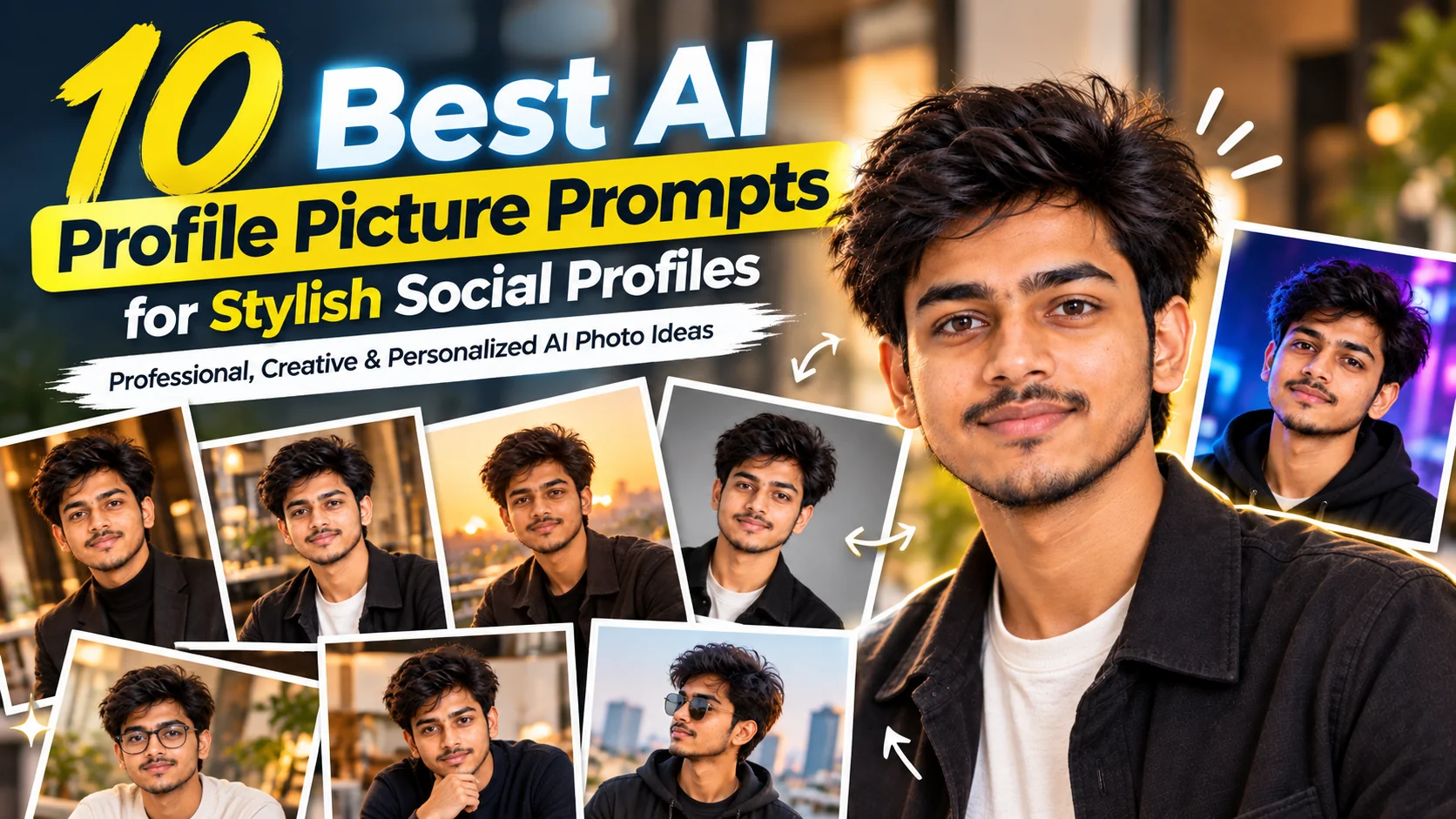
10 Best AI Profile Picture Prompts for Stylish Social Profiles β€” Professional, Creative & Personalized AI Photo Ideas
Updated: 9 min read

Your profile picture is often the first visual impression people get from your online profile. Whether you are updating LinkedIn, refreshing an Instagram or Facebook account, creating a dating profile, building a personal brand, or simply looking for a more polished photo, the right AI image prompt can make a major difference. Instead of asking an image generator for a vague "professional profile picture," these prompts give it clear instructions about identity, composition, clothing, lighting, background, expression, and overall photography style. The goal is not to make you look like a completely different person, but to create a polished image that still feels recognizable and natural. The prompts below are designed for modern AI image-generation and image-editing tools and can be adapted to your own appearance, profession, personality, and preferred aesthetic. For professional platforms, keeping the result recognizable and close to your real appearance is especially important. LinkedIn similarly recommends profile photos that clearly reflect what you actually look like. :contentReference[oaicite:1]{index=1}

  • βœ” Professional AI headshot for LinkedIn, portfolios, and career profiles
  • βœ” Stylish social media profile pictures with a modern personal-brand look
  • βœ” Natural AI portraits that preserve your recognizable facial features
  • βœ” Creative, cinematic, casual, and lifestyle profile-picture styles
  • βœ” Copy-and-customize prompts for ChatGPT, Gemini, and other AI image tools

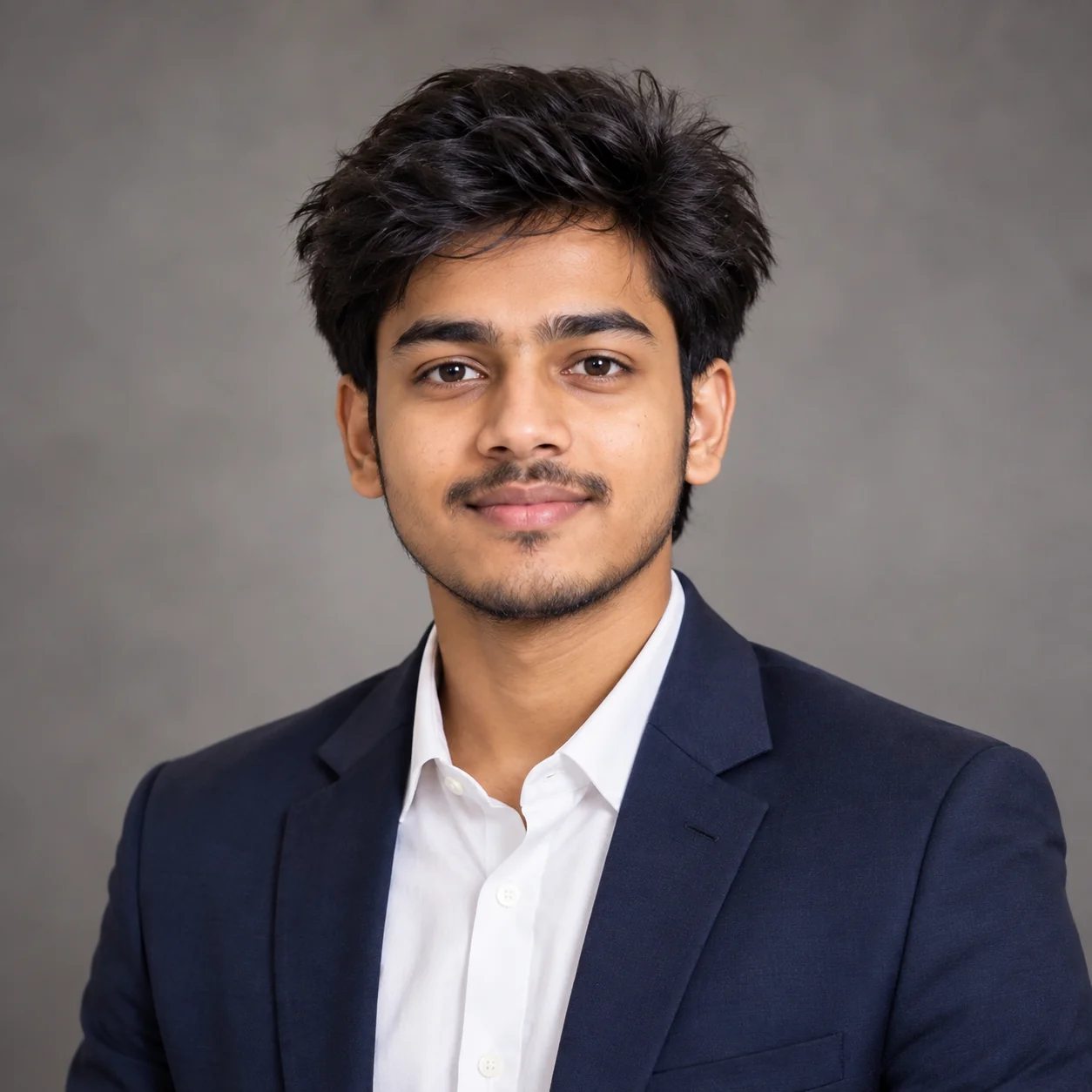
1. Professional LinkedIn Headshot β€” AI Profile Picture Prompt

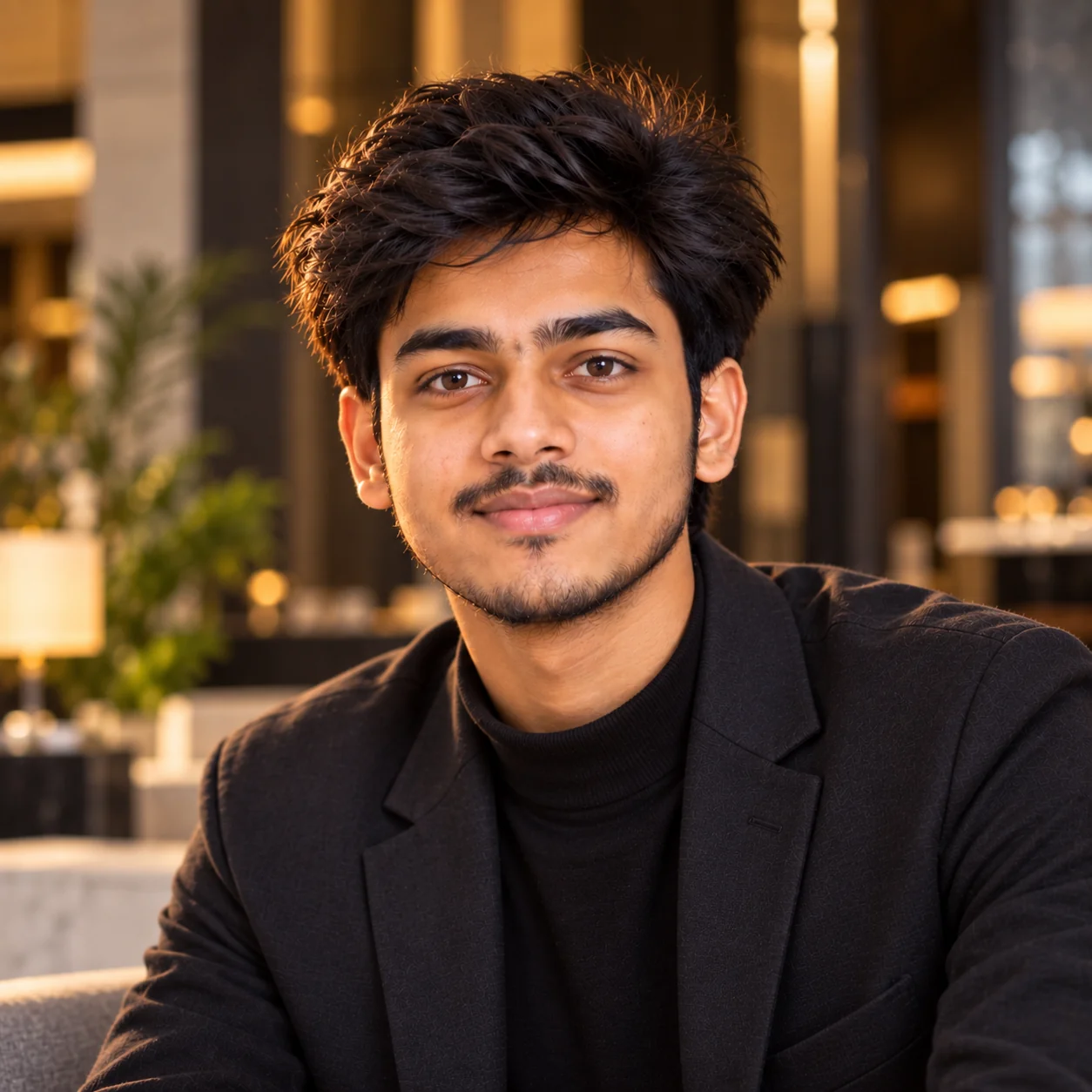
Professional AI generated LinkedIn profile picture with clean studio lighting
Prompt
Use my uploaded photo as the identity reference and create a polished professional profile picture while keeping my face recognizable and consistent. Preserve my natural facial structure, face shape, eyes, eyebrows, nose, lips, jawline, skin tone, age, hairstyle, and other distinctive features. Dress me in a modern, well-fitted business outfit appropriate for a professional U.S. workplace, such as a tailored blazer with a simple shirt or blouse. Use a clean warm-gray studio background with subtle depth and no distracting objects. Position me from the upper chest upward, centered in a square 1:1 composition, with relaxed shoulders, direct eye contact, and a subtle confident smile. Use soft studio lighting, realistic catchlights, natural facial shadows, realistic skin texture, visible fine details, and professional portrait photography. Keep the image photorealistic and refined without excessive beauty retouching, artificial skin, facial reshaping, text, logos, watermarks, or exaggerated features.
Usage: Best for LinkedIn, professional networking profiles, company directories, portfolio websites, speaker bios, and career-related accounts.
Tip: Replace the clothing description with your actual profession, such as software engineer, designer, consultant, student, entrepreneur, doctor, or marketing professional, so the image matches your real-world role.

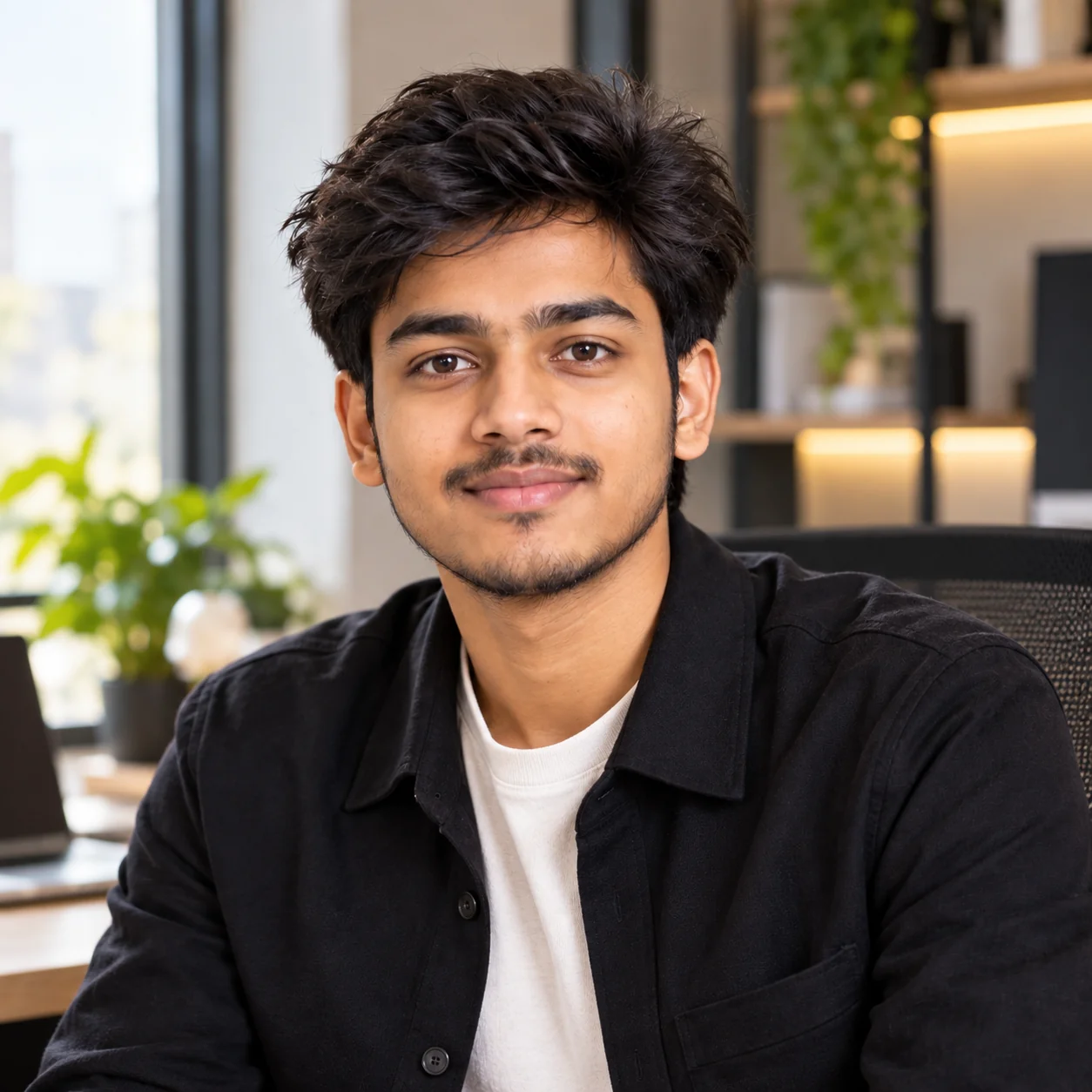
2. Modern Personal Brand Portrait β€” AI Profile Picture Prompt

Modern AI personal branding profile picture with stylish professional portrait photography
Prompt
Transform my uploaded photo into a modern personal-brand profile portrait while preserving my recognizable identity and natural facial characteristics. Keep my facial proportions, skin tone, hairstyle, eye shape, nose, lips, jawline, and age consistent with the reference image. Style me in sophisticated smart-casual clothing that looks current and authentic rather than overly formal. Place me in a premium creative workspace with a softly blurred background, subtle architectural details, natural depth, and a clean professional atmosphere. Use flattering window light combined with gentle fill light, realistic skin texture, sharp eyes, natural hair detail, and subtle photographic contrast. Pose me naturally with relaxed shoulders and a confident but approachable expression. Compose the image as a square 1:1 profile photo with my face clearly visible and visually dominant. Photorealistic editorial portrait photography, realistic colors, no plastic skin, no excessive smoothing, no face reshaping, no text, no logos, and no artificial-looking effects.
Usage: Ideal for entrepreneurs, freelancers, creators, developers, designers, consultants, coaches, and people building a personal brand online.
Tip: Add your industry and preferred clothing style to make the background and wardrobe reinforce your personal brand.

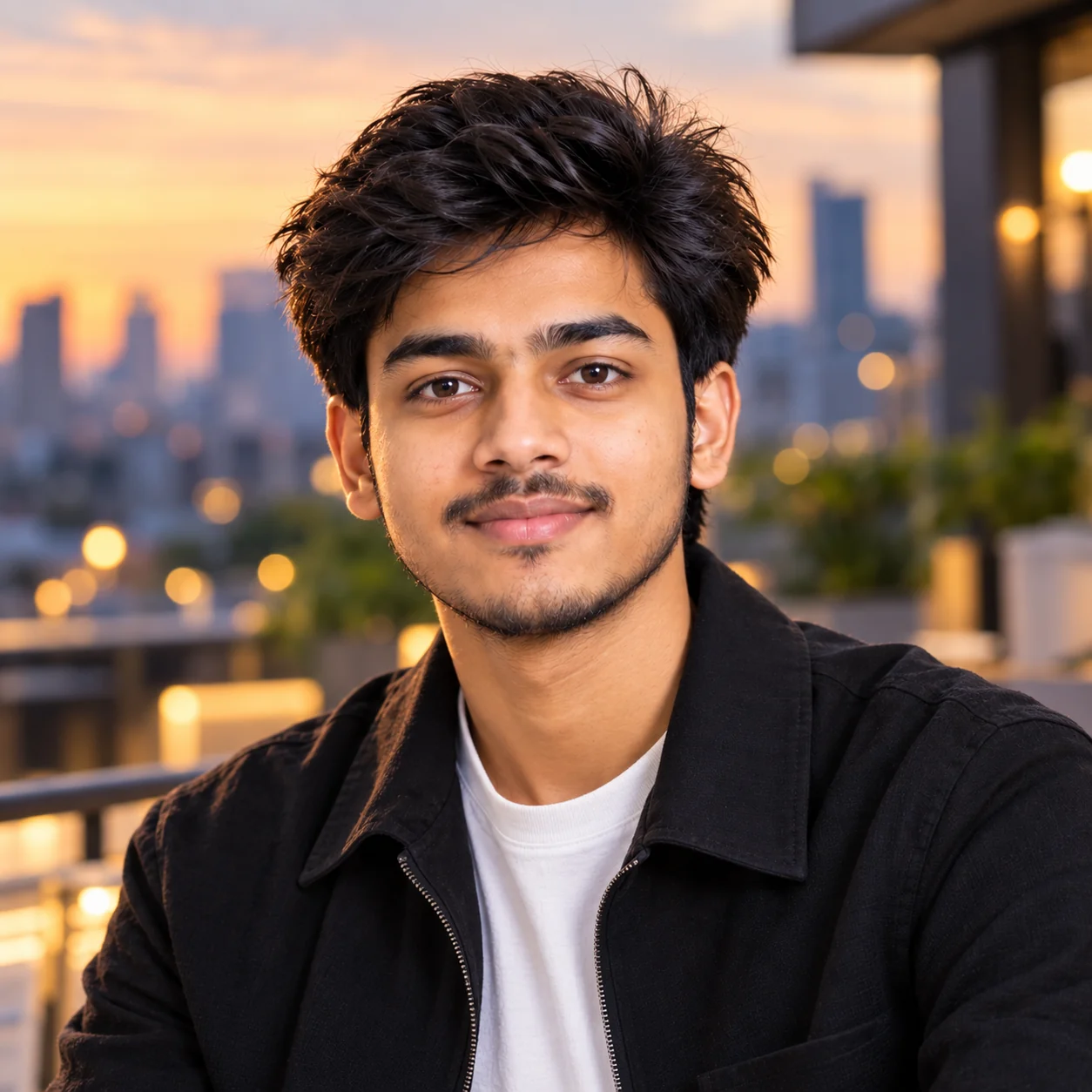
3. Stylish Instagram Profile Portrait β€” AI Prompt

Stylish AI generated Instagram profile picture with fashionable portrait aesthetic
Prompt
Create a stylish Instagram profile picture from my uploaded photo while keeping my identity clearly recognizable. Preserve my natural face shape, facial proportions, eyes, nose, lips, eyebrows, hairstyle, skin tone, and age. Give the portrait a fashionable but believable social-media aesthetic with a clean contemporary outfit that matches my personal style. Use a softly blurred urban background with subtle evening atmosphere, tasteful architectural shapes, and shallow depth of field. Add soft directional lighting that naturally highlights my face without making the skin look overly smooth. Give me a relaxed, confident expression and natural posture. Frame the portrait from the shoulders upward with enough breathing room for a circular social-media crop. Use realistic photography, natural skin pores, detailed hair, sharp eyes, balanced exposure, subtle color grading, and a premium editorial feel. Avoid exaggerated beauty filters, unrealistic facial symmetry, fake skin, text, logos, and distracting objects.
Usage: Use this prompt when you want a polished but fashionable profile photo for Instagram, Facebook, Threads, X, or other social platforms.
Tip: Change the background to match your personality, such as a city street, coffee shop, beach, studio, bookstore, or minimalist interior.

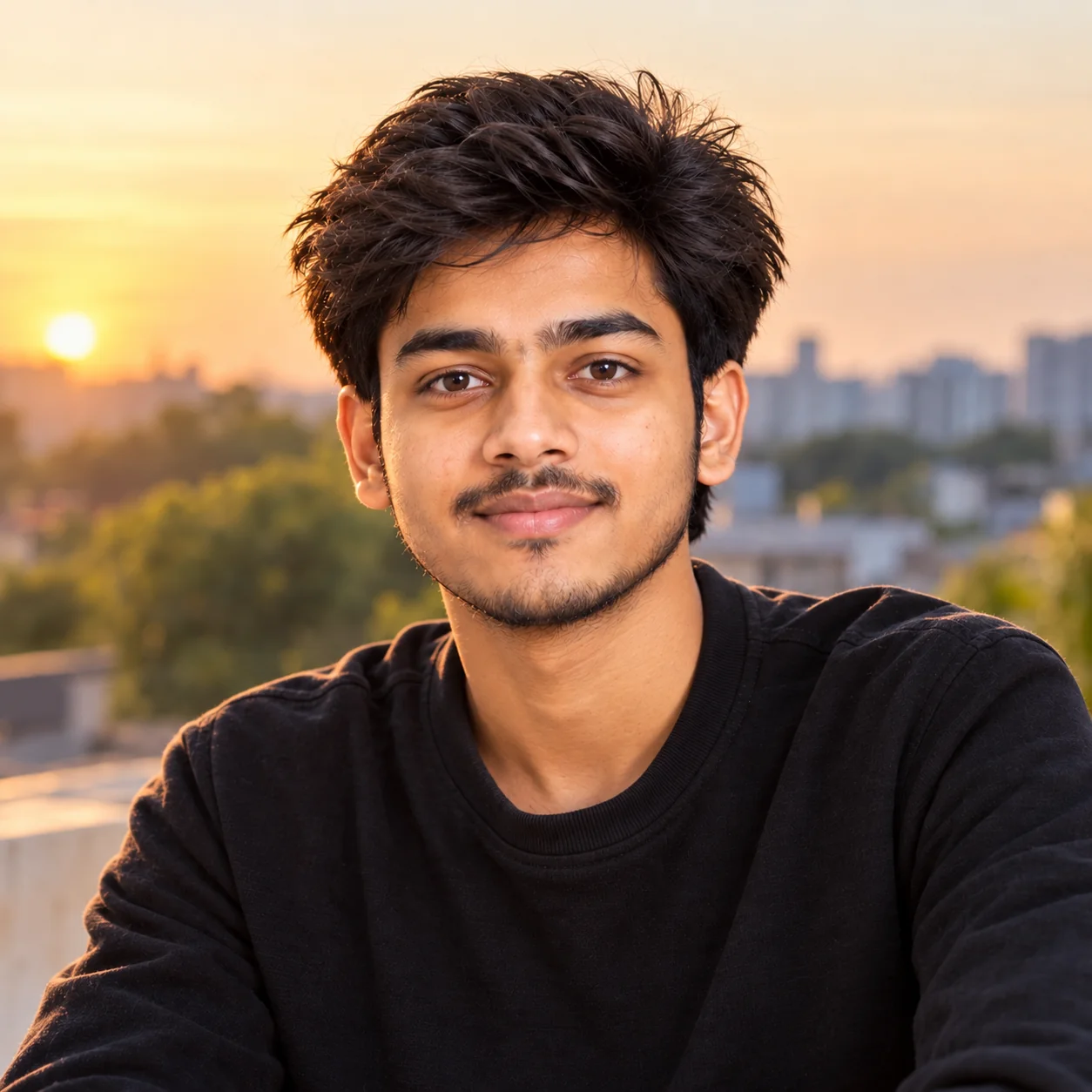
4. Casual Natural Profile Picture β€” AI Prompt

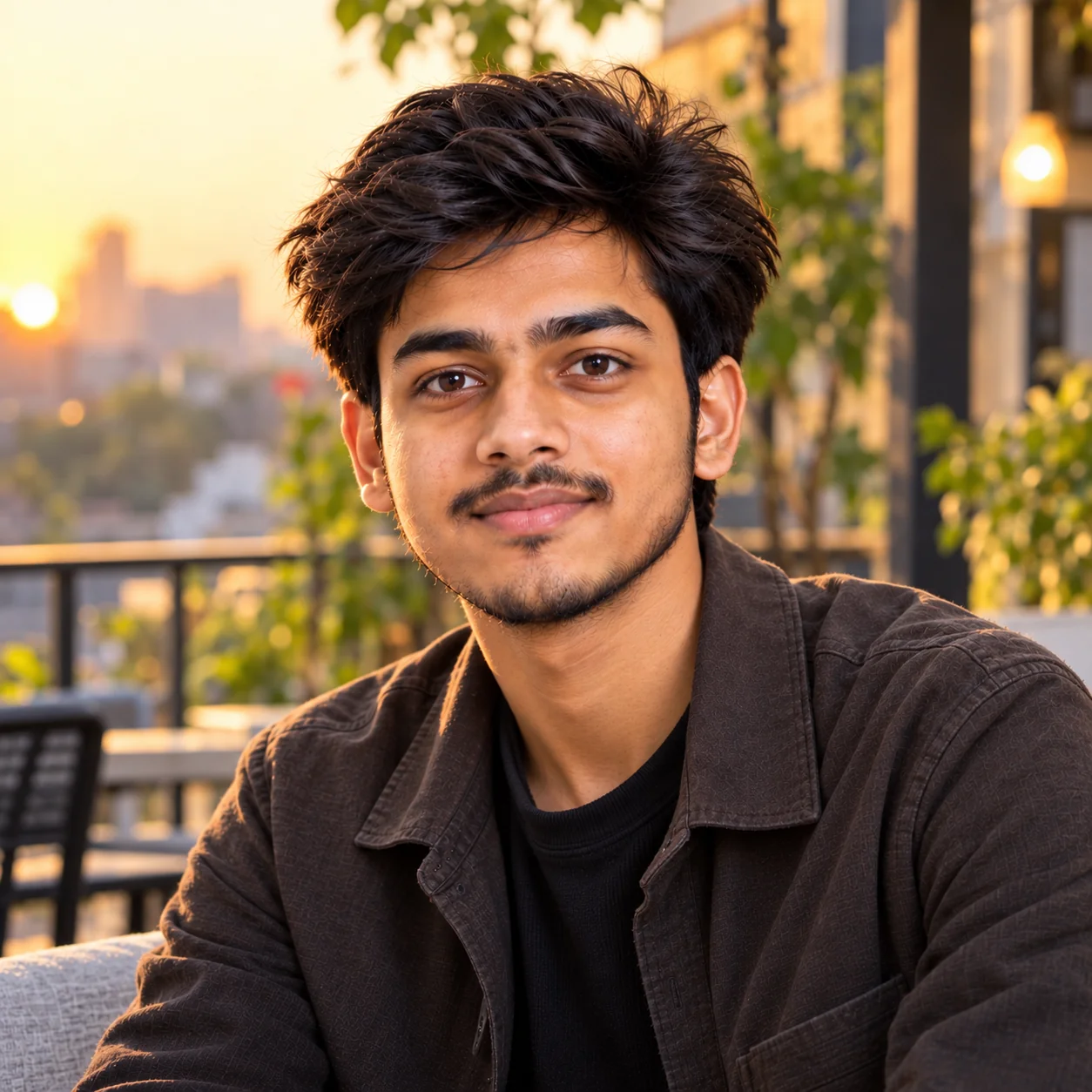
Natural casual AI profile picture with outdoor lighting and relaxed expression
Prompt
Create a natural-looking profile picture from my uploaded photo that feels like an authentic high-quality photograph rather than an AI-generated portrait. Preserve my exact recognizable identity, including facial structure, natural skin tone, hairstyle, eyes, eyebrows, nose, lips, and age. Dress me in simple modern casual clothing that looks realistic and comfortable. Place me outdoors during soft golden-hour daylight with a subtle natural background and gentle depth of field. Give me a relaxed expression with a small natural smile and an easy posture. Use realistic outdoor photography with soft directional sunlight, natural shadows, detailed skin texture, individual hair strands, realistic eyes, and believable colors. Frame me from the shoulders upward in a square composition suitable for a profile-picture crop. Keep the final image understated, authentic, friendly, and contemporary. Avoid heavy retouching, artificial skin, exaggerated colors, distorted facial features, text, logos, and obvious AI artifacts.
Usage: Great for personal social accounts where you want to look approachable, relaxed, and recognizable rather than highly corporate.
Tip: Specify a real environment that represents you, such as a park, neighborhood cafΓ©, university campus, downtown street, or outdoor workspace.

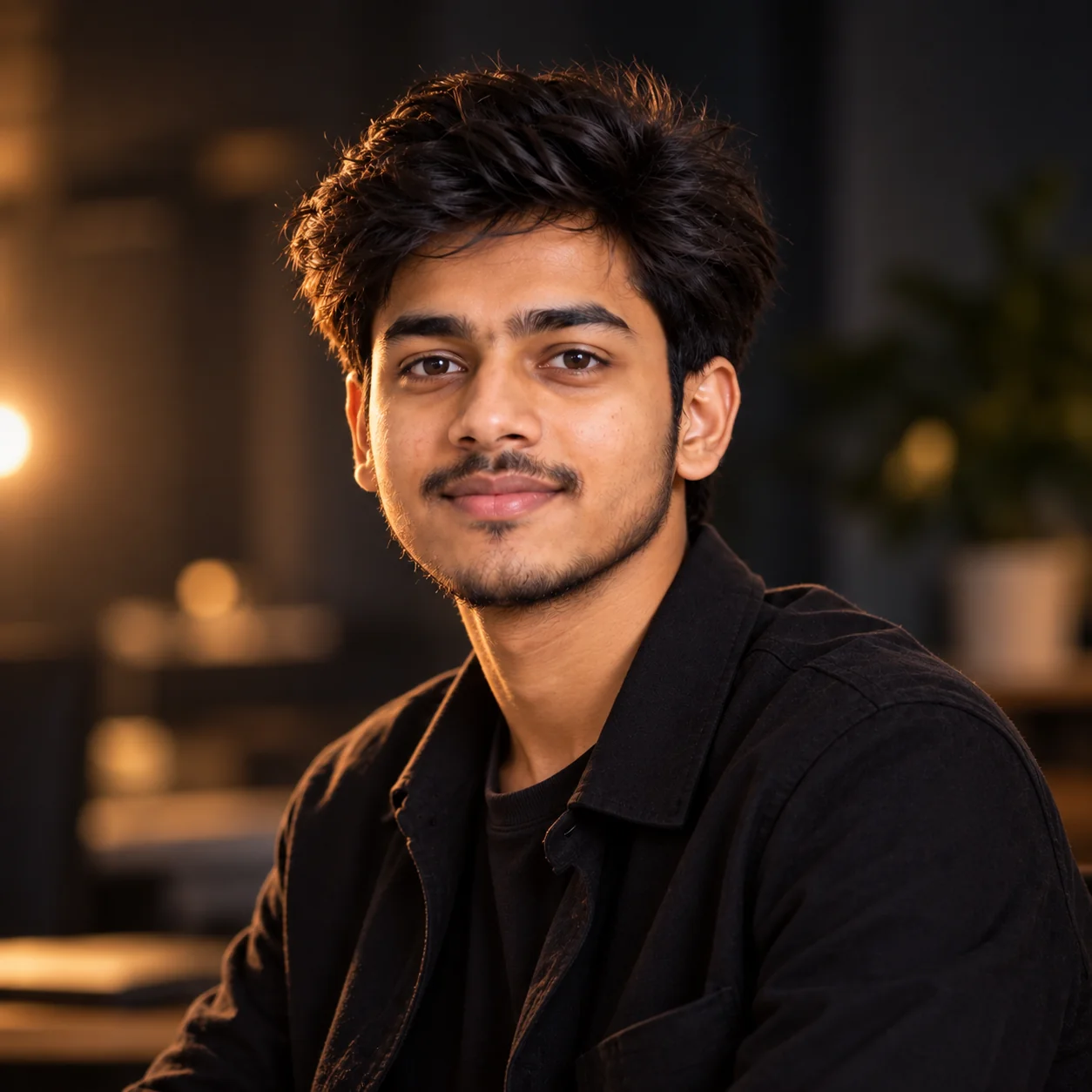
5. Cinematic Moody Profile Picture β€” AI Prompt

Cinematic moody AI profile picture with dramatic portrait lighting
Prompt
Using my uploaded photo as the identity reference, create a cinematic profile portrait while keeping my real facial identity and recognizable characteristics intact. Preserve my face shape, eyes, eyebrows, nose, lips, jawline, skin tone, hairstyle, and age without changing or beautifying my identity. Create a sophisticated cinematic atmosphere with a dark but tasteful background and subtle environmental depth. Use controlled side lighting with a soft key light, gentle rim light, realistic shadows, and natural catchlights in the eyes. Dress me in a refined dark neutral outfit with minimal styling. Give me a calm, confident expression and a natural three-quarter pose while keeping my face clearly visible. Use realistic cinematic photography, shallow depth of field, detailed skin texture, realistic hair, subtle film-inspired contrast, and restrained color grading. Keep the portrait suitable for a profile picture and avoid fantasy effects, excessive darkness, plastic skin, face distortion, text, logos, and artificial symmetry.
Usage: Perfect for creators, musicians, photographers, filmmakers, gamers, entrepreneurs, or anyone who wants a distinctive cinematic personal-brand image.
Tip: Add a specific cinematic mood such as noir, warm Hollywood portrait, modern thriller, luxury editorial, or urban night photography.

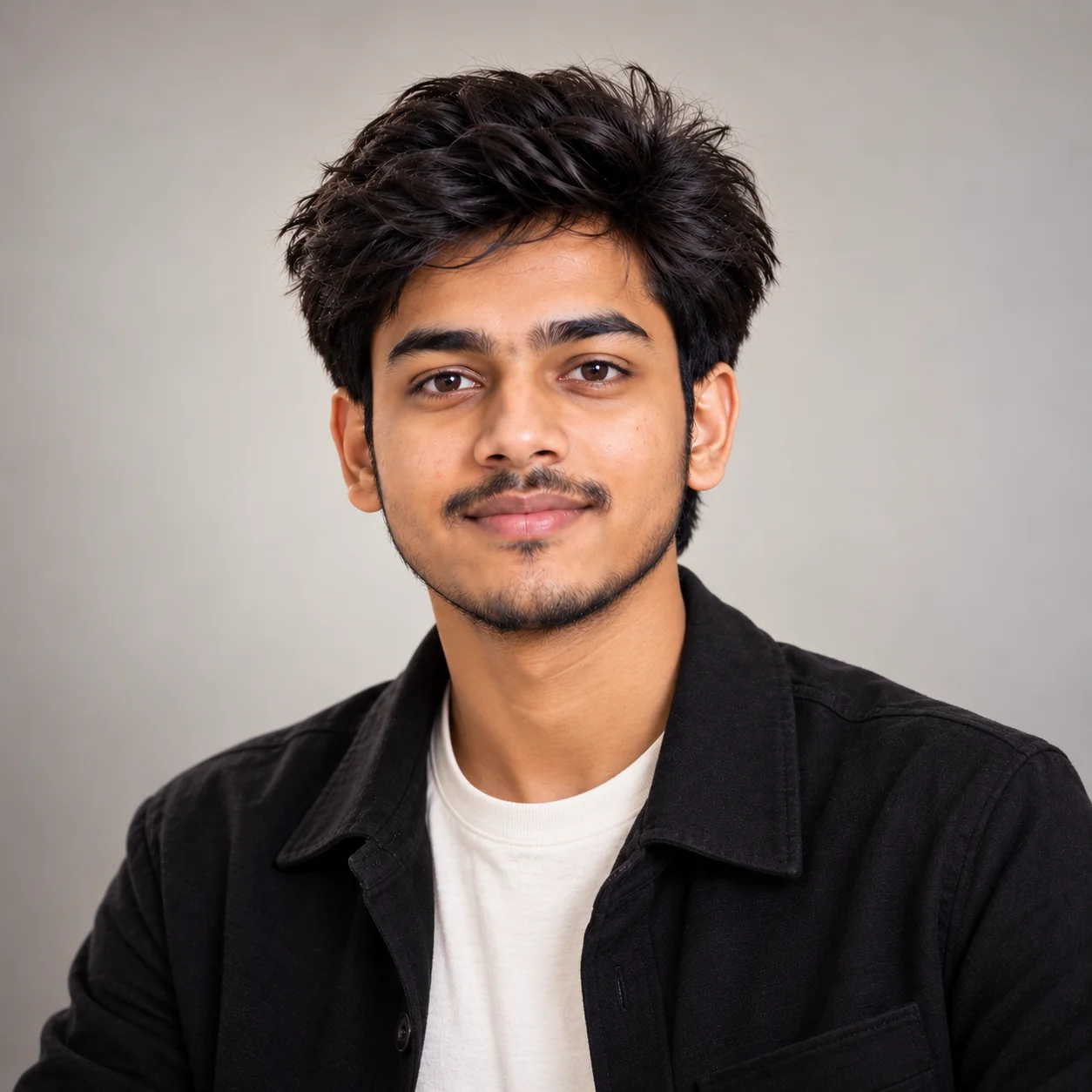
6. Minimalist Studio Profile Picture β€” AI Prompt

Minimalist studio AI profile picture with clean neutral background
Prompt
Create a clean minimalist studio profile picture using my uploaded photo as the identity reference. Preserve my recognizable facial identity, including my natural face shape, eyes, eyebrows, nose, lips, jawline, skin tone, hairstyle, and age. Place me against a simple neutral background in soft off-white, light gray, beige, or another understated studio color. Dress me in a clean modern outfit with minimal patterns and no visible logos. Use professional softbox lighting with gentle facial shadows, realistic catchlights, accurate skin tones, and natural skin texture. Position me facing the camera with relaxed shoulders and a calm, friendly expression. Crop from the upper chest upward and keep my face prominent in a square 1:1 composition. The final result should look like a professionally photographed studio portrait with realistic detail and restrained editing. Avoid heavy beauty filters, excessive skin smoothing, artificial facial symmetry, distracting accessories, text, watermarks, and background clutter.
Usage: Useful for resumes where permitted, company profiles, portfolios, professional websites, online communities, and clean personal-brand pages.
Tip: Use a background color that complements your website or brand without becoming so strong that it competes with your face.

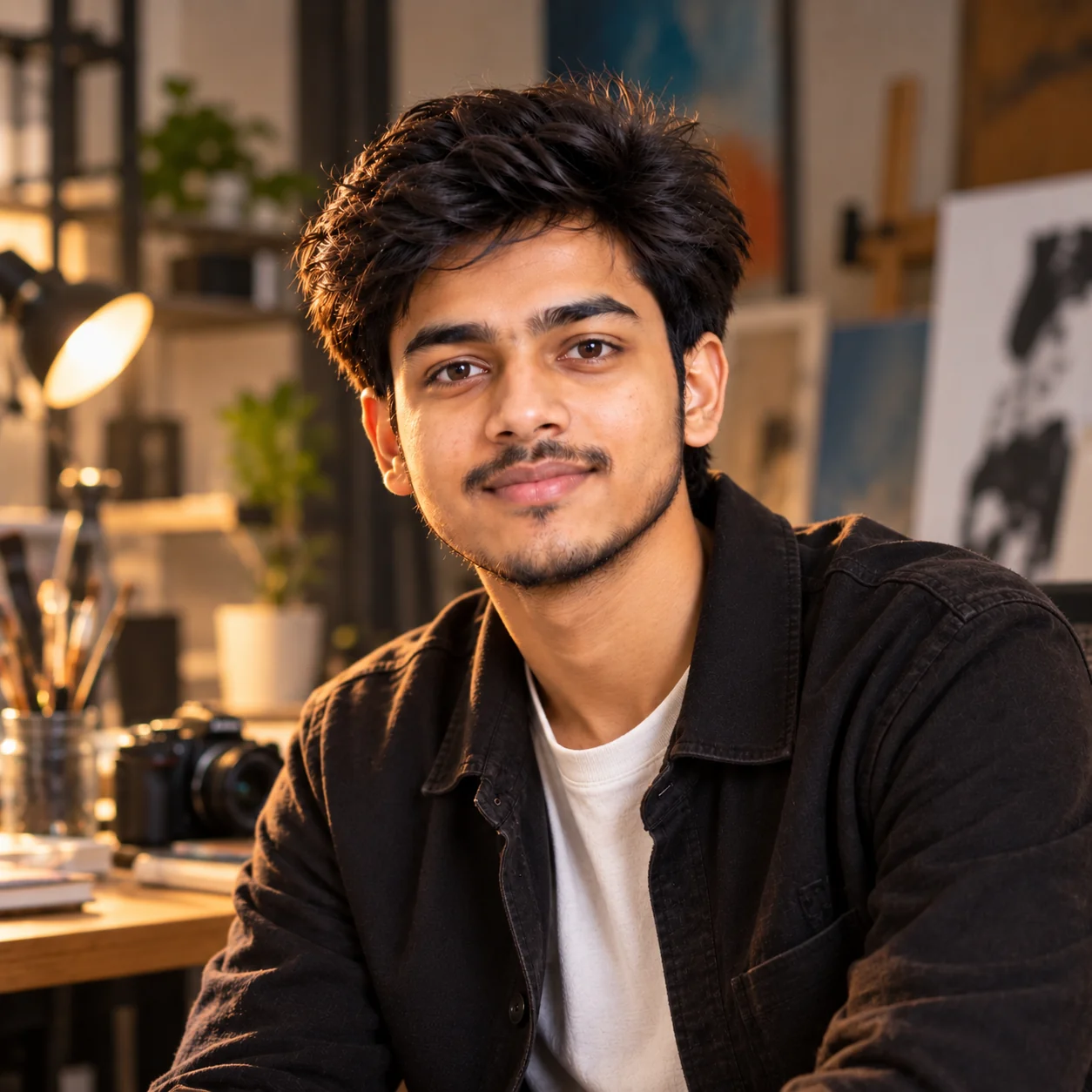
7. Creative Artist Profile Picture β€” AI Prompt

Creative AI artist profile picture with expressive editorial portrait style
Prompt
Turn my uploaded photo into a creative artist-style profile portrait while maintaining my recognizable identity. Preserve my natural facial proportions, eyes, nose, lips, jawline, skin tone, hairstyle, and age. Create an expressive but realistic visual identity suitable for a creative professional. Place me in an artistic studio environment with subtle creative elements in the background, such as blurred canvases, photography equipment, design materials, or softly illuminated architectural details. Keep the background understated so my face remains the main subject. Use directional editorial lighting with natural highlights and shadows, realistic skin texture, detailed hair, sharp eyes, and subtle professional color grading. Style my clothing according to a contemporary creative aesthetic without excessive patterns or distracting logos. Give me a confident, thoughtful expression and a natural three-quarter pose. Use photorealistic editorial photography, square 1:1 framing, and realistic depth of field. Avoid cartoon styling, exaggerated effects, plastic skin, facial alterations, text, and watermarks.
Usage: Ideal for artists, photographers, designers, musicians, writers, filmmakers, content creators, and other creative professionals.
Tip: Replace the studio elements with objects connected to your actual creative field so the profile picture feels more personal.

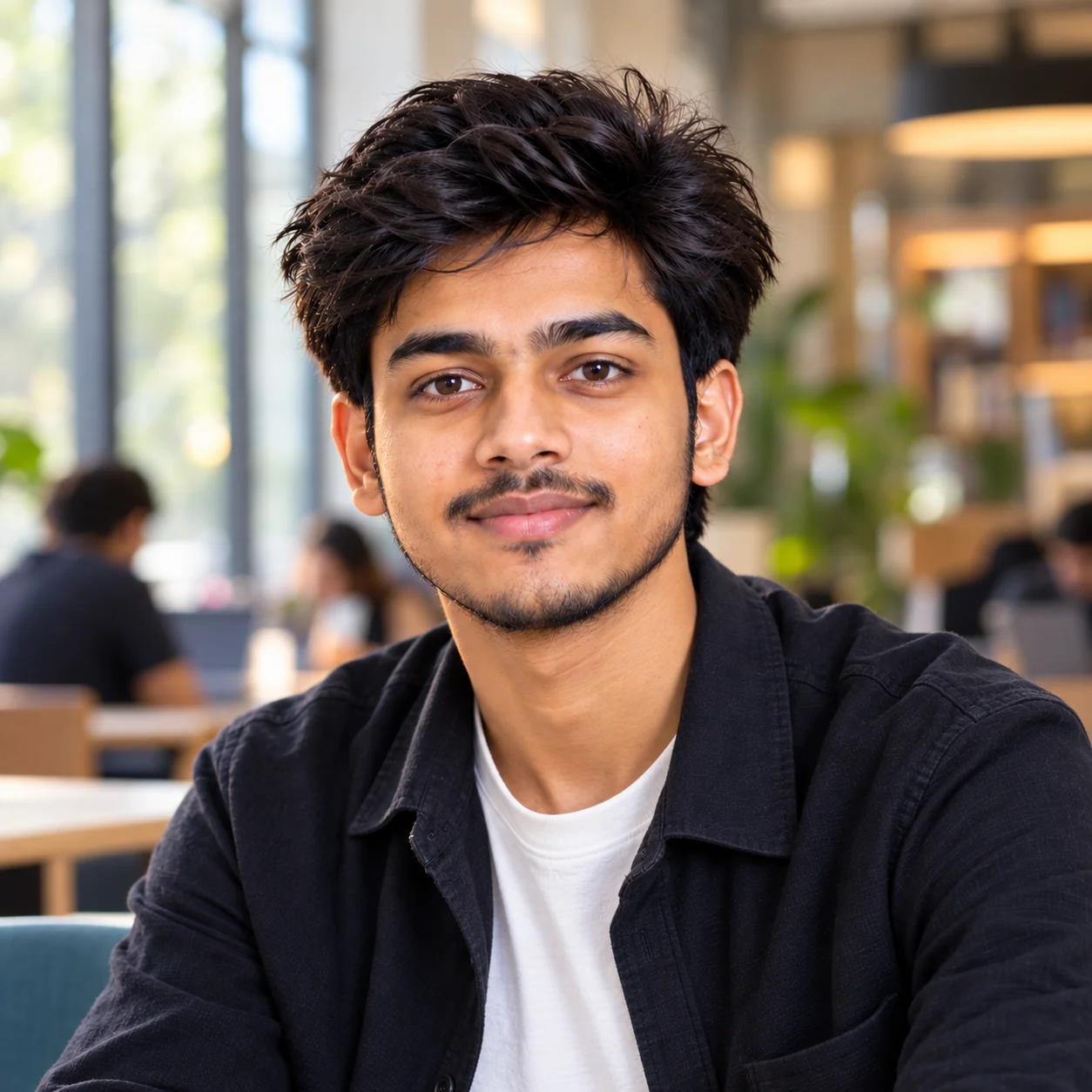
8. Friendly Student & Young Professional Profile Picture β€” AI Prompt

Friendly AI profile picture for a student or young professional
Prompt
Create a friendly, polished profile picture from my uploaded photo for a student or young professional. Keep my real identity recognizable and preserve my facial structure, skin tone, hairstyle, eyes, eyebrows, nose, lips, jawline, and age. Dress me in modern smart-casual clothing that would look appropriate for a university, internship, networking event, startup, or early-career workplace. Place me in a bright contemporary environment such as a modern campus, library, coworking space, or softly blurred office. Use natural window light with gentle fill, realistic skin texture, sharp eyes, natural hair detail, and balanced exposure. Give me a relaxed posture and a genuine approachable smile. Frame the image from the shoulders or upper chest upward with my face occupying most of the composition while leaving enough room for a circular crop. Use realistic portrait photography, subtle depth of field, natural colors, and clean composition. Avoid over-editing, fake skin, excessive makeup, facial reshaping, text, logos, and artificial-looking backgrounds.
Usage: Best for college profiles, internship applications, student communities, GitHub or developer profiles, networking platforms, and early-career social accounts.
Tip: Mention your field of study or career area and choose clothing that reflects how you actually want to present yourself professionally.

9. Premium Luxury Editorial Profile Picture β€” AI Prompt

Premium luxury editorial AI profile picture with sophisticated portrait lighting
Prompt
Create a premium editorial profile portrait from my uploaded photo while keeping my actual identity recognizable and authentic. Preserve my facial structure, natural proportions, skin tone, eyes, eyebrows, nose, lips, jawline, hairstyle, and age. Style me in sophisticated contemporary clothing with clean tailoring, subtle textures, and understated accessories. Place me in an elegant modern environment such as a luxury hotel lobby, architectural interior, refined studio, or upscale city setting with a softly blurred background. Use controlled editorial lighting with a soft key light, subtle rim lighting, realistic shadows, and natural catchlights. Give me a composed, confident expression and a relaxed posture. Use high-end portrait photography with realistic skin texture, detailed hair, sharp facial features, shallow depth of field, natural colors, and sophisticated but restrained color grading. Keep the composition square and profile-picture friendly, with my face clearly dominant. Avoid fake luxury logos, excessive retouching, plastic skin, distorted clothing, facial reshaping, text, and watermarks.
Usage: Useful for entrepreneurs, executives, consultants, luxury creators, personal brands, and professional social accounts that require a premium visual identity.
Tip: Keep luxury cues subtle. A refined environment, good lighting, and well-fitted clothing usually create a more believable result than adding excessive designer branding.

10. Authentic Dating & Social Profile Portrait β€” AI Prompt

Authentic AI generated dating and social media profile portrait with natural expression
Prompt
Create an authentic, attractive, and natural profile portrait from my uploaded photo while keeping my real identity clearly recognizable. Preserve my actual facial structure, face shape, eyes, eyebrows, nose, lips, jawline, skin tone, hairstyle, and age. Do not dramatically change or beautify my appearance. Dress me in stylish everyday clothing that reflects a confident but approachable personality. Place me in a believable lifestyle setting such as a bright cafΓ©, outdoor neighborhood, rooftop, park, bookstore, or relaxed city location. Use soft natural daylight and realistic environmental lighting. Give me a genuine relaxed expression, natural posture, and comfortable eye contact with the camera. Use realistic portrait photography with natural skin texture, individual hair detail, subtle depth of field, balanced colors, and a clean square composition that works well for social or dating profile crops. The final image should look like a real photograph taken by a skilled photographer, not a heavily edited AI portrait. Avoid excessive skin smoothing, unrealistic body changes, exaggerated facial features, fake backgrounds, text, logos, and watermarks.
Usage: Designed for dating apps, social communities, personal accounts, and lifestyle profiles where authenticity and approachability matter.
Tip: Choose a setting that genuinely represents something you enjoy. A believable environment can make the profile image feel more personal than a generic studio background.

The best AI profile picture is not necessarily the most dramatic oneβ€”it is the one that still feels like you. A strong profile photo should make your face easy to recognize, use lighting that feels natural, and match the reason people are visiting your profile. For professional platforms, prioritize clarity, authenticity, appropriate clothing, and a simple background; for personal and social accounts, you can experiment more with locations, mood, color, and creative styling. When generating an image from your own photo, always review the final result carefully for identity changes, unnatural skin, distorted features, strange accessories, or background artifacts before publishing it. These prompts are designed as starting points, so adjust the clothing, setting, expression, lighting, and photography style until the result reflects your actual personality and purpose. That combination of clear prompting and personal customization is far more useful than relying on a generic one-line request.

Why These Prompts Work So Well

A good AI profile-picture prompt does more than describe a person. It gives the image model enough visual direction to understand the desired identity, composition, lighting, environment, clothing, expression, and photography style. These prompts deliberately combine those elements while also telling the model what should remain unchanged. That is particularly useful when editing an existing photograph because vague instructions can produce results that look polished but no longer resemble the person in the original image. Current profile-photo guidance also emphasizes recognizability, clear framing, good lighting, and a nondistracting background. :contentReference[oaicite:2]{index=2}

Clear Photography Direction

Each prompt describes framing, lighting, depth of field, expression, and portrait style so the AI has a much clearer visual target than a generic request for a profile picture.

Built for Different Goals

A LinkedIn headshot should communicate something different from an Instagram portrait or a creative personal-brand image, so each prompt is designed around a specific use case.

Identity Comes First

The prompts repeatedly instruct the image model to preserve recognizable facial characteristics instead of unnecessarily changing the person's appearance.

Profile-Friendly Framing

Close portrait compositions and square framing help keep the face visible when profile platforms display images in small or circular formats.

Easy to Customize

You can change clothing, background, lighting, mood, profession, and environment without rebuilding the prompt from scratch, making the collection useful for many different personal styles.

Frequently Asked Questions

What is the best prompt for an AI profile picture?

A strong AI profile-picture prompt should clearly describe the subject, identity preservation, clothing, expression, background, lighting, framing, and photography style. If you are editing your own photo, also tell the image model to preserve your recognizable facial characteristics instead of redesigning your face.

Can I use these AI profile picture prompts with ChatGPT or Gemini?

Yes. These prompts are written as adaptable image-generation instructions and can be customized for modern AI image tools that support image generation or image-to-image editing. The exact result will vary depending on the model and the reference image you provide.

How do I make an AI profile picture look more realistic?

Describe realistic photography rather than simply asking for a realistic image. Include details such as natural skin texture, realistic hair, believable lighting, accurate facial proportions, natural shadows, sharp eyes, and restrained retouching. Using a clear reference photo can also help when the tool supports image-based generation.

What should I use for a professional LinkedIn profile picture?

Choose a recent, recognizable portrait with your face clearly visible, appropriate clothing, good lighting, and a simple background. LinkedIn recommends profile images that reflect your likeness and provides guidance around clear, high-quality profile photos. :contentReference[oaicite:3]{index=3}

Should an AI profile picture look exactly like me?

For professional and personal profiles where people need to recognize you, keeping your identity consistent is usually important. Avoid prompts that dramatically change your facial structure, age, or distinctive features. Instead, use AI to improve the presentation through lighting, wardrobe, composition, and background.

What size or shape should I use for an AI profile picture?

A square 1:1 composition is a practical starting point because many profile interfaces display images as squares or circular crops. Keep the face prominent and leave enough surrounding space so important facial features are not cut off when the platform applies its own crop.

About the Author
Jitendra Patra - AI Prompt Researcher and Software Engineering Student

Jitendra Patra

AI Prompt Researcher & Software Engineering Student

✦ Prompt Engineering Research ✦ Gemini & Generative AI Focus ❖ Prompt Development & Research
View Portfolio

Jitendra Patra is a software engineering student and AI prompt researcher specializing in Google Gemini and generative image models. He actively experiments with structured prompt engineering techniques to produce high-quality, reproducible visual outputs.

His work focuses on iterative prompt development, with attention to subject, lighting, composition, and visual style.

The prompts in this guide are developed with attention to structure, detail, and visual quality.

β€” AI prompt experiments & research insights