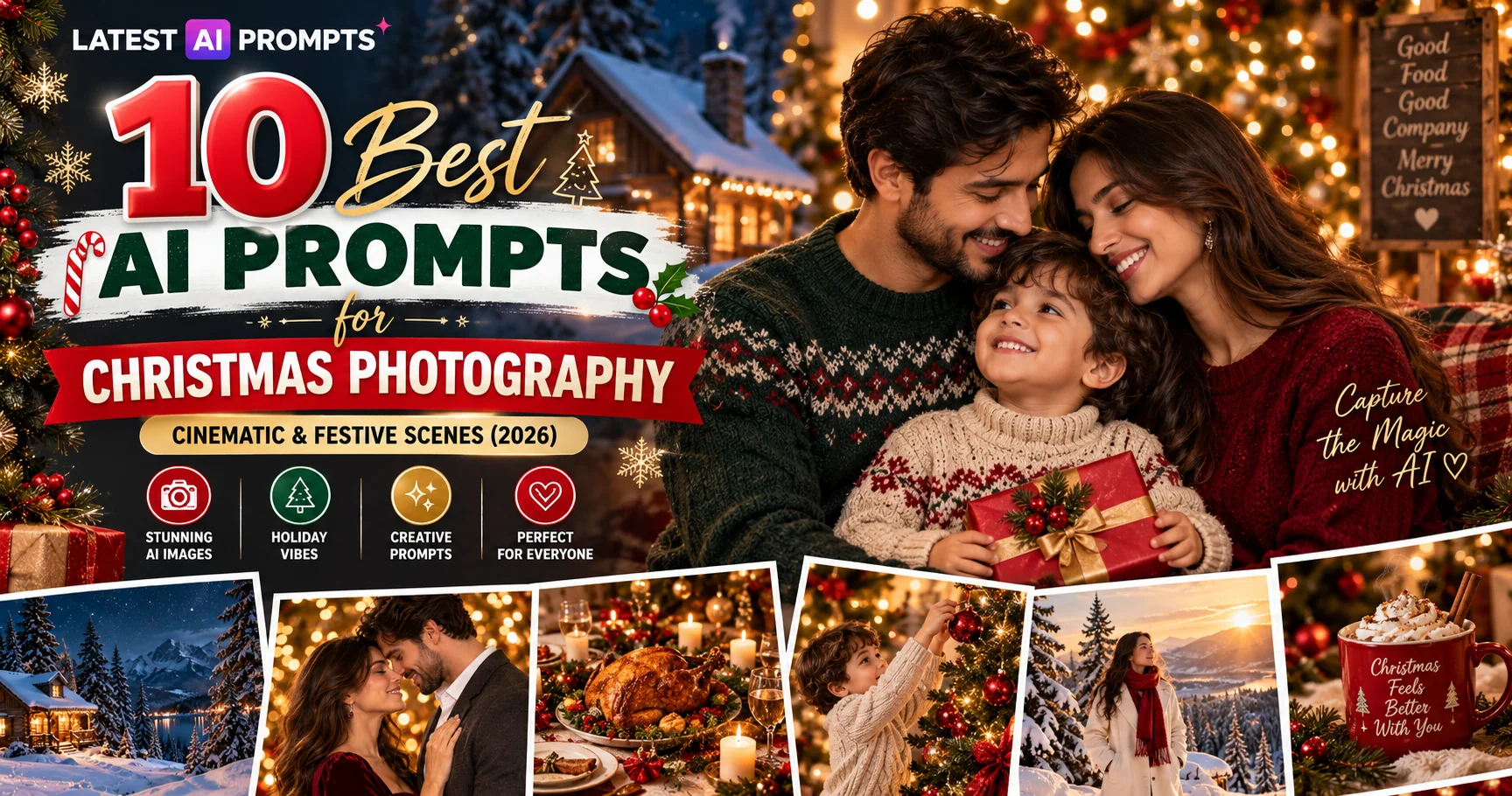
10 Best AI Prompts for Christmas Photography — Cinematic & Festive Scenes (2026)
Updated: 9 min read

AI prompts for Christmas photography are quickly becoming the go-to tool for content creators, lifestyle bloggers, and social media managers who need stunning, cinematic festive imagery without a studio, a professional crew, or a December shoot day. In this guide, we share the 10 best AI prompts for Christmas photography — covering everything from glowing Christmas tree family portraits and snowy winter wonderland scenes to cozy fireplace mornings, Christmas market nights, and festive dinner table flatlays. Every prompt is crafted for precision results on ChatGPT with DALL-E 3, Google Gemini AI, Midjourney v6, and Stable Diffusion XL, with specific lighting sources, lens choices, texture language, and scene detail that turn generic AI outputs into genuinely cinematic, 4K-quality Christmas photography you can use immediately for social media, greeting cards, brand campaigns, or blog content.

  • 10 ready-to-copy Christmas photography prompts — no editing needed
  • Works with ChatGPT, Gemini AI, Midjourney v6, DALL-E 3 & SDXL
  • Covers portraits, outdoor scenes, lifestyle, food/table & atmospheric Christmas styles
  • Includes customization tips and aspect ratio guidance for each prompt
  • 100% free — no signup required
1. Glowing Christmas Tree Family Portrait — AI Prompt for Christmas Photography

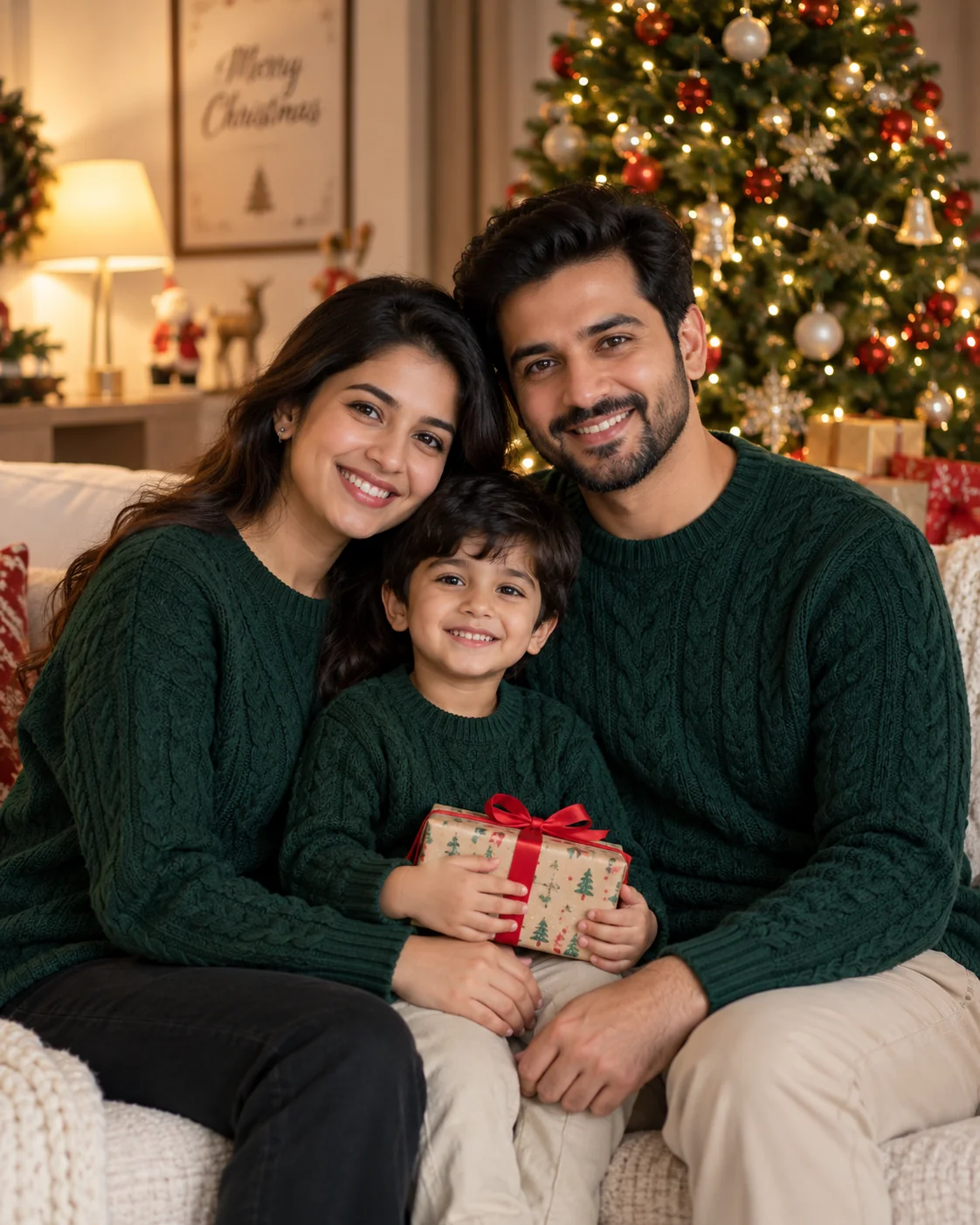
Cinematic AI Christmas tree family portrait with warm fairy lights bokeh — AI prompt for Christmas photography
Prompt
Ultra-realistic 4K portrait of a family of three — a mother, father, and young child — seated together on a cream-coloured sofa in front of a tall, fully decorated Christmas tree. The tree is adorned with warm white fairy lights creating a soft golden bokeh background. Family wearing matching deep green knit sweaters with visible cable-knit texture. The child holds a small wrapped gift with red ribbon. Warm, directional interior light from the left, natural and flattering. Shallow depth of field, 85mm lens, f/1.8, cinematic finish, sharp faces, DSLR quality, no artificial glow --ar 4:5
Perfect for Christmas family portrait cards, holiday social media posts, and festive email newsletter banners.
Tip: Swap "deep green knit sweaters" for "matching red plaid pyjamas" to create a Christmas morning lifestyle version of this prompt.

2. Snowy Winter Wonderland Outdoor Scene — AI Prompt for Christmas Photography

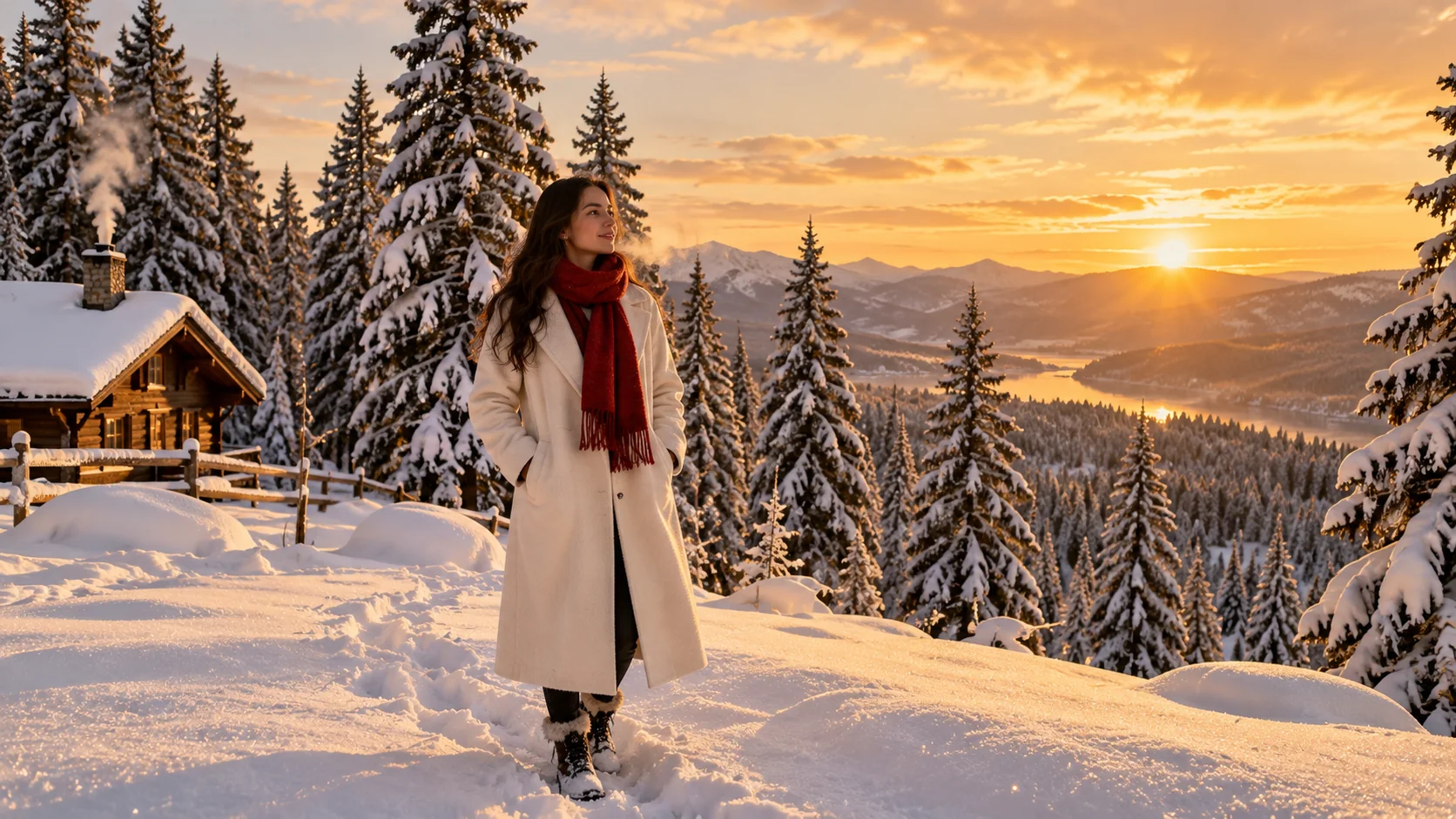
AI-generated snowy winter wonderland outdoor Christmas scene at golden hour — AI prompt for Christmas photography
Prompt
Cinematic wide-angle outdoor photograph of a snowy winter landscape at golden hour. Tall snow-covered pine trees stretching into a soft amber sky. Pristine, undisturbed snow on the ground with subtle footprints leading towards the frame. A woman in a long ivory wool coat and red scarf stands at the centre, looking into the distance, breath visible in the cold air. Warm golden light from low winter sun hitting the snow crystals, creating sparkle. 24mm lens, f/2.8, hyper-realistic 4K, no oversaturation, cinematic atmosphere --ar 16:9
Ideal for YouTube channel art, Christmas blog hero images, and editorial lifestyle magazine-style content.
Tip: Replace "golden hour" with "blue hour, dusk, deep blue sky" to shift the mood from warm golden to dramatic twilight.

3. Cozy Fireplace Christmas Morning — AI Prompt for Christmas Photography

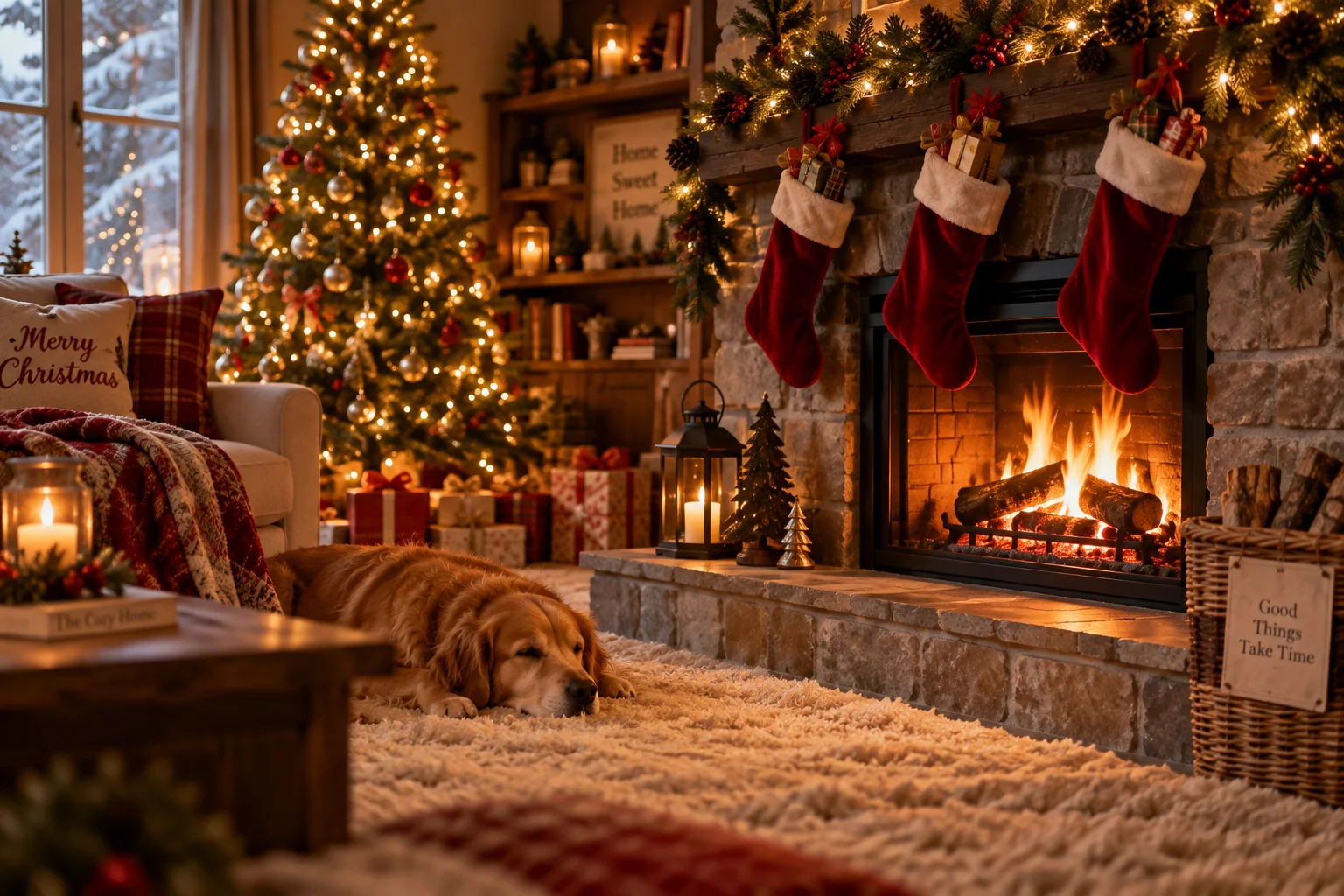
Cozy fireplace AI Christmas morning photography with stockings and warm amber light — AI prompt for Christmas photography
Prompt
Ultra-realistic 4K interior Christmas photography of a cozy living room fireplace scene. A lit stone fireplace with glowing orange embers and small dancing flames. Three red velvet stockings hanging from the mantel, filled with small gifts. A string of pine garland with pinecones and fairy lights along the mantelpiece. Soft amber fireplace light casting warm shadows across a richly textured cream wool rug. Low angle shot, 50mm lens, f/2.0, shallow depth of field, bokeh Christmas tree visible in background, warm and intimate mood, DSLR quality, cinematic finish --ar 3:2
Great for home décor brand campaigns, holiday interior lifestyle content, and aspirational Christmas Pinterest pins.
Tip: Add "a sleeping golden retriever on the rug in front of the fireplace" for a warmer, more emotionally resonant scene.

4. Christmas Gift Unwrapping Close-Up — AI Prompt for Christmas Photography

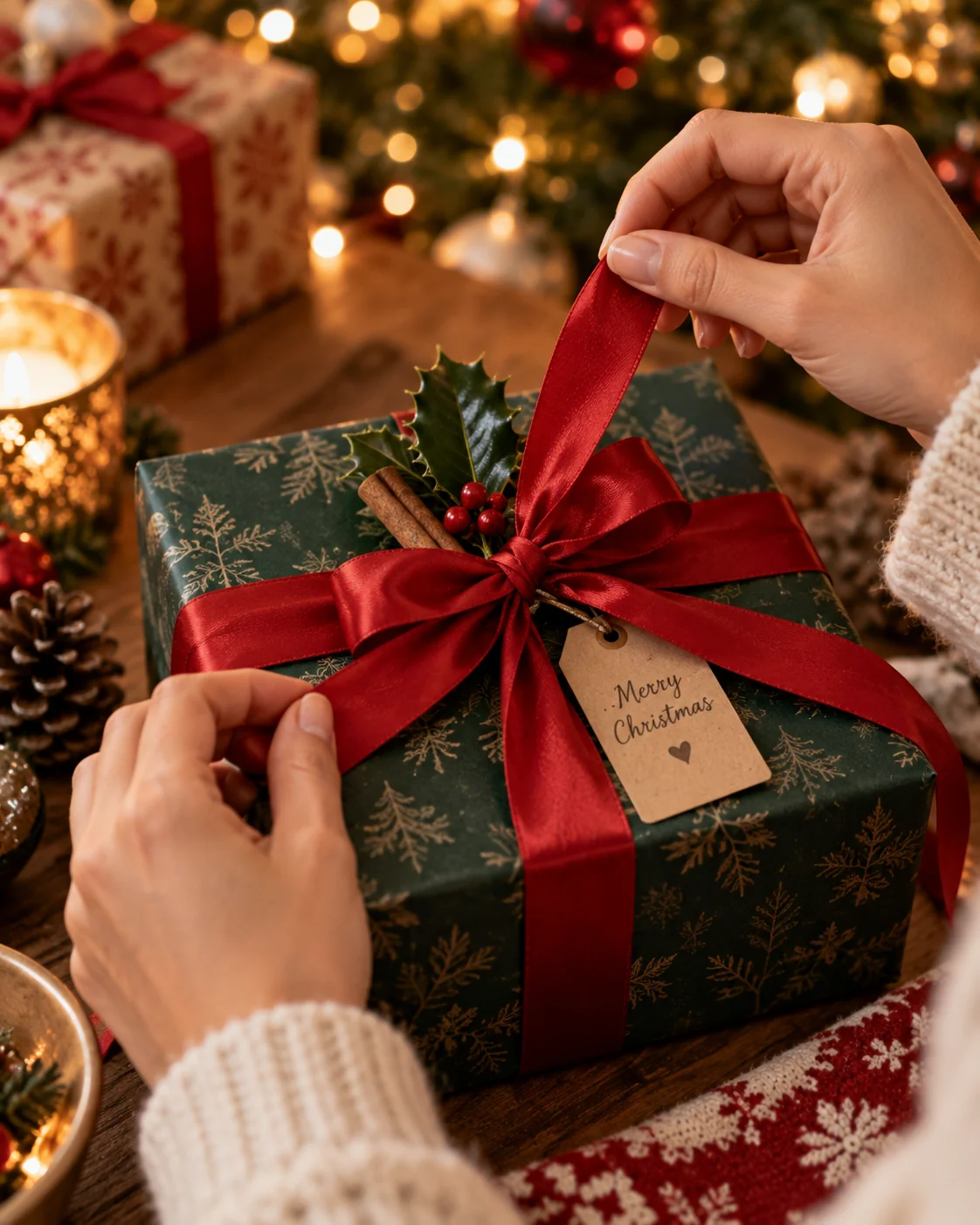
Cinematic close-up of Christmas gift unwrapping with festive ribbon and bokeh — AI prompt for Christmas photography
Prompt
Hyper-realistic 4K close-up photograph of hands unwrapping a beautifully wrapped Christmas gift. The box is covered in deep forest green matte paper tied with a thick red satin ribbon and an elaborate bow. Small sprigs of fresh holly and a cinnamon stick tucked under the bow. Warm indoor fairy light bokeh in the background. The hands are soft, well-lit, naturally posed in mid-unwrap action. Shot from slightly above, 90mm macro lens, f/2.5, shallow depth of field, rich festive colours, tactile paper and ribbon texture clearly visible, DSLR quality --ar 4:5
Excellent for e-commerce gift guide imagery, Christmas unboxing content, and holiday brand product photography.
Tip: Swap the paper colour to "kraft brown paper with a twine bow" for a rustic, handmade Christmas aesthetic.

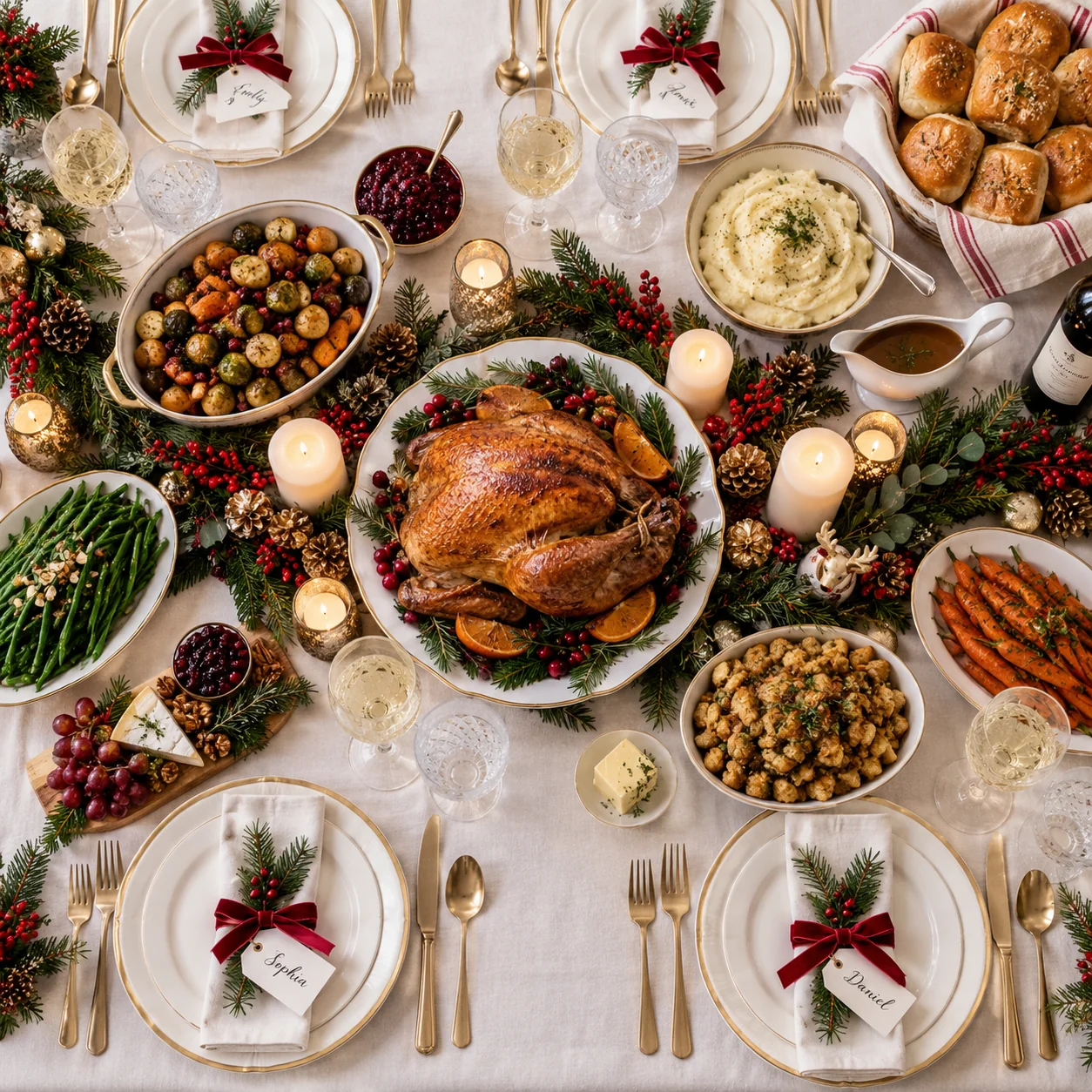
5. Festive Christmas Dinner Table Flatlay — AI Prompt for Christmas Photography

Overhead flatlay AI Christmas dinner table with candles and festive décor — AI prompt for Christmas photography
Prompt
Professional overhead flatlay photography of a fully set Christmas dinner table. White linen tablecloth, fine bone china plates with gold trim, crystal wine glasses, polished silver cutlery. A centrepiece of fresh pine sprigs, red berries, white pillar candles of varying heights, and small gold pinecone ornaments. Side dishes visible: roasted vegetables, bread rolls in a cloth-lined basket. Soft even diffused daylight from a large window to the side, no harsh shadows, muted festive tones of ivory, forest green, deep red, and gold. Top-down shot, 35mm lens, f/5.6, ultra-sharp detail, professional food photography style, 4K --ar 1:1
Ideal for food blogs, hospitality brand campaigns, catering company social media, and Christmas recipe article headers.
Tip: Add "a whole roasted turkey as the centrepiece" to shift focus from décor to food for a Christmas dinner editorial look.

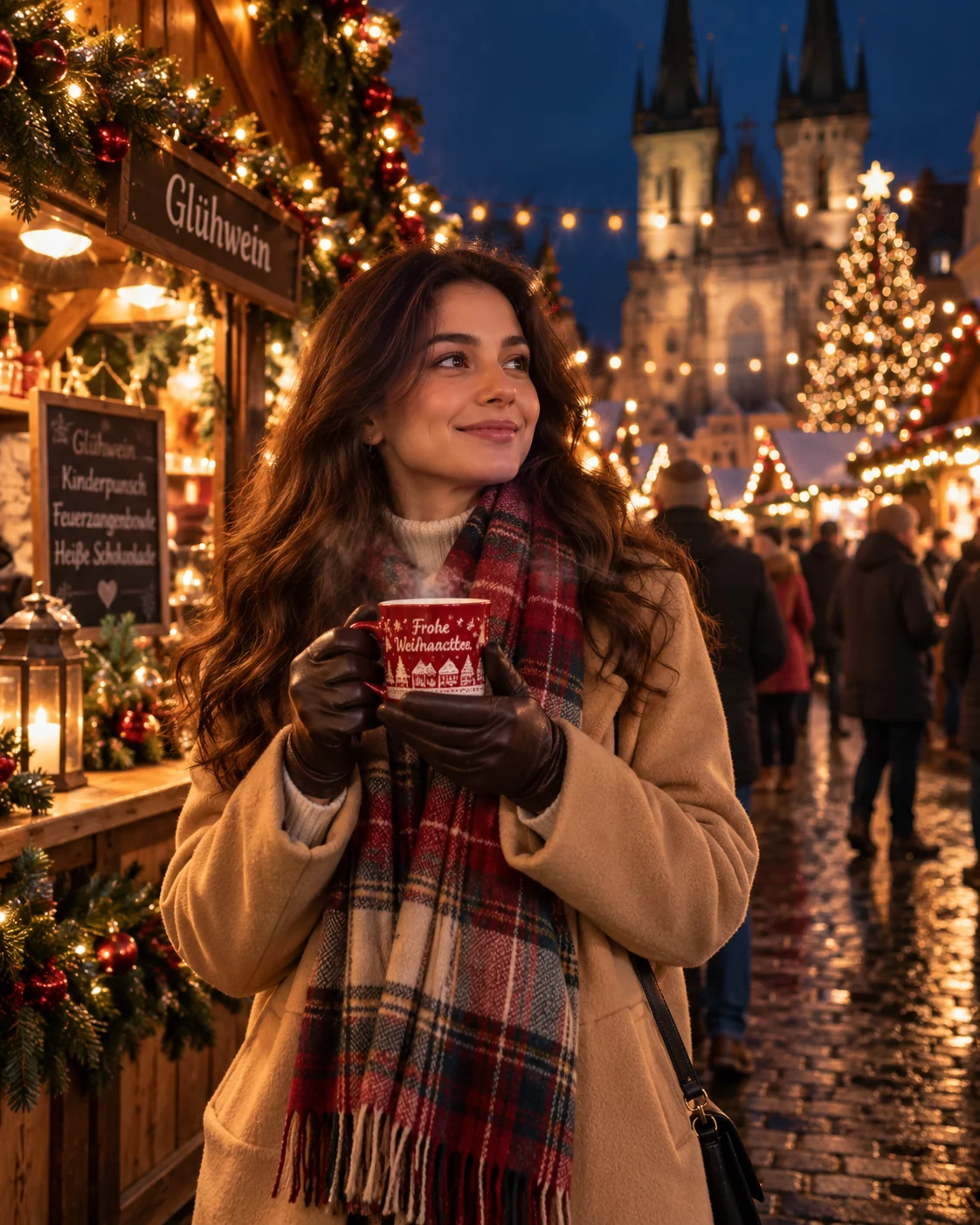
6. Christmas Market Night Portrait — AI Prompt for Christmas Photography

AI Christmas market photography at night with string lights and bokeh — AI prompt for Christmas photography
Prompt
Cinematic street-photography-style portrait taken at a European Christmas market at night. A young woman in a camel wool coat, plaid scarf, and leather gloves holds a steaming mulled wine cup with both hands. She faces slightly to the side, eyes bright, expression warm and natural. Background: wooden market stalls with warm Edison string lights strung between them, a soft blurred crowd, festive wreaths and garlands. Deep blue night sky. Warm amber bokeh from string lights. Shot on 35mm lens, f/1.8, ISO-sensitive nighttime detail, cinematic grain, ultra-realistic, 4K --ar 4:5
Perfect for travel lifestyle content, Christmas event photography, and festive social media portrait posts.
Tip: Add "a dusting of light snowflakes falling gently into frame" to enhance the magical, atmospheric quality of this scene.

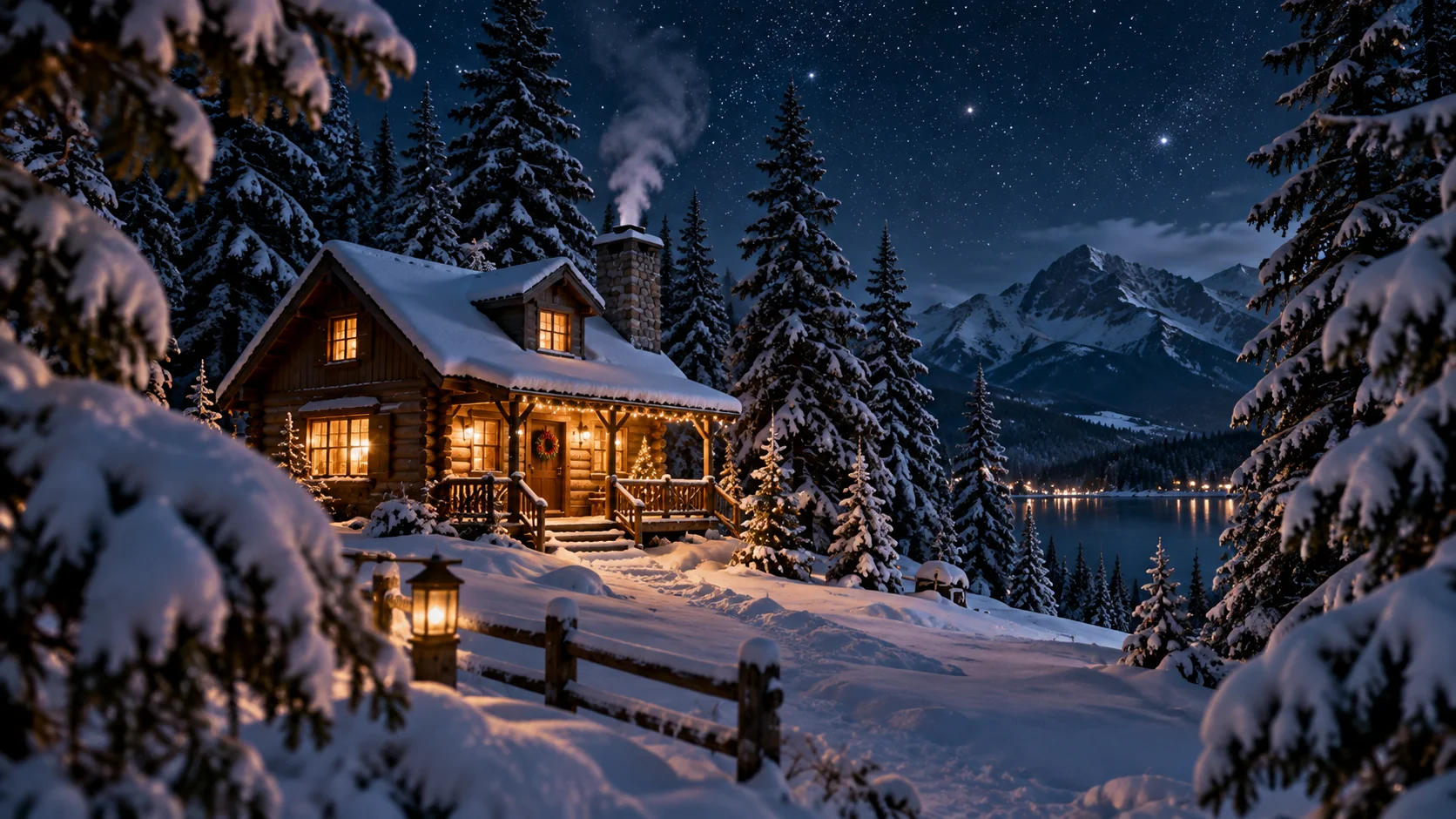
7. Snowy Cabin in Pine Forest — AI Prompt for Christmas Photography

Cinematic AI snowy cabin in pine forest with glowing window and night sky — AI prompt for Christmas photography
Prompt
Cinematic wide establishing shot of a small rustic wooden cabin nestled in a dense snow-covered pine forest at night. Warm amber light glowing softly through frosted windows. Gentle smoke rising from a stone chimney against a deep midnight blue sky filled with faint stars. Deep blue shadows across pristine undisturbed snow, with the cabin casting a warm pool of light onto the ground. Snow-laden pine branches framing the foreground. 16:9 aspect ratio, 24mm wide-angle lens, f/4.0, hyper-realistic atmospheric detail, 4K, cinematic colour grade with teal shadows and warm highlights --ar 16:9
Outstanding for YouTube Christmas video thumbnails, holiday film posters, travel brand ads, and festive desktop wallpapers.
Tip: Swap "night" for "golden hour dusk" and "midnight blue sky" for "amber and rose gradient sky" for a warmer, less moody variant.

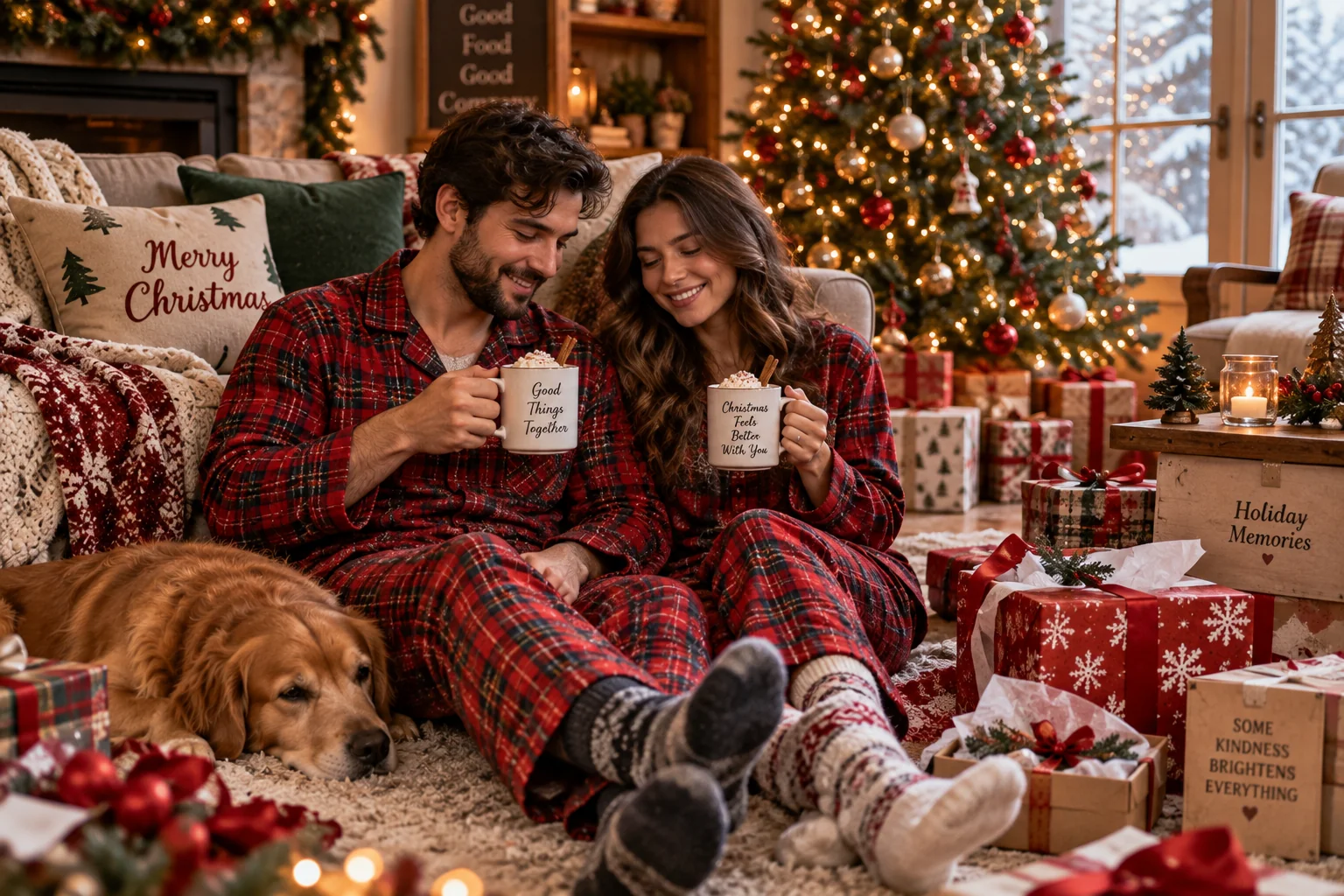
8. Christmas Morning Lifestyle (Pajamas & Cocoa) — AI Prompt for Christmas Photography

Cozy Christmas morning AI lifestyle image with matching pajamas and hot cocoa — AI prompt for Christmas photography
Prompt
Ultra-realistic 4K Christmas morning lifestyle photograph of a couple sitting on the living room floor in matching red plaid flannel pyjamas, legs outstretched, leaning against a sofa. Each holds a white ceramic mug of hot cocoa topped with whipped cream and a cinnamon stick, steam rising gently. Surrounded by unwrapped gift boxes and scattered ribbon. A tall decorated Christmas tree glows softly in the background. Soft natural window light from the right, warm and relaxed atmosphere. 50mm lens, f/2.0, candid editorial style, no direct eye contact with camera, genuine natural mood, DSLR quality --ar 3:2
Perfect for couple lifestyle content, Christmas morning social posts, pyjama brand campaigns, and cosy home aesthetic blogs.
Tip: Replace "couple" with "a family of four with two young children" and add "a child holding a hot chocolate with marshmallows" for a family-first version.

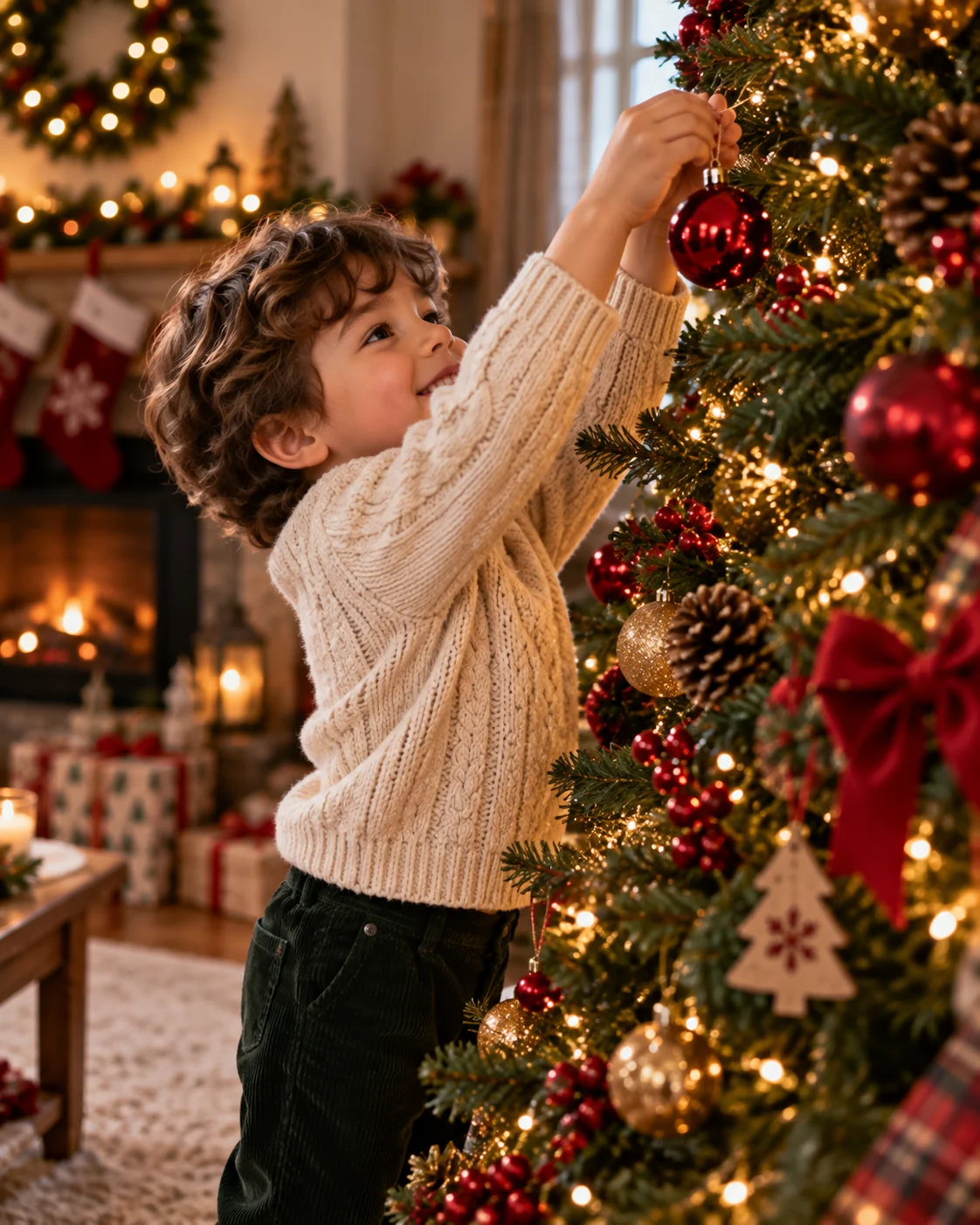
9. Child Hanging Ornament on Tree — AI Prompt for Christmas Photography

AI Christmas photography of child hanging ornament on decorated tree — AI prompt for Christmas photography
Prompt
Hyper-realistic 4K portrait of a young child, approximately 4 years old, standing on tiptoe to hang a shiny red glass ornament on a tall Christmas tree. The child wears a cream cable-knit sweater and dark corduroy trousers, expression of intense concentration and delight. Warm fairy light bokeh from the tree fills the background. Natural side lighting highlights the child's face and the ornament's reflective surface. Candid, unposed composition. Shot at child's eye level, 85mm lens, f/1.8, shallow depth of field, emotionally resonant, ultra-realistic skin and fabric texture, DSLR quality --ar 4:5
Ideal for Christmas family photography portfolios, children's brand campaigns, parenting blog headers, and seasonal greeting cards.
Tip: Add "a parent's hand gently steadying the child from behind, partially visible" to add a layer of family warmth and connection to the shot.

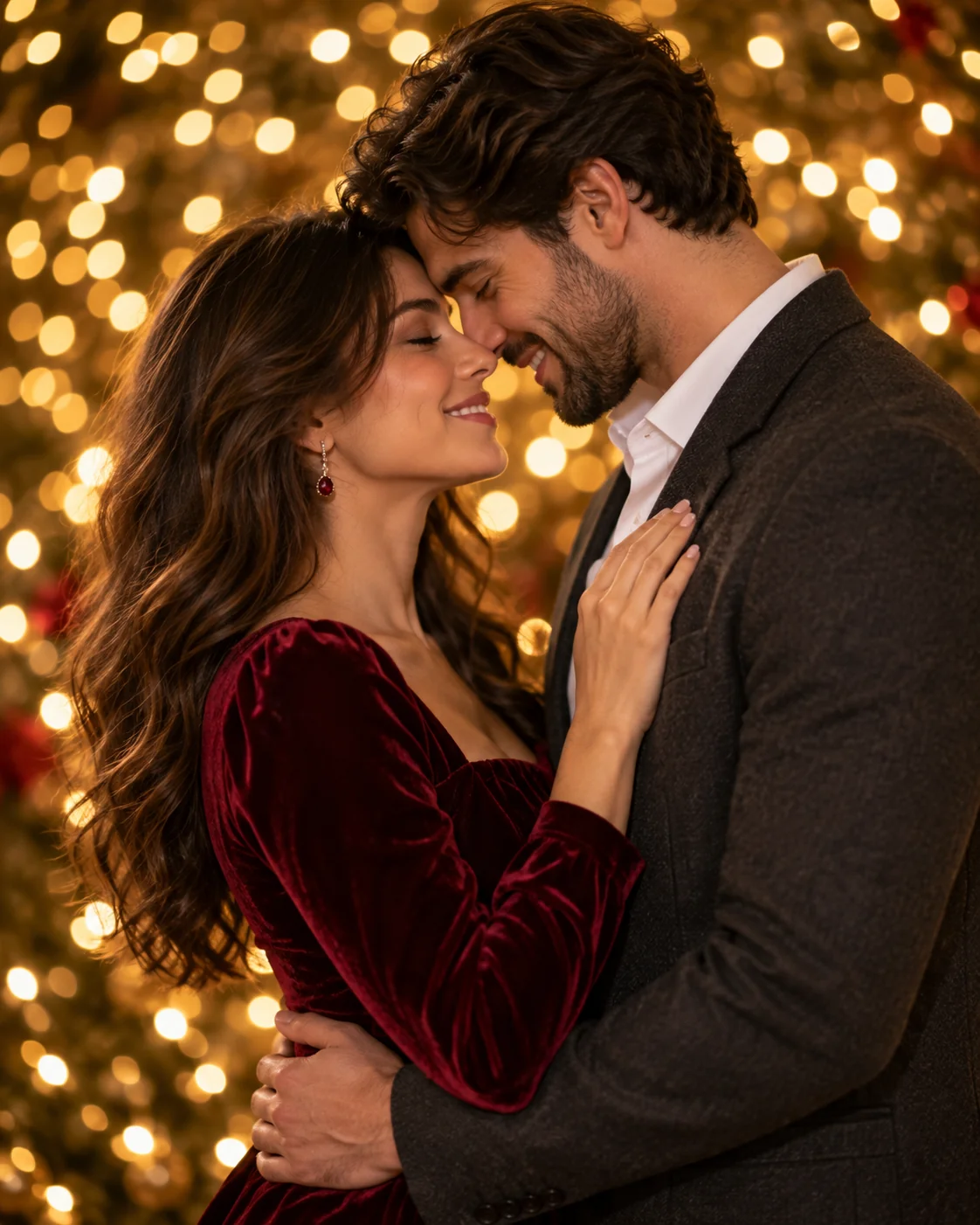
10. Couple Christmas Portrait with Bokeh Lights — AI Prompt for Christmas Photography

Cinematic AI Christmas couple portrait with bokeh fairy lights and velvet outfits — AI prompt for Christmas photography
Prompt
Cinematic editorial portrait of a couple in elegant Christmas attire standing close together, foreheads almost touching, smiling softly. The woman wears a deep burgundy velvet dress with long sleeves; the man wears a charcoal wool blazer over a white shirt. Background is a warm sea of blurred Christmas fairy lights — circular golden bokeh orbs of varying sizes. No visible background structure. Soft key light from the left, gentle fill from the right, creating a studio-quality but naturally intimate look. Shot on 85mm lens, f/1.4, ultra-sharp subject detail against completely soft background, 4K, cinematic colour grade, rich velvety tones --ar 4:5
Perfect for couple photography showcases, Christmas date night content, luxury brand campaigns, and premium holiday greeting card designs.
Tip: Add "--style raw" in Midjourney or specify "no filters, film-like natural colour" to keep skin tones and fabric colours looking authentic rather than over-processed.

How to Get Better Results from Christmas AI Photography Prompts

The difference between an average AI-generated Christmas image and a genuinely cinematic one comes down to a handful of specific prompt engineering choices. Here are the five most impactful techniques used across all 10 prompts above.

1. Name Your Light Source Precisely

Generic terms like "cozy lighting" give the AI no useful direction. Instead, name the exact source and its direction: "warm fireplace glow from the left", "soft diffused window light from the right", or "warm fairy-light bokeh filling the background". The more specific your light description, the more consistently realistic and intentional your results.

2. Specify Lens and Aperture

Adding "85mm lens, f/1.8, shallow depth of field" instructs the AI to simulate DSLR-style depth control. Wide apertures (f/1.4–f/2.0) create creamy bokeh backgrounds — ideal for portraits and Christmas tree scenes. Narrower apertures (f/5.6) work better for flatlays and wide establishing shots where you need full-scene sharpness.

3. Use Texture Language

Christmas scenes live and die on tactile richness. Describe materials explicitly: "chunky cable-knit sweater with visible yarn texture", "deep burgundy velvet dress", "matte kraft paper gift wrap", "cream wool rug". Texture language forces the AI to render fabric and surface detail that makes images feel premium rather than plastic.

4. Add Negative Instructions

Most AI tools support negative guidance. Always specify what you do not want: "no cartoonish effects, no plastic-looking skin, no distorted hands, no artificial glow". This is especially important for Christmas scenes where AI tools tend to over-saturate reds and greens and produce unrealistically smooth surfaces.

5. Use the Right Aspect Ratio

Match your aspect ratio to your intended platform before generating. Use --ar 4:5 for Instagram portrait posts, --ar 1:1 for Instagram grid squares and Christmas cards, --ar 16:9 for YouTube thumbnails and wide banners, and --ar 9:16 for Instagram Stories and TikTok. Setting this upfront prevents awkward cropping of your Christmas scene.

Start Creating Stunning Christmas AI Photography Today

Whether you are building a festive content calendar, designing a Christmas greeting card collection, or simply experimenting with AI image generation for the holiday season, these 10 prompts give you a complete toolkit of cinematic, copy-ready starting points. Each one has been engineered with real photography principles — light, lens, texture, composition, and mood — so that your AI tool has everything it needs to generate images that look genuinely professional rather than generically festive.

For best results, start with the prompts exactly as written, then make targeted single-variable changes to explore variations. Swap a colour, change a light source, add a prop, or adjust the aspect ratio — and regenerate. This iterative approach produces a consistent set of high-quality Christmas visuals far more efficiently than building prompts from scratch each time. Pair these with our guide on the most common AI image prompt mistakes to avoid and your Christmas photography output will stand well above the crowd.

About the Author
Jitendra Patra - AI Prompt Researcher

Jitendra Patra

AI Prompt Researcher & Software Engineering Student

🔬 Prompt Engineering Research 🤖 Gemini & Generative AI Focus ✍ Prompt Development & Research
View Portfolio

Jitendra Patra is a software engineering student and AI prompt researcher specialising in Google Gemini and generative image models. He actively experiments with structured prompt engineering techniques to produce high-quality, reproducible visual outputs across portrait, lifestyle, holiday, and editorial photography categories.

The Christmas photography prompts in this guide are built on real photography principles — light source, lens choice, aperture, texture, and compositional intent — applied to AI image generation to consistently produce cinematic results across ChatGPT, Gemini AI, Midjourney, and Stable Diffusion platforms.

— AI prompt experiments & research insights

Frequently Asked Questions

Which AI tool is best for Christmas photography prompts?

Google Gemini AI, ChatGPT with DALL-E 3, and Midjourney v6 all produce excellent Christmas photography results. Gemini AI excels at warm, realistic indoor lighting like fireplace glow and fairy-light bokeh. Midjourney v6 is strongest for cinematic wide shots like the snowy cabin and winter wonderland scenes. ChatGPT with DALL-E 3 is the easiest for beginners due to its conversational interface — simply paste the prompt and iterate with follow-up instructions. Stable Diffusion XL gives advanced users complete creative control with custom LoRA models and negative prompts.

Can I use these Christmas AI photography prompts for commercial content?

AI-generated images may be used commercially depending on the platform's terms of service. ChatGPT with DALL-E 3 and Adobe Firefly explicitly permit commercial use for their generated images. Midjourney requires a paid Pro plan for full commercial rights. Always review the specific terms of your AI image generation tool before using images for commercial brand content, client work, or print products. These prompts themselves are free to use for any purpose.

How do I make AI Christmas portraits look more realistic?

To improve realism in AI Christmas portraits: (1) specify your exact light source — "warm fireplace glow from the left" not just "cozy lighting"; (2) add lens and aperture details like "85mm lens, f/1.8, shallow depth of field"; (3) describe fabric textures explicitly — "chunky cable-knit sweater, visible yarn texture"; (4) use negative prompts to exclude "cartoonish effects, plastic-looking skin, distorted hands, artificial glow"; and (5) finish with "4K, DSLR quality, ultra-realistic". Each of the 10 prompts above already applies all five of these techniques.

Do these Christmas prompts work without uploading a reference photo?

Yes. All 10 prompts in this guide are fully self-contained and generate compelling Christmas images from text alone — no reference photo upload is needed. They include enough scene detail, lighting description, compositional instruction, and style direction for the AI to produce a professional result independently. If you want a specific person's face in the image, you would need to upload a reference photo alongside the prompt in a tool that supports image-to-image input, such as ChatGPT or Midjourney with --cref.

What aspect ratio should I use for Christmas AI photography prompts?

Match the aspect ratio to your intended output platform: use --ar 4:5 for Instagram portrait posts, --ar 1:1 for Instagram grid squares and Christmas greeting cards, --ar 16:9 for YouTube thumbnails and wide website banners, --ar 3:2 for print-ready album pages and framed wall art, and --ar 9:16 for Instagram Stories, TikTok, and YouTube Shorts. Setting the ratio upfront prevents the AI from cropping your Christmas scene in an unintended way.

How do I generate a specific person in a Christmas AI photo?

To place a specific person in a Christmas AI photo, use ChatGPT with DALL-E 3 or Adobe Firefly and upload a clear, well-lit reference photo of the person's face alongside the Christmas prompt. In Midjourney v6, use the --cref [image URL] parameter for character reference consistency. Describe the person's visible features in your prompt text, then layer in your Christmas scene details. Note that generating realistic portraits of identifiable real people raises ethical and privacy considerations — always obtain consent when using someone's likeness.