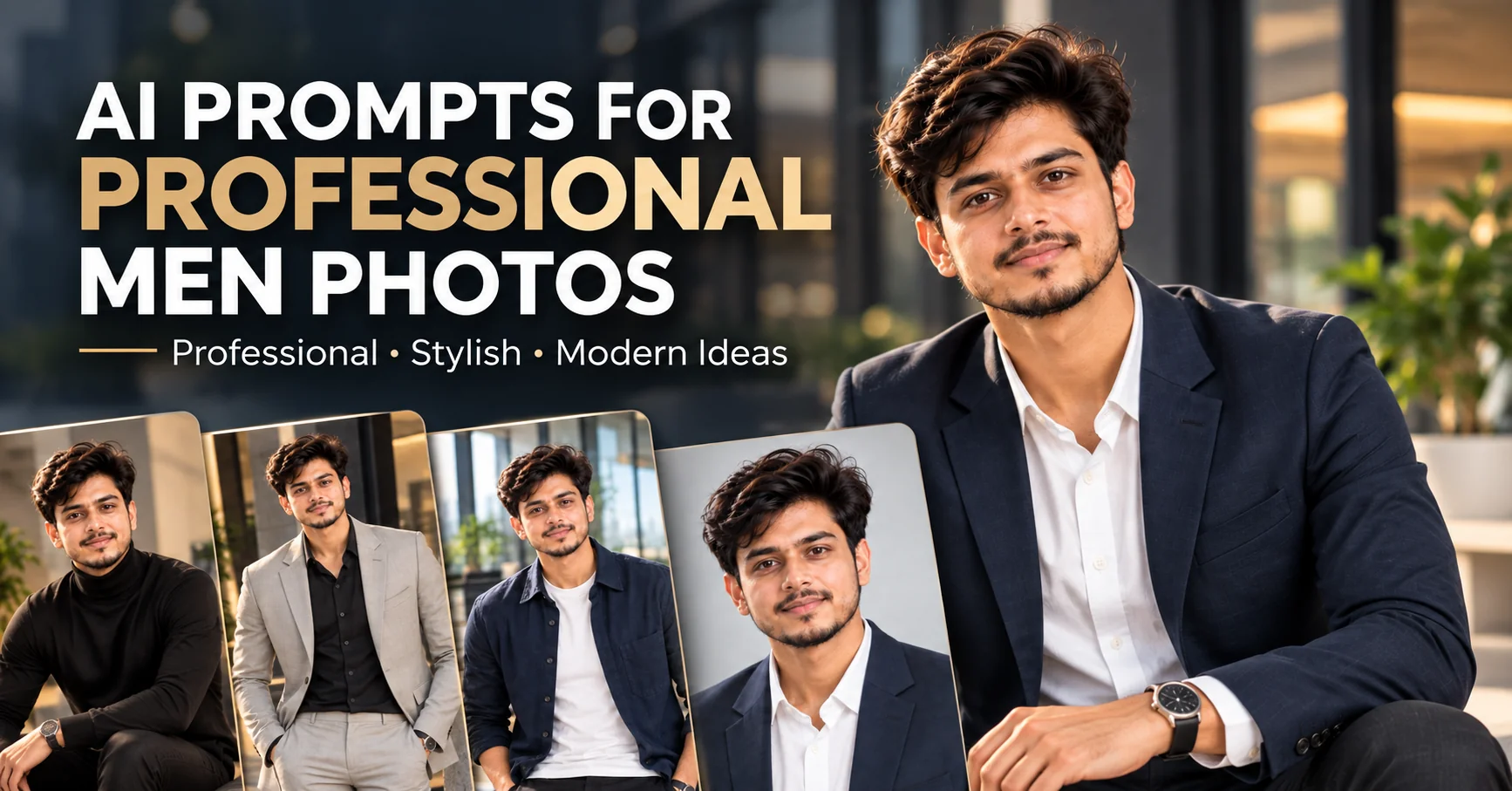
Looking for AI prompts for professional men photos? The right prompt can turn a simple reference photo into a polished corporate portrait, LinkedIn headshot, executive profile image, business casual photo, or sophisticated personal branding portrait. AI image generators can produce impressive results, but the quality depends heavily on how clearly you describe the subject, clothing, lighting, background, camera angle, composition, facial expression, and overall mood. In this guide, you will find 10 detailed AI photo prompts for professional men designed for modern professional profiles, resumes, LinkedIn accounts, websites, portfolios, business pages, social media profiles, and personal branding. Each prompt focuses on a different professional style so you can choose an image that matches your career, personality, and visual identity.
✔ Professional corporate headshots for LinkedIn and business profiles
✔ Modern executive portraits with premium studio lighting
✔ Business casual and office-style professional photos
✔ Detailed prompts for clothing, pose, lighting and backgrounds
✔ Easy customization ideas for different careers and personal brands
1. Executive Corporate Headshot — AI Prompt
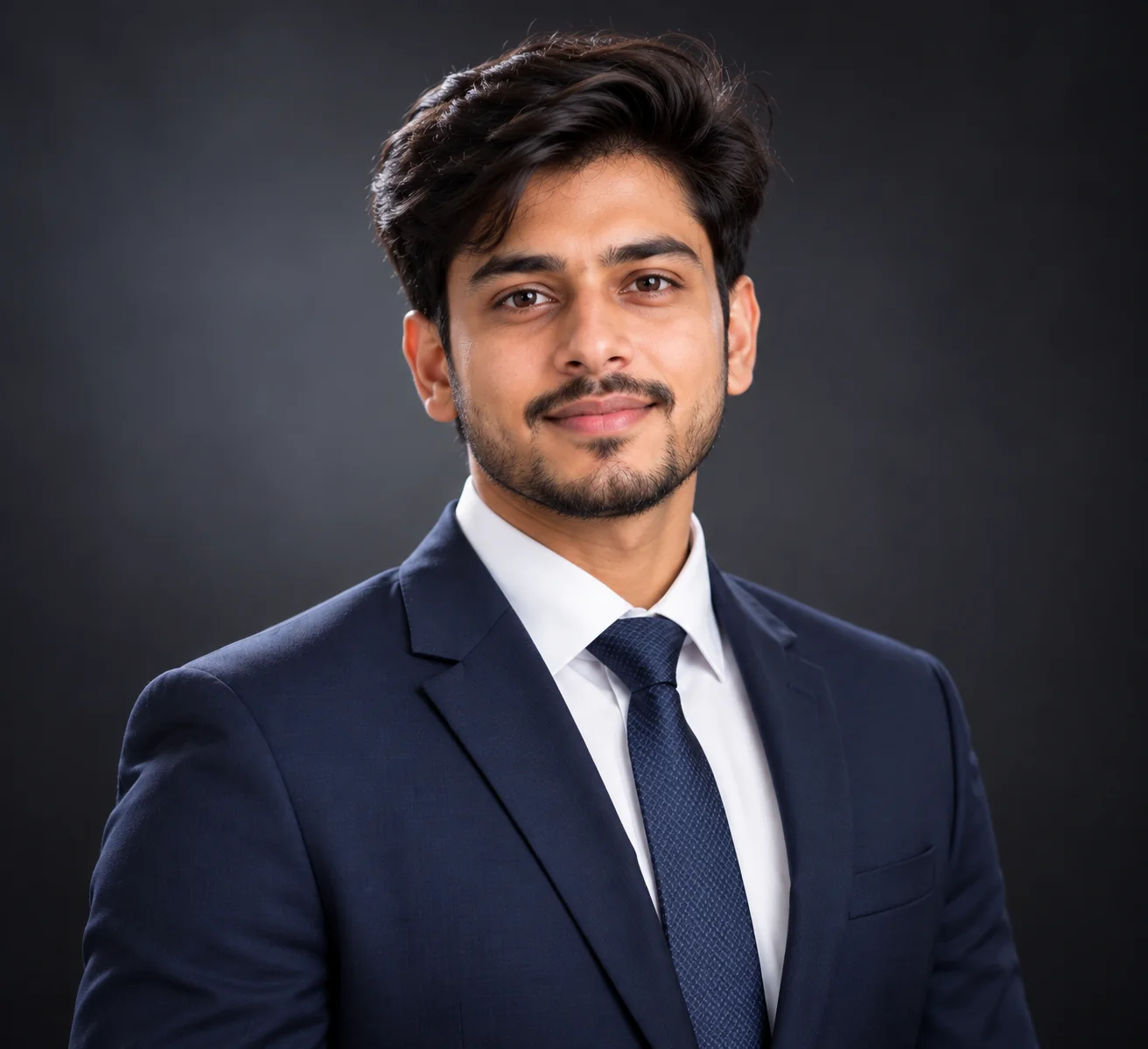
Prompt
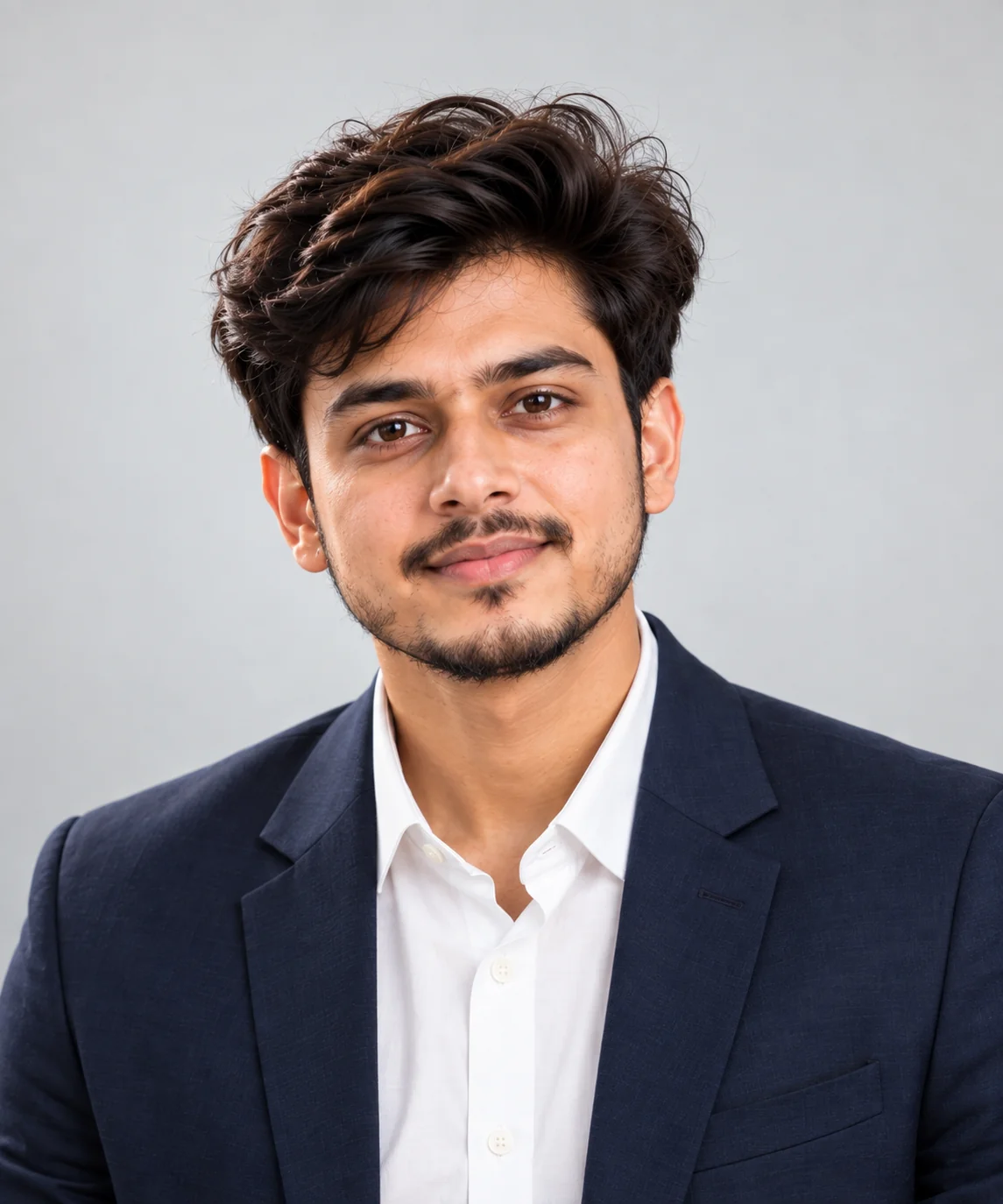
Create a highly realistic professional corporate headshot of a confident adult man in his early 30s, maintaining the recognizable facial features and natural identity of the reference person. He is wearing a perfectly tailored dark navy business suit, crisp white dress shirt, and subtle premium tie. Frame the portrait from the chest up with a relaxed upright posture, shoulders naturally positioned, and a calm confident facial expression. Use sophisticated studio lighting with a large soft key light, gentle fill light, subtle rim lighting around the shoulders, realistic skin texture, natural facial details, sharp eyes, and controlled highlights. Use a clean dark gray professional background with a subtle gradient and shallow depth of field. The final image should look like a premium corporate photography session captured with a high-end full-frame camera and professional portrait lens. Photorealistic, refined, clean composition, realistic proportions, natural skin, subtle retouching, no excessive smoothing, no text, no watermark.
Use this prompt for LinkedIn profiles, company websites, executive bios, resumes, corporate directories and professional networking profiles.
Tip: Replace the suit color and tie style to match your industry or company's visual identity.
2. Modern LinkedIn Profile Portrait — AI Prompt
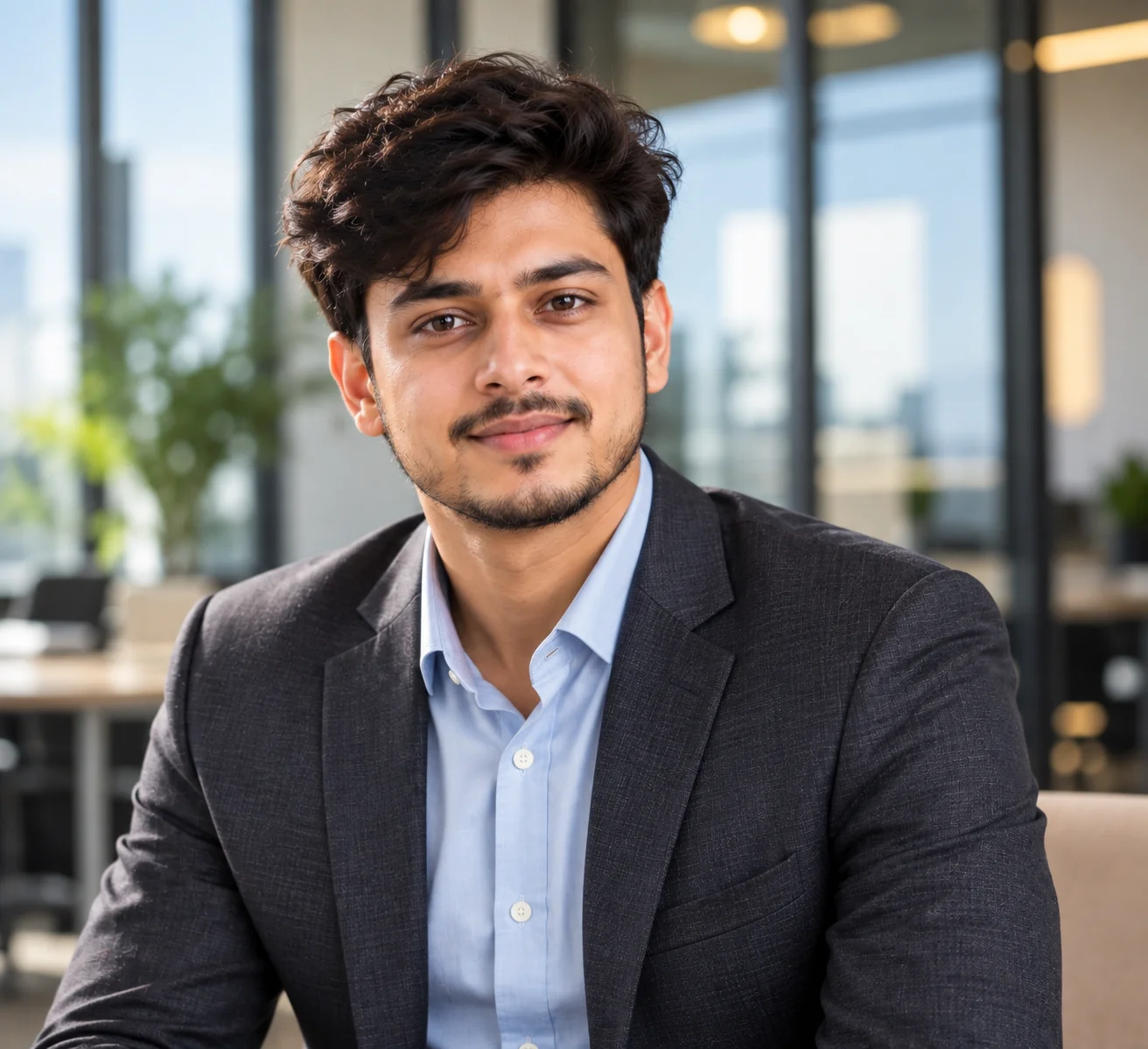
Prompt
Generate a realistic modern LinkedIn profile portrait of a professional adult man with a natural, approachable and confident appearance. Preserve the person's recognizable facial structure, hairstyle and identity from the reference image. Dress him in a sophisticated charcoal blazer over a clean light blue shirt without a tie. Use a three-quarter portrait composition with the subject facing slightly toward the camera while maintaining direct eye contact. Create soft natural window lighting combined with subtle professional fill light, producing realistic skin tones and gentle facial shadows. Place him in a contemporary office environment with softly blurred glass walls, warm neutral furniture and subtle architectural details in the background. Use shallow depth of field so the face remains the primary focus. Professional photography, realistic skin texture, authentic expression, balanced exposure, premium camera quality, natural color grading, sharp eyes, clean composition, understated elegance, no artificial-looking skin, no text, no watermark.
Use this prompt when you want a friendly but professional LinkedIn profile photo suitable for technology, consulting, finance, marketing or corporate careers.
Tip: For a more approachable result, use a subtle natural smile instead of a serious expression.
3. Luxury Business Executive Portrait — AI Prompt
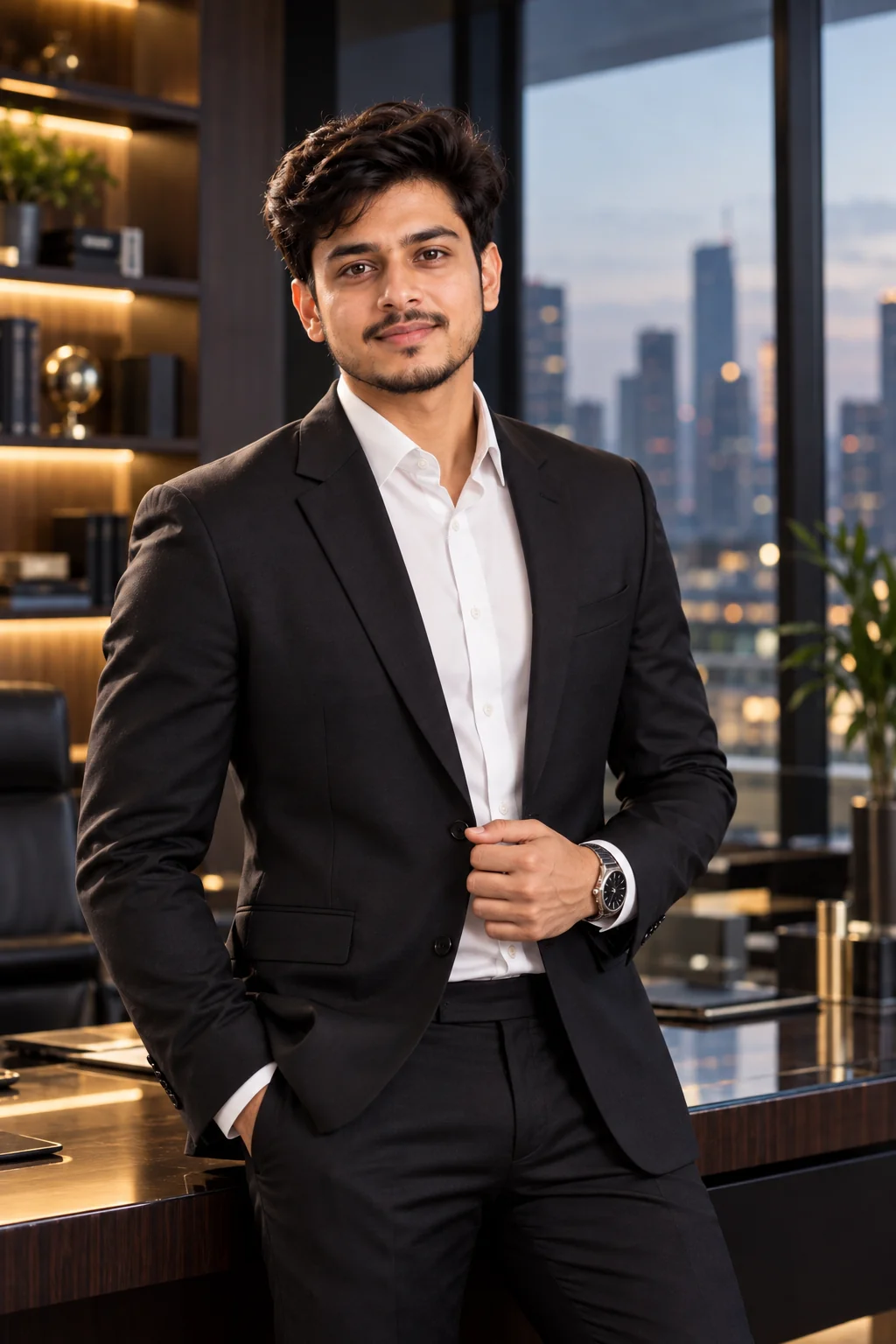
Prompt
Create an ultra-realistic luxury business executive portrait of a sophisticated professional man standing confidently inside a premium modern office. Preserve his facial identity and natural characteristics from the reference image. He wears a perfectly fitted black tailored suit, white shirt and minimalist luxury wristwatch. His posture is confident but natural, with one hand relaxed near the jacket and the other naturally positioned. Use dramatic yet elegant cinematic lighting with a soft directional key light, subtle rim lighting and controlled shadows that define the face and suit without making the image look artificial. The background should feature a sophisticated executive office with dark wood, glass architecture, muted neutral tones and softly blurred city lights visible through large windows. Use a premium editorial photography aesthetic, realistic skin texture, detailed fabric, natural facial expression, shallow depth of field, high dynamic range, professional color grading, realistic proportions, photorealistic details, no text, no watermark.
Use this prompt for executive profiles, founder websites, leadership pages, business presentations and premium personal branding.
Tip: Add a subtle city skyline or office detail that reflects the professional's location or industry.
4. Business Casual Office Portrait — AI Prompt
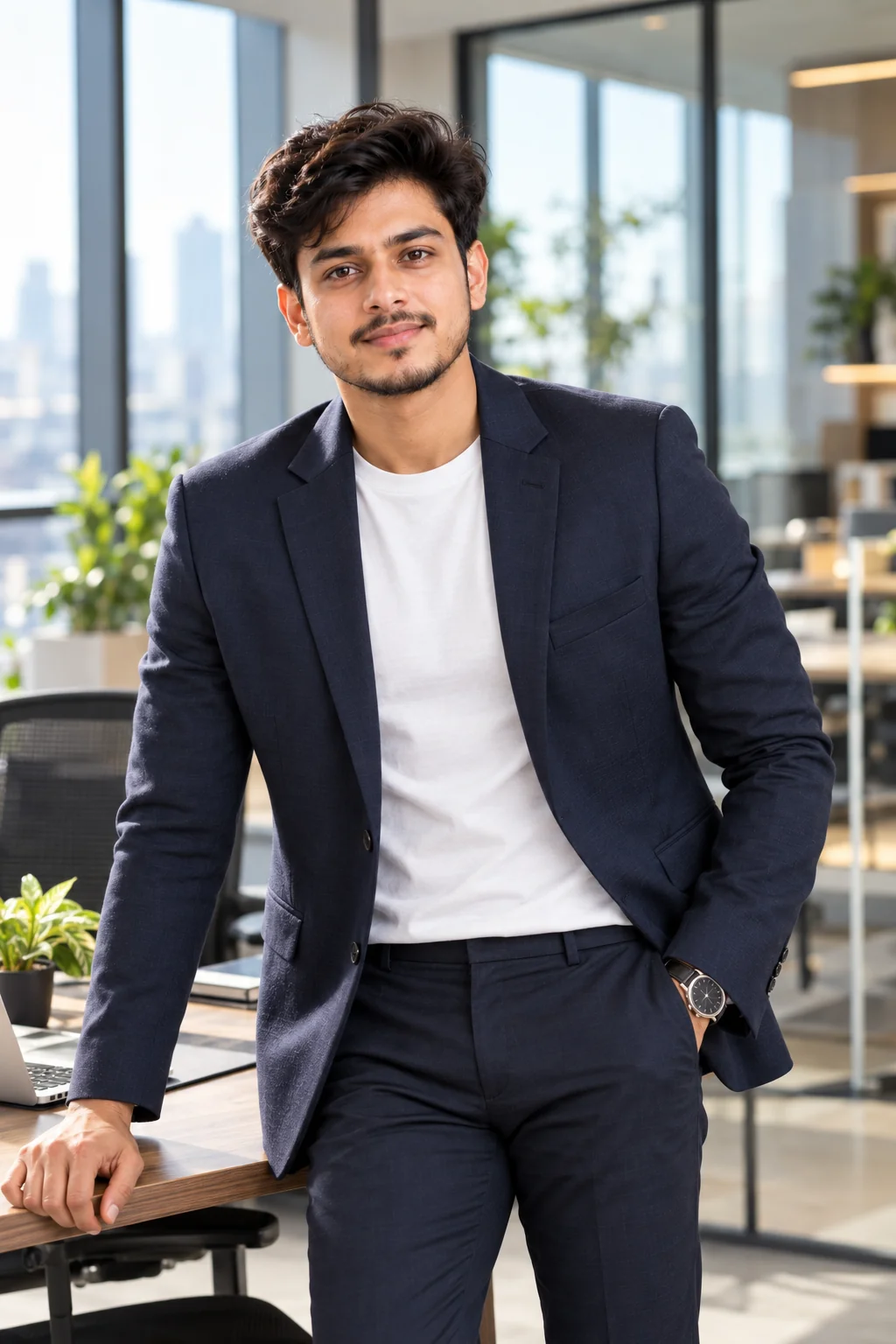
Prompt
Generate a photorealistic professional business casual portrait of an adult man in a bright contemporary office. Keep the person's facial identity, natural features and hairstyle consistent with the reference image. Dress him in a fitted navy blazer, premium white crew-neck shirt, tailored trousers and a simple professional watch. The outfit should look polished without being overly formal. Position him naturally beside a modern office desk, with one hand resting casually near the desk and a relaxed confident posture. Use soft daylight coming through large office windows, combined with subtle fill lighting for balanced facial exposure. The background should contain a tasteful modern workspace with plants, glass partitions and minimal furniture, all softly blurred. Natural skin texture, realistic hair, detailed clothing fabric, authentic expression, premium corporate photography, subtle depth of field, clean composition, realistic colors, no exaggerated retouching, no text, no watermark.
Use this prompt for professionals who want a relaxed corporate appearance suitable for LinkedIn, company profiles, portfolios and business social media.
Tip: Change the shirt, blazer and background colors to create a visual style that matches your profession.
5. Professional Outdoor Business Portrait — AI Prompt
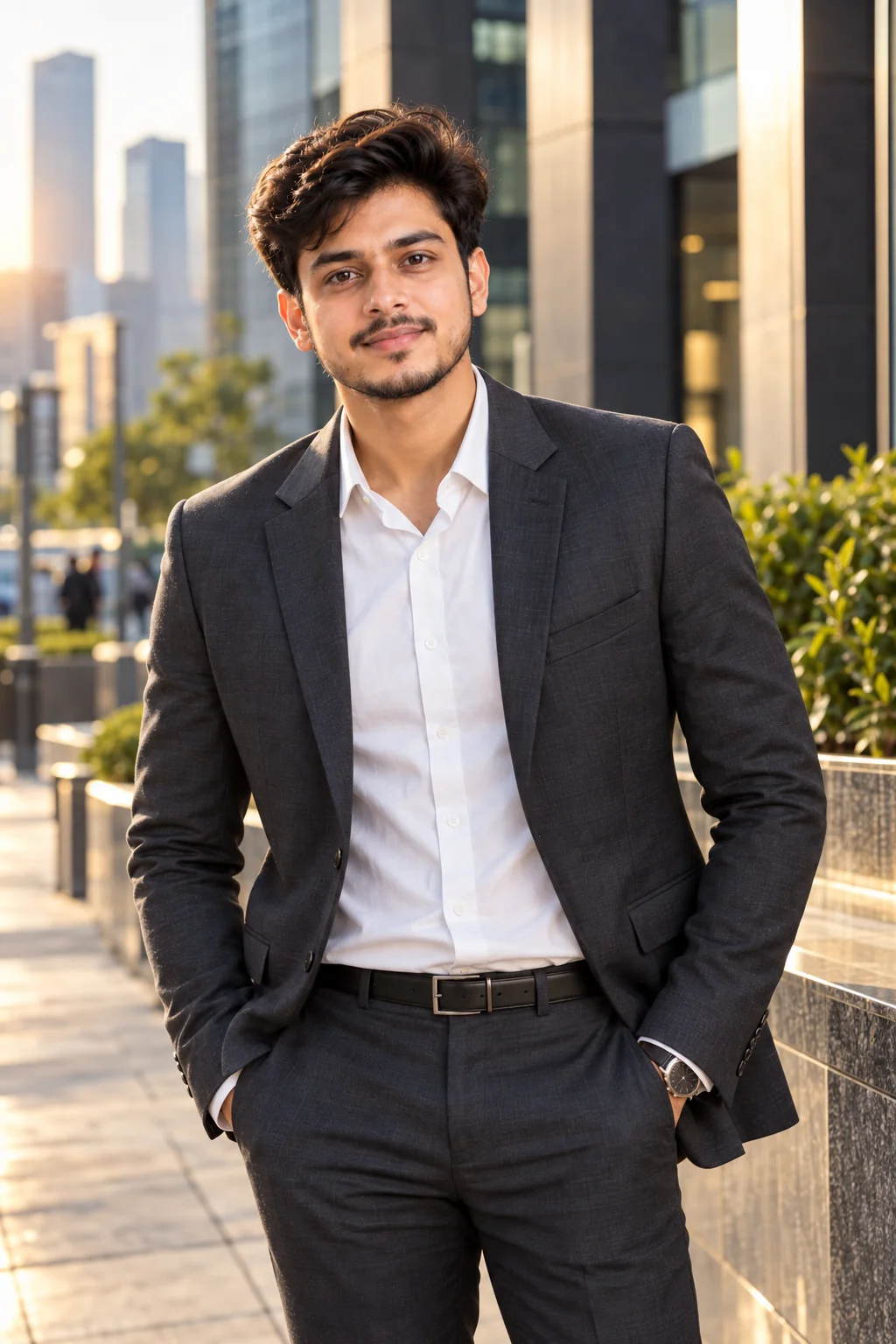
Prompt
Create a realistic outdoor professional portrait of a confident adult man photographed in a sophisticated urban business district. Preserve his recognizable face, natural skin texture, hairstyle and identity from the reference photo. He is wearing a tailored dark gray suit with a clean white shirt and subtle accessories. Position him standing naturally on a modern city sidewalk near contemporary office buildings, with a relaxed posture and confident but approachable facial expression. Capture the image during golden-hour daylight with soft warm sunlight illuminating the face from one side and gentle natural shadows. Use a shallow depth of field to blur the city background while retaining enough architectural detail to communicate a professional business environment. Premium full-frame camera photography, realistic skin, detailed clothing, natural expression, subtle cinematic color grading, authentic proportions, sharp facial details, elegant composition, photorealistic quality, no text, no watermark.
Use this prompt for personal branding photos, professional social media profiles, entrepreneur portraits and modern business websites.
Tip: Replace the city environment with a recognizable business district or architectural setting that fits the subject's career.
6. Creative Professional Studio Portrait — AI Prompt
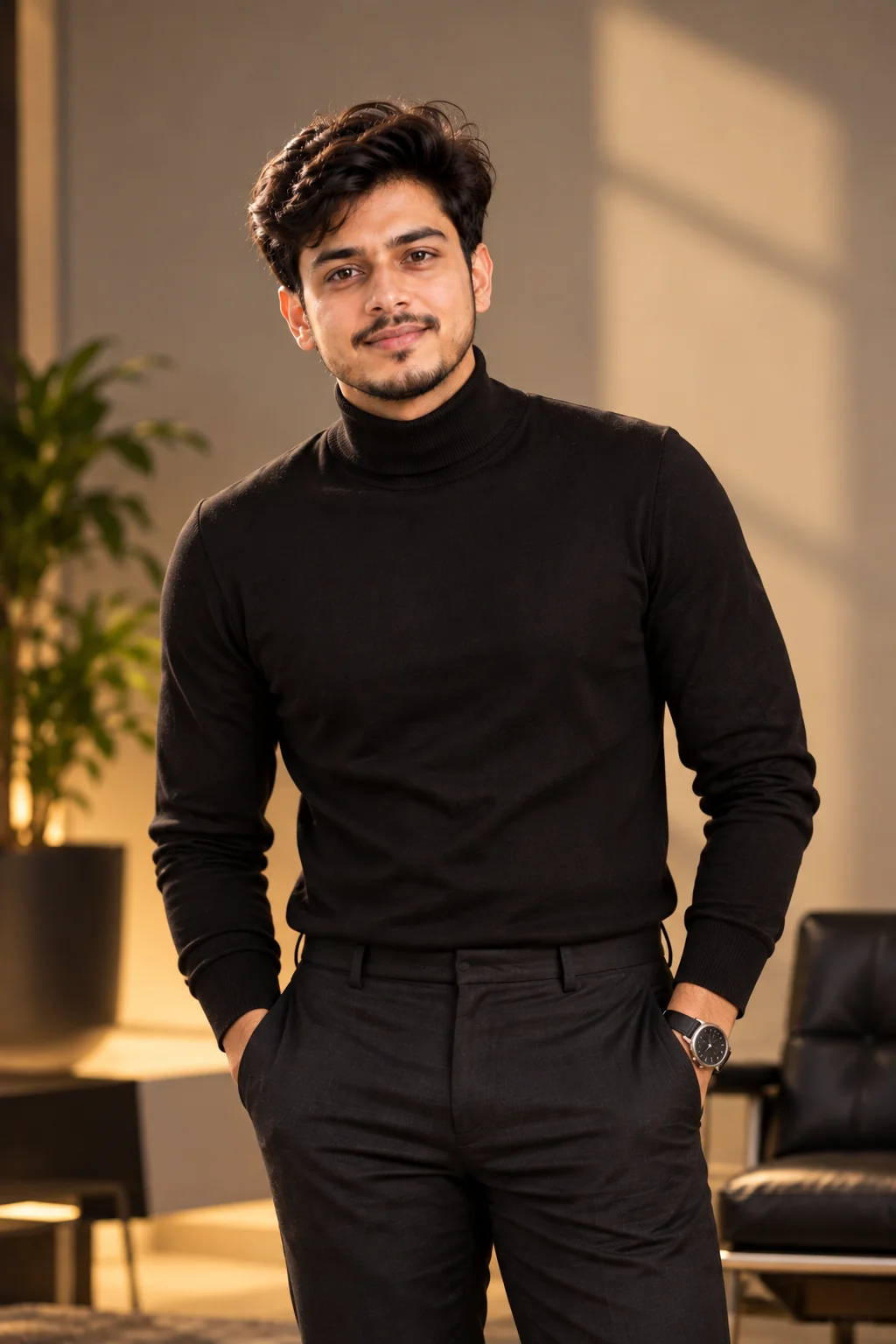
Prompt
Create a high-end editorial studio portrait of a professional adult man with a modern creative-industry aesthetic. Preserve his facial identity and recognizable natural features from the reference image. Style him in a minimalist black turtleneck and tailored dark trousers for a sophisticated contemporary appearance. Use a clean studio environment with a warm neutral background and subtle architectural shadows. Position the subject in a relaxed standing pose with one shoulder slightly angled toward the camera and a calm confident expression. Use controlled professional studio lighting with a large softbox as the key light, gentle fill light and subtle background illumination. The image should feel like a premium magazine-style professional portrait while remaining appropriate for a business profile. Highly realistic skin texture, natural hair, detailed clothing, sophisticated composition, realistic shadows, premium photography, subtle film-inspired color grading, sharp facial features, no text, no watermark.
Use this prompt for designers, developers, photographers, entrepreneurs, creators, architects and other creative professionals.
Tip: Change the outfit and background tone to reflect the creative field you work in.
7. Professional Tech Founder Portrait — AI Prompt
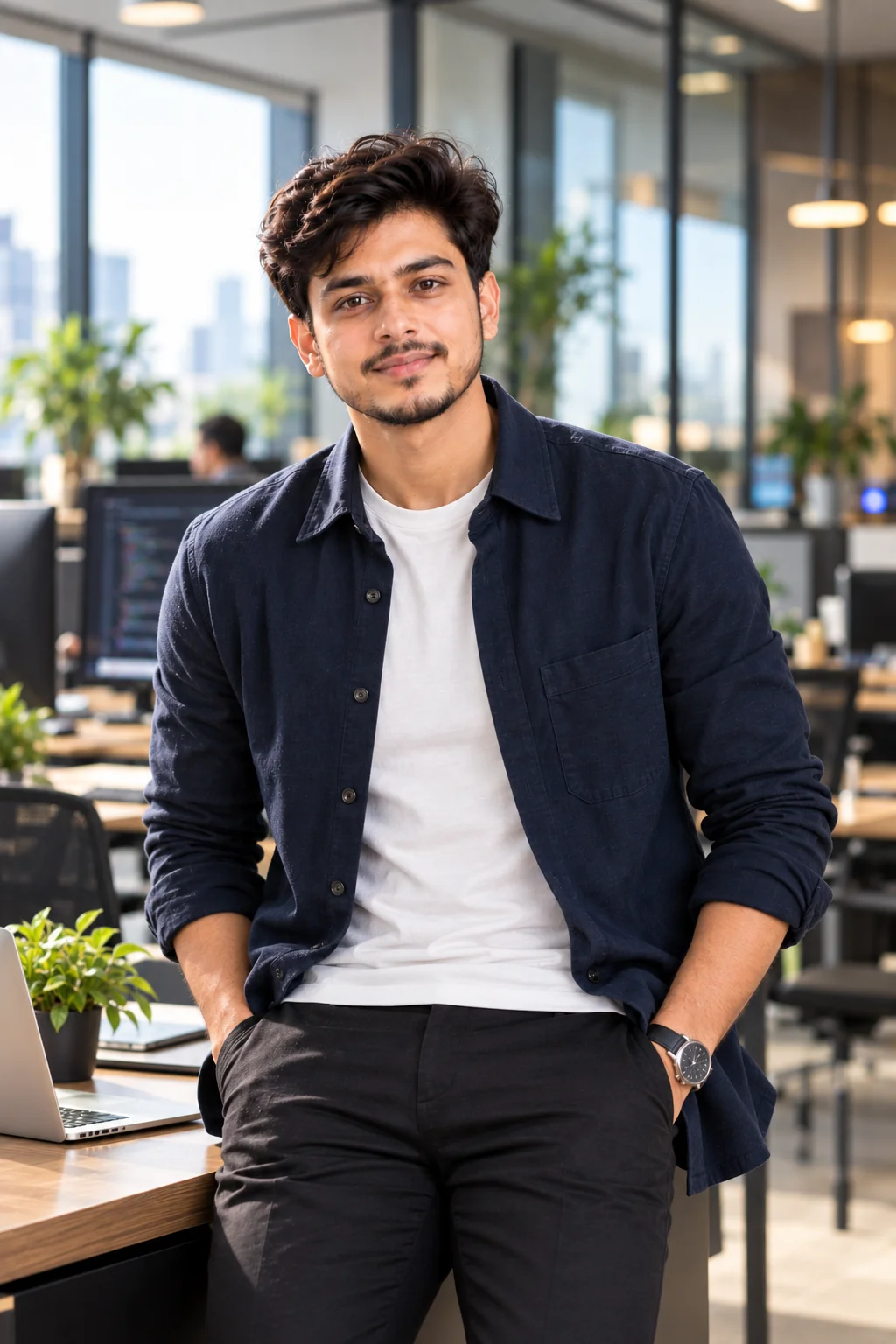
Prompt
Generate a highly realistic professional portrait of a confident technology founder or startup executive in a modern technology workspace. Maintain the person's recognizable facial features, identity, hairstyle and natural appearance from the reference image. Dress him in a premium dark blue overshirt layered over a simple neutral shirt, creating a polished technology-founder aesthetic. Position him naturally in a modern office surrounded by subtle glass walls, workstations and soft technology-inspired details. Avoid futuristic clichés and keep the environment realistic and sophisticated. Use soft directional window lighting with subtle fill illumination and a gentle rim light around the subject. Create a medium portrait composition with natural eye contact and a confident approachable expression. Photorealistic camera quality, realistic skin texture, natural pores, detailed fabric, shallow depth of field, balanced contrast, modern color grading, authentic professional photography, no text, no watermark.
Use this prompt for startup founders, software engineers, technology executives, product managers and professionals in the tech industry.
Tip: Add subtle workplace details such as a laptop, product screen or modern office environment without making the image look staged.
8. Professional Resume Headshot — AI Prompt
Prompt
Create a clean, highly realistic professional resume headshot of an adult man suitable for a CV, job application and professional portfolio. Preserve his exact recognizable facial identity and natural appearance from the reference image. Dress him in a well-fitted navy blazer and plain white shirt with a simple professional appearance. Use a centered head-and-shoulders composition with the subject looking directly into the camera and maintaining a calm, confident and approachable expression. Place him against a simple light gray or off-white studio background with no distracting objects. Use soft evenly distributed studio lighting that produces natural skin tones, minimal harsh shadows and clear facial details. Maintain realistic skin texture, natural hair, accurate facial proportions and subtle professional retouching. The result should resemble an authentic professional photographer's corporate headshot, with balanced exposure, sharp focus on the eyes, clean framing, realistic colors, no text, no watermark.
Use this prompt for resumes, CVs, job portals, employee profiles, professional portfolios and internship applications.
Tip: Keep the background simple and neutral when the image will be used on a resume or job application.
9. Premium Personal Branding Portrait — AI Prompt
Prompt
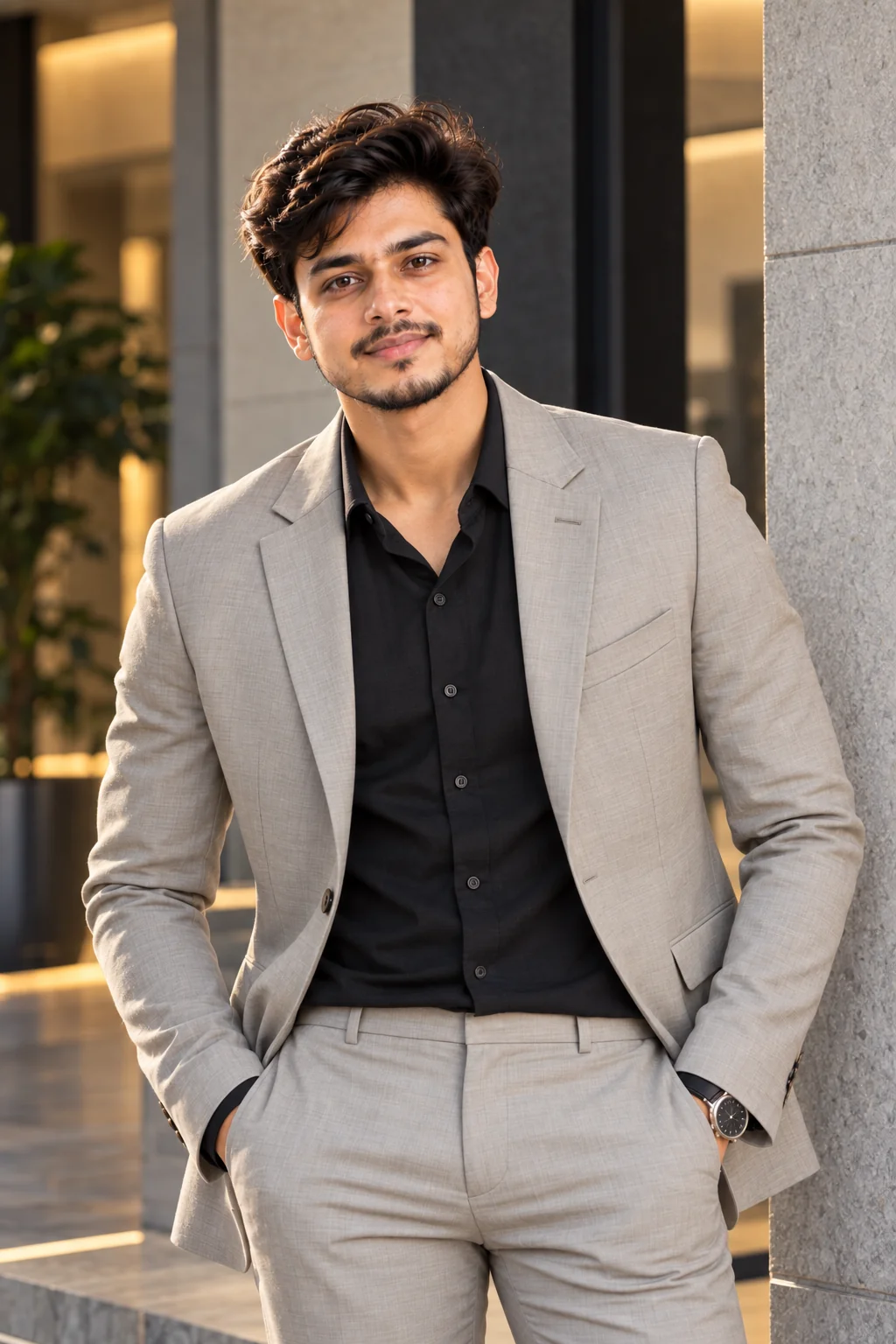
Create a premium personal branding portrait of a stylish professional adult man photographed in a sophisticated modern environment. Preserve the person's recognizable facial identity, natural features, hairstyle and authentic appearance from the reference photo. Dress him in a perfectly tailored beige or light gray suit with a premium dark shirt, creating an elegant contemporary appearance. Pose him naturally in a modern architectural setting with clean lines, textured walls and subtle neutral tones. Use soft directional lighting with a cinematic highlight along one side of the face and gentle fill on the opposite side. The expression should be confident, intelligent and approachable rather than overly serious. Use a high-end editorial photography style with realistic skin texture, detailed fabric, natural hair, accurate anatomy, shallow depth of field, premium lens rendering, sophisticated neutral color grading and balanced contrast. The final result should look like a professional personal branding campaign, no text, no watermark.
Use this prompt for entrepreneurs, consultants, freelancers, public speakers, creators and professionals building a strong personal brand.
Tip: Choose clothing colors that match your website, portfolio or personal brand palette for a consistent visual identity.
10. Confident Professional Social Media Portrait — AI Prompt
Prompt
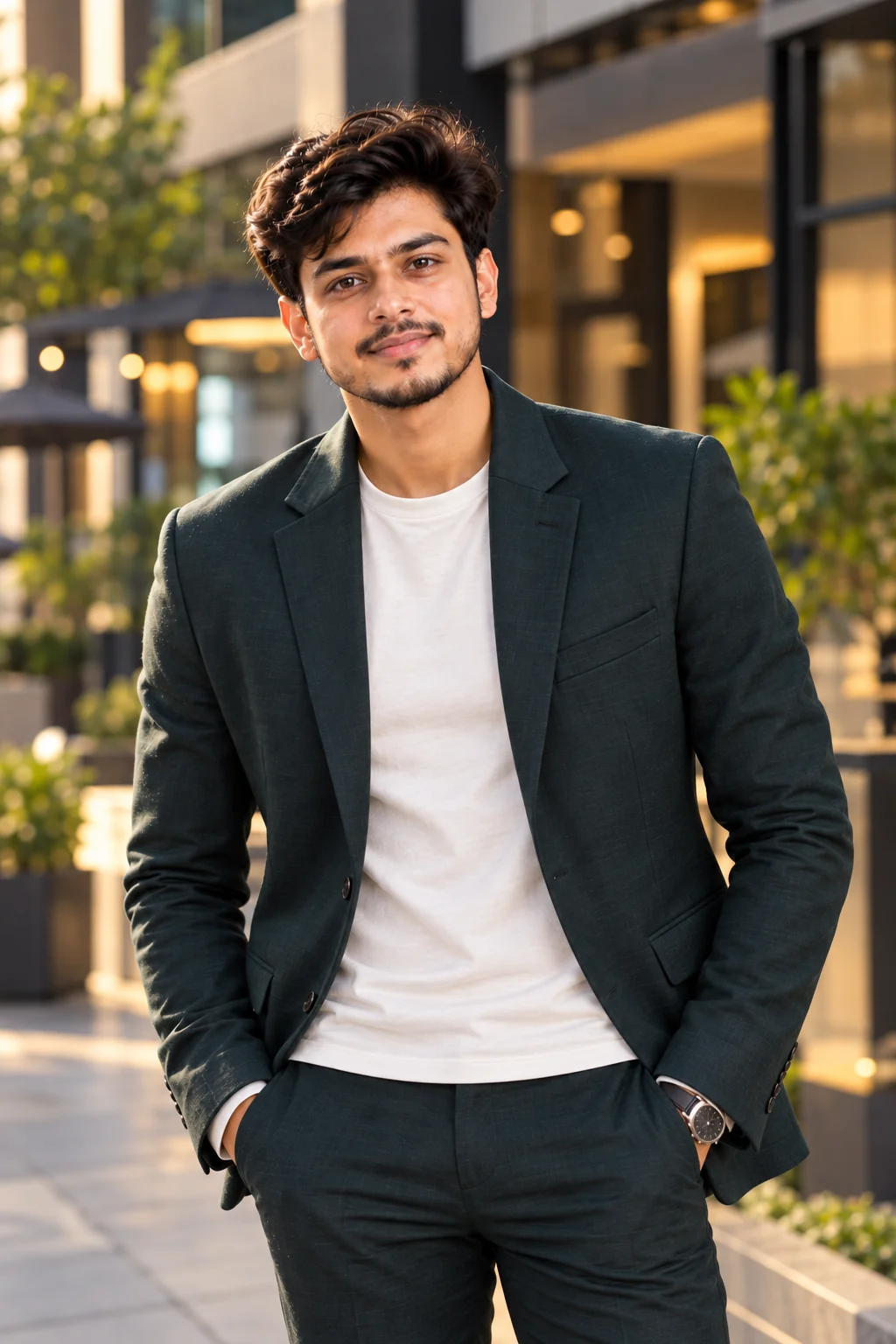
Generate a photorealistic modern professional social media portrait of an adult man with a confident and approachable personality. Preserve his recognizable facial identity and natural characteristics from the reference image. Dress him in a sophisticated dark green or navy blazer over a clean neutral shirt, combining professional style with a contemporary social-media-friendly appearance. Frame the image from approximately the waist up, with the subject standing naturally and slightly angled toward the camera. Give him a subtle authentic smile and relaxed confident posture. Place him in a stylish modern urban environment with softly blurred architecture and warm ambient light in the background. Use professional portrait lighting that keeps the face bright and natural while creating gentle depth and separation from the background. High-end full-frame photography, realistic skin texture, natural hair, detailed clothing, realistic hands and proportions, crisp eyes, shallow depth of field, tasteful cinematic color grading, balanced composition, polished but authentic appearance, no text, no watermark.
Use this prompt for professional Instagram profiles, business social media accounts, creator profiles, networking platforms and personal branding content.
Tip: Use a subtle smile and a less formal outfit if you want the image to feel professional while still being personable.
Professional photos are no longer limited to traditional studio sessions. With carefully written AI prompts, you can explore different professional looks, environments, outfits, poses and lighting styles while keeping your visual identity consistent. These AI prompts for professional men photos can be adapted for LinkedIn, resumes, company websites, portfolios, social media and personal branding campaigns. For the most realistic results, start with a clear reference photo, describe the desired clothing and environment precisely, and avoid asking for excessive skin smoothing or unrealistic facial changes. Experiment with small adjustments to lighting, camera angle, expression and background until you find a style that represents you naturally and professionally.
Why These Prompts Work So Well
Professional AI portraits work best when the prompt gives the image generator enough visual information to understand the intended photography style. Instead of simply asking for a professional photo, these prompts describe the subject, wardrobe, pose, lighting, environment, composition and overall mood. This helps create images that feel more intentional, realistic and suitable for professional use.
Photography Details
Each prompt includes camera-style direction, framing, depth of field and portrait composition to make the result feel closer to a professionally photographed image.
Clear Visual Direction
The prompts describe clothing, expressions, poses, environments and lighting so the AI has a clearer understanding of the desired professional appearance.
Natural Facial Details
Instructions for realistic skin texture, natural expressions, recognizable facial features and sharp eyes help avoid overly artificial-looking professional portraits.
Professional Composition
Different framing styles are included for headshots, waist-up portraits, three-quarter compositions and environmental business photos.
Easy Customization
You can quickly change the suit color, office setting, lighting, hairstyle, expression and background to create a professional image that matches your personal brand.
Frequently Asked Questions
What are the best AI prompts for professional men photos?
The best AI prompts for professional men photos clearly describe the subject, clothing, pose, lighting, background, camera composition and desired photography style. Corporate headshots, LinkedIn portraits, executive photos, business casual portraits and personal branding images are some of the most useful styles.
Can I use AI-generated professional photos for LinkedIn?
Yes, an AI-generated professional portrait can be used for a LinkedIn profile when it accurately represents you and follows LinkedIn's current policies. For the most credible result, use a clear reference image and avoid changing important facial characteristics or creating an appearance that does not realistically represent you.
How do I make an AI professional headshot look realistic?
Use a high-quality reference photo and describe realistic skin texture, natural facial proportions, authentic lighting and professional photography. Avoid excessive beauty retouching, unrealistic skin smoothing and overly dramatic effects. Specific instructions about camera angle, lens style, lighting and background can also improve realism.
What should men wear in an AI professional photo?
A tailored suit, blazer, dress shirt, business casual shirt or minimalist professional outfit can work well. Choose clothing based on your industry and intended use. Corporate roles may benefit from formal suits, while technology, creative and startup professionals may look more natural in smart business-casual clothing.
Can these AI prompts be customized for different careers?
Yes. These prompts can be adapted for software engineers, doctors, lawyers, executives, entrepreneurs, designers, consultants, photographers, students, recruiters and many other professionals. You can customize the clothing, workplace, background, expression and overall visual style to match the career.
How can I create a professional AI photo without making it look fake?
Keep the prompt focused on realistic photography rather than excessive effects. Request natural skin texture, authentic expressions, realistic lighting, accurate anatomy and subtle retouching. A simple professional background and natural pose often produce a more believable result than an overly cinematic or heavily edited scene.
About the Author
Jitendra Patra
AI Prompt Researcher & Software Engineering Student
✦ Prompt Engineering Research✦ Gemini & Generative AI Focus❖ Prompt Development & Research
Jitendra Patra is a software engineering student and AI prompt researcher specializing in Google Gemini and generative image models. He actively experiments with structured prompt engineering techniques to produce high-quality, reproducible visual outputs.
His work focuses on iterative prompt development, with attention to subject, lighting, composition, and visual style.
The prompts in this guide are developed with attention to structure, detail, and visual quality.