Instagram's Viral ChatGPT 80s Photo Trend: Full Guide & Prompts (2026)
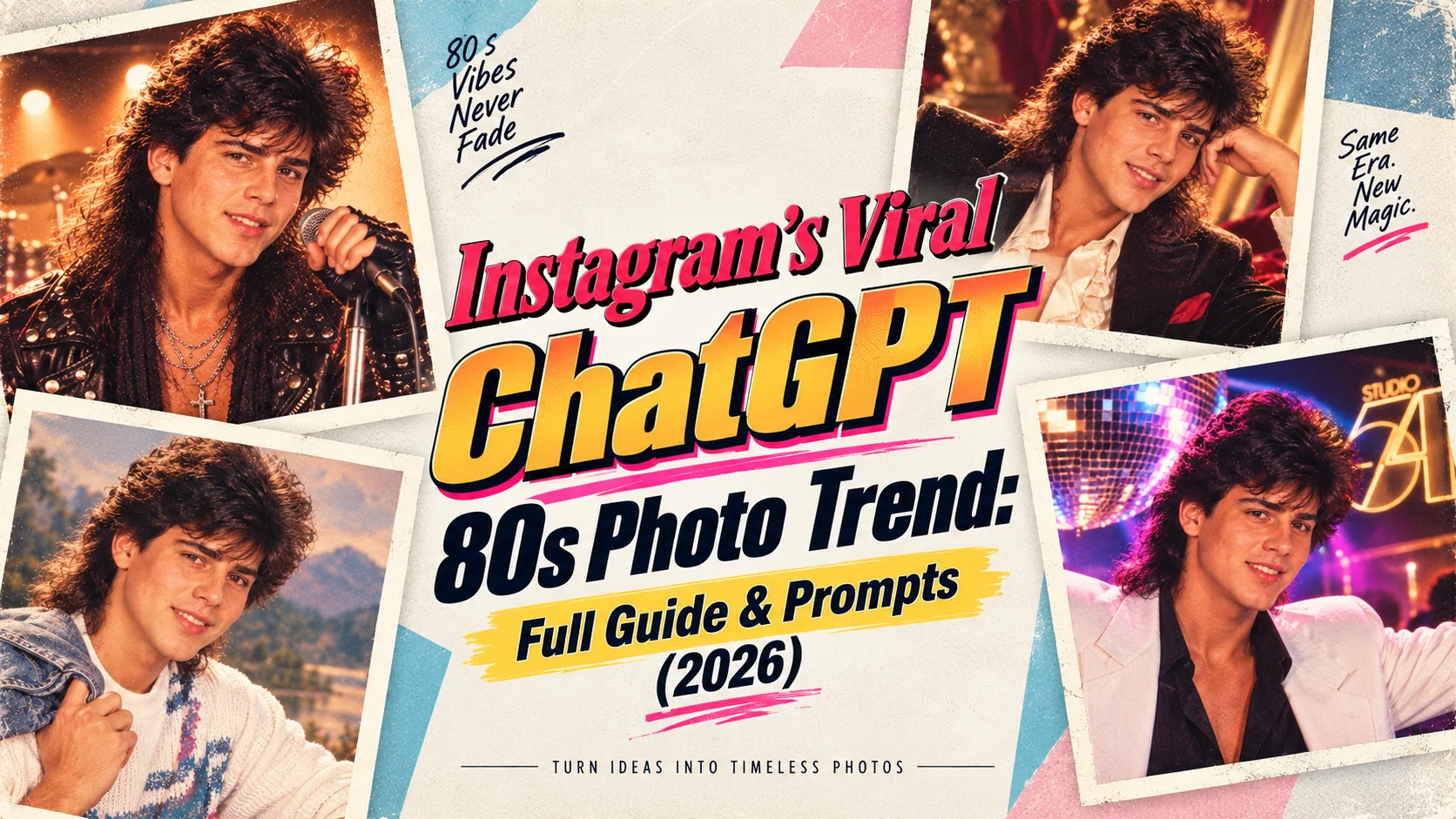
If you've scrolled Instagram recently, you've almost certainly seen them flooding your feed: stunning retro portraits styled like 1980s mall studio photos, neon-lit synthwave headshots, and high school yearbook pictures — but of real people in 2026. This is the ChatGPT 80s photo trend, and it has become one of Instagram's fastest-spreading AI content trends of the year. In this complete guide, we'll explain exactly what the trend is, why it went viral, how to do it yourself step-by-step, which exact prompts to use for the most popular 80s styles, and how to post your results for maximum Instagram engagement. Whether you're a complete beginner who's never used an AI image generator before or a content creator looking to ride the trend wave strategically, this guide covers everything you need to know.
- Why this trend went viral — the psychology behind 80s nostalgia content
- Step-by-step tutorial — from photo upload to Instagram post
- 10 ready-to-use prompts — the exact ones going viral right now
- Which AI tools to use — ChatGPT, Gemini, Midjourney & free alternatives
- Instagram strategy — hashtags, formats, and posting times that maximise reach
The ChatGPT 80s photo trend is genuinely one of those rare internet moments where technology, nostalgia, and social media psychology align perfectly. The 1980s aesthetic resonates across generations: people who lived through the decade feel nostalgic, while younger audiences find the retro style cool and visually distinctive in an era of overly polished, filter-heavy modern photography. Add the “wow factor” of AI technology producing genuinely high-quality results, and the before-and-after format that Instagram's algorithm rewards, and you have all the ingredients for a viral trend. This guide gives you everything you need to participate — and to stand out from the millions already doing it.
What Is the Instagram ChatGPT 80s Photo Trend?
The ChatGPT 80s photo trend is a viral social media phenomenon where people use AI image generators — primarily ChatGPT with DALL·E 3 — to transform their modern photos into stunning retro 1980s-style portraits. The results are shared on Instagram, typically in a side-by-side before-and-after format: your original 2026 photo on one side, and your AI-generated 1980s version on the other.
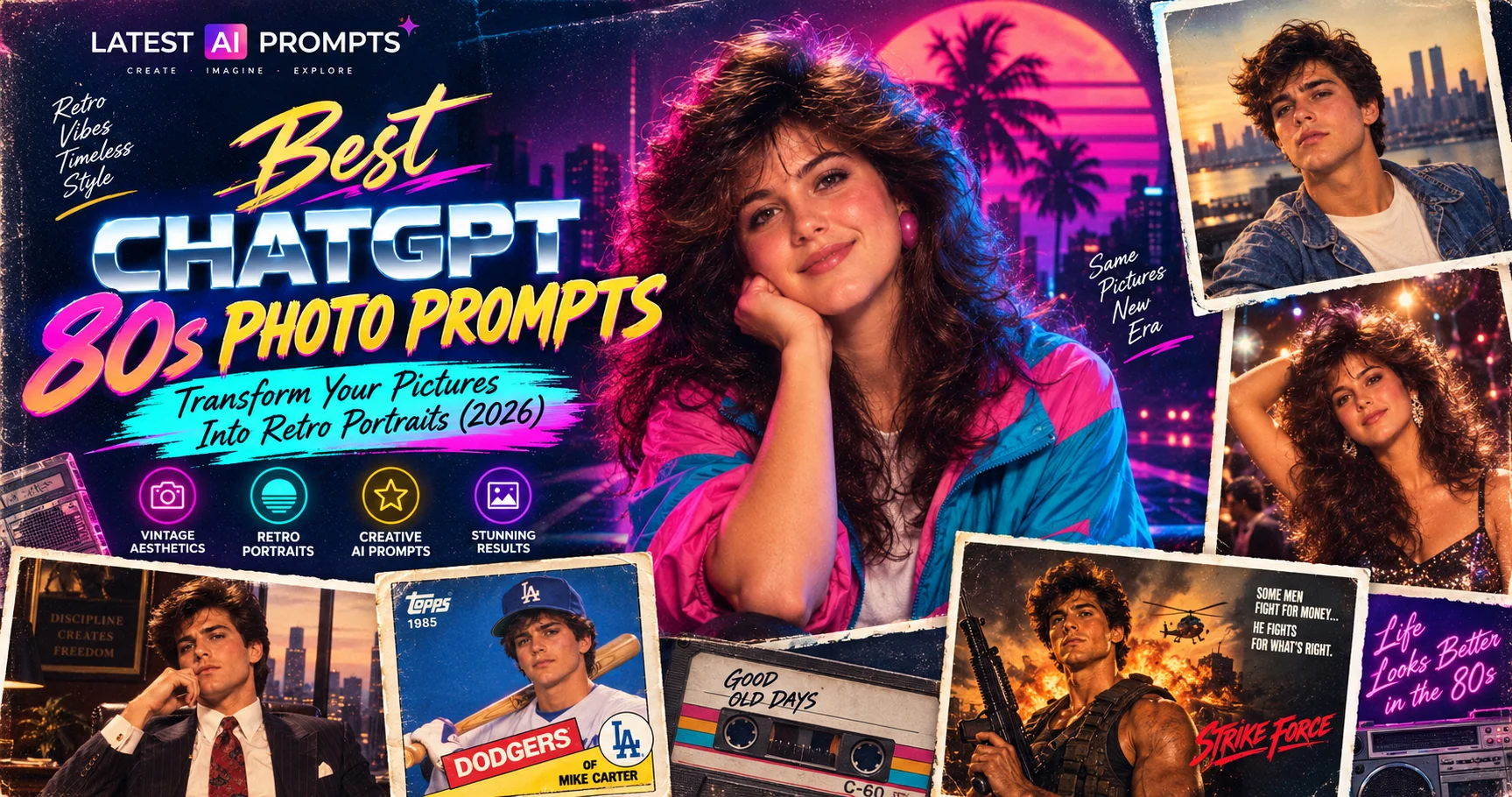
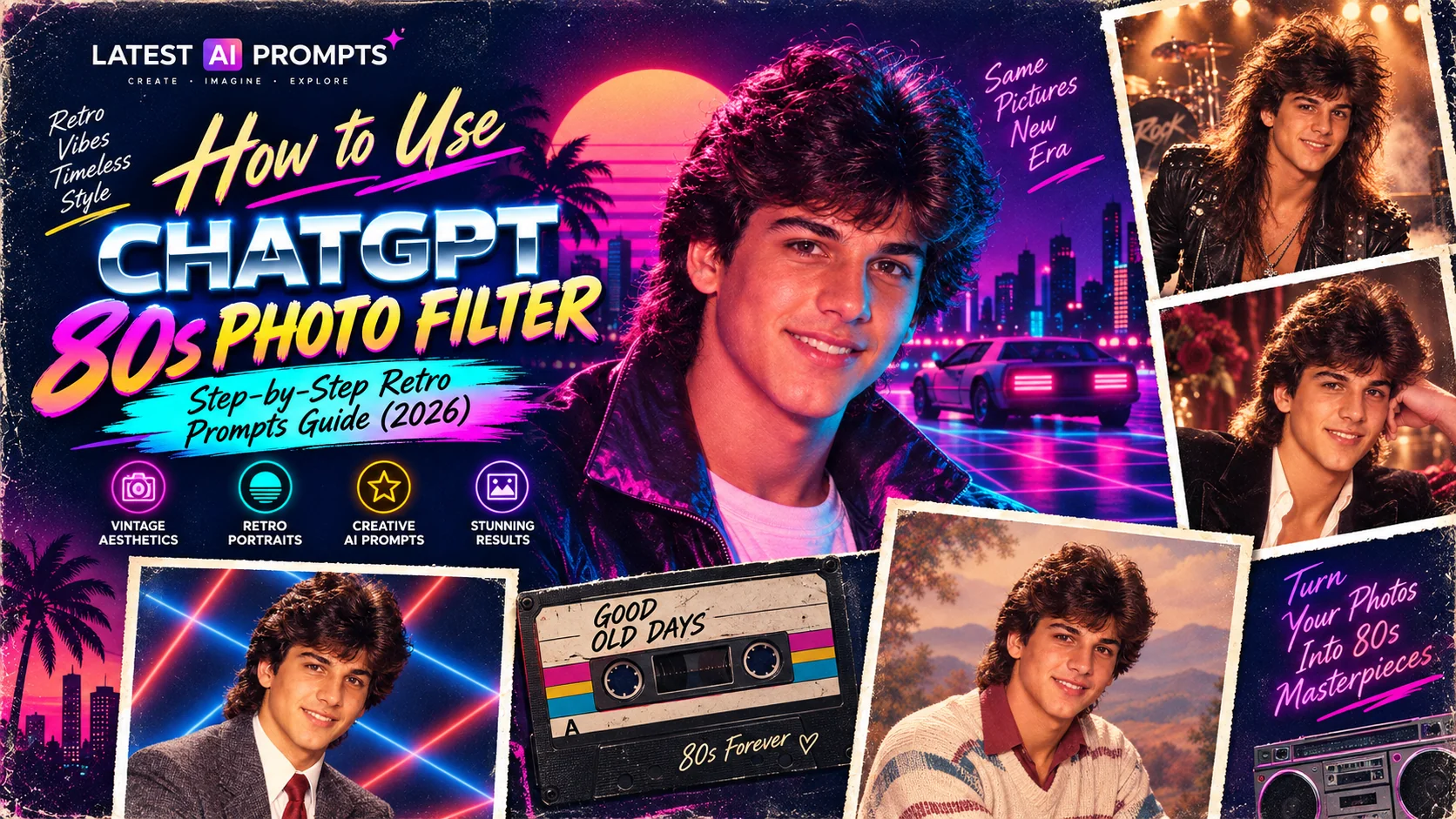
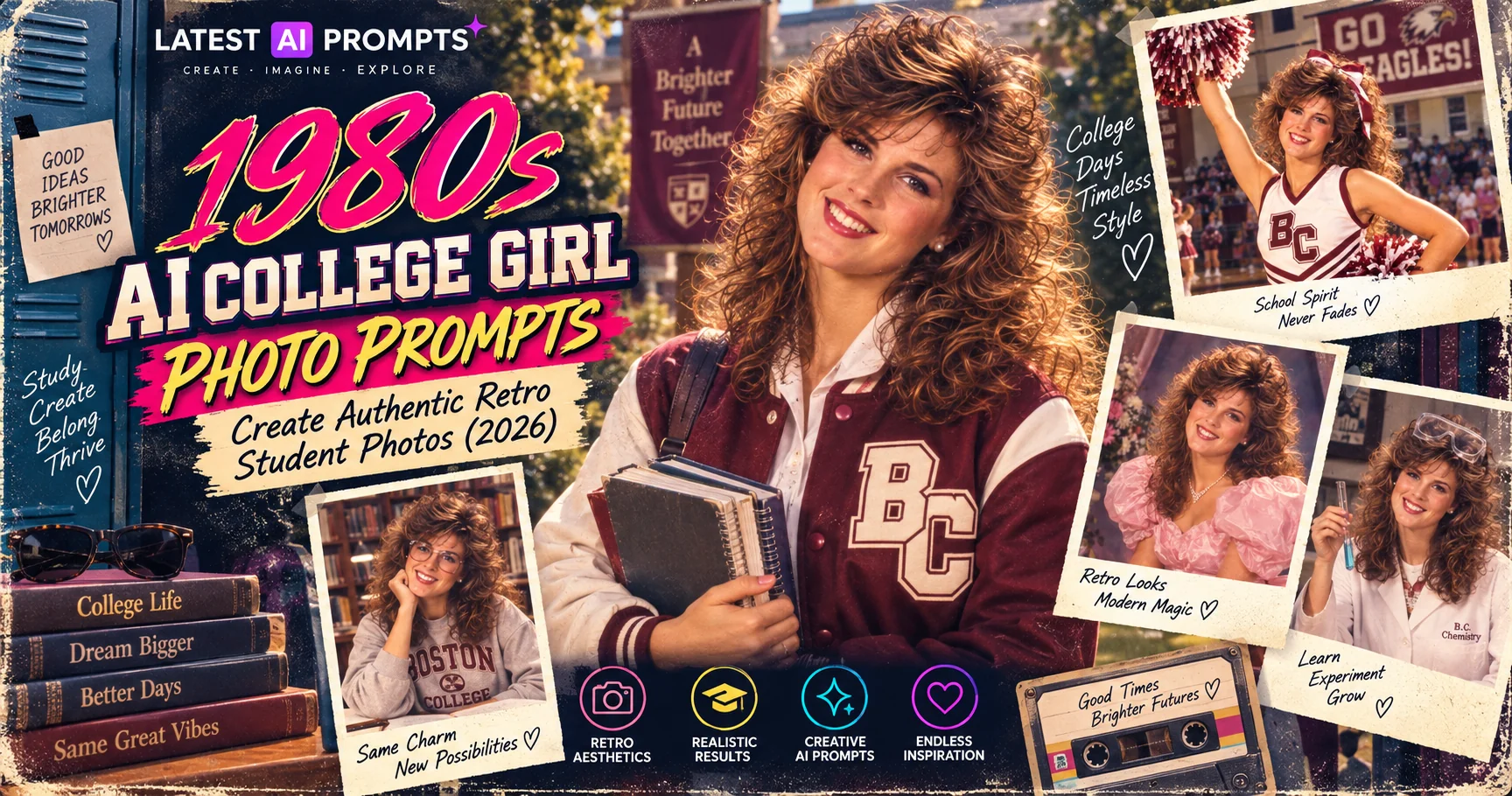
The trend covers a wide range of 80s photographic aesthetics. The most viral versions include the laser background school yearbook portrait, the neon synthwave portrait, the mall portrait studio photo, the glam rock star promo shot, and the Hollywood glamour photograph. Each style captures a specific cultural moment from the decade, and together they represent the full visual spectrum of 1980s photography.
What makes this trend different from previous AI photo filters is the level of detail and authenticity in the results. Unlike simple Instagram filters that apply a generic “vintage” overlay, ChatGPT 80s prompts produce images that genuinely look like they were photographed in the 1980s — complete with era-specific film grain, period-accurate lighting, and culturally authentic styling details like laser backdrops, big hair, shoulder pads, and power suits.
When Did It Start?
The trend began gaining significant momentum in mid-2026 when several popular Instagram creators and influencers shared their AI-generated 80s portraits. The posts received millions of engagements, and the trend quickly spread as their followers attempted to recreate the effect. By August 2026, “ChatGPT 80s photo” had become one of the top-searched AI-related terms globally.
How Big Is It?
Posts tagged with #ChatGPT80s, #80sPhotoTrend, and #RetroAIPortrait have collectively accumulated hundreds of millions of views on Instagram and TikTok as of September 2026. The trend is active across all age groups and geographies, with particularly high adoption in India, the United States, Brazil, and the United Kingdom.
Who Is Doing It?
Everyone — from teenagers discovering AI tools for the first time to professional photographers exploring AI-assisted retro portraiture, from social media creators building follower counts to regular Instagram users who just want to see what they would have looked like in 1985. The democratic accessibility of ChatGPT is a key driver: anyone with a smartphone and a free account can participate.
What Tools Are Used?
The primary tool is ChatGPT with DALL·E 3 (free tier available). Other widely used tools include Google Gemini (free, excellent colour grading), Midjourney (paid, highest quality), Adobe Firefly (free trial, commercially safe), and Microsoft Copilot Designer (free, powered by DALL·E). Each tool produces slightly different results with the same prompts, so experimenting across tools is worthwhile.
Why Did the ChatGPT 80s Photo Trend Go Viral on Instagram?
Understanding why this trend went viral helps you participate in it more strategically. The ChatGPT 80s photo trend succeeded for several interconnected psychological, technological, and social media algorithmic reasons:
Universal 80s Nostalgia
The 1980s occupy a uniquely powerful position in collective cultural memory. For people who were alive in the decade, the visual cues — laser yearbook backdrops, mall portrait studios, big hair, neon lights — trigger immediate and powerful nostalgia. For younger generations, the 80s aesthetic represents a coolly retro, analogue-era counterpoint to the hyper-polished digital world they've grown up in. This cross-generational appeal means the content resonates with virtually every demographic on Instagram.
The Before-and-After Format
Instagram's algorithm strongly favours content that keeps users engaged on-screen, and the before-and-after format is one of the platform's most reliably high-performing content structures. Showing your modern 2026 photo next to your AI-generated 80s portrait creates instant visual contrast that compels viewers to stop scrolling, compare the images, and engage. This format also makes the content shareable — people tag friends and family with “this would be you in 1985” captions.
Genuinely Impressive AI Quality
Previous AI photo filter trends produced results that were obviously artificial — fun but clearly not realistic. The ChatGPT 80s trend produces results that can genuinely look like period-accurate photographs. This “wow factor” — the moment when someone sees how convincingly the AI has recreated the visual language of 1980s photography — drives immediate sharing behaviour. People want to show the result to friends and family because the quality is genuinely surprising.
Low Barrier to Entry
The trend requires no photography skills, no Photoshop knowledge, no creative writing ability, and no technical expertise. You need one thing: a photo and a ChatGPT account (free). The prompts are widely shared online, so users don't even need to write their own. This extreme accessibility means that anyone who sees the trend on Instagram can participate immediately, creating the virtuous cycle of exponential content production that defines a true viral trend.
Step-by-Step: How to Do the ChatGPT 80s Photo Trend
Follow these steps to create your own viral 80s portrait — from choosing your photo to posting on Instagram:
Step 1: Choose Your Photo
Select a clear, well-lit photo where your face is the primary subject. Ideal characteristics: face clearly visible and centred, good natural or studio lighting, neutral or simple background (AI handles the background replacement), and an expression you're happy to have replicated in retro style. Avoid very dark, blurry, or heavily filtered photos — the AI needs clear information about your facial features to produce the best transformation. A standard portrait or headshot works perfectly.
Step 2: Open ChatGPT
Go to chat.openai.com and log in (or create a free account). Make sure you're in a conversation that supports image generation — ChatGPT with DALL·E 3. Alternatively, open Google Gemini (gemini.google.com), Microsoft Copilot (copilot.microsoft.com), or Adobe Firefly (firefly.adobe.com) — all support similar 80s photo transformation prompts. For the absolute highest quality results, Midjourney (requires paid subscription) consistently produces the most photorealistic 80s portrait transformations.
Step 3: Upload Your Photo
In the ChatGPT chat interface, click the paperclip or image upload icon and select your chosen photo. Wait for it to upload completely before adding the prompt text. In Midjourney, use the /imagine command with your image URL as a reference with the --iw 2 parameter to retain facial features. In Google Gemini, simply paste your image into the chat. The uploaded photo gives the AI a reference for your facial features, skin tone, and expression to carry into the retro transformation.
Step 4: Paste the Prompt
Choose your preferred 80s style from the prompts below and paste it into the chat after uploading your photo. The key is to paste the full prompt exactly as written — every detail serves a specific purpose. Don't shorten it or paraphrase. If the first result isn't quite right, regenerate 2–3 more times using the same prompt — AI generation is probabilistic and results vary between runs. The third or fourth generation often produces the best result.
Step 5: Download & Edit
Download your generated 80s portrait at the highest available quality. For the best Instagram presentation, place it side-by-side with your original photo using free tools like Canva, Snapseed, or your phone's native photo editor. Keep the layout simple: original on left, 80s version on right, or use a square grid format. You can optionally add a subtle film grain texture overlay using Snapseed's “Grainy Film” filter to make the result even more convincingly retro when viewed alongside the original.
Step 6: Post on Instagram
Post as either a carousel post (slide 1: original photo, slide 2: 80s version — the swipe format drives massive engagement) or as a single side-by-side image. For Reels, add trending audio and create a simple “then vs now” transition. Include the hashtags: #ChatGPT80s #80sPhotoTrend #RetroPortrait #AIPhoto #80sAesthetic #VintageVibes #ChatGPTArt. Post between 6pm–9pm your local time for peak Instagram engagement. Tag a friend who should try the trend in your caption to drive further sharing.
The Exact ChatGPT 80s Prompts Going Viral on Instagram
These are the specific prompts that are generating the most-shared 80s retro portraits on Instagram right now. Each one is engineered for maximum era-accuracy and visual impact. Copy and paste them exactly as written after uploading your photo to ChatGPT:
1. Viral Laser Yearbook — Most Shared on Instagram
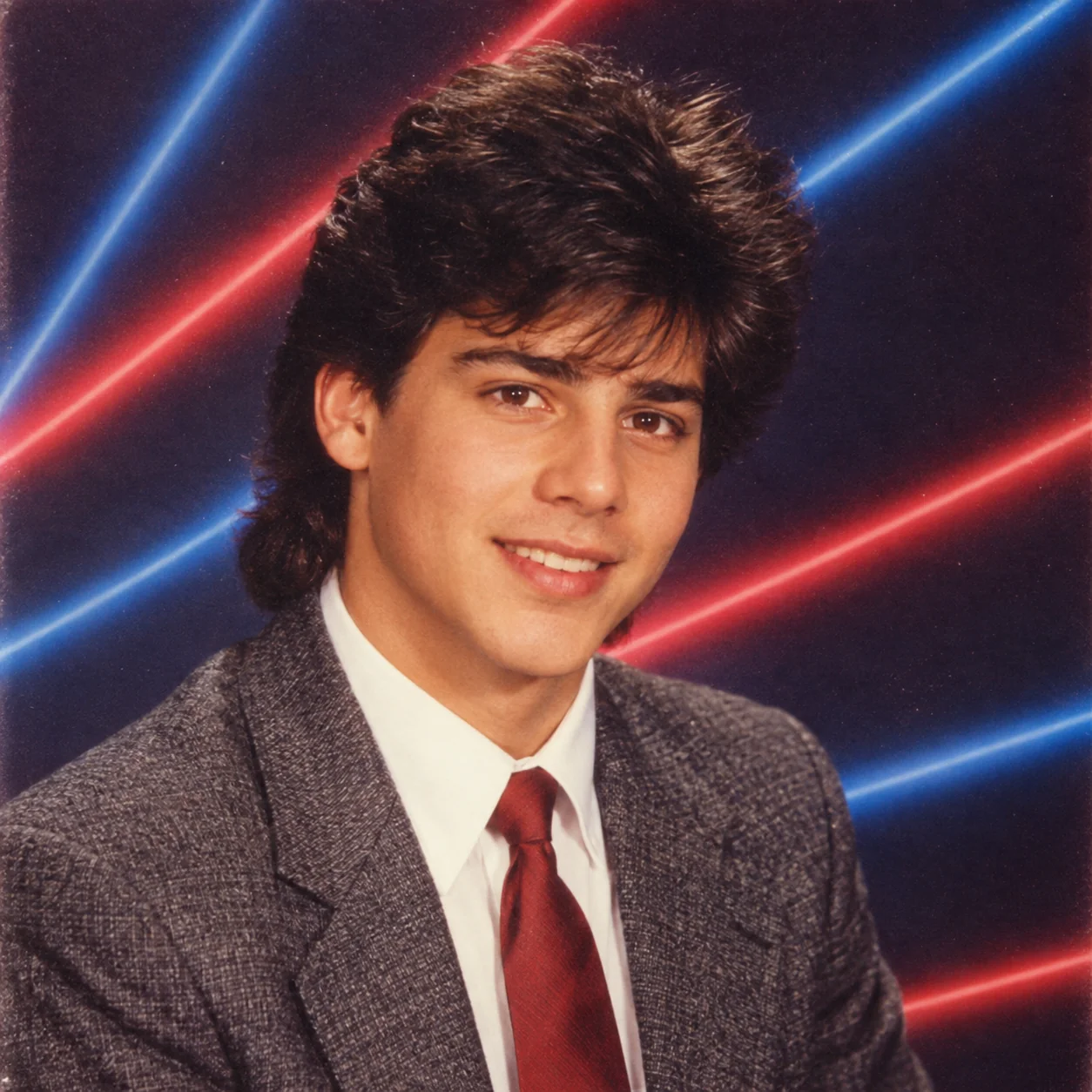
This is the most viral version of the 80s photo trend on Instagram. The laser yearbook backdrop — that distinctive dark background with coloured light beam pattern — is one of the most instantly recognisable visual artefacts of 1980s American school culture. Lifetouch, which photographed the majority of American school portraits in the decade, used this exact setup for millions of portraits. The near-universal recognition of this aesthetic — regardless of whether the viewer actually attended an American school — makes it the most comment-generating style of the entire trend.
2. Neon Synthwave — Most Saved on Instagram
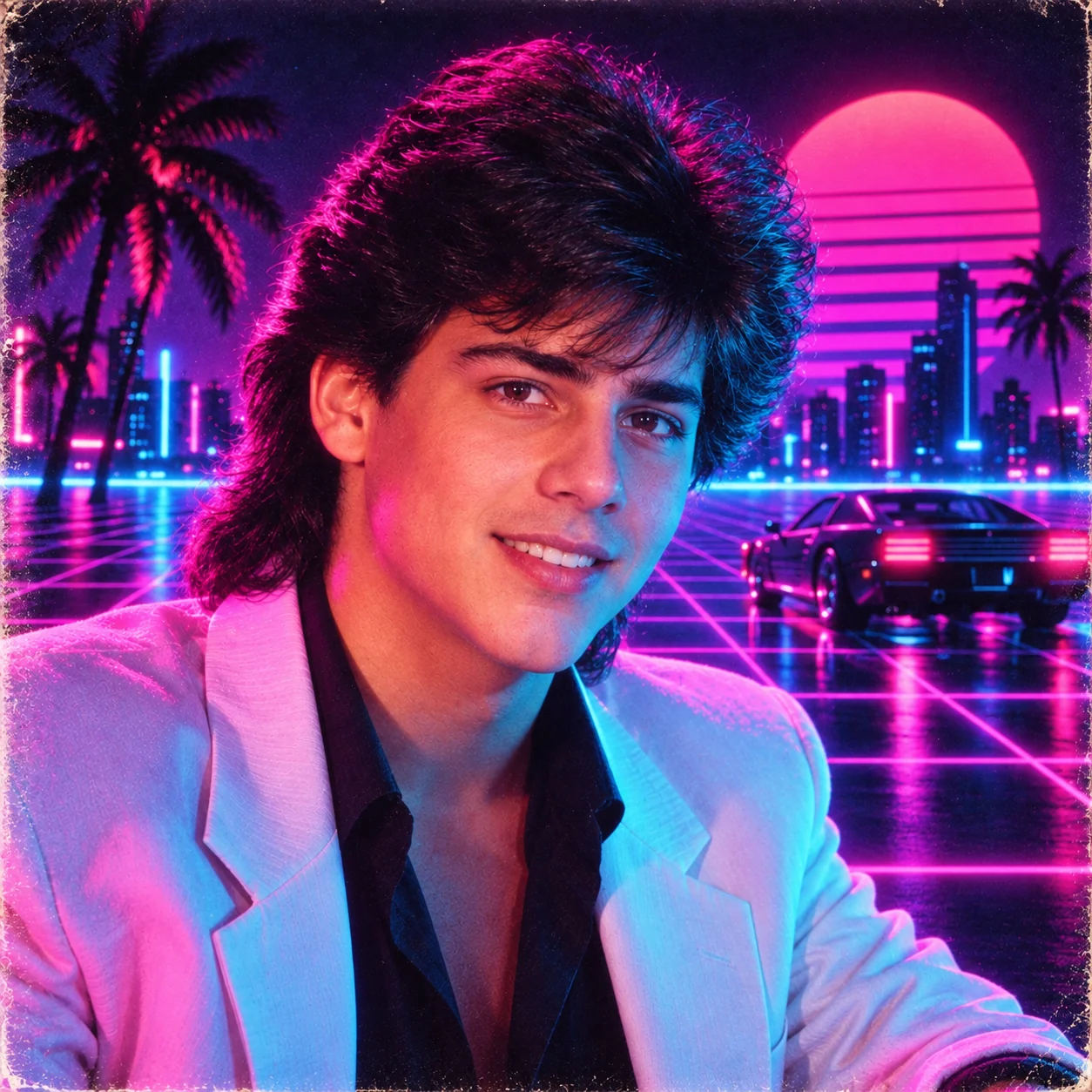
The neon synthwave style is the most saved and shared-to-stories version of the trend. It draws from the visual language of 1980s Miami Vice, early music video production, and the decade's vision of a neon-lit technological future. The vivid cyan-and-magenta palette remains one of the most visually striking combinations available to an AI image generator — it simply stops people mid-scroll. This style is particularly popular as a profile picture update, with many users keeping their neon synthwave portrait as their Instagram profile picture permanently after generating it.
3. Mall Portrait Studio — Most Relatable Style
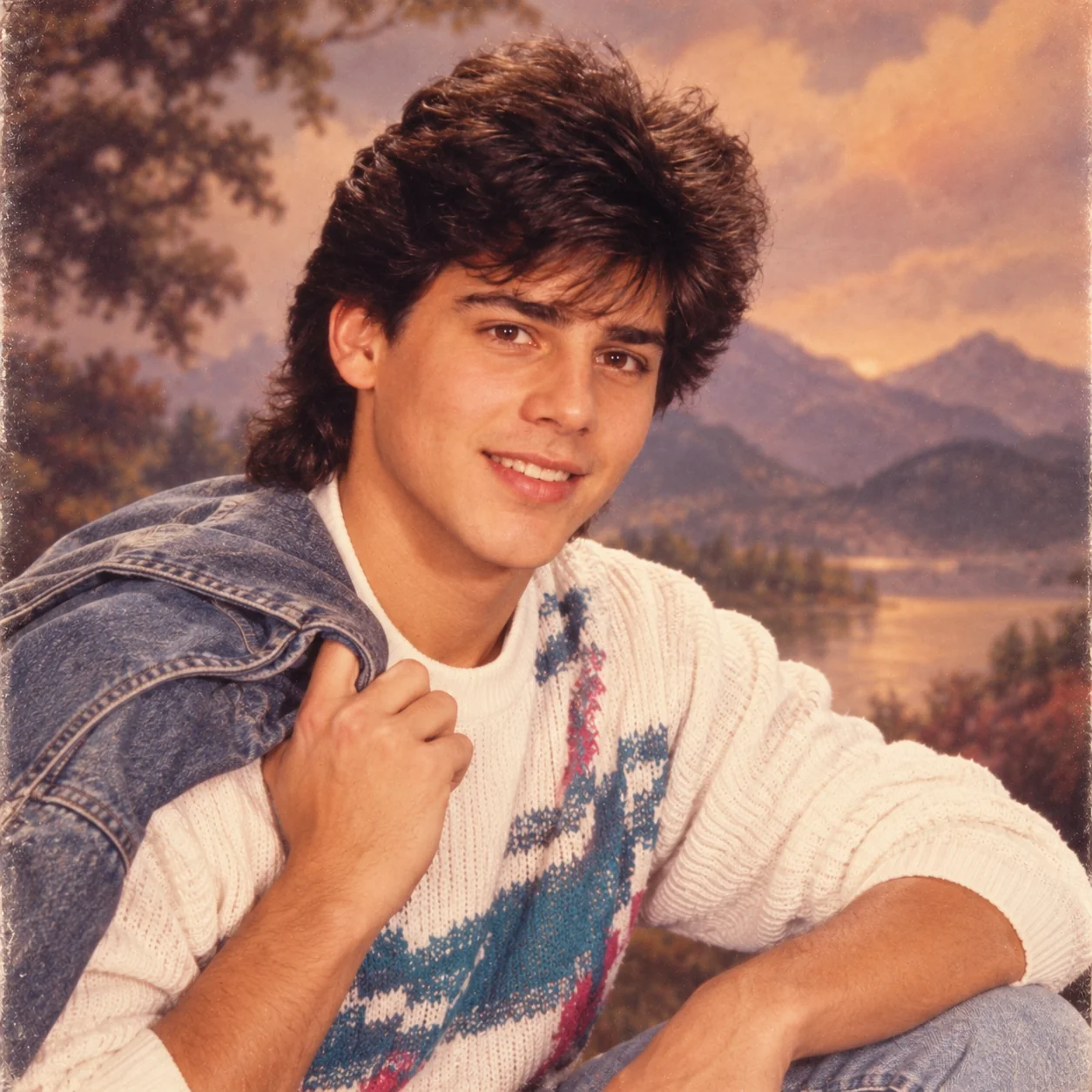
The mall portrait studio style is the most emotionally resonant for audiences who grew up in the United States and Canada in the 1980s. Those painted backdrop cloud-and-mountain scenes, the warm golden studio lighting, and the particular colour cast of Kodak Gold film are embedded in the collective memory of an entire generation. For those who weren't alive in the era, the style reads as charmingly, nostalgically American in a way that crosses cultural borders easily. It consistently generates comments from people sharing their own real mall studio portraits from childhood.
4. Rock Star Promo Shot — Most Entertaining Style
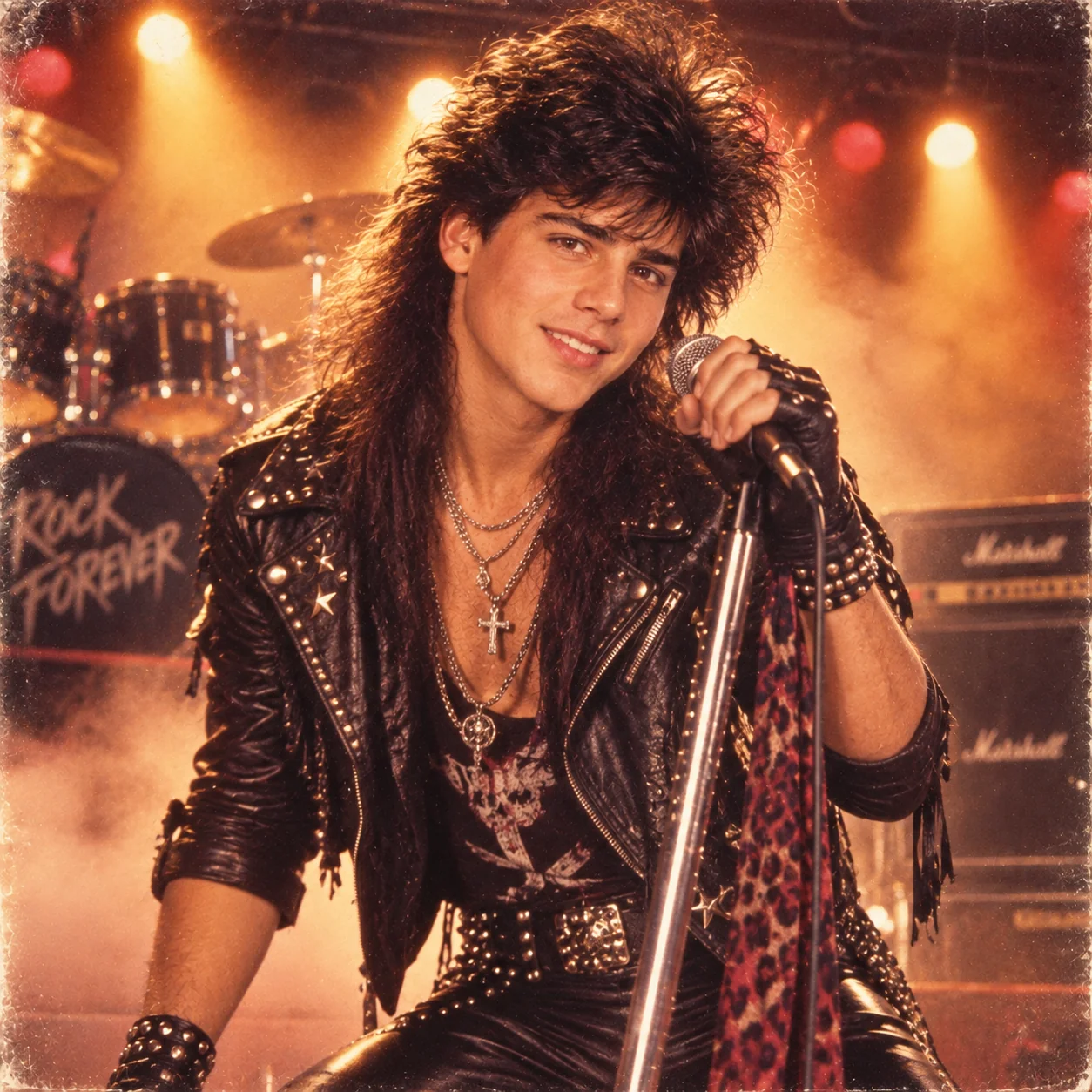
The rock star promotional style is the most entertaining and shareable version of the trend, generating the highest laugh-react and sharing metrics. The dramatic contrast between someone's ordinary 2026 photo and the resulting over-the-top glam metal portrait creates the humorous juxtaposition that Instagram's algorithm rewards most. Bands like Motley Crue and Bon Jovi built entire visual identities around this exact aesthetic — leather, studs, big hair, fog, and amber spotlights — and the AI reproduces it with remarkable accuracy and comic effect.
5. Hollywood Glamour — Most Aesthetic Style
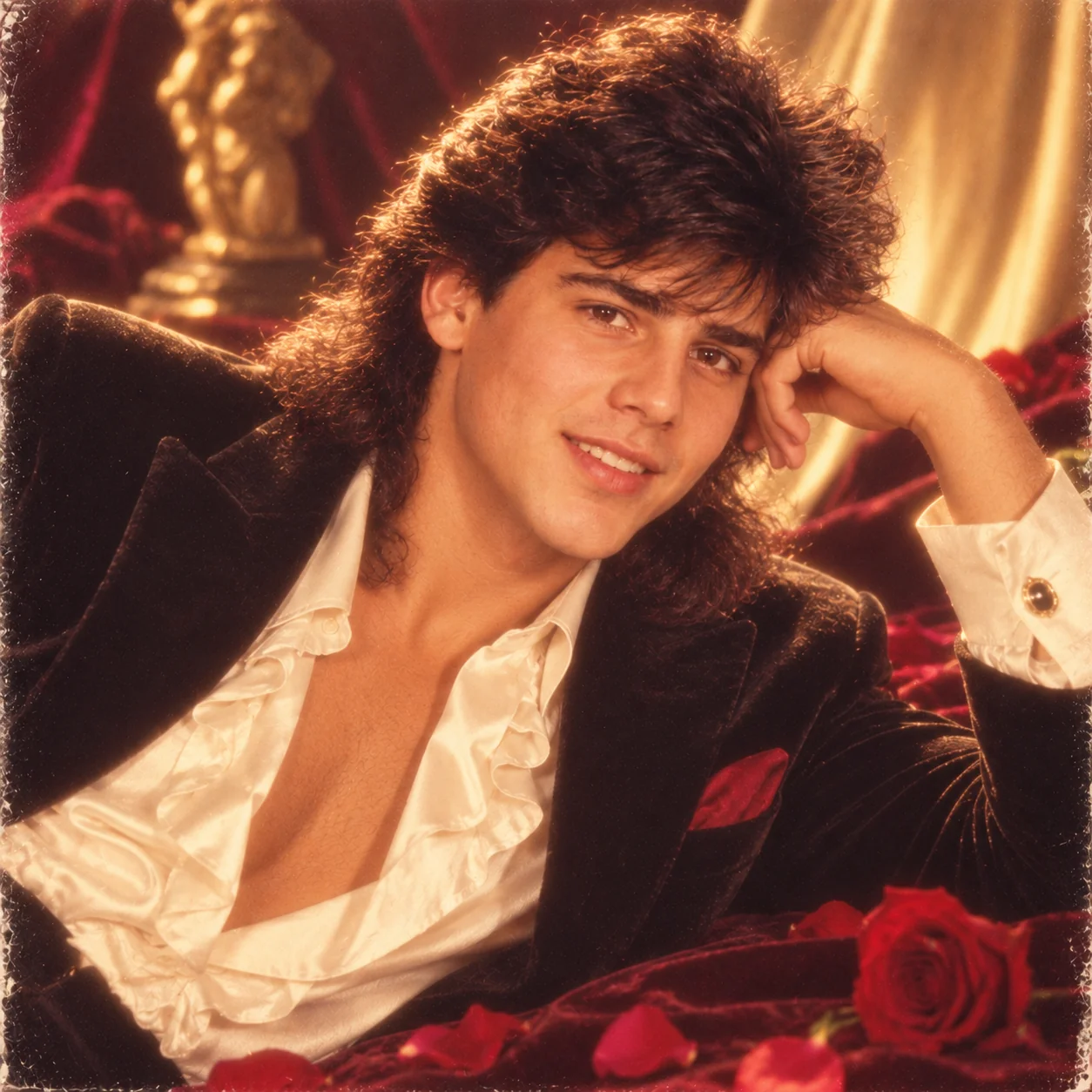
The Hollywood glamour style is the most “Instagram-aesthetic” of all the 80s trend variations — it produces results that are genuinely beautiful rather than just nostalgic or entertaining. The soft diffusion filter that creates a dreamy glow, the warm champagne-and-gold palette, and the extravagant styling all produce portraits that people genuinely want as their profile picture. Photographers like Herb Ritts defined this aesthetic for Vogue and Vanity Fair in the mid-1980s, and the AI has absorbed all of those visual signatures perfectly.
5 More ChatGPT 80s Prompts for Instagram Variety
Keep your content fresh with these additional 80s styles — each targets a different audience and content format on Instagram:
6. Disco Night Club — Best for Party & Event Content
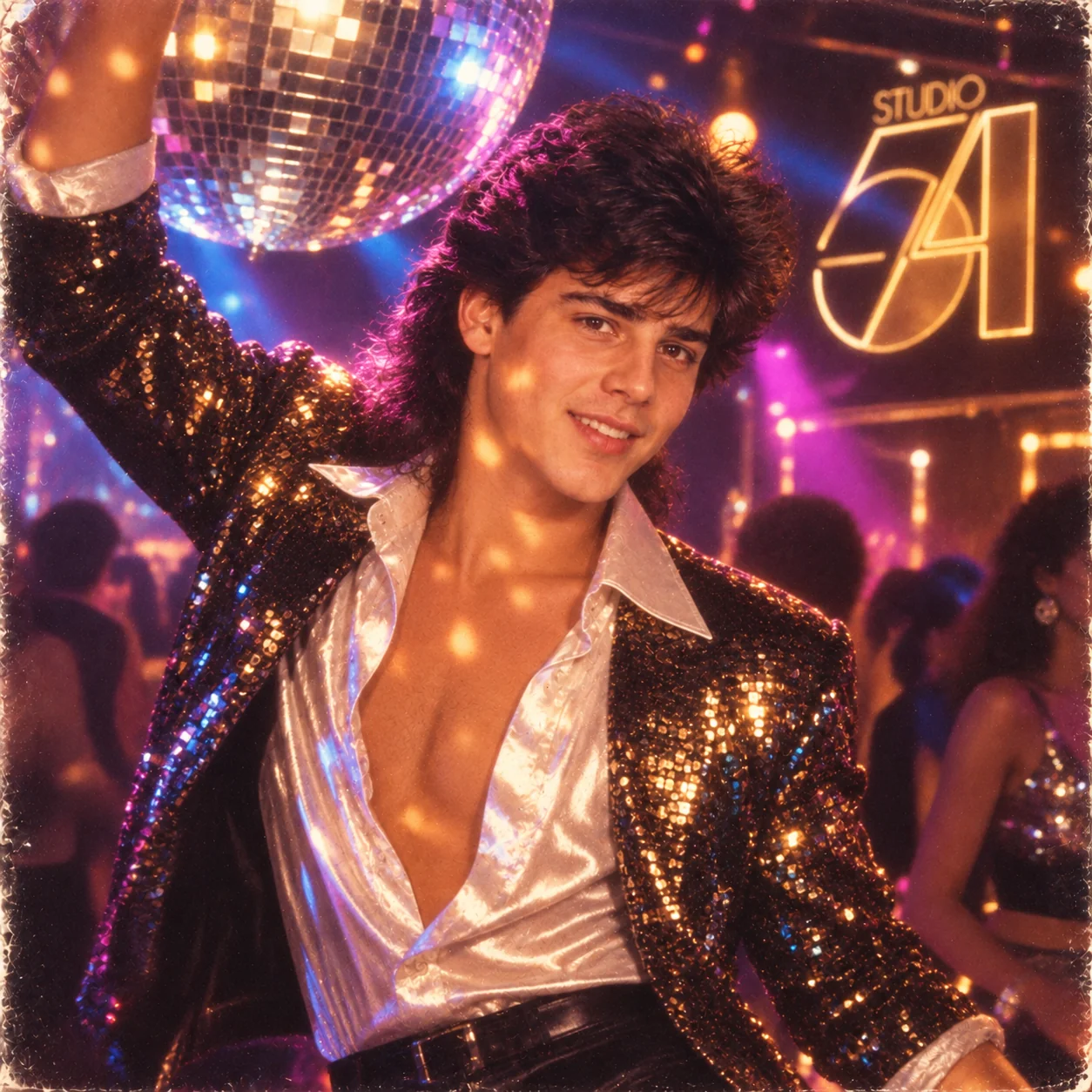
The disco night club style is perfect for party announcements, event invitations, or Friday/Saturday night Instagram posts. Studio 54 — the legendary New York club that became synonymous with 80s excess and glamour — gave the era's nightlife photography its distinctive visual language. The mirror ball, sequins, and coloured gel lighting create a portrait that feels instantly celebratory and luxurious, making it ideal for any Instagram content with a party or celebration theme.
7. Wall Street Power Portrait — Best for Professional Content
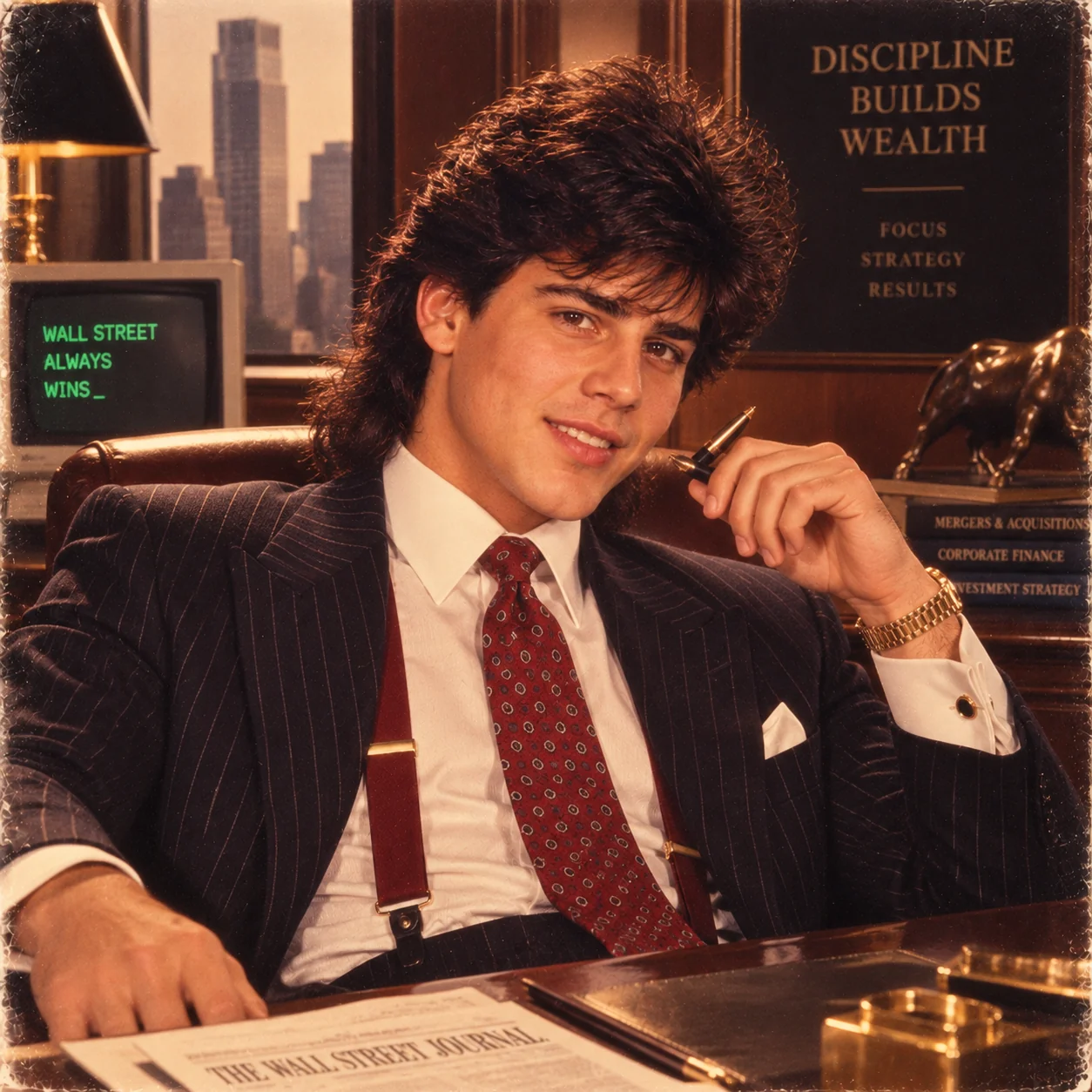
The Wall Street style works particularly well for professional Instagram accounts, LinkedIn-crossover content, and entrepreneurship-themed posts. The Gordon Gekko aesthetic — from Oliver Stone's 1987 film — crystallised the 80s corporate power look into a single recognisable visual shorthand. The combination of pinstripe power suits, wide lapels, braces, and dark paneled office backgrounds communicates authority and ambition in a way that plays equally well as satire and as genuine aspiration.
8. Sports Card Portrait — Best for Sports Content
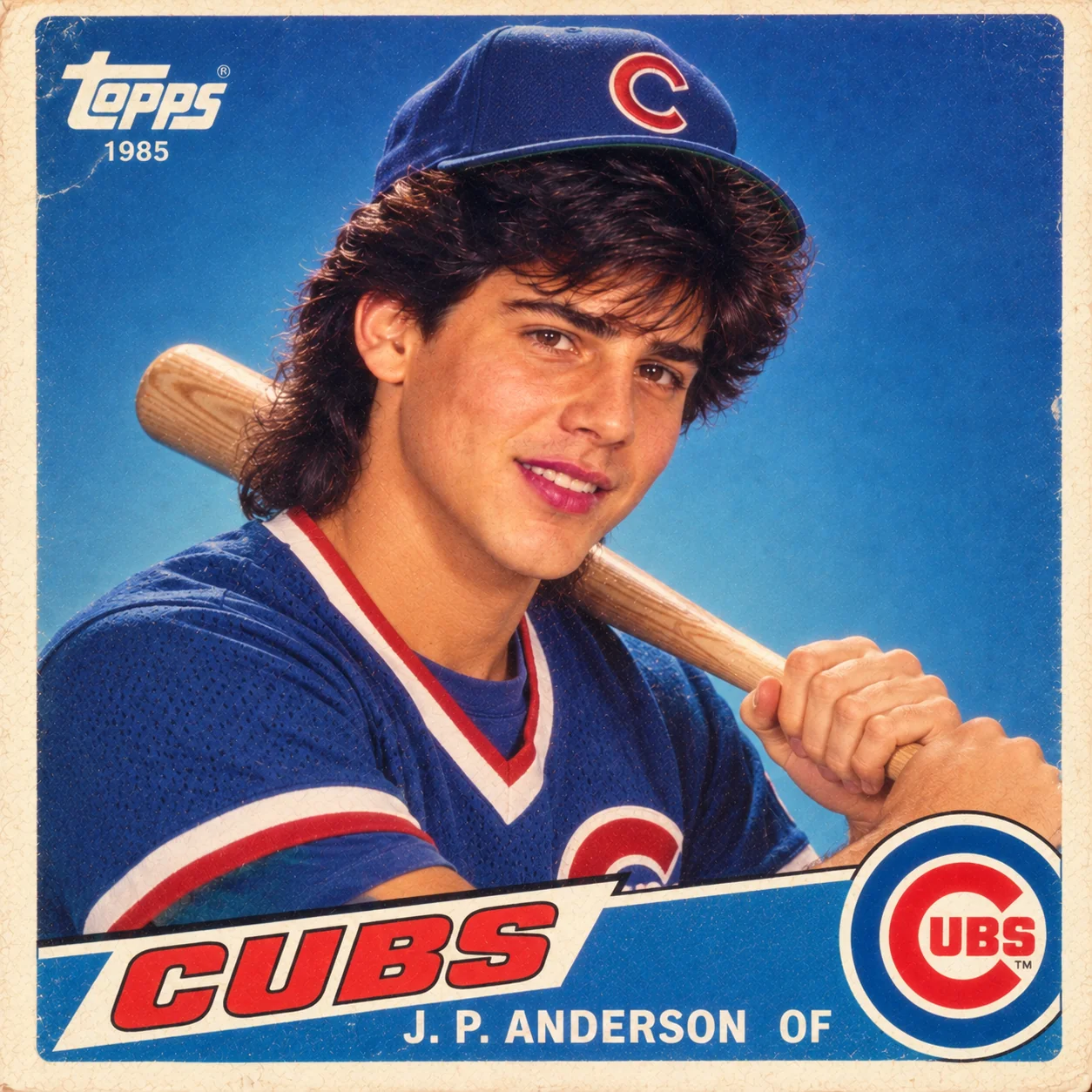
The sports card style is perfect for sports fans, gym content, athletic achievement posts, and anyone who grew up collecting Topps, Fleer, or Donruss trading cards in the 1980s. This was the era of Michael Jordan's iconic rookie cards, Larry Bird and Magic Johnson's Topps portraits, and the great baseball card collecting boom — a cultural moment that millions of people remember with fierce nostalgic affection. The combination of bright overexposed studio lighting, bold team colours, and confident athletic pose is immediately recognisable.
9. Polaroid Instant Photo — Best for Nostalgic Aesthetic Content
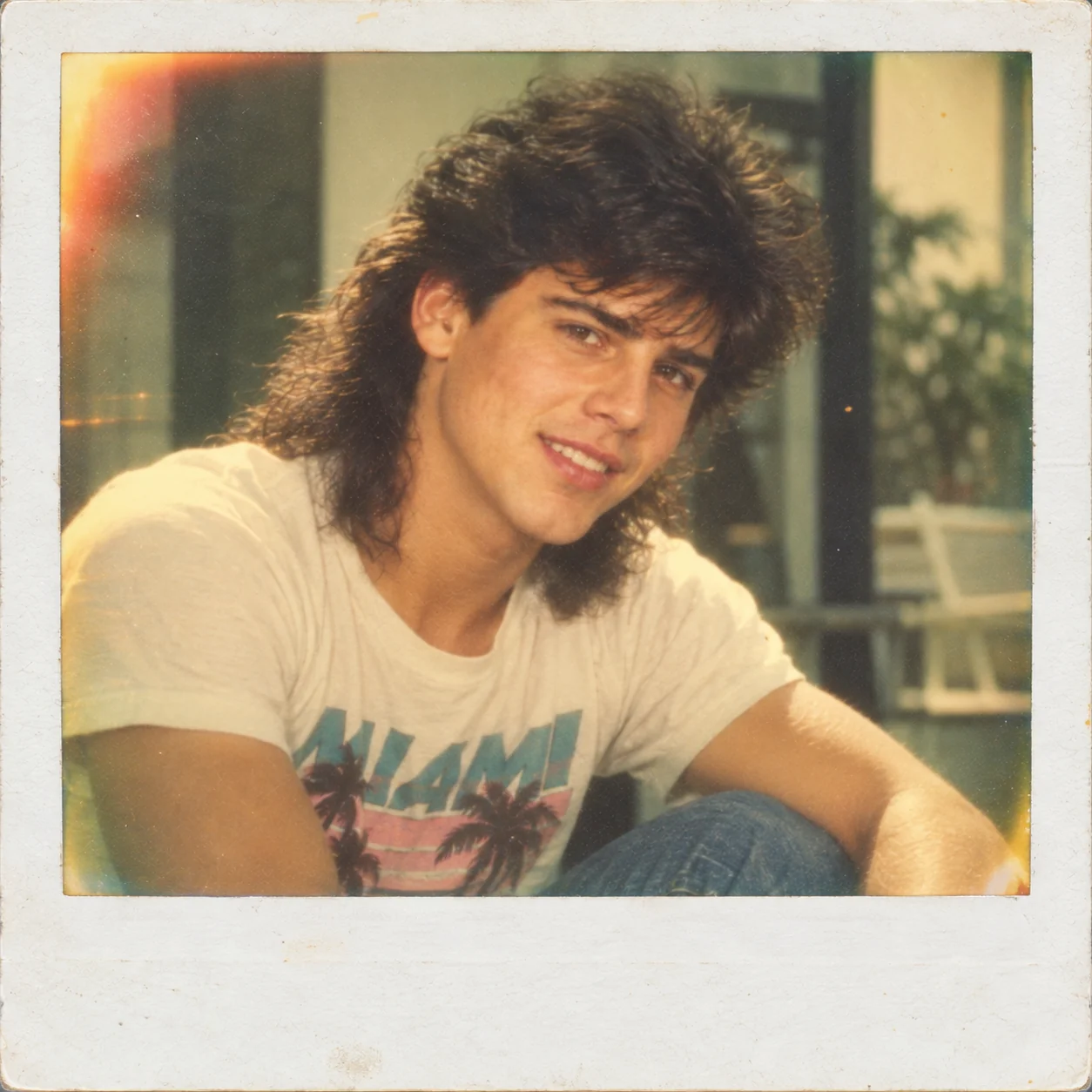
The Polaroid style is uniquely powerful for Instagram because it plays on the platform's own nostalgic relationship with physical photography — Instagram was literally named and designed with the visual language of instant cameras in mind. A ChatGPT-generated Polaroid portrait combines two layers of nostalgia: the 1980s era and the idea of tangible instant photography in an age of infinite digital images. The greenish-yellow colour cast of aged Polaroid film is one of the most immediately recognisable vintage photographic signatures, and AI tools reproduce it with remarkable accuracy.
10. Action Hero Blockbuster — Best for High-Energy Content
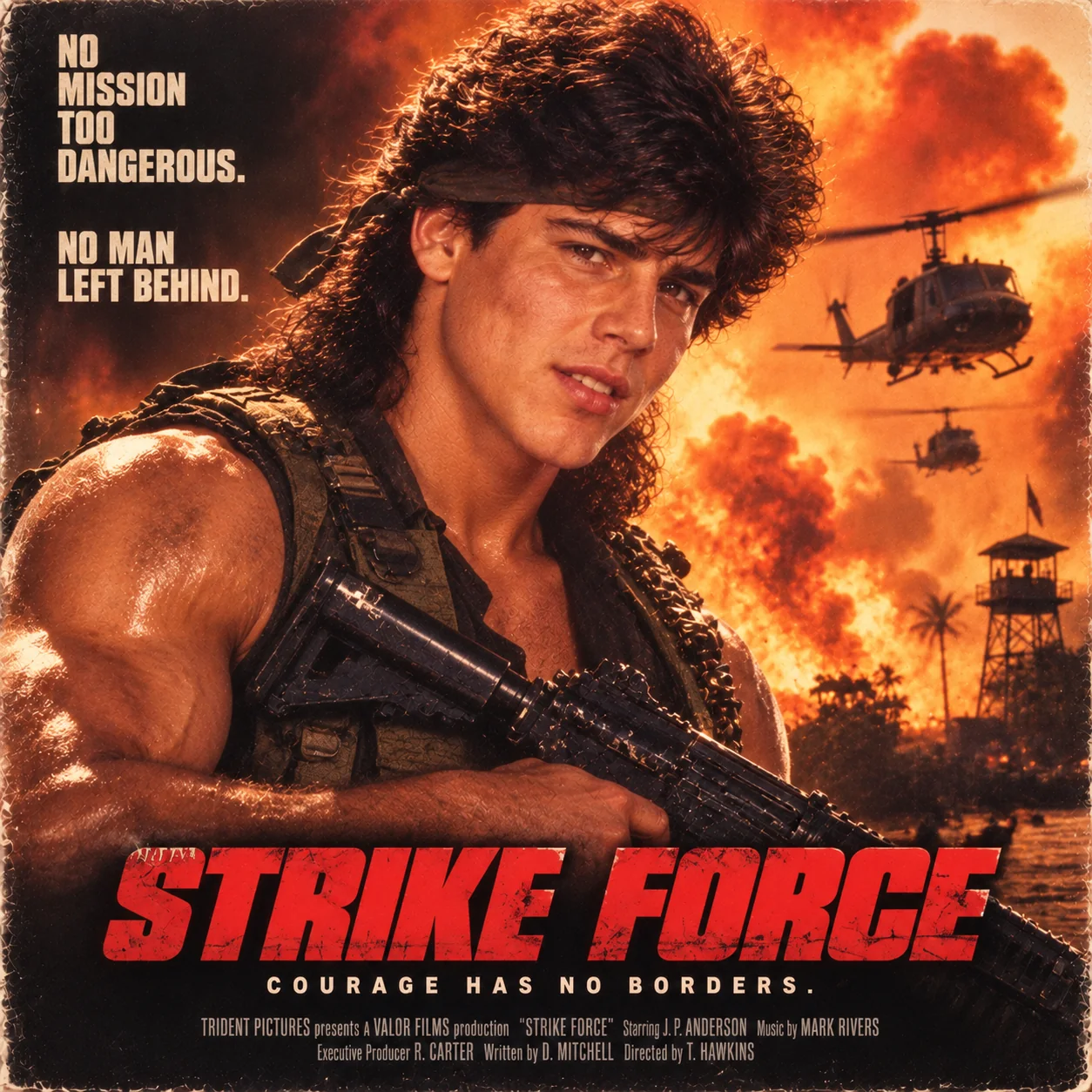
The action hero style generates some of the most instantly entertaining results of the entire trend — the transformation of an ordinary 2026 selfie into a full Rambo or Terminator promotional poster is genuinely funny and visually impressive simultaneously. This style works perfectly for motivational content (“Monday morning energy”), gym and fitness posts, gaming-related content, or any context where you want to convey maximum confidence and dramatic energy. The VHS-era warm colour grading and explosive background add cinematic depth that makes even simple portraits look like genuine movie posters.
Instagram Strategy: How to Get Maximum Reach with Your 80s AI Photo
Creating a great 80s AI portrait is only half the equation. Here's how to maximise your Instagram reach and engagement once you've generated your retro photo:
Use the Carousel Format
Post your content as a carousel with multiple slides rather than a single image. The optimal structure: Slide 1 = your 2026 modern photo, Slide 2 = your 80s AI portrait, Slides 3–5 = additional 80s styles (yearbook, neon, rock star). Instagram's algorithm pushes carousels further than single images because the “swipe to see more” action increases time-on-post and signals high engagement. Including multiple 80s styles also means viewers will swipe to see all versions, further boosting the engagement metrics.
Use the Right Hashtags
Include a mix of trending and niche hashtags: #ChatGPT80s (trending), #80sPhotoTrend (broad), #RetroPortrait (niche), #AIPhoto (broad), #80sAesthetic (community), #VintageVibes (aesthetic), #ChatGPTArt (AI community), #RetroAI (niche). Avoid using more than 10–15 hashtags per post; Instagram's current algorithm penalises hashtag stuffing. 5–8 carefully selected hashtags outperform 30 generic ones.
Post at the Right Time
Instagram engagement peaks between 6pm–9pm local time on weekdays, with Tuesday, Wednesday, and Thursday showing the highest baseline engagement for trend content. For international reach, posting between 8pm–10pm IST covers both Indian prime time and early-evening European audiences simultaneously. Avoid posting early morning (low engagement) or late at night (content buried by morning).
Write a Compelling Caption
The best-performing captions for this trend use one of three formulas: (1) Humorous nostalgic reference — “Me in 1985 before I was born”; (2) Question that invites tagging — “Tag someone who needs to try this trend 👇”; (3) How-you-did-it explanation — “Used ChatGPT to transform my photo into a yearbook from 1986 — full prompt in comments”. Sharing the prompt in the comments drives engagement as followers ask for it, creating a comment thread that signals high interest to the algorithm.
Create a Reel Version
For maximum reach, also create a Reel version using a simple transition format: your modern photo displayed for 2 seconds, a transition effect (zoom, glitch, or spin), then your 80s portrait for 4–5 seconds. Add trending audio — retro 80s music like “Take On Me” or “Don't You (Forget About Me)” works perfectly and is widely available as Instagram audio. Reels receive 3–5x more reach than standard posts for trend content, making this format essential for maximising your audience.
Cross-Post to Stories
Share your 80s portrait to Stories with an interactive element: use the Poll sticker (“Which 80s decade was better: early 80s or late 80s?”), the Question sticker (“Which 80s style should I try next?”), or the Slider sticker (“How much do you love this trend? 👏”). Interactive Stories receive significantly more views than passive ones, and they push your account into the Stories recommendations of users who haven't followed you yet, driving new follower growth.
Which AI Tools Work Best for the Instagram 80s Photo Trend?
Different AI tools produce different qualities of 80s photo results. Here's an honest comparison to help you choose:
ChatGPT DALL·E 3
Best for: Beginners and general use. Cost: Free tier available (limited), ChatGPT Plus for more generations. Quality: Excellent. Handles all 10 80s styles well, especially the yearbook and neon synthwave. Limitation: Free tier has generation limits; queuing during peak hours. Verdict: The most widely used tool for this trend and the one most tutorials reference. Highly recommended as your starting point.
Google Gemini
Best for: Free unlimited use and colour accuracy. Cost: Free. Quality: Very good — particularly strong on colour grading and film grain simulation. Produces the most accurate Kodak Gold and neon colour palettes of any free tool. Limitation: Slightly less facial feature retention than DALL·E 3. Verdict: The best free alternative. Use it when you've hit ChatGPT's daily limits.
Midjourney
Best for: Highest quality results and professional use. Cost: Paid subscription from $10/month. Quality: Best available — produces the most photorealistic 80s portraits with the most accurate film grain, lighting simulation, and styling detail. Limitation: Requires Discord, technical learning curve for image reference commands. Verdict: Worth the investment if you are a content creator producing 80s trend content regularly.
Adobe Firefly
Best for: Commercial safety and integration with Photoshop. Cost: Free trial, paid plans. Quality: Good, with particularly strong handling of lighting and colour aesthetics. Limitation: Slightly more conservative in styling extremes (e.g., rock star hair may be more subtle). Verdict: Best choice if you need commercially safe images for brand or business use.

Jitendra Patra
AI Prompt Researcher & Software Engineering Student
Jitendra Patra is a software engineering student and AI prompt researcher specialising in Google Gemini and generative image models. He actively monitors AI image trends on Instagram and tests prompt variations across multiple AI tools to identify the highest-performing formats for each trend.
His research into the ChatGPT 80s photo trend covers the prompt engineering behind the most viral retro portrait styles, the social media strategy for maximising Instagram engagement with AI-generated trend content, and comparative tool analysis across ChatGPT, Gemini, Midjourney, and Firefly.
All prompts in this guide have been iteratively tested across multiple AI tools to ensure cross-platform compatibility and consistent visual quality.
Frequently Asked Questions
What is the ChatGPT 80s photo trend on Instagram?
The ChatGPT 80s photo trend on Instagram involves using ChatGPT with DALL·E 3 to transform modern photos into retro 1980s-style portraits. Users upload a photo and use a detailed prompt describing 80s photographic characteristics like laser yearbook backdrops, Kodak film grain, neon synthwave lighting, or mall portrait studio aesthetics. The resulting images are then shared on Instagram, often side-by-side with the original modern photo, creating a viral before-and-after format that generates high engagement.
Why did the ChatGPT 80s photo trend go viral on Instagram?
The trend went viral for several interconnected reasons: the universal nostalgia for the 1980s crosses generational lines; the before-and-after format is one of Instagram's most engaging content structures; the results are genuinely impressive in quality; and the trend has a very low barrier to entry since anyone can try it with a free ChatGPT account. The trend also benefited from celebrity and influencer participation in mid-2026, which triggered a wave of mass user adoption.
Do I need a paid ChatGPT subscription for the 80s photo trend?
No, you can participate in the ChatGPT 80s photo trend with a free ChatGPT account. However, free accounts have usage limits on DALL·E 3 image generation. For unlimited access and higher image quality, ChatGPT Plus subscribers have priority access. Alternative free tools include Google Gemini (free, no usage limit), Microsoft Copilot Designer (free, powered by DALL·E), and Adobe Firefly (free trial). Midjourney requires a paid subscription but produces the highest quality results of any tool.
How do I make my ChatGPT 80s photo stand out on Instagram?
To stand out: (1) Use the carousel format (original + multiple 80s styles), (2) Choose a less common style like Wall Street or Sports Card rather than just the yearbook, (3) Add an engaging caption with humour or a tagging call-to-action, (4) Post as a Reel with trending 80s audio, (5) Share to Stories with an interactive poll, and (6) Use the specific hashtags #ChatGPT80s #80sPhotoTrend #RetroPortrait. Posting at 6–9pm local time maximises initial algorithm reach.
Can I use the 80s trend photos for my Instagram profile picture?
Yes, many users are using their ChatGPT 80s retro portraits as Instagram profile pictures. The Neon Synthwave and Hollywood Glamour styles work especially well at small profile picture size due to their high contrast and vivid colour palettes. Generate at 1:1 square format for profile picture use, and test how the portrait looks at the small circular crop size before committing. The yearbook and mall studio styles also work well but may require cropping to focus on the face.
Which 80s style is most popular on Instagram in 2026?
Based on engagement patterns from mid-2026, the most popular ChatGPT 80s styles on Instagram are: (1) High School Yearbook (laser background) — highest comment rate due to universal nostalgia recognition, (2) Neon Synthwave — highest save rate and profile picture adoption, (3) Mall Portrait Studio — most relatable and memory-triggering, (4) Rock Star Portrait — highest entertainment and share value. The yearbook style consistently generates the most comments due to its cross-cultural recognition.