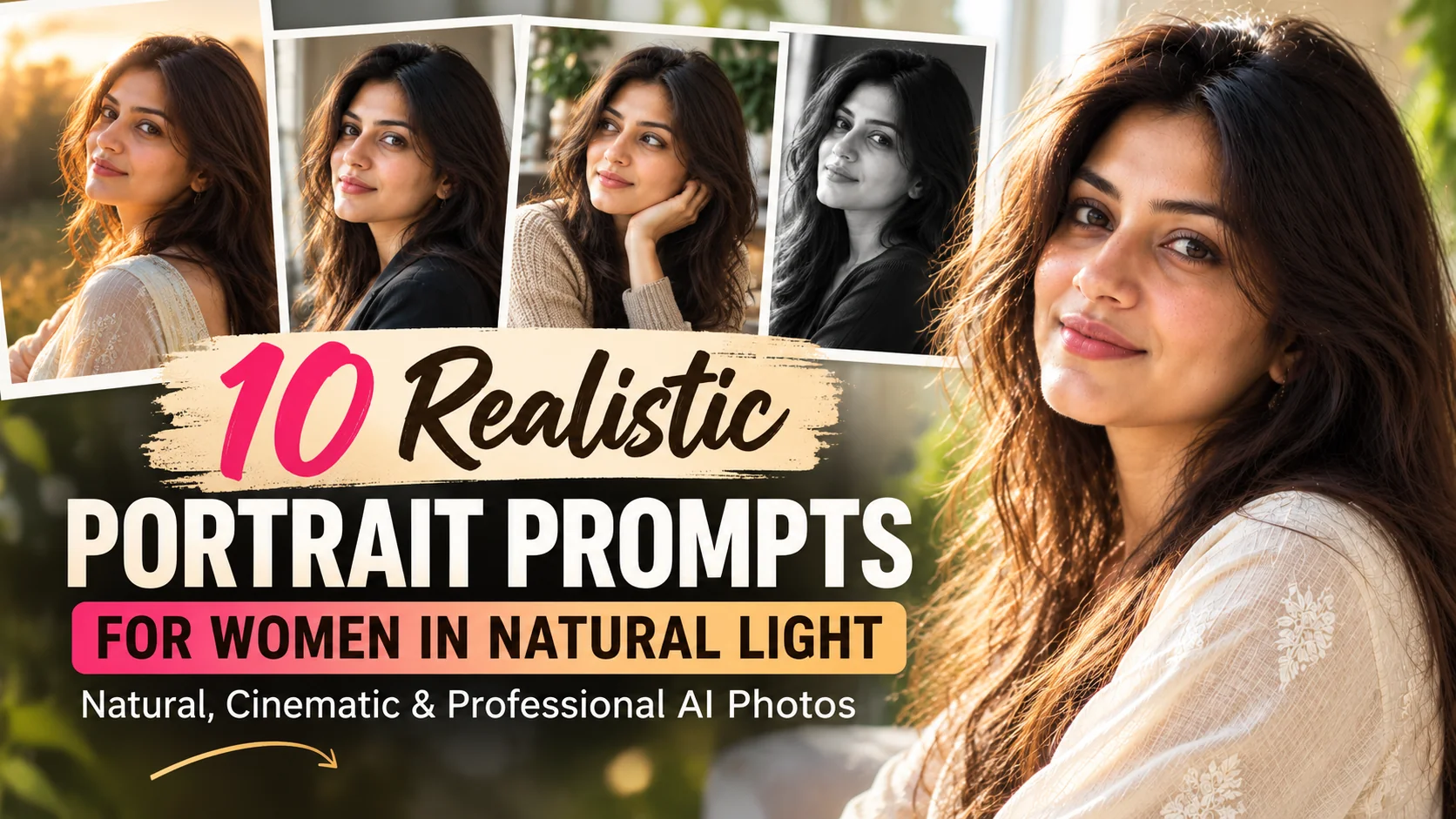
10 Realistic Portrait Prompts for Women in Natural Light โ€” Natural, Cinematic & Professional AI Photos
Updated: 12 min read

Looking for realistic portrait prompts for women that produce natural, professional-looking AI photos? The secret is not simply asking an AI image generator to create a beautiful portrait. The results depend on how you describe the lighting, camera angle, skin texture, background, facial expression, clothing, and photographic style. Whether you want a soft window-light portrait, an outdoor golden-hour photograph, a cinematic close-up, or a polished professional headshot, the right prompt can help you achieve a much more convincing result. In this guide, you will find 10 detailed, copy-and-paste AI portrait prompts designed for Midjourney and other compatible image generators. Each prompt focuses on a different photographic look, so you can experiment with natural lighting, realistic details, and flattering compositions without making every image look the same. You will also learn how to customize these prompts, preserve a reference person's identity when supported, avoid common AI photography mistakes, and choose the right lighting description for your desired result.

  • โœ” 10 detailed AI portrait prompts for natural, photorealistic results.
  • โœ” Natural window light, golden-hour glow, outdoor shade, and cinematic lighting styles.
  • โœ” Realistic skin texture, believable facial details, and professional photographic composition.
  • โœ” Customization tips for personal portraits, social media photos, creative projects, and headshots.
  • โœ” Practical guidance for improving AI-generated portraits and troubleshooting common image defects.

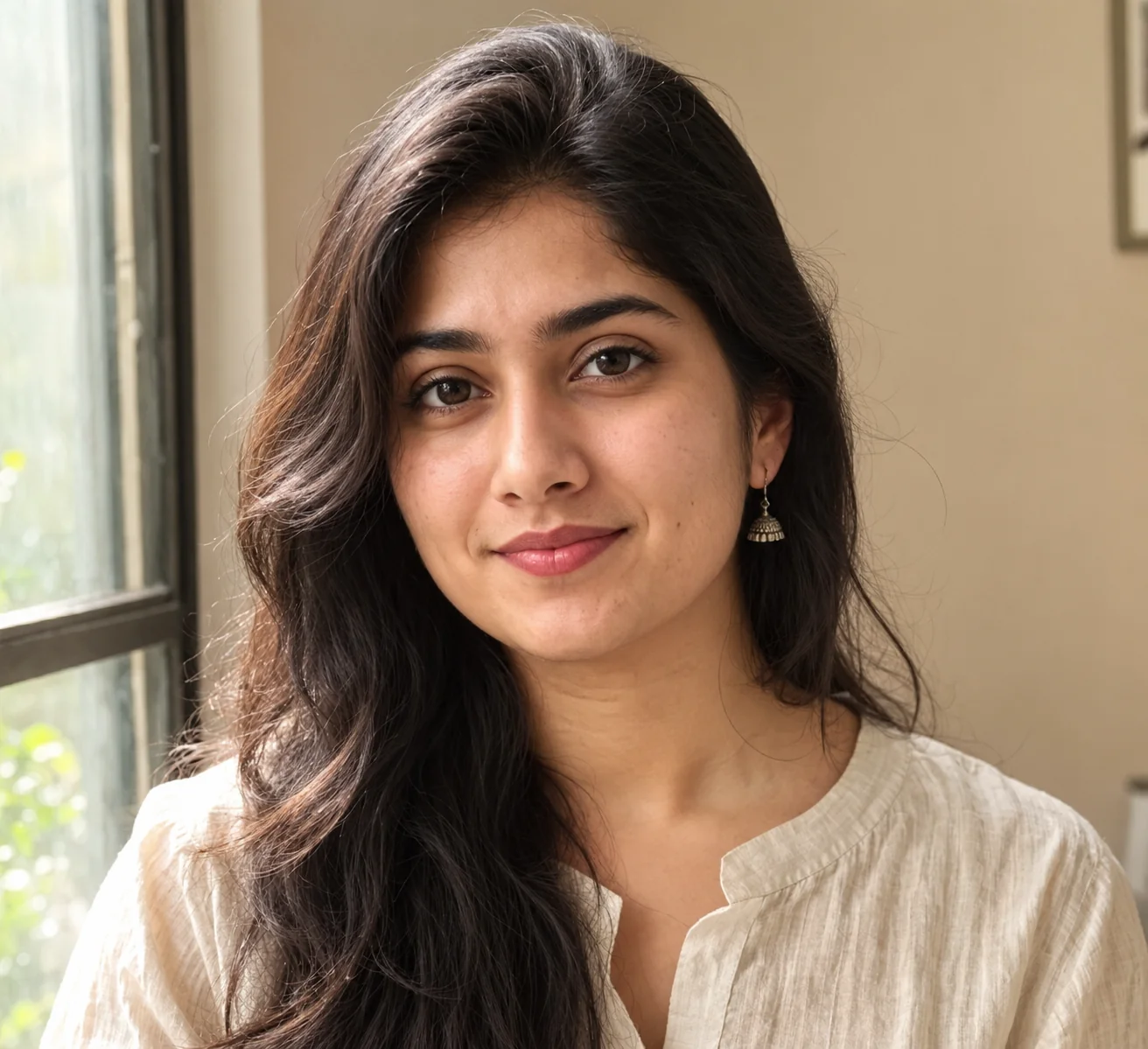
1. Soft Window Light Portrait โ€” AI Prompt

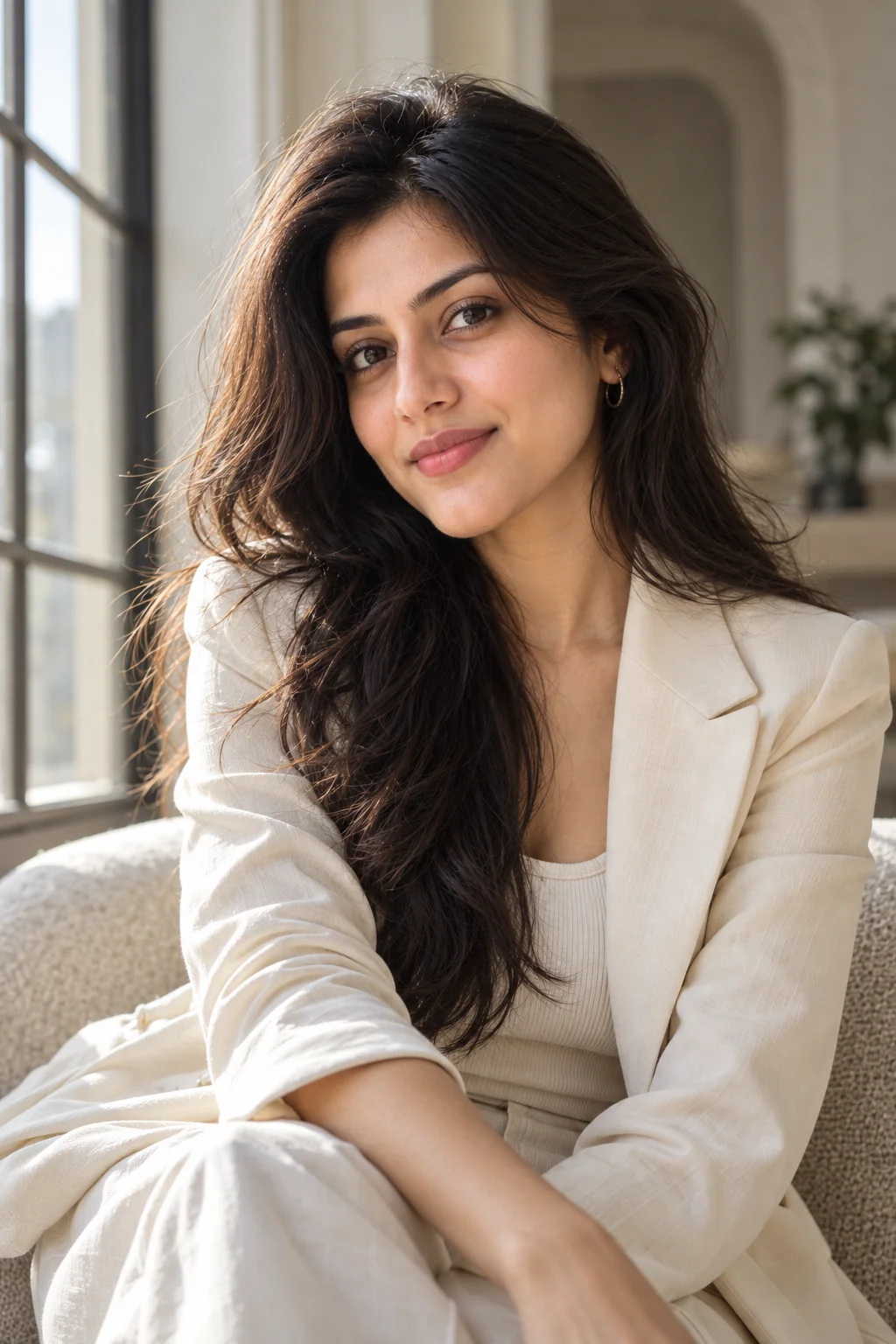
Photorealistic close-up portrait of a woman beside a window with soft natural daylight and authentic skin texture
Prompt
Create an ultra-realistic photographic portrait of an adult woman standing beside a large window in a calm, naturally lit room. Use soft diffused daylight entering from the side to illuminate her face gently, creating subtle shadows along her cheeks and jawline. Preserve natural skin texture with visible pores, fine facial details, realistic under-eye texture, delicate highlights, and believable skin tones. Give her a relaxed, confident expression, natural-looking eyebrows, detailed eyes, and softly styled hair with individual strands visible. Dress her in a simple cream-colored linen blouse with realistic fabric folds. Use a neutral beige interior background with gentle depth of field and unobtrusive details. Compose the image as a close-up head-and-shoulders portrait with the face in sharp focus and the background softly blurred. Professional portrait photography, 85mm portrait lens aesthetic, wide aperture appearance, accurate facial proportions, balanced exposure, subtle color grading, natural contrast, realistic catchlights, high-resolution photographic detail. Avoid excessive skin smoothing, artificial facial symmetry, plastic skin, exaggerated makeup, oversaturated colors, distorted eyes, and synthetic-looking facial features. The final image should resemble a genuine photograph taken by a skilled portrait photographer using available window light.
Use this prompt when you want a soft, natural-looking female portrait for a personal photo, social media profile, creative project, or elegant photography collection.
Tip: Add a specific time of day, such as a bright overcast morning, to influence the softness and color of the window light. If you are working from a reference image, explicitly request preservation of the subject's recognizable facial features.

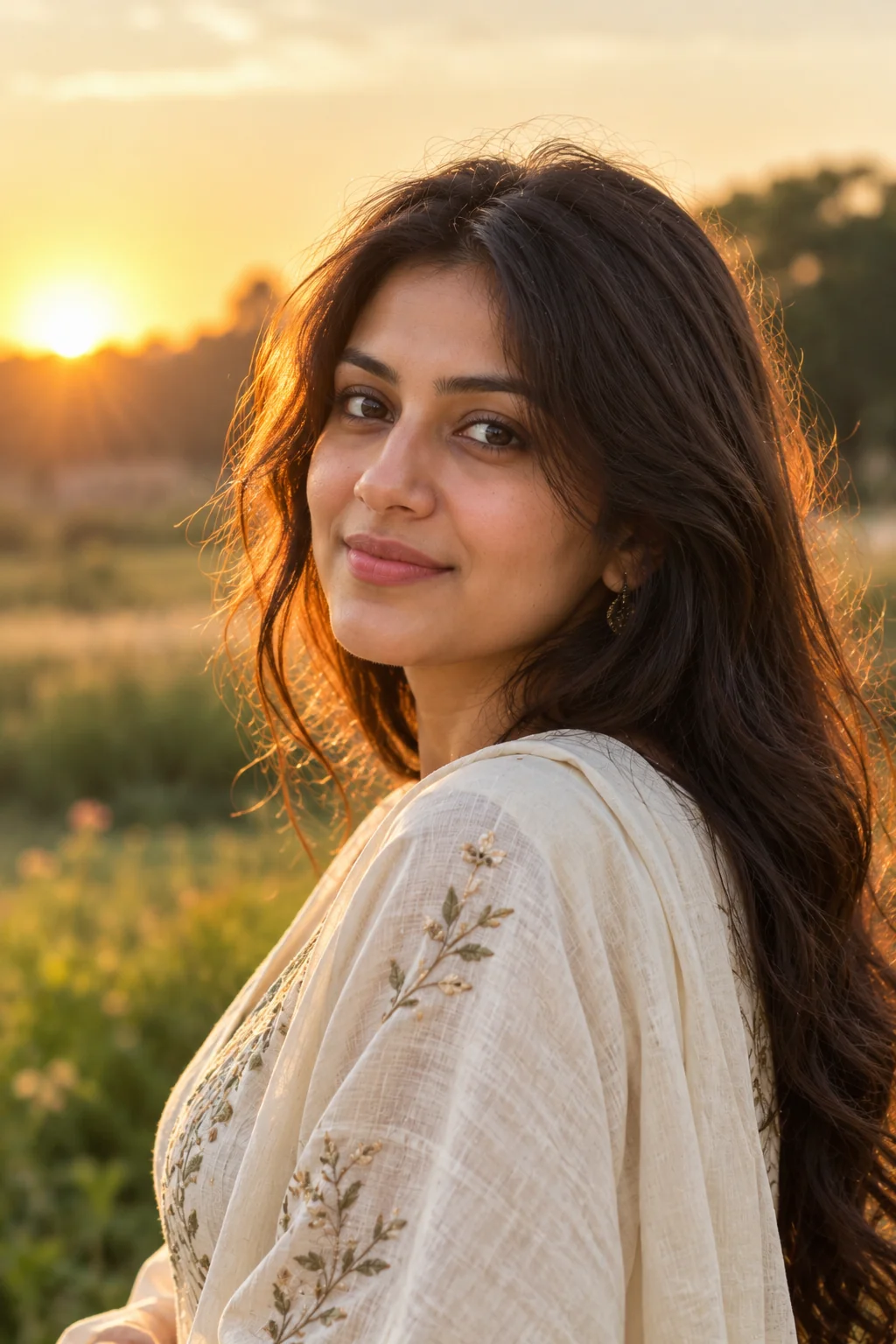
2. Golden-Hour Outdoor Portrait โ€” AI Prompt

Realistic outdoor portrait of an adult woman illuminated by warm golden-hour sunlight with a softly blurred natural background
Prompt
Create a photorealistic outdoor portrait of an adult woman photographed during the final hour before sunset. Position her in a peaceful garden or open field where warm, low-angle sunlight creates a delicate golden rim around her hair and shoulders. Her face should retain realistic skin texture, natural pores, subtle tonal variation, and lifelike facial details without looking airbrushed. Use gentle reflected light to keep the facial features visible while maintaining the warmth of the sunset. Give her a relaxed expression and a natural, slightly turned pose, with a few loose strands of hair catching the sunlight. Dress her in a flowing ivory or muted earth-tone outfit with believable fabric texture and natural folds. Include softly blurred grasses, distant trees, and warm atmospheric highlights in the background. Frame the photograph from the chest upward using an 85mm portrait lens aesthetic, shallow depth of field, accurate perspective, and precise focus on the eyes. Professional outdoor portrait photography, realistic sunlight direction, natural color reproduction, subtle film-inspired warmth, balanced highlights, detailed hair, lifelike proportions, and high photographic realism. Avoid artificial orange skin, blown-out highlights, excessive lens flare, glowing outlines, exaggerated bokeh, and overly smooth facial features. The result should look like a professionally captured sunset portrait rather than a digital illustration.
Use this prompt for warm lifestyle portraits, outdoor profile pictures, summer-inspired photography, or natural-looking images with a soft, romantic atmosphere.
Tip: Replace the garden with a beach, meadow, park, or open countryside to change the setting. Ask for gentle backlighting if you want a visible sunlight outline around the hair without losing facial detail.

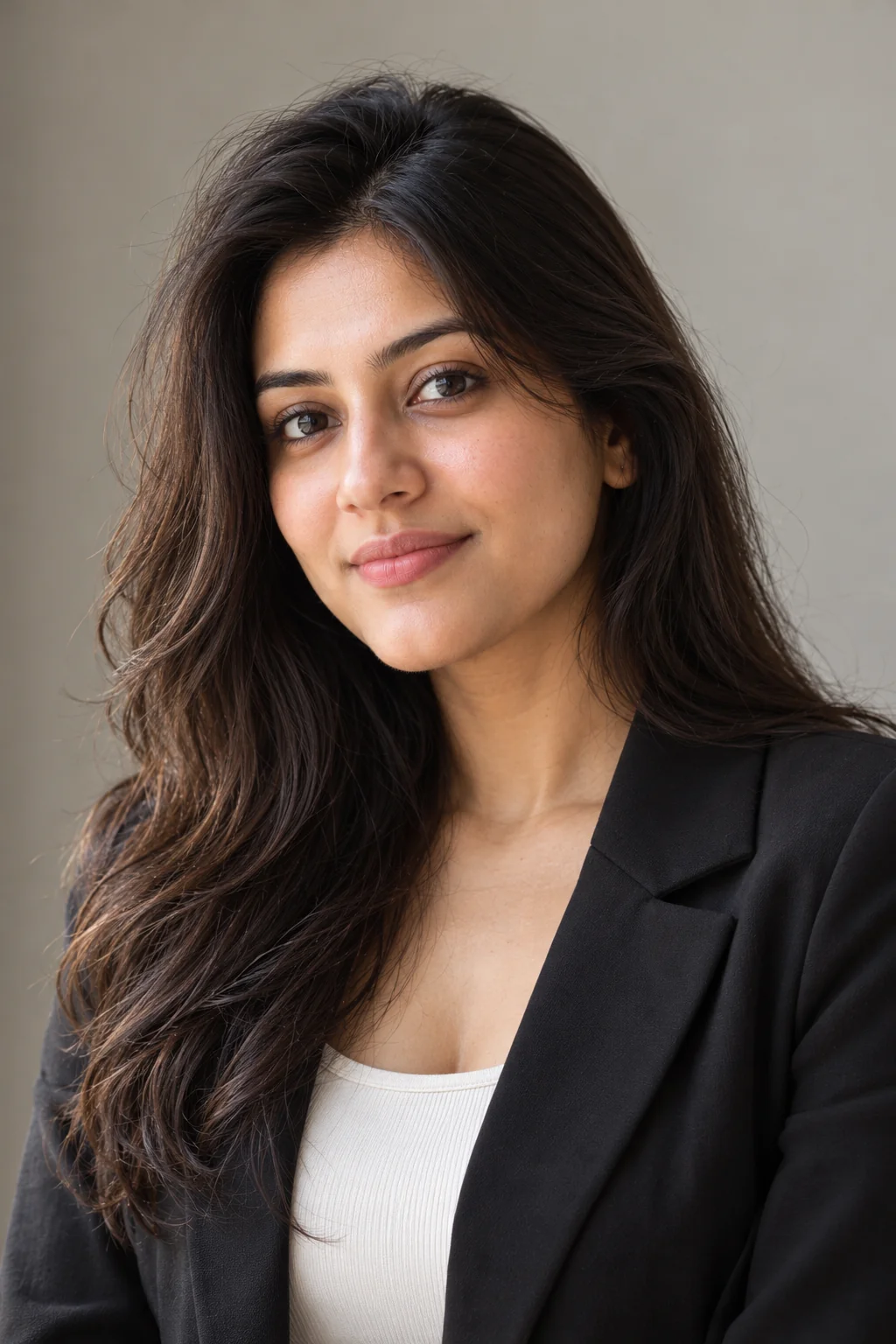
3. Minimalist Studio Portrait with Natural Light โ€” AI Prompt

Professional photorealistic portrait of a woman against a neutral studio background with soft natural-looking directional light
Prompt
Generate a highly realistic professional portrait of an adult woman in a minimalist photography studio with a warm gray or off-white background. Illuminate her face with a large diffused light source positioned to one side, creating the soft directional quality of natural window light. Preserve fine skin texture, natural pores, realistic lip texture, subtle facial asymmetry, and believable transitions between highlights and shadows. Give her a composed, approachable expression and a relaxed posture with her shoulders naturally aligned. Style her hair neatly but realistically, retaining individual strands and natural volume. Dress her in a tailored black blazer over a simple neutral top, with realistic fabric texture and clean styling. Use a chest-up composition, eye-level camera angle, an 85mm portrait lens aesthetic, and a softly graduated background. Keep the eyes sharply focused and maintain natural facial proportions, restrained color grading, accurate white balance, realistic catchlights, and professional editorial photography quality. The lighting should look soft and dimensional rather than flat or excessively dramatic. Avoid heavy beauty filters, waxy skin, unnatural facial symmetry, artificial sharpening, distracting accessories, and overly glossy highlights. Produce a clean, timeless, photorealistic portrait suitable for a professional portfolio or polished personal photography collection.
Use this prompt for clean portrait photography, portfolio images, creative branding, or professional-looking pictures with a simple and distraction-free composition.
Tip: Choose a light gray background for a brighter editorial appearance or charcoal gray for a more dramatic portrait. For a business headshot, request a slightly wider crop that includes the shoulders and upper chest.

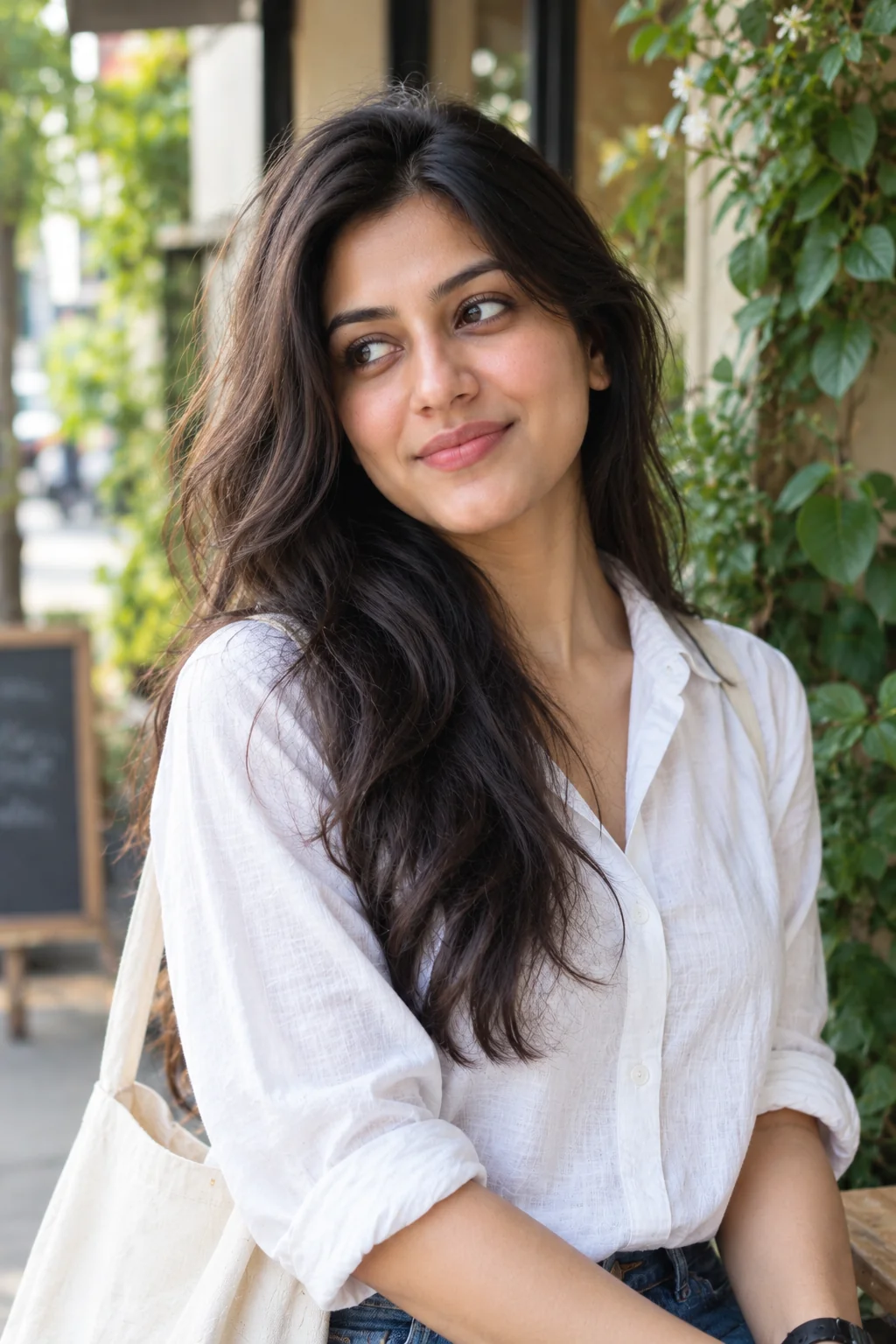
4. Candid Lifestyle Portrait in Open Shade โ€” AI Prompt

Candid photorealistic lifestyle portrait of an adult woman in soft outdoor shade with realistic facial details
Prompt
Create a candid, photorealistic lifestyle portrait of an adult woman standing near a leafy garden, quiet street, or outdoor cafe in open shade. Use soft ambient daylight reflected from the surrounding environment to produce even illumination across her face without harsh direct sunlight. Capture a genuine, relaxed moment as she looks slightly away from the camera with a subtle, natural smile. Preserve realistic skin pores, fine facial lines, individual eyelashes, believable eye reflections, and natural hair texture. Style her in a casual white shirt, soft knit sweater, or understated everyday outfit that complements the environment. Include an authentic background with softly blurred greenery, understated architectural details, or cafe textures. Use an eye-level camera position, a 50mm lens aesthetic, moderate background separation, and a slightly off-center composition that leaves natural negative space. The image should feel spontaneous and unposed while maintaining professional photographic quality. Use realistic exposure, balanced skin tones, natural contrast, subtle environmental color, and lifelike proportions. Avoid exaggerated expressions, artificial smiles, stiff poses, overly polished beauty retouching, and fake-looking backgrounds. The finished photograph should resemble a genuine lifestyle image captured by a professional photographer during an ordinary, beautiful moment.
Use this prompt when you want relaxed everyday portraits that feel authentic rather than staged, especially for lifestyle content and social media photography.
Tip: Specify an activity such as reading a book, walking through a park, or sitting at an outdoor cafe to make the pose more natural. Open shade is useful when you want soft illumination without the strong shadows created by direct midday sunlight.

5. Close-Up Beauty Portrait with Authentic Skin Texture โ€” AI Prompt

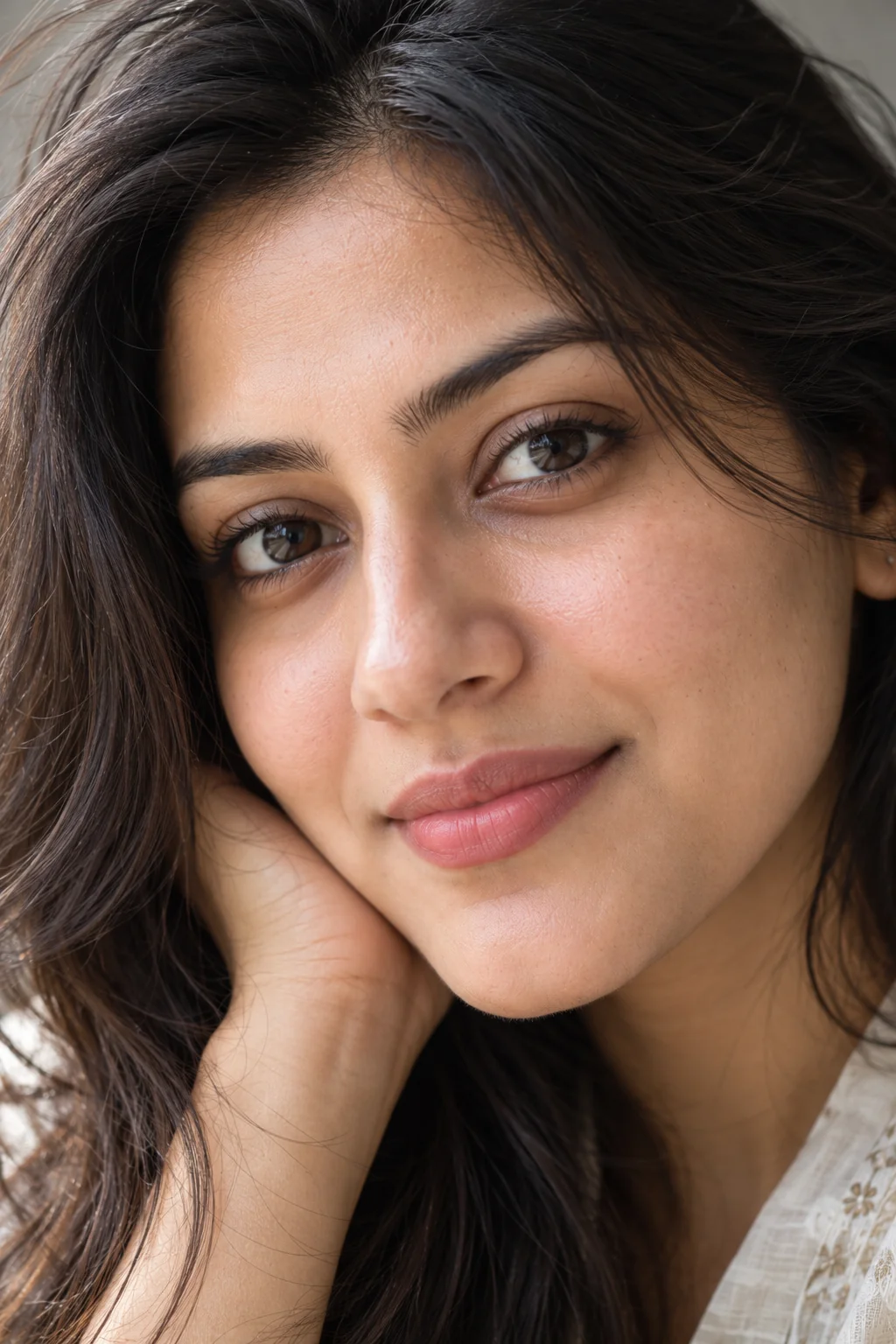
Extreme close-up photorealistic portrait of an adult woman showing natural skin pores, detailed eyes, and soft directional light
Prompt
Create an exceptionally detailed close-up photographic portrait of an adult woman with a strong emphasis on natural skin texture and believable facial anatomy. Use a large, soft light source positioned slightly to the side and above the face, producing delicate highlights on the forehead, nose, cheekbones, and lips. Preserve visible pores, fine facial lines, subtle skin variations, realistic under-eye texture, natural lip creases, and individual eyebrow hairs. Do not remove ordinary skin details or apply an artificial beauty filter. Give the subject a calm, confident expression with realistic eyes, naturally shaped eyebrows, and understated makeup that complements her features. Keep individual eyelashes and fine hair strands sharply defined without making them appear painted or artificially sharpened. Compose a tight head-and-face portrait using a macro-inspired portrait photography aesthetic while preserving correct facial proportions and a natural perspective. Use a simple, unobtrusive background with soft tonal separation. Maintain realistic skin color, accurate highlights, gentle shadows, natural contrast, and lifelike photographic detail. Avoid excessive smoothing, exaggerated pore size, artificial skin shine, oversaturated lips, distorted facial anatomy, unnatural eye reflections, and overly strong sharpening. The final image should look like a high-quality beauty photograph that celebrates realistic human skin rather than an airbrushed digital face.
Use this prompt for beauty photography concepts, close-up portrait experiments, skincare-inspired editorial visuals, or images where realistic facial details are especially important.
Tip: The phrase 'natural skin texture with subtle imperfections' can help discourage overly smooth results. If the image looks too harsh, request softer illumination and lower contrast instead of removing skin details.

6. Cinematic Portrait with Soft Side Lighting โ€” AI Prompt

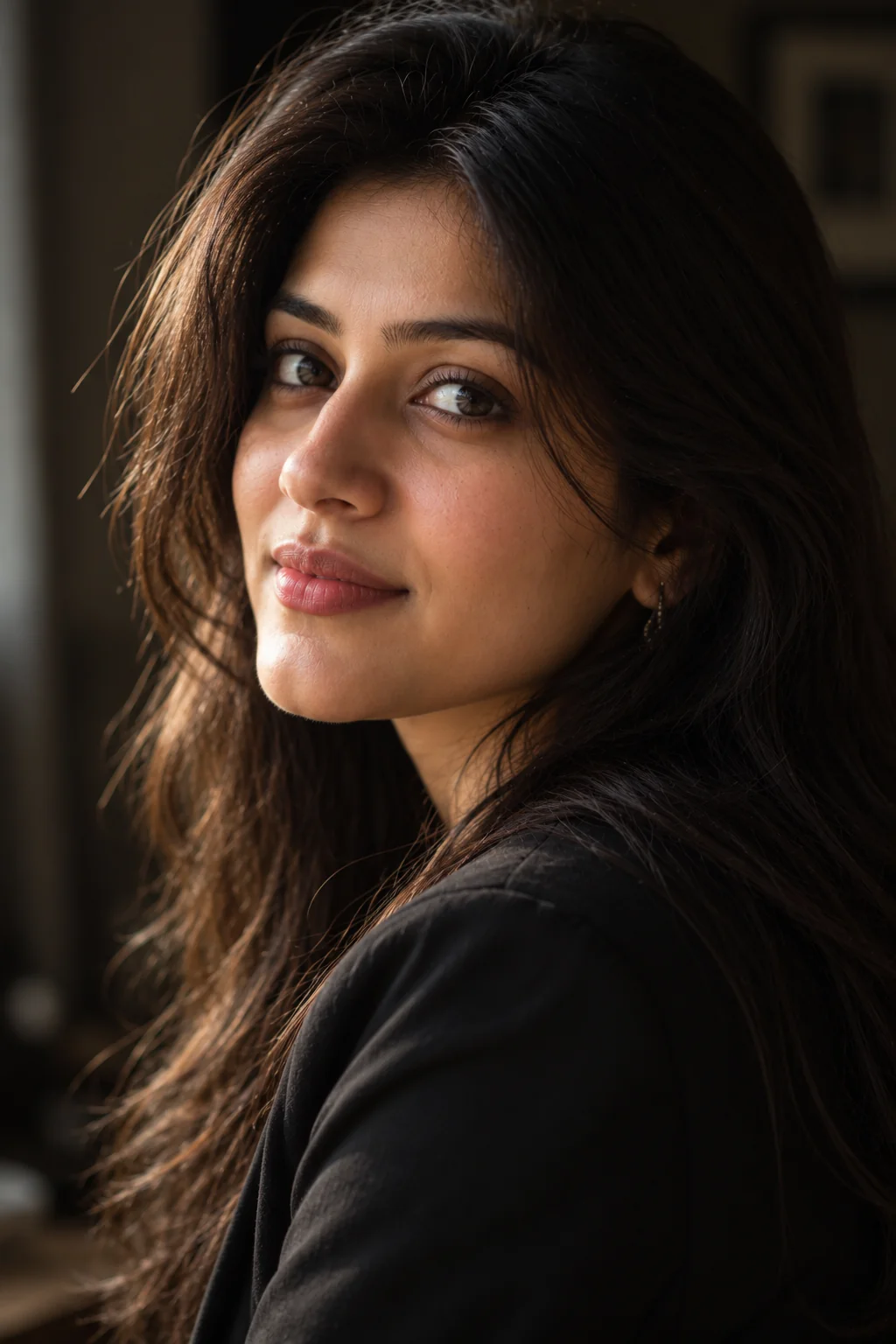
Cinematic photorealistic portrait of an adult woman with soft directional side lighting and a dark blurred background
Prompt
Create a cinematic, photorealistic portrait of an adult woman in a quiet interior with a dark, softly blurred background. Illuminate one side of her face with gentle directional light resembling daylight entering through a nearby window, allowing the opposite side to fall into soft, detailed shadow. Maintain visible skin texture, natural pores, realistic facial contours, individual hair strands, and accurate eye reflections. Give her a thoughtful, composed expression and a subtle three-quarter head turn. Style her in a simple dark jacket or elegant neutral outfit with realistic fabric details. Use a close-up composition with the eyes as the main point of focus and the background separated through shallow depth of field. Apply restrained cinematic color grading with warm skin tones, neutral shadows, controlled highlights, and a natural contrast range. The photograph should have emotional depth without looking like a theatrical movie poster. Use realistic camera optics, accurate perspective, believable light falloff, and professional portrait photography detail. Avoid exaggerated shadows that erase facial features, artificial colored lighting, excessive grain, unnatural skin shine, heavy vignetting, and oversaturated colors. Create an authentic cinematic still that retains the visual credibility of a real photograph.
Use this prompt for dramatic profile images, artistic portrait collections, cinematic social media visuals, or editorial photography with a thoughtful mood.
Tip: Add 'warm afternoon window light' for a softer cinematic mood or 'cool neutral shadows' for a more restrained, dramatic appearance. Keep the lighting description simple if your image generator struggles with complex lighting instructions.

7. Bright and Airy Portrait in a Sunlit Room โ€” AI Prompt

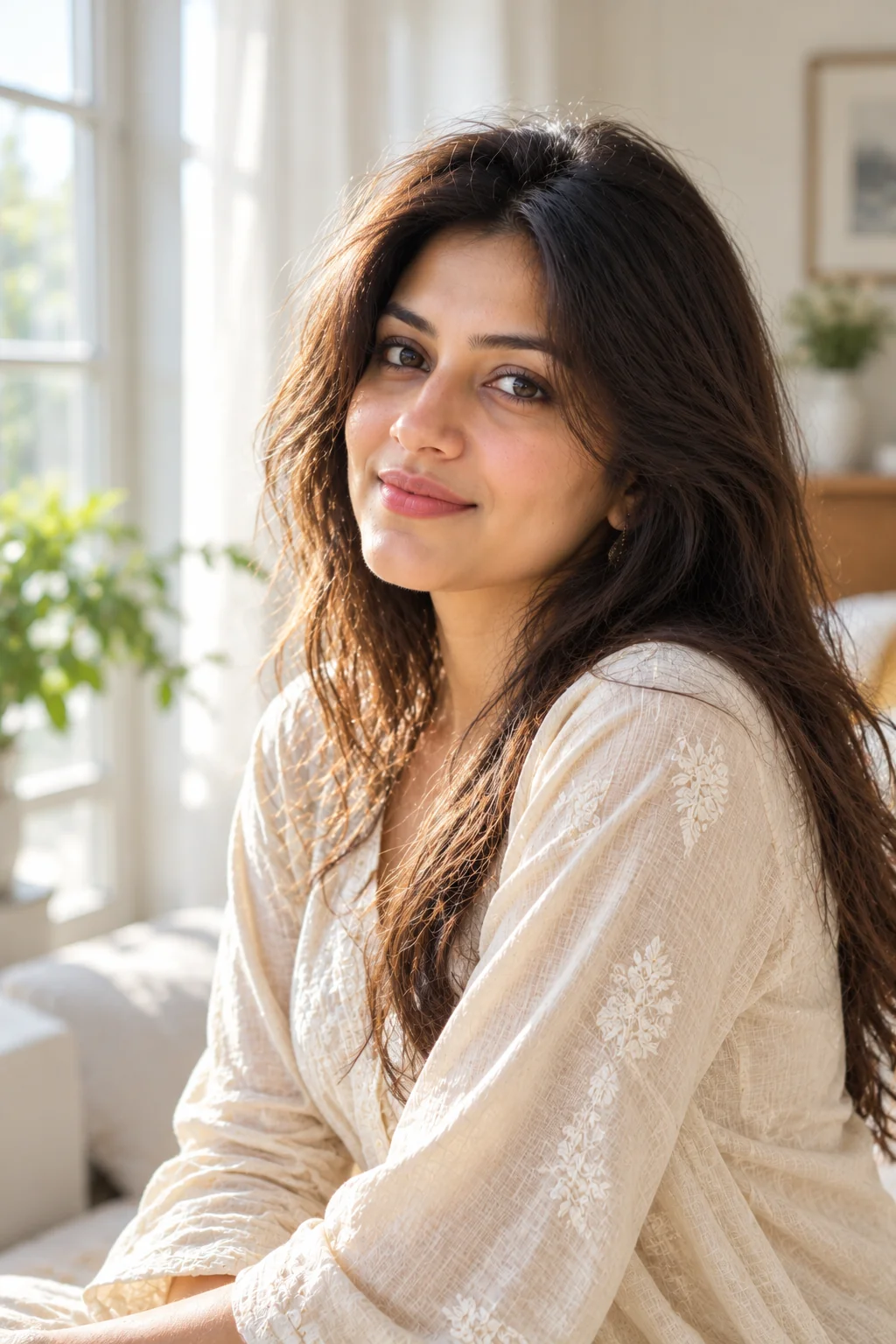
Bright and airy photorealistic portrait of an adult woman in a sunlit room with soft daylight and neutral decor
Prompt
Generate a bright, airy, photorealistic portrait of an adult woman standing in a light-filled room with large windows and understated neutral decor. Use abundant diffused daylight to create luminous but controlled highlights on her face, hair, and clothing. Preserve natural skin texture, subtle pores, realistic facial proportions, and fine details around the eyes and lips. Give her a gentle, relaxed expression and a comfortable posture, with her head slightly turned toward the window. Dress her in a light beige, cream, or pale blue outfit made from a realistic fabric such as cotton or linen. Include a softly blurred background featuring white curtains, pale walls, and minimal furniture. Use an eye-level camera angle, an 85mm portrait lens aesthetic, shallow depth of field, and a composition that feels spacious without making the subject appear too small. Maintain accurate white balance, natural skin tones, soft shadow transitions, realistic window illumination, and delicate highlight detail. The photograph should feel fresh, calm, and elegant, like a professionally captured lifestyle portrait in a naturally bright home. Avoid washed-out facial details, excessively white skin, artificial glow, plastic texture, harsh highlights, and overly strong background blur.
Use this prompt for light, elegant portraits, lifestyle photography, minimalist visual content, or a fresh and polished profile image.
Tip: If the result looks washed out, add 'preserve highlight detail and natural skin contrast.' For a more editorial look, include white curtains and pale architectural textures rather than adding lots of decorative objects.

8. Black-and-White Natural Light Portrait โ€” AI Prompt

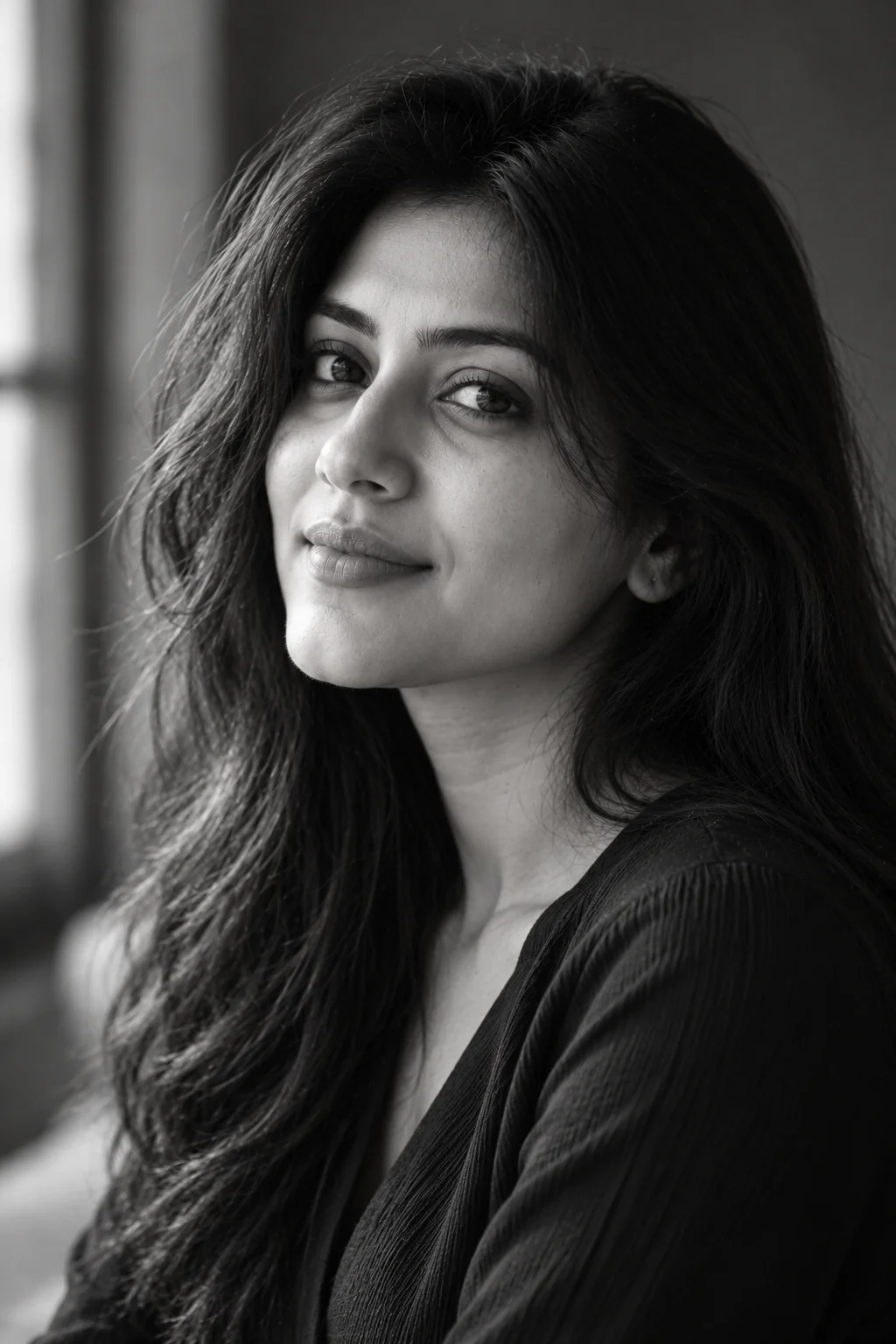
Black-and-white photorealistic portrait of an adult woman with natural skin texture, expressive eyes, and soft window lighting
Prompt
Create a timeless black-and-white photographic portrait of an adult woman using soft directional window light and a simple, unobtrusive background. Emphasize the natural structure of her face through carefully balanced highlights and shadows rather than extreme contrast. Preserve realistic skin texture, visible pores, fine lines, detailed eyebrows, individual hair strands, and expressive eyes. Give her a quiet, confident expression and a subtle three-quarter pose, with her gaze directed slightly beyond the camera. Style her in a classic dark blouse or tailored jacket with natural fabric texture. Use a head-and-shoulders composition, eye-level perspective, an 85mm portrait lens aesthetic, and a softly blurred background. Render the image with a rich range of grayscale tones, smooth tonal transitions, clear midtone detail, and controlled highlights. The photograph should resemble a professionally captured fine-art portrait with a genuine optical photographic quality. Keep the facial features lifelike and the shadows detailed enough to retain important information. Avoid excessive grain, crushed blacks, artificial skin smoothing, distorted eyes, exaggerated facial contrast, and illustrated textures. The final result should feel elegant, expressive, and enduring, with the emotional impact coming from the subject and the light rather than unnecessary effects.
Use this prompt for classic fine-art portraits, editorial photography, monochrome profile images, or projects that benefit from a timeless photographic style.
Tip: Request soft midtone contrast for a gentle, classic portrait or stronger directional light for a more dramatic result. Black-and-white conversion works best when the original composition already has clear lighting and facial detail.

9. Professional Natural-Light Headshot โ€” AI Prompt

Professional realistic headshot of an adult woman wearing business attire with soft natural lighting and a neutral background
Prompt
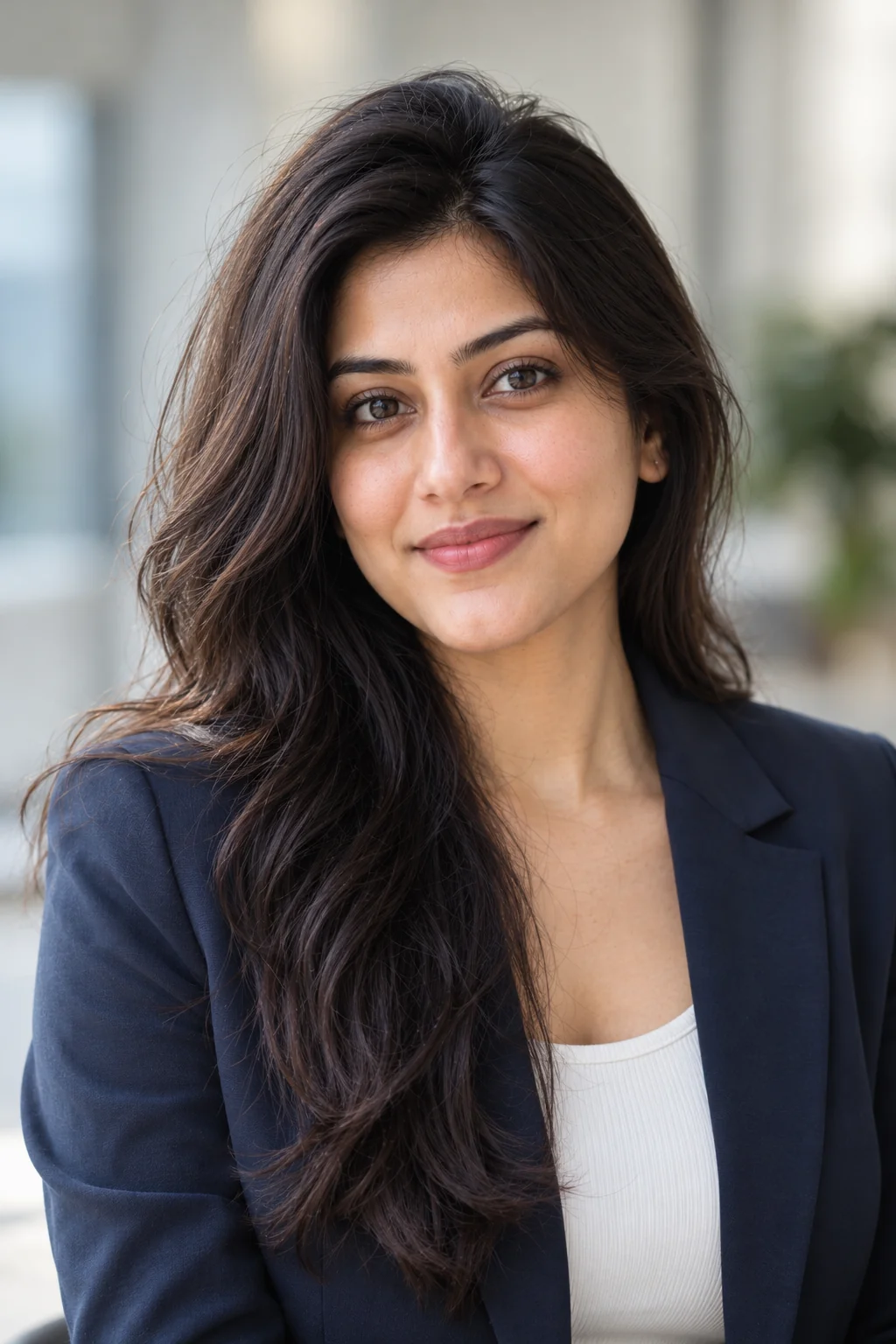
Create a professional, photorealistic headshot of an adult woman suitable for a business profile, company website, professional portfolio, or LinkedIn-style profile image. Use soft, flattering natural window light that illuminates her face evenly while retaining realistic contours and subtle shadows. Preserve natural skin texture, believable facial details, realistic eyes, natural hair strands, and authentic skin tones. Give her a friendly, confident expression with a relaxed, genuine smile and direct eye contact with the camera. Style her in a well-fitted navy blazer, charcoal jacket, or understated professional top, ensuring that the fabric and collar look realistic. Use a clean light gray, warm white, or softly blurred office background without distracting objects. Frame the portrait from the upper chest upward, keeping the face centered and the shoulders naturally positioned. Use an 85mm portrait lens aesthetic, sharp eye focus, moderate background blur, balanced exposure, and neutral color grading. The result should appear polished yet approachable, like a real professional headshot captured by an experienced photographer. Avoid exaggerated beauty retouching, unnatural teeth, artificial smiles, over-sharpened facial features, distorted clothing, and excessive background effects. Prioritize credibility, natural expression, accurate facial proportions, and clean photographic composition.
Use this prompt for professional profile pictures, portfolio concepts, business branding, resume-related visuals, or a clean headshot aesthetic.
Tip: Specify your preferred clothing color and background tone to match your professional brand. If the image will represent a real person, use an authorized reference photo and verify that the generated face remains recognizable before publishing it as an actual headshot.

10. Editorial Portrait with Natural Light and Soft Film Color โ€” AI Prompt

Editorial-style photorealistic portrait of an adult woman with natural window light, subtle film-inspired colors, and realistic skin texture
Prompt
Create a high-end editorial portrait of an adult woman photographed in a naturally lit interior with understated architectural details. Use soft directional daylight from a large window to produce dimensional facial lighting, gentle shadows, and subtle highlights along the cheekbones and hair. Preserve realistic skin pores, natural facial asymmetry, believable eye reflections, fine hair strands, and authentic skin tones. Give her a composed, confident expression with a relaxed three-quarter pose and a natural gaze toward the camera. Style her in a contemporary neutral outfit with interesting but understated textures, such as a structured cream blazer, a charcoal top, or a muted earth-tone dress. Use an elegant background with subtle depth, restrained colors, and no distracting objects. Compose the image as a medium close-up with a 50mm or 85mm editorial portrait lens aesthetic, realistic perspective, shallow depth of field, and carefully controlled background separation. Apply subtle film-inspired color grading with gentle warmth, soft highlights, balanced midtones, and natural contrast. Preserve the appearance of a real camera photograph rather than an artificial fashion illustration. Avoid extreme retouching, exaggerated makeup, unrealistic skin gloss, excessive film grain, artificial lens flare, and distorted facial proportions. The finished image should feel sophisticated, modern, natural, and suitable for a professional editorial photography collection.
Use this prompt for fashion-inspired portraits, creative portfolios, editorial-style social media content, or sophisticated photography concepts that combine realism with a polished visual identity.
Tip: Change the wardrobe, background architecture, or film color palette to create multiple editorial variations. For more natural results, adjust one or two visual elements at a time instead of changing the lighting, clothing, pose, and color grading simultaneously.

Realistic AI portraits start with specific photographic details, not complicated wording. These 10 realistic portrait prompts for women give you a practical starting point for experimenting with natural window light, golden-hour photography, cinematic shadows, authentic skin texture, and professional headshots. For the best results, choose the prompt that matches your intended photograph, then customize the background, clothing, expression, and lighting to suit your vision. If you are creating a portrait of yourself or another real person, use an appropriate reference image when the generator supports it and explicitly request preservation of recognizable facial features. Remember that different AI image generators interpret instructions differently, so you may need a few attempts to achieve the exact composition you want. Small adjustments to light direction, camera distance, and background detail often make a bigger difference than adding more descriptive adjectives. Save the prompts that work well for your preferred image generator and build on them over time. With a little experimentation, you can create a more consistent collection of natural-looking AI portraits for personal projects, professional concepts, and creative photography experiments.

Why These Realistic Portrait Prompts Work So Well

A convincing AI portrait depends on more than a description of the person in the image. Strong prompts communicate how the photograph should be illuminated, composed, rendered, and presented. These prompts combine practical photographic language with clear visual instructions, helping image generators understand the intended result while leaving room for creative variation. Here are five reasons these portrait prompts can provide a useful starting point for more realistic images.

Photography-Inspired Instructions

The prompts describe recognizable photographic approaches, including close-up compositions, head-and-shoulders framing, eye-level camera angles, and portrait lens aesthetics. These details help communicate the intended photographic style. A lens description is a creative instruction rather than a guarantee that an image generator will reproduce the exact optical characteristics of a physical camera.

Natural Lighting That Shapes the Face

Window light, golden-hour illumination, open shade, and soft directional lighting create different moods and shadow patterns. Specifying the direction, softness, and intensity of light gives the image generator a clearer visual goal than simply asking for beautiful lighting. Natural-looking illumination also helps avoid the overly glossy appearance common in some AI-generated portraits.

Greater Attention to Facial Detail

Instructions about natural pores, individual hair strands, realistic eye reflections, subtle facial asymmetry, and authentic skin tones encourage more convincing photographic detail. These descriptions help establish a realism-focused target, although the final output still depends on the image generator, its settings, and the reference material.

Clear Composition and Background Control

Each prompt specifies the intended framing, subject placement, background style, and depth of field. This reduces ambiguity and makes it easier to generate portraits suited to different uses. A close-up beauty photograph requires different framing from a professional headshot or an environmental lifestyle portrait.

Easy Customization for Different Styles

The prompts are designed to be adapted rather than used as rigid formulas. You can change clothing, setting, expression, lighting direction, and color grading to create distinct results. Adjusting one or two elements at a time makes it easier to identify which instructions improve the output and develop a reusable prompt that fits your preferred image generator.

Frequently Asked Questions

How do I create realistic AI portraits of women with natural lighting?

Start with a clear description of the subject, lighting direction, background, camera framing, and desired level of photographic detail. Specify soft window light, open shade, or golden-hour illumination depending on the mood you want. Include instructions for realistic skin texture, natural facial proportions, detailed eyes, and believable hair. Avoid contradictory lighting directions and excessive stylistic effects. Generate a few variations, then adjust the lighting or composition based on the results.

What is the best Midjourney prompt for a realistic female portrait in natural light?

A useful starting point is a detailed description of an adult woman photographed beside a large window with soft diffused daylight, realistic skin pores, natural facial proportions, individual hair strands, and a softly blurred background. Add an eye-level close-up composition, an 85mm portrait lens aesthetic, and balanced exposure. You can adapt the first prompt in this article for Midjourney or another compatible image generator. The best wording may vary by model and version, so experiment with shorter or more detailed variations.

How can I make AI-generated skin look more realistic?

Describe skin as naturally textured, with visible pores, subtle tonal variation, fine facial details, and realistic highlights. Ask for minimal retouching and avoid phrases that imply flawless, porcelain-like, or completely smooth skin if you want a natural photograph. Use soft directional lighting to reveal facial contours without creating excessively harsh shadows. If the output looks waxy, simplify the beauty-related instructions and explicitly request authentic skin texture.

Can I use these AI portrait prompts with ChatGPT, Midjourney, and other image generators?

Yes. These prompts provide general visual instructions that can be adapted for Midjourney and other image generators that accept descriptive text prompts. If your chosen tool uses a reference image, aspect-ratio setting, style parameter, or separate negative-prompt field, configure those features according to its documentation. Some tools may respond better to concise prompts, while others can interpret more detailed descriptions. You may need to adjust the wording for your particular generator.

How can I preserve my face when generating a realistic AI portrait from a reference photo?

If your image generator supports reference images, upload a clear photo that you own or have permission to use. Add an instruction such as 'preserve the subject's recognizable facial features, facial proportions, and natural skin tone while changing only the lighting, clothing, and background.' Use a reference-strength or identity-preservation setting if the tool provides one. Results are not guaranteed to maintain exact identity, so review the generated images carefully. Avoid uploading private photographs of other people without appropriate permission.

Why do my AI portraits sometimes look artificial even with a detailed prompt?

Artificial-looking results can come from overly smooth skin, exaggerated eye reflections, inconsistent lighting, distorted facial features, unnatural hands, or conflicting instructions. A long prompt does not automatically produce a better image. Focus on a few priorities: believable light direction, natural skin texture, accurate facial proportions, clear composition, and a simple background. Generate several variations and change one or two instructions at a time. If your tool supports negative prompts, use them selectively to discourage specific defects visible in your results.

About the Author
Jitendra Patra - AI Prompt Researcher and Software Engineering Student

Jitendra Patra

AI Prompt Researcher & Software Engineering Student

โœฆ Prompt Engineering Research โœฆ Gemini & Generative AI Focus โ– Prompt Development & Research
View Portfolio

Jitendra Patra is a software engineering student and AI prompt researcher specializing in Google Gemini and generative image models. He actively experiments with structured prompt engineering techniques to produce high-quality, reproducible visual outputs.

His work focuses on iterative prompt development, with attention to subject, lighting, composition, and visual style.

The prompts in this guide are developed with attention to structure, detail, and visual quality.

โ€” AI prompt experiments & research insights