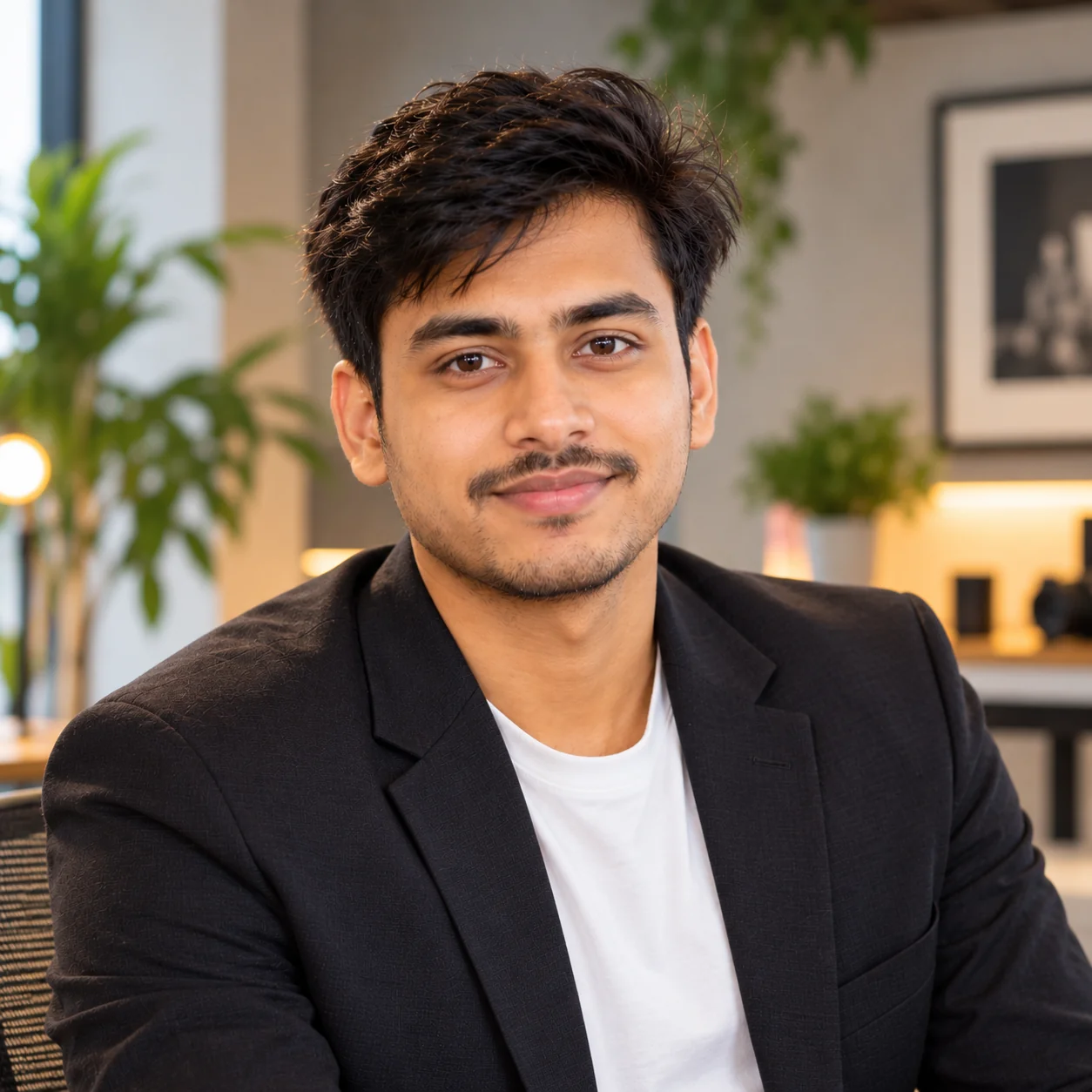
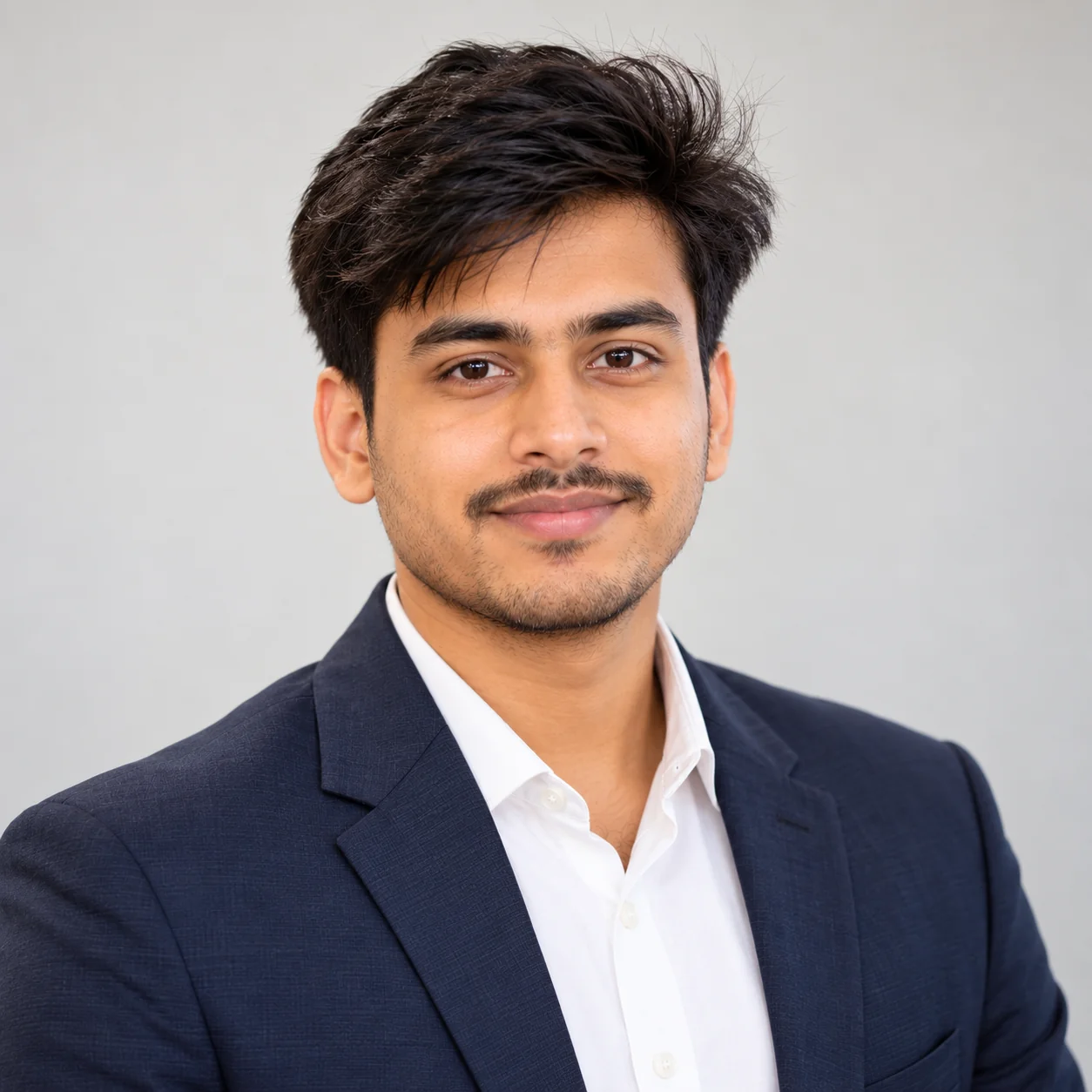
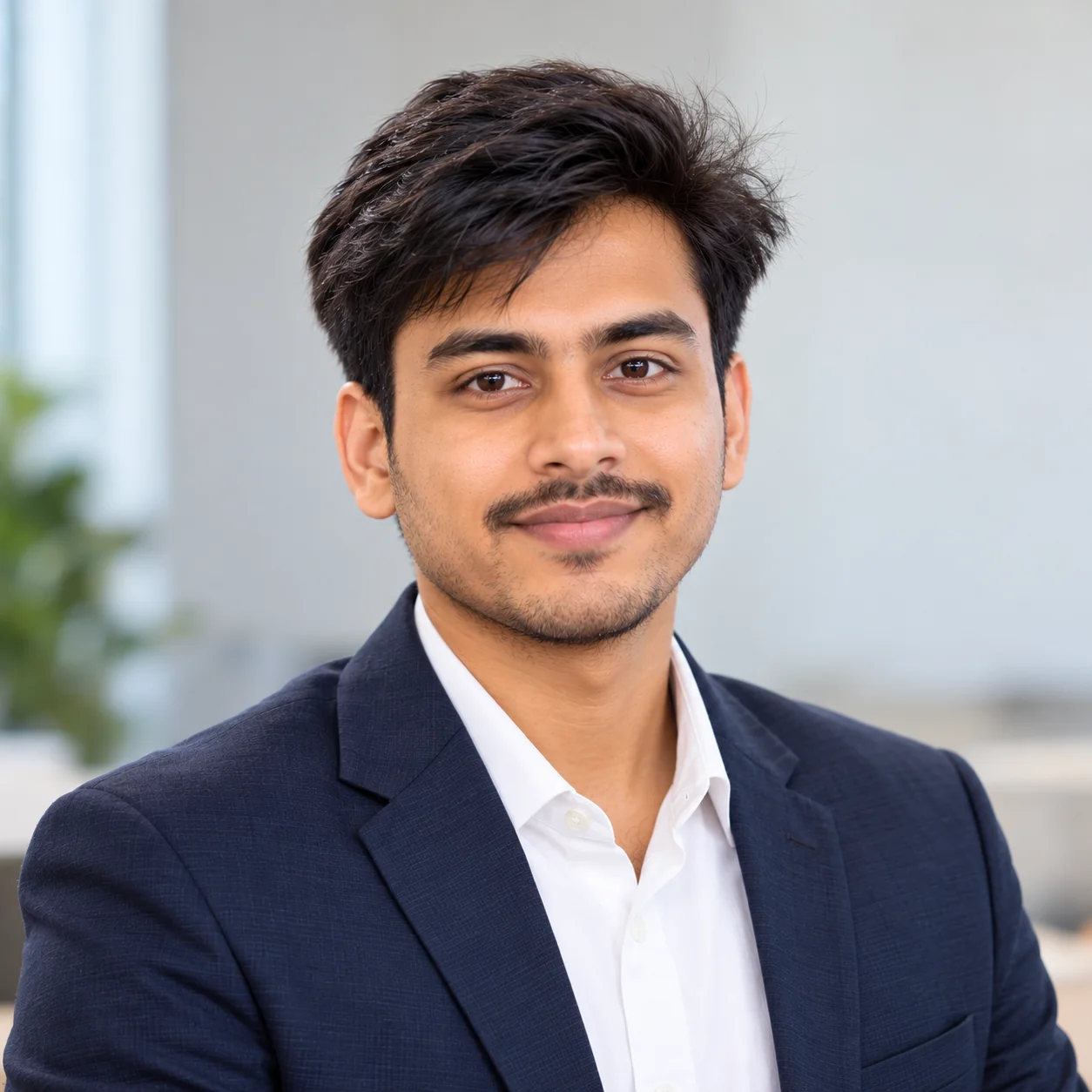
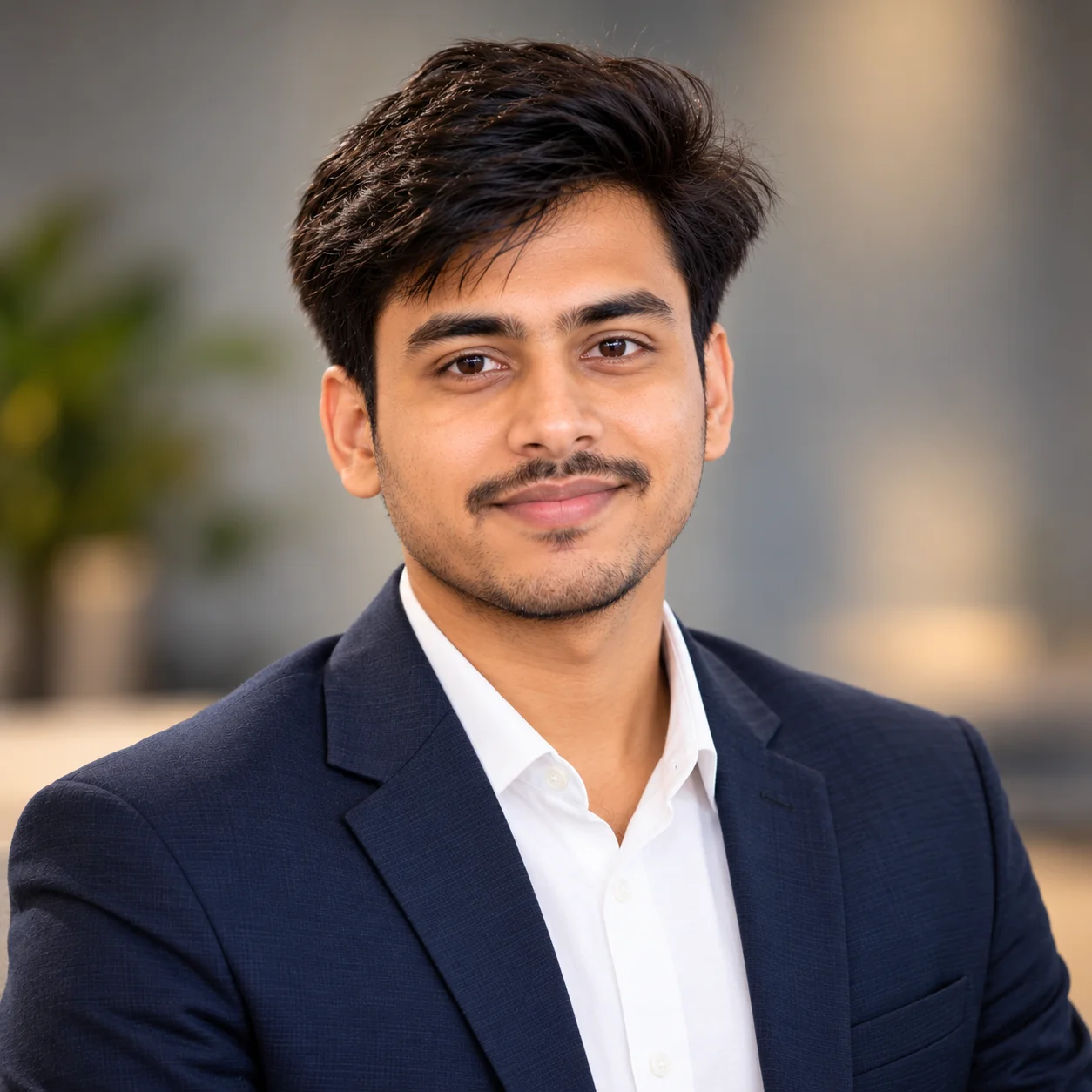
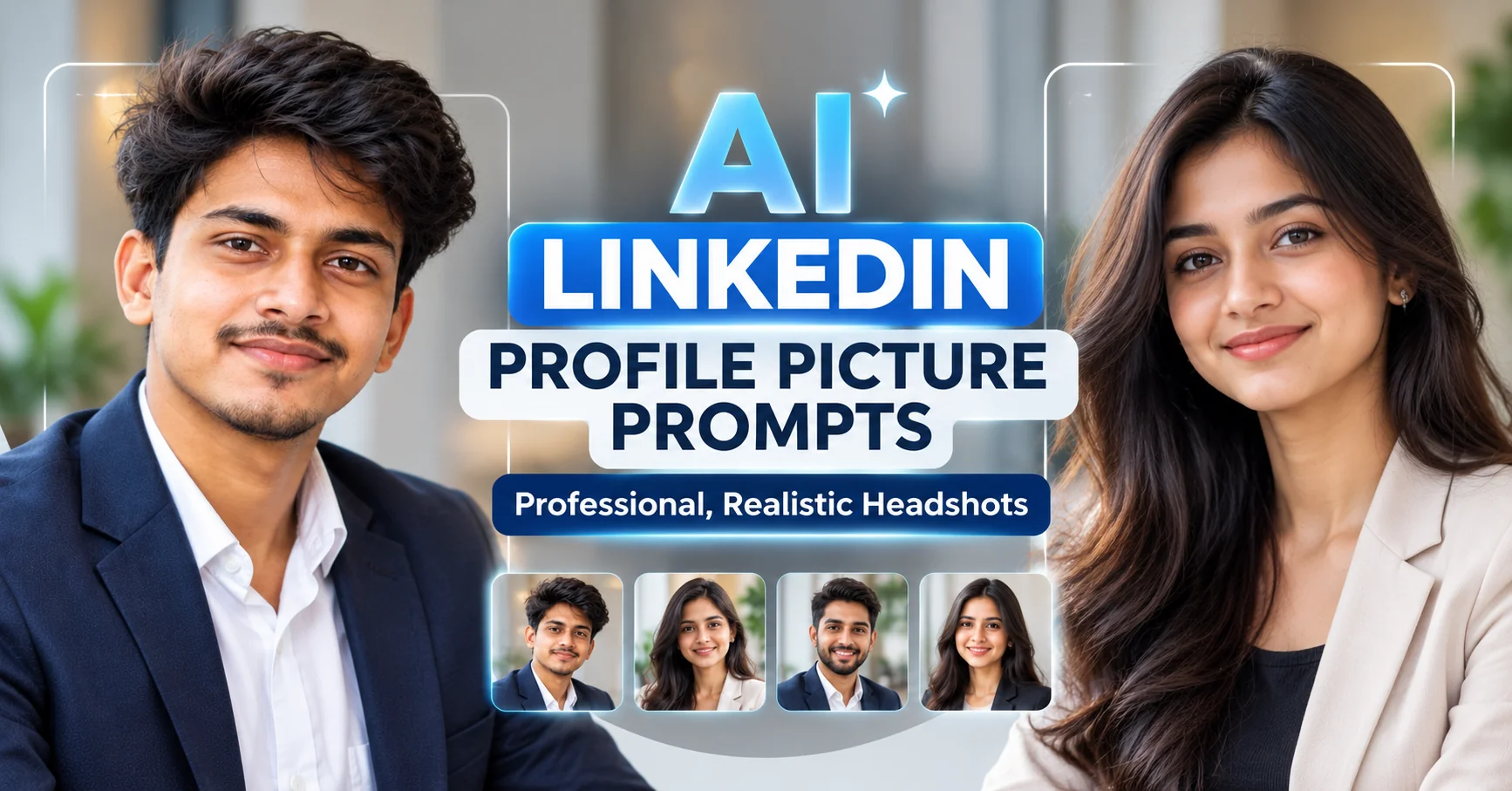
AI LinkedIn Profile Picture Prompts for Professional, Realistic Headshots
Updated: 12 min read

Want a professional LinkedIn profile picture without the hassle of arranging a traditional photo shoot? The right AI prompt can help you transform an existing photograph into a polished, professional-looking headshot while maintaining your recognizable appearance. Whether you are applying for jobs, building your personal brand, networking with industry professionals, or updating your business profile, your profile picture is an important part of how people recognize you online. However, simply asking an AI image generator to create a professional headshot may produce unnatural skin, exaggerated facial features, unrealistic clothing, or a background that looks artificial. A well-written prompt provides clearer instructions about lighting, facial details, clothing, composition, and background. In this guide, you will find 10 copy-and-paste AI LinkedIn profile picture prompts designed for ChatGPT image generation and other compatible AI image tools. Every prompt asks you to upload a reference photo and use it as the main visual reference. You will also learn how to customize your headshot, select a suitable professional style, avoid common AI-generated portrait problems, and create an image that looks polished without losing your recognizable identity.

  • โœ” 10 copy-and-paste AI prompts for professional LinkedIn profile pictures.
  • โœ” Every prompt requires an uploaded reference image to guide the transformation.
  • โœ” Corporate, business-casual, executive, creative, and natural-light headshot styles.
  • โœ” Practical tips for realistic skin texture, flattering lighting, professional clothing, and clean backgrounds.
  • โœ” Helpful advice for job seekers, students, entrepreneurs, freelancers, and experienced professionals.

1. Classic Professional LinkedIn Headshot โ€” AI Prompt

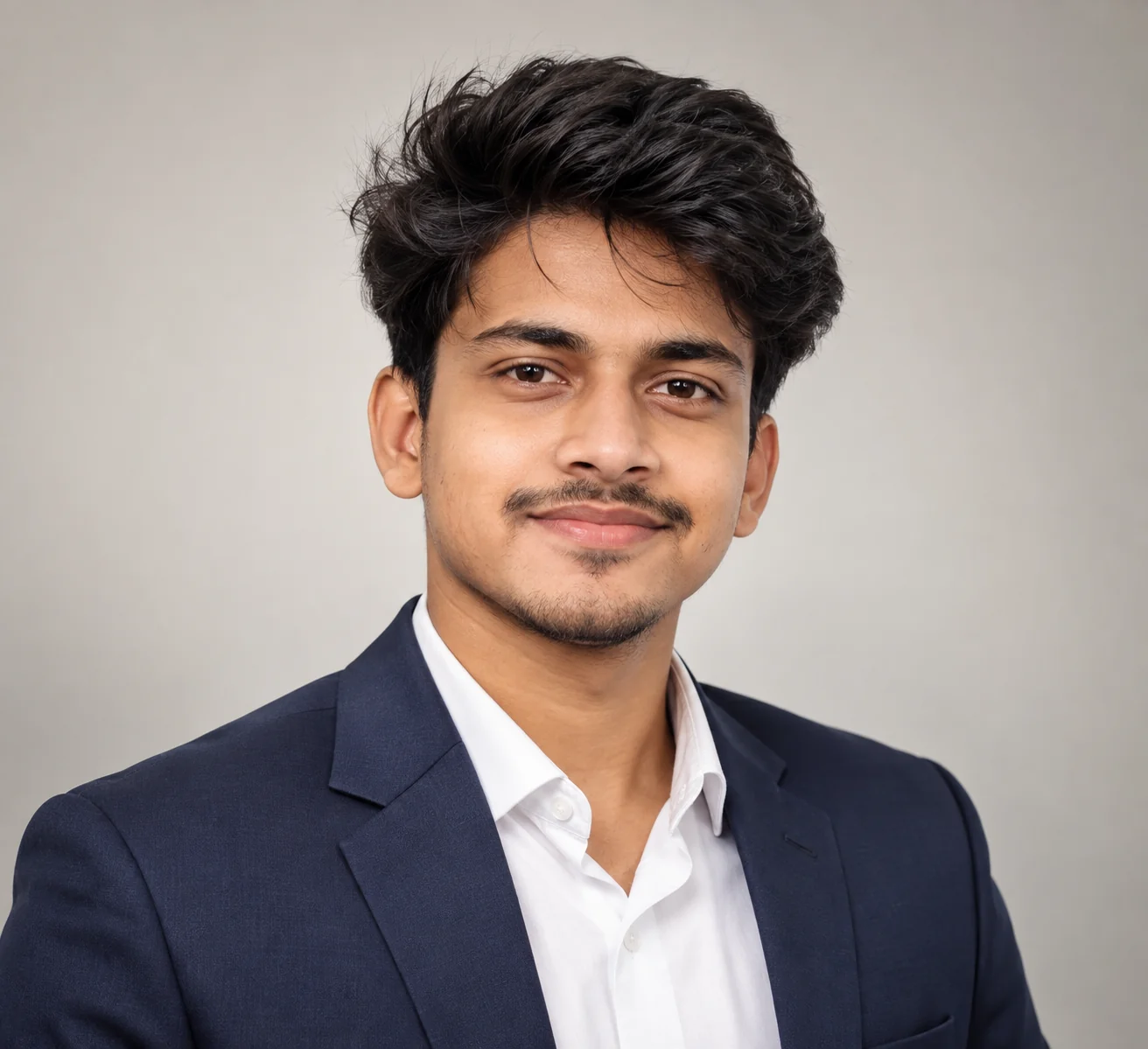
Professional LinkedIn headshot of an adult professional wearing a tailored blazer with soft lighting and a neutral studio background
Prompt
First, upload a clear reference photograph of yourself. Use the uploaded image as the primary identity reference for this transformation. Create a highly realistic professional LinkedIn headshot of the same adult person, preserving their recognizable facial features, face shape, natural skin tone, eye shape, nose, hairstyle, and other distinctive characteristics. Do not replace the person's identity with a different face or create an unrelated individual. Present the subject with a confident, approachable expression and a subtle natural smile. Dress them in a well-fitted navy or charcoal business blazer over a clean, understated shirt or blouse appropriate to their existing presentation. Use soft, even studio lighting with gentle shadows that preserve natural facial contours. Place the subject against a simple light gray or warm off-white background with subtle depth and no distracting objects. Frame the image from the upper chest upward, keeping the face clearly visible and naturally centered. Use realistic skin texture, visible natural pores, detailed eyes, individual hair strands, believable clothing folds, accurate facial proportions, and professional portrait photography quality. Keep retouching subtle and preserve the person's authentic appearance. Use a portrait lens aesthetic, sharp eye focus, balanced exposure, neutral color grading, and a clean professional composition. The finished photograph should resemble a genuine professional headshot taken by an experienced photographer. Avoid plastic skin, excessive beauty filters, exaggerated facial symmetry, artificial eye reflections, distorted clothing, unrealistic smiles, and dramatic cinematic effects. The final result must remain recognizable as the person in the uploaded reference image.
Use this prompt when you need a versatile, professional LinkedIn profile picture suitable for job applications, business networking, company directories, or a personal professional website.
Tip: Upload a recent photograph with your face clearly visible and good lighting. Replace the blazer color and background tone to match your profession, but keep the styling simple enough to look credible in a professional setting.

2. Natural-Light LinkedIn Headshot โ€” AI Prompt

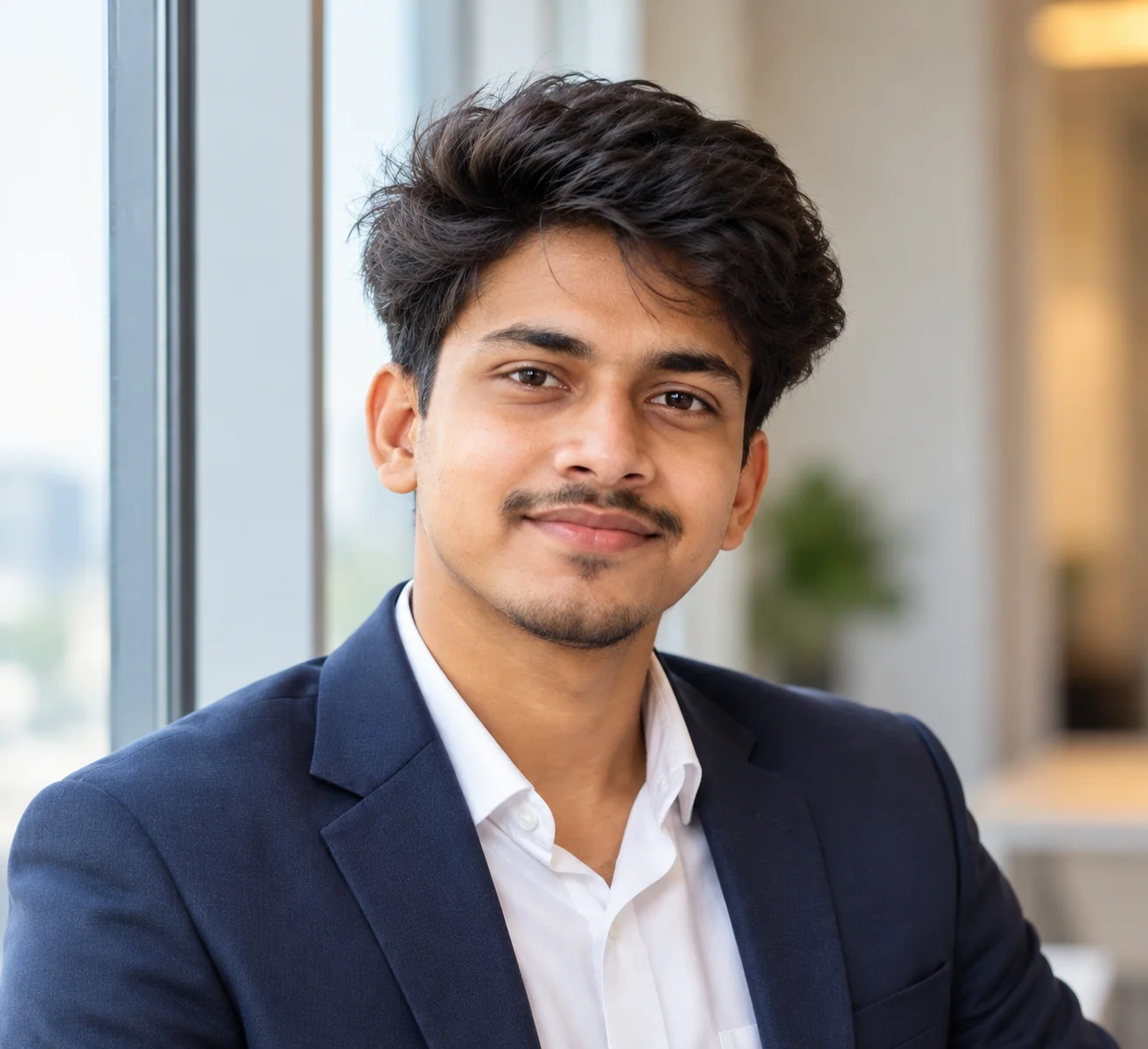
Realistic professional LinkedIn portrait of an adult professional beside a window with soft natural daylight and authentic skin texture
Prompt
Upload a clear reference photo of yourself and use it as the main identity reference. Generate a photorealistic LinkedIn profile headshot of the same adult person, preserving their recognizable face, facial proportions, natural skin tone, hairstyle, and distinctive features. Do not substantially alter their identity, age, or natural appearance. Position the subject near a large window with soft, diffused daylight illuminating the face from one side. Create gentle, realistic shadows that add dimension without hiding important facial details. Give the person a relaxed, confident expression and a natural smile appropriate for a professional networking profile. Dress them in a polished business-casual outfit, such as a simple blouse, collared shirt, or tailored blazer. Use a softly blurred, neutral interior background with subtle beige, gray, or cream tones. Frame the photograph from the shoulders upward at eye level, with sharp focus on the eyes and a naturally proportioned face. Preserve realistic skin pores, natural under-eye texture, individual hair strands, accurate clothing texture, and lifelike facial details. Use balanced exposure, realistic white balance, gentle contrast, and professional portrait photography aesthetics. Avoid artificial skin smoothing, excessive brightness, orange skin tones, exaggerated bokeh, harsh shadows, and synthetic facial details. The final image should look like an authentic photograph taken in a bright professional environment using natural window light, while remaining faithful to the uploaded reference photo.
Use this prompt if you prefer a natural, approachable LinkedIn photograph rather than a heavily polished studio portrait. It works especially well for consultants, recruiters, freelancers, and professionals in people-focused roles.
Tip: Choose a reference photo taken in soft daylight whenever possible. If the result looks too bright, add an instruction to preserve highlight detail and natural contrast instead of making the face uniformly illuminated.

3. Business-Casual LinkedIn Profile Picture โ€” AI Prompt

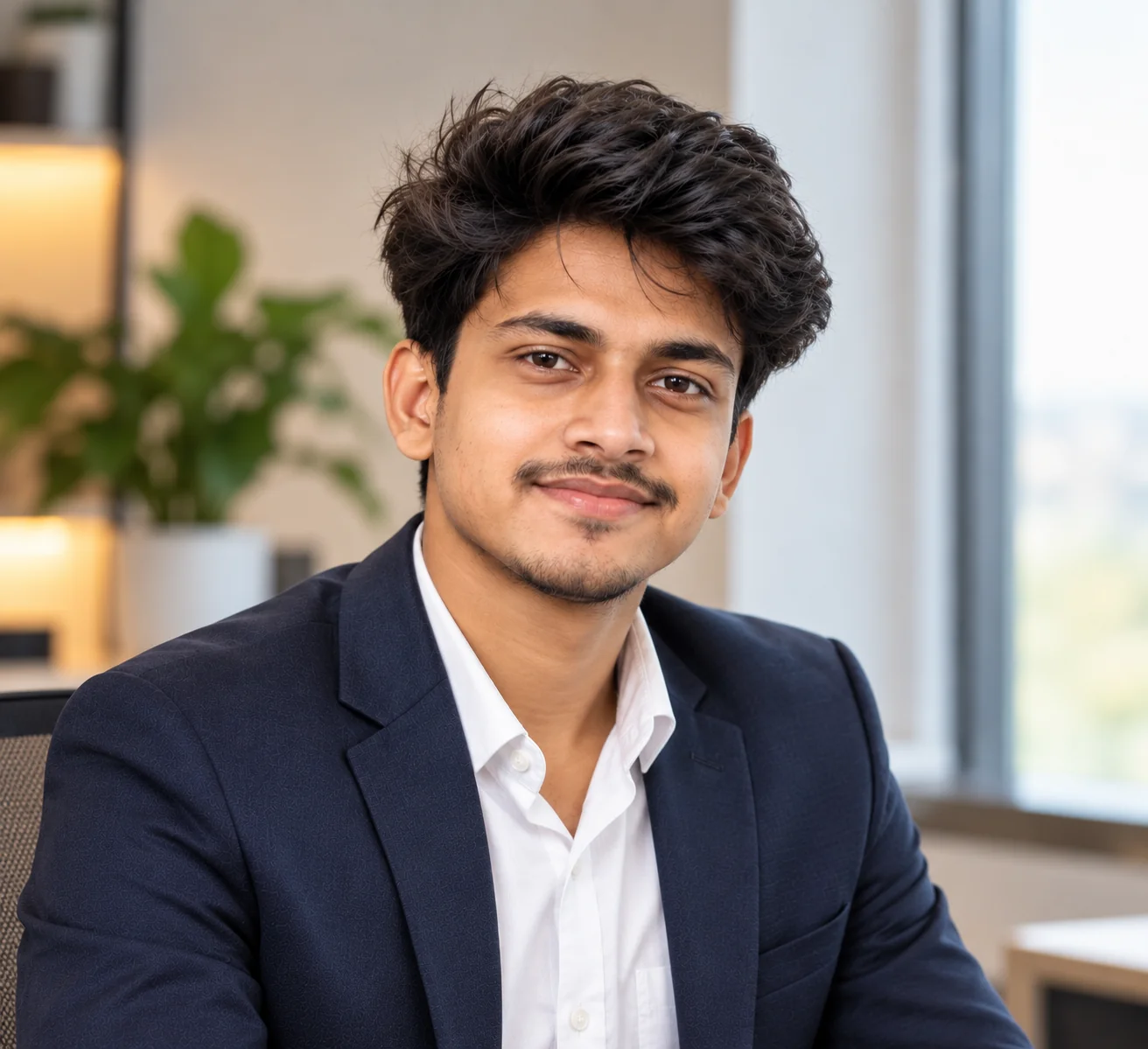
Approachable business-casual LinkedIn headshot of an adult professional wearing a smart casual outfit against a softly blurred office background
Prompt
Upload your own reference photograph before generating the image. Treat this photo as the primary identity reference and preserve the person's recognizable facial structure, eye shape, nose, natural skin tone, hairstyle, and other distinguishing features. Create a realistic business-casual LinkedIn headshot that looks professional without appearing overly formal. Dress the same adult person in a neat collared shirt, refined knit sweater, simple blouse, or understated blazer that suits their existing presentation and profession. Give the subject a relaxed posture, direct eye contact, and a genuine, subtle smile. Use soft natural-looking light from a nearby window or a large diffused light source. Set the portrait in a clean, contemporary office or neutral indoor environment with a softly blurred background. Use an eye-level camera angle and frame the subject from the upper chest upward. Maintain natural skin texture, realistic hair detail, believable fabric folds, accurate facial proportions, and authentic skin color. Keep the background visually quiet so that attention remains on the person's face. Apply subtle professional color correction and realistic exposure without heavy beauty retouching. Avoid stiff poses, exaggerated smiles, glossy skin, dramatic shadows, distracting accessories, and artificial facial changes. The final photograph should communicate approachability, competence, and authenticity while preserving the identity shown in the uploaded reference image.
Use this prompt for professionals working in technology, education, marketing, customer success, consulting, startups, or other industries where a polished but approachable appearance is appropriate.
Tip: Choose clothing that reflects what you would realistically wear to work. A smart casual look often feels more authentic than a formal suit when your workplace has a relaxed dress code.

4. Executive and Leadership LinkedIn Headshot โ€” AI Prompt

Executive-style LinkedIn headshot of an adult business professional in a tailored suit with balanced studio lighting and a sophisticated neutral background
Prompt
Begin by uploading a clear reference image of yourself. Use the uploaded photograph as the primary identity reference and preserve your recognizable facial features, natural skin tone, face shape, hairstyle, and authentic appearance. Create a sophisticated, photorealistic executive LinkedIn headshot suitable for a senior professional, manager, business owner, or company leader. Dress the subject in refined professional clothing, such as a tailored charcoal suit, navy blazer, or elegant business outfit appropriate to their presentation. Maintain realistic garment structure, natural fabric folds, and a clean, well-fitted appearance. Give the person a composed, confident expression with direct eye contact and a subtle, believable smile. Use balanced directional studio lighting that defines the face while preserving realistic skin texture and soft shadow detail. Choose a restrained dark gray, warm neutral, or softly blurred modern office background. Compose the image as a head-and-shoulders portrait at eye level, keeping the face clearly visible and naturally proportioned. Preserve visible skin texture, detailed eyes, individual hair strands, realistic facial asymmetry, and natural highlights. Use professional portrait photography aesthetics, controlled contrast, accurate white balance, and understated color grading. Avoid excessive retouching, exaggerated authority poses, artificial facial sharpening, overly dramatic shadows, and unrealistic skin. The final result should convey credibility and leadership without changing the person's identity or making the photograph appear artificial.
Use this prompt for executive profiles, business owners, senior managers, company leadership pages, professional speakers, and experienced consultants.
Tip: Choose a background and outfit that match your actual professional role. A dark neutral background can create a more formal appearance, while a light gray background often feels more open and contemporary.

5. Friendly and Approachable LinkedIn Headshot โ€” AI Prompt

Friendly professional LinkedIn portrait of an adult person with a natural smile, soft lighting, and a bright neutral background
Prompt
Upload a recent reference photograph of yourself and use it as the main visual and identity reference. Create a natural, photorealistic LinkedIn profile picture of the same adult person, preserving their recognizable face, facial proportions, hairstyle, skin tone, and distinctive characteristics. The goal is to create a warm, confident, approachable professional appearance without making the subject look like a different person. Give the person a genuine, relaxed smile with natural facial expression and realistic eye contact. Dress them in clean, professional clothing that feels comfortable and authentic, such as a simple blazer, collared shirt, knit top, or understated blouse. Use soft, flattering light that illuminates the face evenly while retaining natural facial contours and subtle shadows. Set the subject against a bright, neutral background or a softly blurred modern workspace. Frame the image from the shoulders upward, with the face in sharp focus and the background unobtrusive. Preserve realistic skin texture, natural pores, detailed eyes, individual hair strands, and believable clothing. Apply gentle color correction and balanced exposure without heavy retouching. Avoid artificial smiles, unnaturally white teeth, excessive skin smoothing, exaggerated facial symmetry, and overly staged poses. The finished portrait should feel friendly, credible, and professional, resembling a real photograph taken for a business networking profile. Keep the subject recognizable and faithful to the uploaded reference image.
Use this prompt for recruiters, teachers, customer-facing professionals, community managers, nonprofit professionals, and anyone who wants a welcoming professional profile picture.
Tip: A slight natural smile is usually more convincing than an exaggerated grin. If the generated expression looks forced, ask for a relaxed mouth, natural eye expression, and subtle smile while preserving the reference person's actual facial characteristics.

6. Modern Technology Professional LinkedIn Headshot โ€” AI Prompt

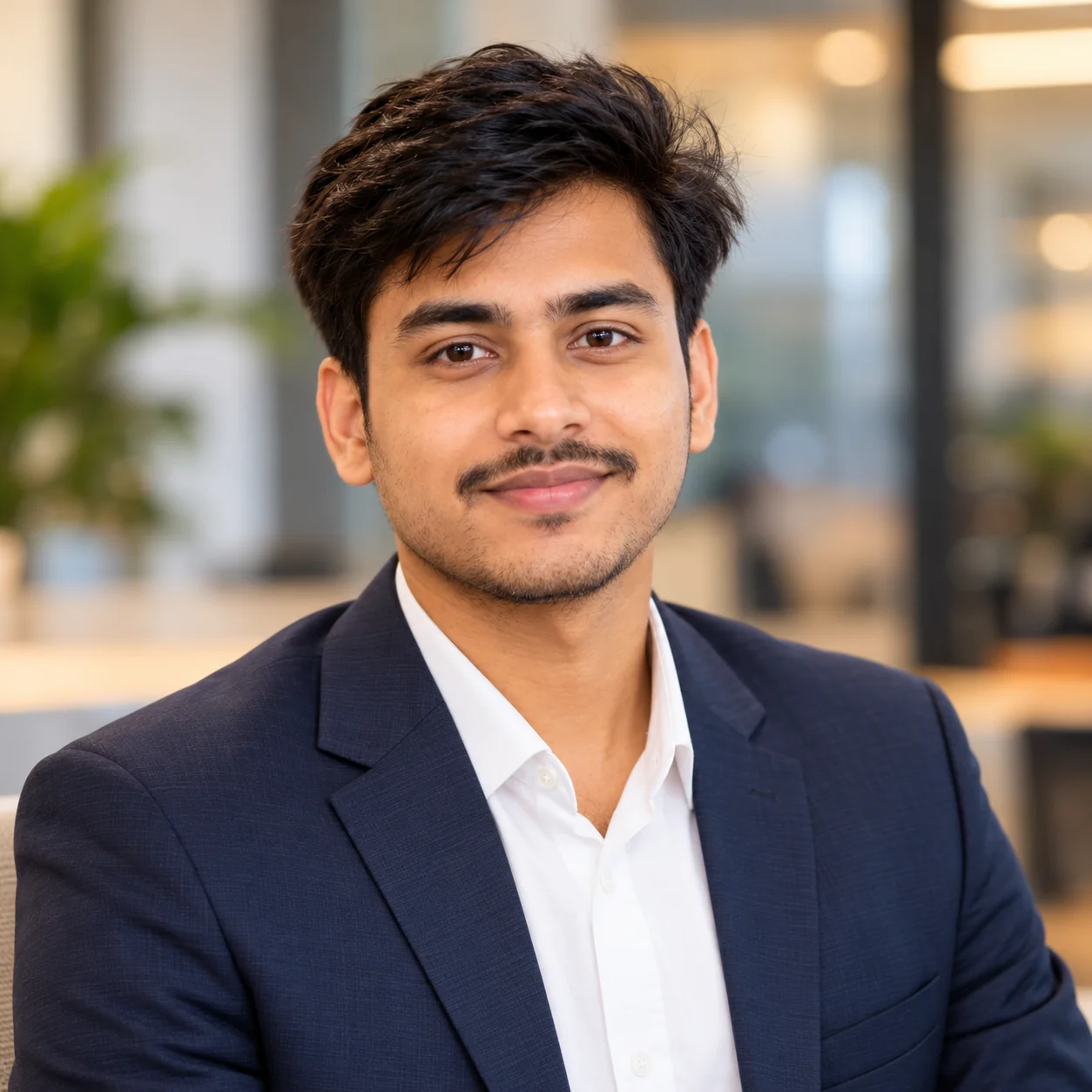
Modern professional LinkedIn headshot of an adult technology professional wearing smart casual clothing against a softly blurred contemporary workspace
Prompt
Upload your own reference image and use it as the primary identity reference for this portrait. Preserve the same adult person's recognizable facial features, face shape, natural skin tone, hairstyle, and distinguishing details. Create a photorealistic LinkedIn headshot for a technology professional, software engineer, data analyst, product manager, IT specialist, or startup employee. Style the person in understated modern business-casual clothing, such as a solid-color shirt, neat knit top, or simple blazer. Keep the clothing professional without introducing unnecessary accessories or exaggerated futuristic styling. Give the subject a confident, thoughtful, approachable expression with natural eye contact. Use soft, realistic lighting inspired by a bright contemporary office or a large nearby window. Place the person against a subtle, softly blurred modern workspace with neutral architectural details and no distracting screens, logos, or artificial neon effects. Frame the photograph from the upper chest upward at eye level. Preserve realistic skin pores, detailed eyes, individual hair strands, natural facial asymmetry, and accurate proportions. Use restrained color grading, realistic exposure, clean composition, and a portrait lens aesthetic. Avoid science-fiction backgrounds, artificial blue lighting, plastic skin, excessive sharpening, distorted clothing, and changes to the person's identity. The final image should look like a genuine professional photograph suitable for a technology-focused LinkedIn profile.
Use this prompt if you work in software engineering, AI, cybersecurity, data science, product development, IT, or another technology-related field.
Tip: A simple shirt or blazer and a neutral background generally create a more versatile professional image than a highly themed technology background. Let your actual experience and profile headline communicate your technical expertise.

7. Creative Professional LinkedIn Portrait โ€” AI Prompt

Creative professional LinkedIn portrait of an adult designer or creative professional with natural lighting and a tasteful contemporary background
Prompt
Upload a clear reference photo of yourself before generating this portrait. Use the uploaded image as the primary identity reference, preserving your recognizable face, natural skin tone, facial proportions, hairstyle, and distinctive features. Create a photorealistic LinkedIn headshot for an adult creative professional, such as a graphic designer, photographer, content strategist, marketing specialist, or creative entrepreneur. Aim for a polished editorial style that feels individual and contemporary while remaining suitable for professional networking. Choose refined clothing with subtle personality, such as a textured blazer, a clean monochrome outfit, or a tasteful modern top. Give the subject a relaxed, confident expression with natural eye contact. Use soft directional daylight or a large diffused light source to create dimensional facial lighting and authentic skin texture. Select a muted architectural background, a minimal creative studio, or a softly blurred contemporary workspace. Keep any environmental details understated so that the person's face remains the main focus. Use an eye-level medium close-up composition, sharp eye focus, realistic hair strands, natural pores, believable fabric texture, and balanced colors. Apply subtle editorial color grading without excessive filters or artificial effects. Avoid exaggerated fashion styling, unnatural skin smoothing, heavy color casts, distracting props, and changes to the reference person's identity. The final portrait should feel distinctive, professional, and believable as a real photograph.
Use this prompt for designers, photographers, writers, artists, marketing professionals, brand strategists, and freelancers who want a slightly creative but still professional profile picture.
Tip: Add one subtle creative detail, such as a textured background or a muted accent color, rather than filling the image with props. The portrait should complement your portfolio without distracting from your face.

8. Clean Minimalist LinkedIn Profile Photo โ€” AI Prompt

Minimalist professional LinkedIn headshot of an adult professional against a clean off-white background with natural facial detail
Prompt
Upload a clear reference photograph of yourself and use it as the primary identity and visual reference. Preserve the subject's recognizable facial structure, natural skin tone, hairstyle, eye shape, and other distinctive features. Generate a clean, minimalist, photorealistic LinkedIn profile headshot that looks professional, timeless, and uncluttered. Dress the subject in a simple, well-fitted neutral outfit, such as a navy shirt, charcoal blazer, cream blouse, or understated professional top. Give the person a natural, composed expression and relaxed shoulders. Use soft, even lighting with subtle directional shadows to retain facial depth and realistic contours. Place the subject against a plain off-white, light gray, or warm beige background with no visible clutter, logos, text, or decorative elements. Frame the image from the upper chest upward, with the face clearly visible and positioned naturally in the composition. Maintain authentic skin texture, realistic pores, natural hair detail, accurate facial proportions, believable fabric folds, and neutral color balance. Use subtle portrait photography styling and sharp focus on the eyes. Avoid excessive retouching, artificial skin shine, overexposure, exaggerated facial symmetry, strong filters, and unnatural background gradients. The result should look like a genuine professional headshot that remains effective at the small size commonly used for profile images. Keep the subject faithful to the uploaded reference photograph.
Use this prompt when you want a versatile LinkedIn photo that works across different industries, job applications, business profiles, and professional networking platforms.
Tip: A simple background is particularly useful when your profile picture appears as a small thumbnail. Keep your face clearly visible and avoid clothing colors that blend into the background.

9. Polished LinkedIn Headshot for Students and Job Seekers โ€” AI Prompt

Professional LinkedIn headshot of an adult college graduate or job seeker wearing neat business-casual clothing with soft natural lighting
Prompt
Upload your own recent reference photograph before creating the portrait. Use it as the primary identity reference and preserve your recognizable facial features, face shape, natural skin tone, hairstyle, and authentic appearance. Create a realistic, polished LinkedIn profile picture suitable for an adult college student, recent graduate, internship applicant, or job seeker preparing to enter the professional workforce. Give the subject a confident but approachable expression, natural eye contact, and a subtle genuine smile. Dress them in clean business-casual clothing, such as a simple collared shirt, modest blouse, or well-fitted blazer, appropriate to their preferred professional field. Use soft natural window light or balanced studio-style illumination to produce realistic facial shadows and accurate skin tones. Choose a clean light gray, cream, or softly blurred office background. Frame the image from the shoulders upward, keeping the subject's face clearly visible and naturally proportioned. Preserve realistic skin pores, detailed eyes, individual hair strands, believable clothing texture, and natural facial asymmetry. Use a straightforward composition, restrained color grading, and professional portrait photography aesthetics. Avoid making the person look substantially older, changing their identity, adding exaggerated luxury styling, or applying heavy beauty filters. The final photograph should feel credible, contemporary, and appropriate for an entry-level professional profile while accurately representing the person in the uploaded reference image.
Use this prompt if you are a college student, recent graduate, internship applicant, or job seeker who wants a polished profile picture for professional networking.
Tip: Choose an outfit appropriate to the positions you want to pursue. Keep the result close to your real appearance, especially if recruiters may meet you in person after viewing your profile.

10. Premium Editorial LinkedIn Headshot โ€” AI Prompt

Premium editorial-style LinkedIn headshot of an adult professional with refined natural lighting, realistic skin texture, and a sophisticated neutral background
Prompt
Upload a high-quality reference photograph of yourself and use it as the main identity reference. Preserve your recognizable facial features, face shape, natural skin tone, eye shape, hairstyle, and distinctive characteristics. Create a premium editorial-style LinkedIn headshot that combines sophisticated portrait photography with a credible professional appearance. Style the same adult person in refined, understated business clothing with realistic tailoring and fabric texture. Give the subject a composed, confident expression with natural eye contact and a subtle smile. Use soft directional lighting inspired by a professional studio with a large diffused light source, creating gentle highlights and dimensional shadows across the face. Place the subject against an elegant neutral background, such as warm gray, charcoal, or softly blurred contemporary architecture. Compose a head-and-shoulders portrait with an eye-level camera angle, carefully controlled depth of field, and sharp focus on the eyes. Preserve natural skin pores, realistic hair strands, subtle facial asymmetry, accurate skin color, and lifelike facial proportions. Apply restrained editorial color grading, balanced contrast, realistic exposure, and polished but minimal retouching. The image should feel refined without looking artificial, overly glamorous, or like a fashion advertisement. Avoid exaggerated luxury styling, heavy makeup, plastic skin, dramatic cinematic effects, artificial facial reshaping, and excessive sharpening. The final result should resemble a professionally captured editorial portrait suitable for a senior LinkedIn profile, consultant website, or personal professional brand, while remaining faithful to the uploaded reference image.
Use this prompt for consultants, entrepreneurs, experienced professionals, public speakers, and people building a polished personal brand.
Tip: Keep the styling appropriate to your industry. A premium portrait does not need an expensive-looking background; careful lighting, authentic facial detail, and restrained styling usually create a more credible professional result.

Your LinkedIn profile picture should look professional while still looking like you. These AI LinkedIn profile picture prompts give you a starting point for creating corporate headshots, natural-light portraits, business-casual photos, executive images, and creative professional portraits. The key is to upload a suitable reference image and give the image generator clear instructions about preserving your recognizable facial features while improving the lighting, clothing, background, and composition. You do not need to change your entire appearance to create a stronger professional photograph. In many cases, a simple background, realistic skin texture, natural expression, and balanced lighting are enough to make a portrait look more polished. Experiment with the prompts one at a time, compare the results, and refine the details that matter most to your professional identity. Before using a generated image, verify that it still represents you accurately and that no unwanted changes have been introduced. For professional networking, authenticity matters just as much as presentation. Choose a result that looks credible at both full size and thumbnail size, and make sure it reflects the person people can expect to meet in a real conversation.

Why These AI LinkedIn Headshot Prompts Work So Well

Creating a convincing professional headshot with AI involves more than requesting a formal outfit and a plain background. Effective prompts explain the desired identity preservation, lighting, expression, composition, clothing, and photographic finish. These details give the image generator a clearer direction and help you evaluate whether the result is suitable for a professional networking profile. Here are five reasons these prompts provide a useful foundation for your next LinkedIn photo.

Reference-Based Personalization

Each prompt begins by asking you to upload a reference photograph and use it as the primary identity reference. This is important when you want an image that represents you rather than a generic AI-generated professional. Instructions to preserve recognizable facial features, natural skin tone, and hairstyle help communicate the goal, although different image generators may preserve identity with varying degrees of accuracy.

Professional Lighting and Presentation

Soft window light, balanced studio lighting, and gentle directional illumination can make a portrait feel more natural and polished. The prompts describe the intended lighting instead of relying on vague phrases such as beautiful or perfect lighting. This helps establish the mood while retaining facial detail and realistic skin tones.

Natural Facial Details

Realistic skin texture, believable eye reflections, natural facial proportions, and individual hair strands help prevent a portrait from looking overly synthetic. The prompts discourage excessive smoothing and artificial facial reshaping. Reviewing these details before using the image is particularly important when the portrait represents your professional identity.

Clear Composition for Profile Photos

A head-and-shoulders crop, eye-level camera angle, sharp eye focus, and uncluttered background keep attention on the subject. These instructions are especially useful for profile images that may appear as small thumbnails. A well-composed image remains recognizable and clear without relying on dramatic visual effects.

Flexible Styles for Different Careers

The prompts cover corporate, executive, business-casual, technology, creative, and entry-level professional styles. You can adjust clothing, background, lighting, and expression to fit your actual role and personal brand. Changing only a few details at a time makes it easier to compare results and find a look that feels both polished and authentic.

Frequently Asked Questions

What is the best prompt for a LinkedIn profile picture?

A useful LinkedIn profile picture prompt asks you to upload a clear reference photograph, preserve your recognizable facial features, and create a realistic professional headshot with natural skin texture, soft lighting, appropriate clothing, and a clean background. Specify the intended style, such as corporate, business-casual, or natural-light photography. The best prompt depends on your profession and the image generator you use, so experiment with a few variations before selecting your final image.

How do I use ChatGPT to create a professional LinkedIn headshot?

Use an image-generation feature that supports image uploads. Upload a clear photograph of yourself and provide a detailed prompt explaining the desired professional appearance. Ask the tool to preserve your recognizable facial features while adjusting lighting, clothing, background, and composition. Review the result carefully for changes to your identity, skin tone, facial proportions, and clothing. Available features and results can vary depending on the tool and model you use.

Can I create a LinkedIn profile picture from my existing photo?

Yes. If your chosen AI image generator supports reference images, you can upload an existing photograph and ask it to create a more polished professional portrait. For the most recognizable result, use a clear image in which your face is visible and avoid asking for unnecessary changes to your facial features. You can request a different background, more professional clothing, or softer lighting while keeping your appearance as consistent as possible. Always review the final image before using it professionally.

How can I make an AI LinkedIn headshot look realistic?

Use specific instructions for natural skin texture, realistic facial proportions, individual hair strands, soft lighting, and believable clothing. Avoid excessive beauty filters, artificial skin smoothing, dramatic color effects, and overly complicated backgrounds. A simple head-and-shoulders composition with sharp eye focus is often a useful starting point. If your first result looks artificial, change one or two elements at a time and generate another variation.

What should I wear in an AI-generated LinkedIn headshot?

Choose clothing that reflects your industry, role, and personal professional style. A blazer or suit may suit a corporate or executive profile, while a neat shirt, blouse, or smart casual outfit may be appropriate for technology, education, creative work, or a startup environment. Use realistic clothing instructions and avoid unnecessary accessories or distracting patterns. Your final image should reflect how you want to present yourself professionally without creating a misleading impression.

Is it appropriate to use an AI-generated headshot on LinkedIn?

An AI-assisted headshot can be useful if it accurately represents your appearance and does not mislead people about your identity or professional presentation. Before uploading it, check that your face remains recognizable and that the image has not introduced unrealistic changes. Avoid using someone else's photograph without permission. If you are subject to employer, licensing, or industry-specific requirements for professional images, check the applicable rules before publishing.

About the Author
Jitendra Patra - AI Prompt Researcher and Software Engineering Student

Jitendra Patra

AI Prompt Researcher & Software Engineering Student

โœฆ Prompt Engineering Research โœฆ Gemini & Generative AI Focus โ– Prompt Development & Research
View Portfolio

Jitendra Patra is a software engineering student and AI prompt researcher specializing in Google Gemini and generative image models. He actively experiments with structured prompt engineering techniques to produce high-quality, reproducible visual outputs.

His work focuses on iterative prompt development, with attention to subject, lighting, composition, and visual style.

The prompts in this guide are developed with attention to structure, detail, and visual quality.

โ€” AI prompt experiments & research insights